Chapter 1 Basic Concepts
This chapter introduces the basic concepts of Odoo Accounting. Three pillars support the accounting system: Chart of Accounts, Journals, and Taxes. If a company wants to create invoices in Odoo, these three areas must be configured first.
Accounting Dashboard
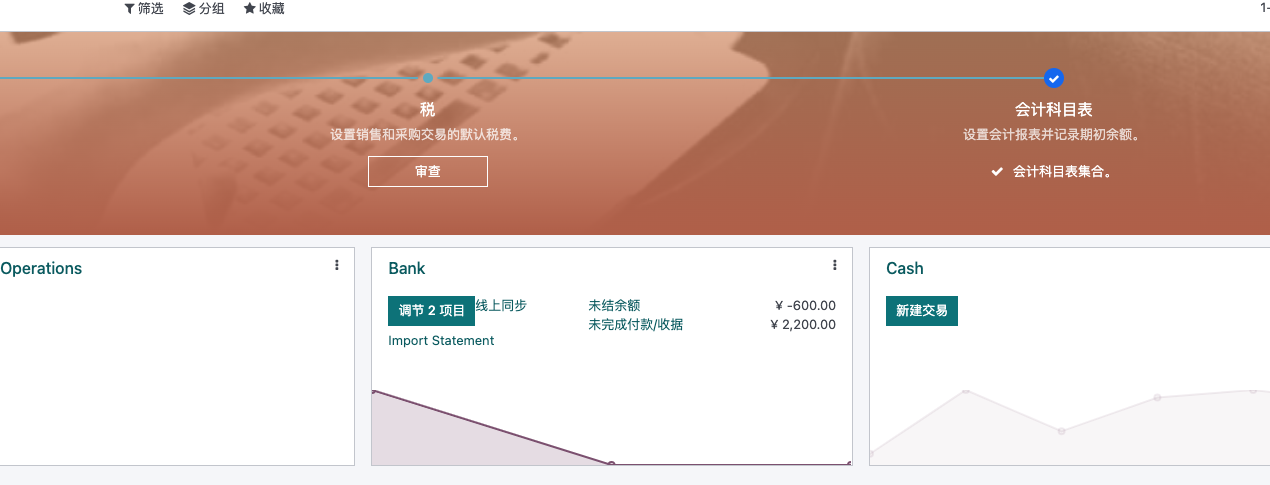
When opening the Accounting app, the first screen is the Accounting Dashboard.
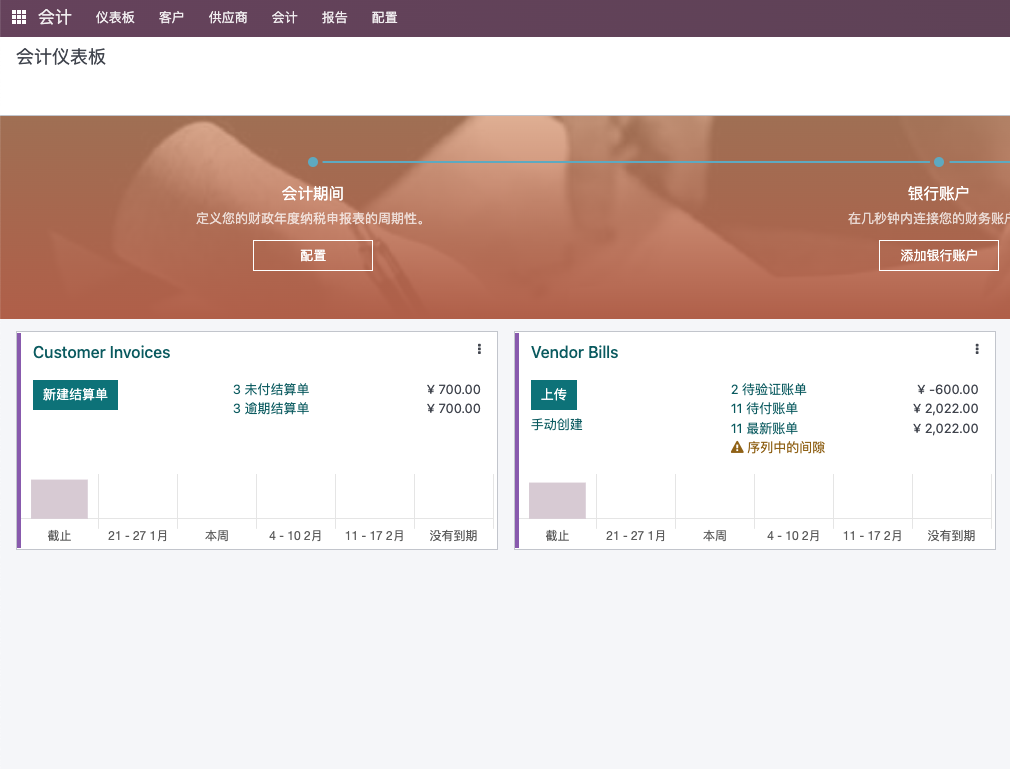
The dashboard lists the journals currently available in the system. Each journal card gives users quick access to common operations such as invoices, bills, bank transactions, and configuration.
Fiscal Localization
When a database is created, Odoo asks for the company's country. When Accounting is installed, Odoo installs the accounting localization package for that country. The current localization package can be checked under Accounting settings.
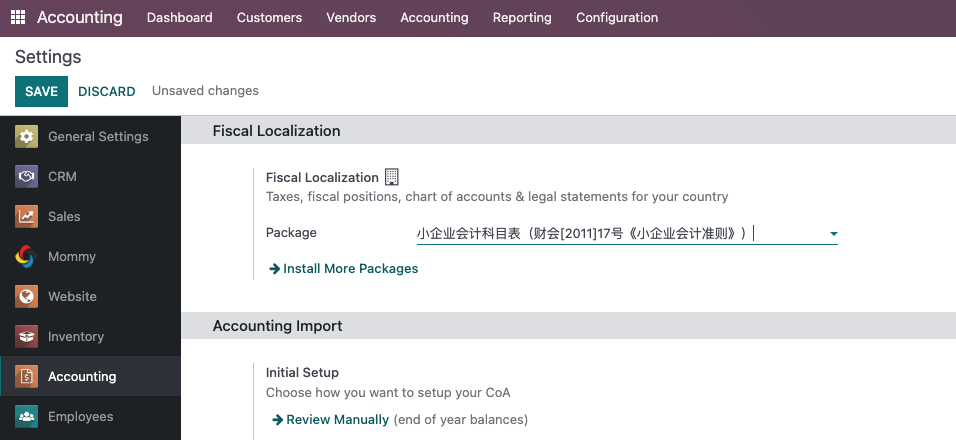
This setting disappears after the first journal entry is created, including draft entries.
Localization packages usually provide default accounts, taxes, fiscal positions, reports, and other country-specific accounting data. Do not remove them casually unless finance has reviewed the impact.
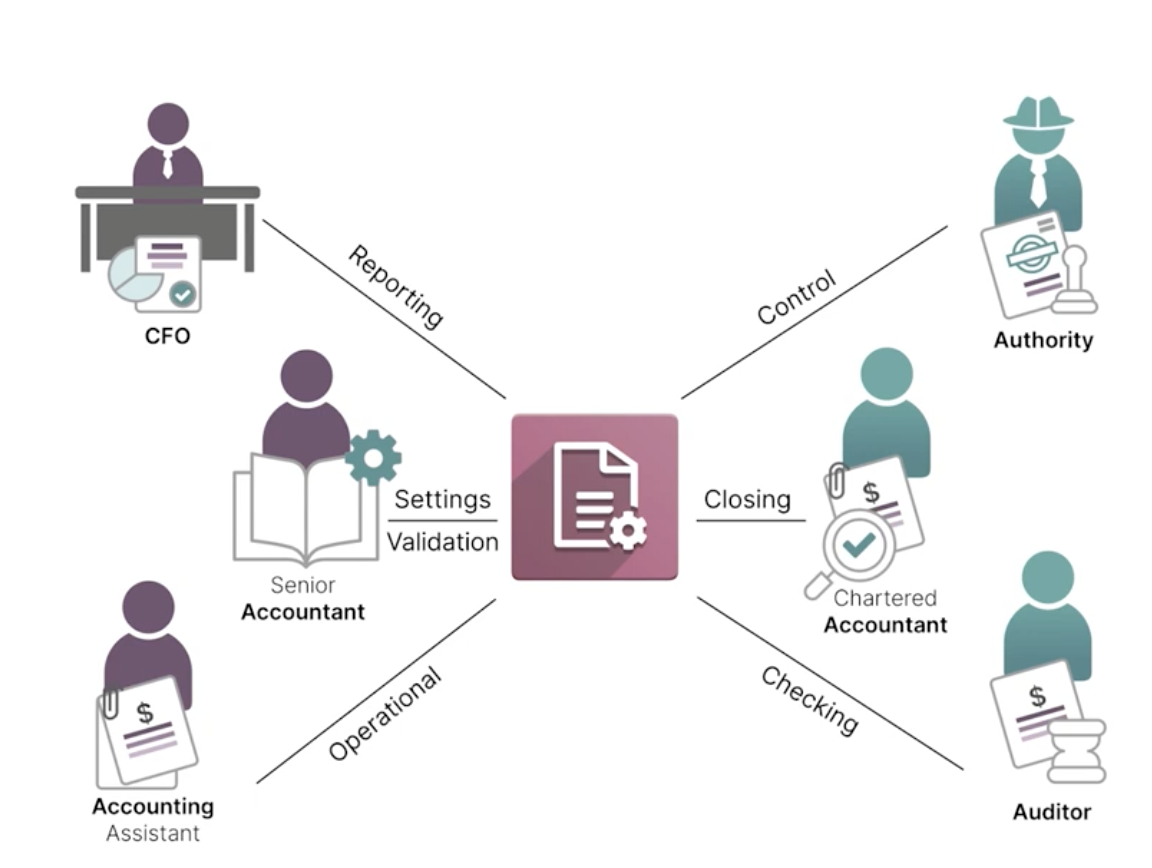
Accounting Roles
Common internal accounting roles include:
| Role | Responsibility |
|---|---|
| Account Assistant | Organizes customer/vendor invoices, handles bank statements, and tracks payment validation |
| Account Manager | Validates customer/vendor bills, processes payments, and generates ledger reports |
| CFO | Reviews trial balance, profit and loss, analytic accounting, and budgets |
Common external roles include:
| Role | Responsibility |
|---|---|
| Chartered Accountant | Audits financial statements, makes adjustments, and finalizes closed accounting records |
| Auditor | Reviews whether transactions are authentic and reasonable |
| Authority | Government or regulatory body checking tax and financial compliance |
The relationship between company finance roles and regulators can be illustrated as:
Accounts And Chart Of Accounts
The chart of accounts can be reviewed from the accounting dashboard or Accounting configuration.
The account list shows all accounts available for the company.
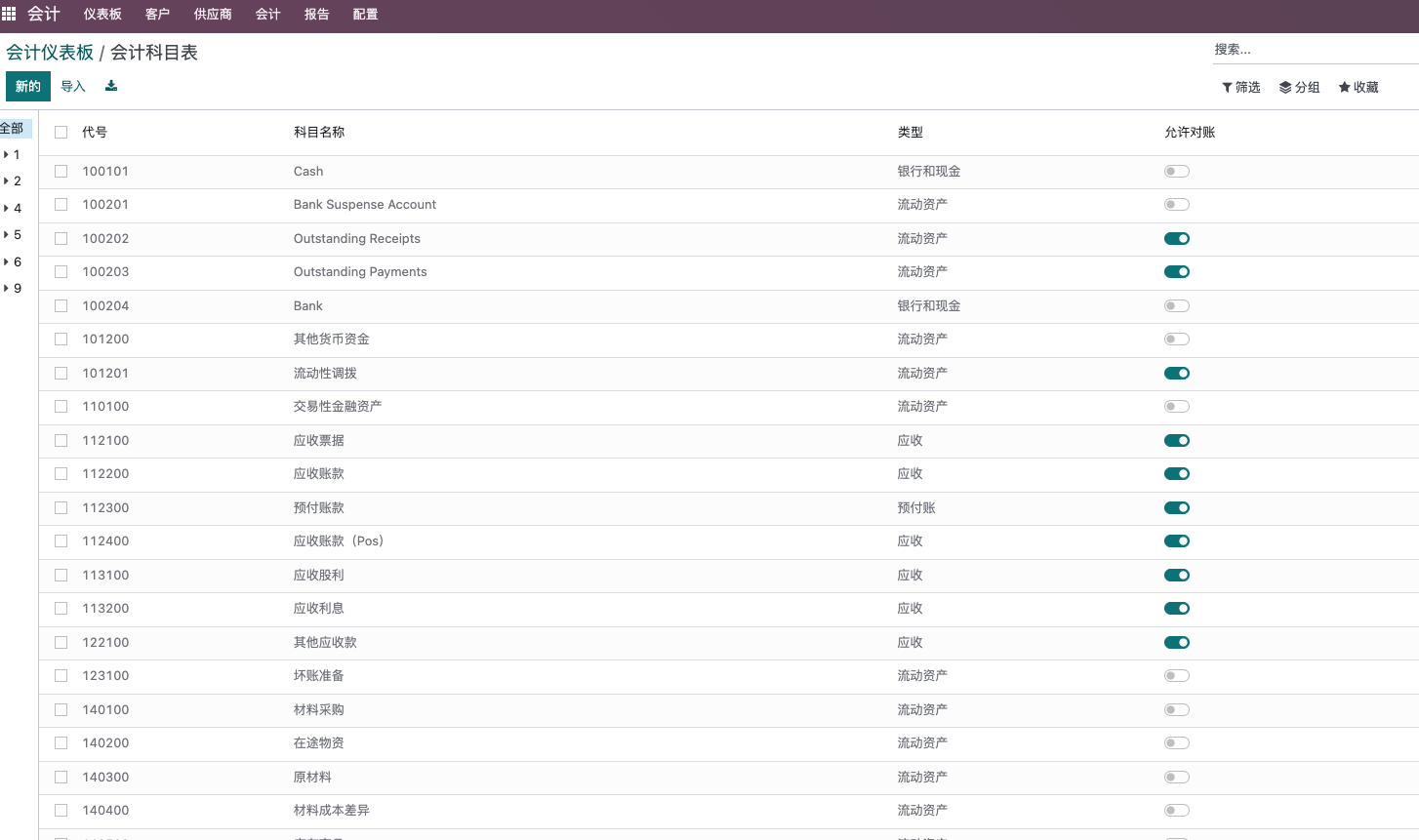
Existing accounts can be adjusted when needed, but account type changes must be handled carefully.
Account Types
Common account types include:
| Type | Meaning |
|---|---|
| Equity | Owner or shareholder equity |
| Fixed Assets | Long-term assets such as buildings and vehicles |
| Liability | Obligations the company must pay later, such as vendor bills |
| Current Assets | Short-term assets such as customer receivables |
| Bank and Cash | Bank accounts and cash assets |
| Income | Revenue from company operations |
| Expense | Costs and expenses from company operations |
Reconciliation
An account can allow reconciliation.
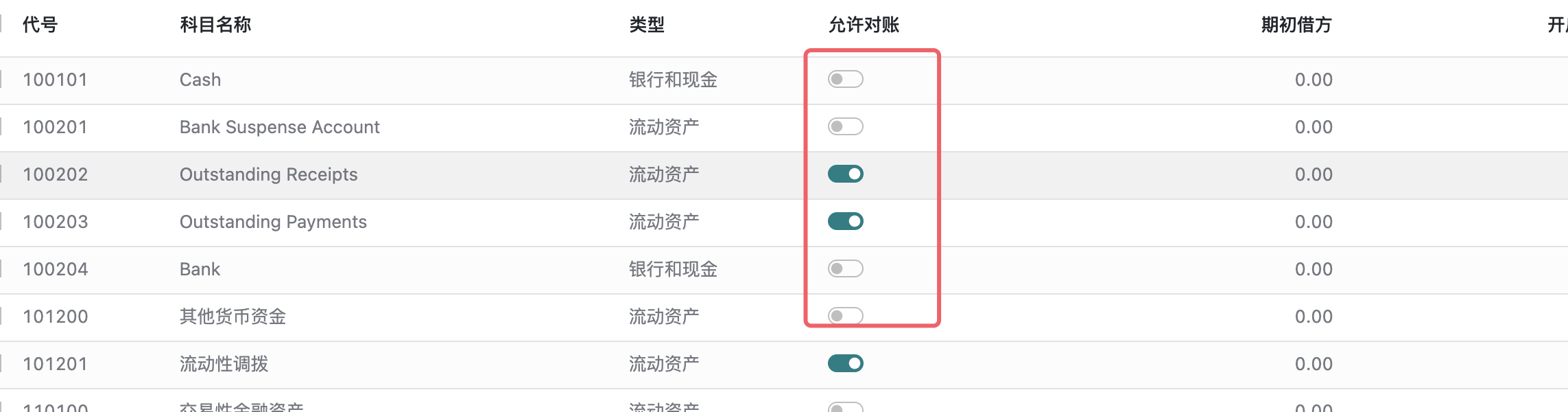
Reconciliation means journal items on this account can be matched with payments or bank statement lines.
Accounts that allow reconciliation should normally be receivable or payable accounts.
Updating Accounts
If account settings need to be updated, import/update is often safer for bulk changes.
Do not change account types casually. For example, changing a Receivable account into a Payable account can cause invoice errors such as:
Any journal item on a receivable account must have a due date and vice versa.
Journals
A journal records the result of business transactions. In Odoo, common journal types include:
| Journal Type | Meaning |
|---|---|
| Sales | Customer invoice journal |
| Purchase | Vendor bill journal |
| Bank and Cash | Payment and bank transaction journal |
| Miscellaneous | Other journal entries |
All journal entries appear in the General Ledger.
The Accounting Dashboard mentioned earlier displays the available journals.
Configure Journals
Click the More button on a journal card to configure the journal.
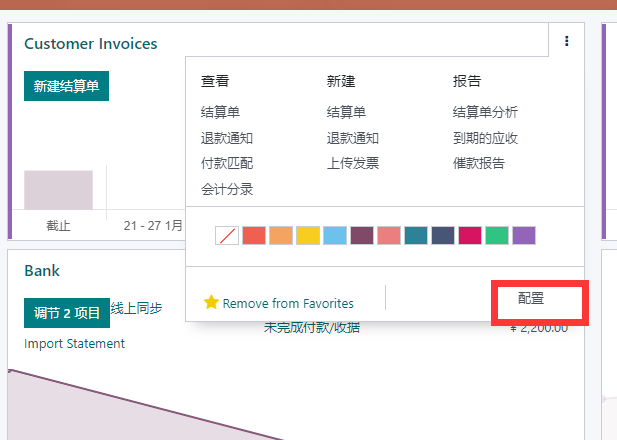
The journal configuration form contains different settings depending on journal type.
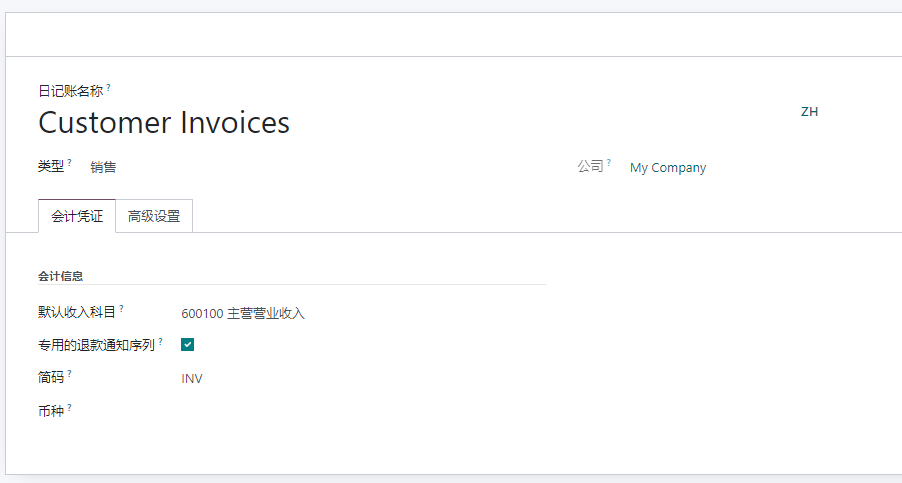
For a Sales journal, common settings include:
- Default income account.
- Dedicated credit note sequence.
- Short code.
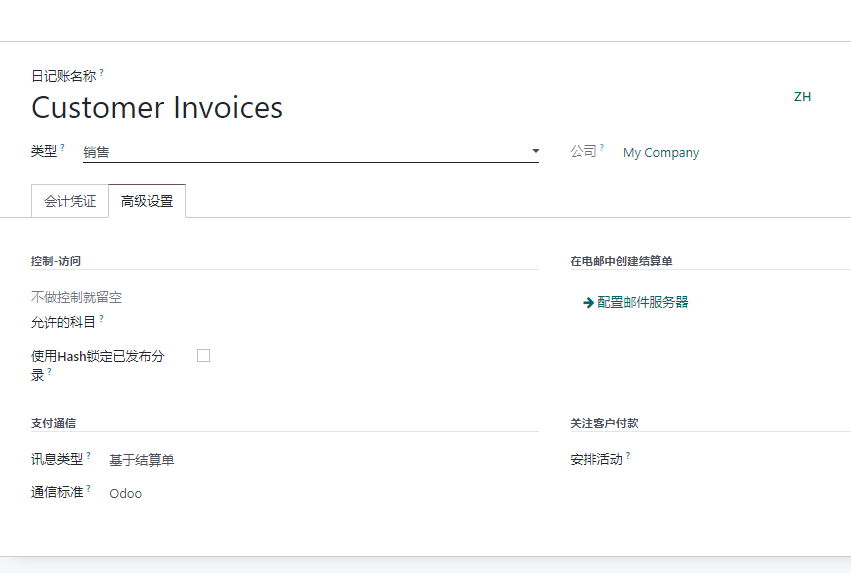
Advanced settings include a lock option. If enabled, users cannot reset posted entries back to draft.
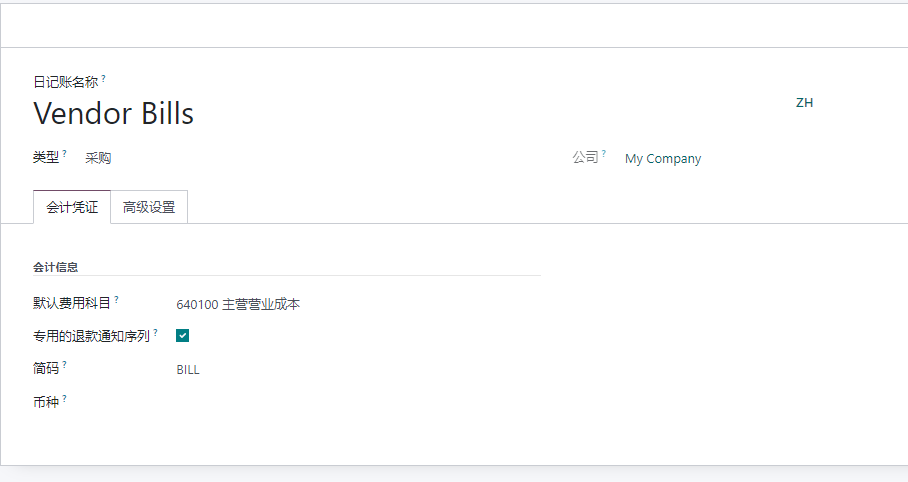
Purchase journals are similar to sales journals, but the default account is usually an expense account.
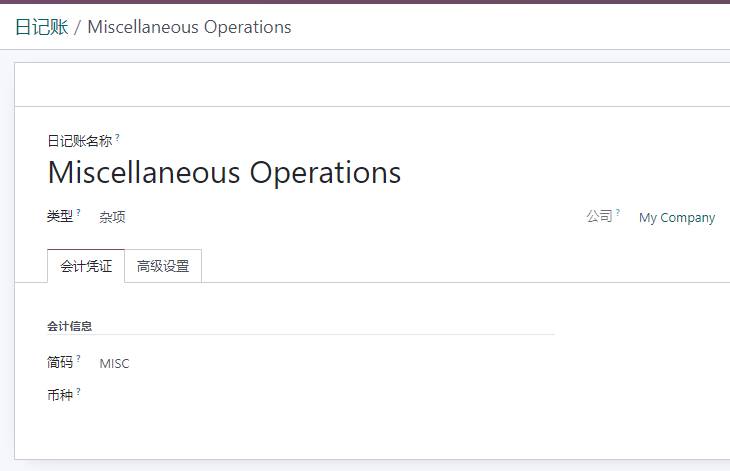
Miscellaneous journals are simpler and mainly include a short code setting.
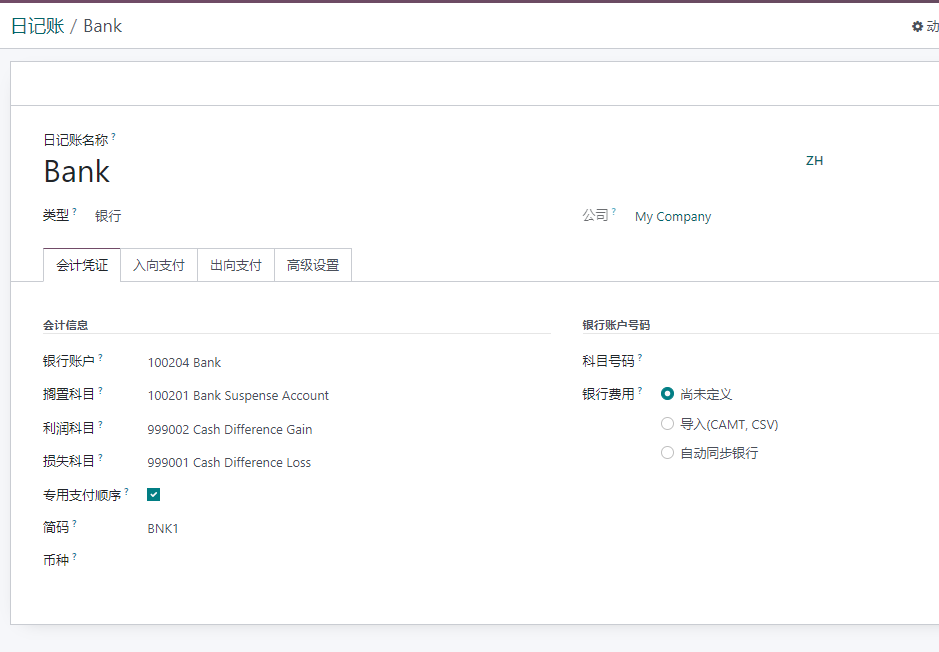
Bank and cash journals have additional settings:
- Bank account.
- Suspense account, used before bank transactions are reconciled.
- Profit account for cash difference gains.
- Loss account for cash difference losses.
- Dedicated payment sequence.
- Account number.
- Bank statement source: manual, import, or automatic synchronization.
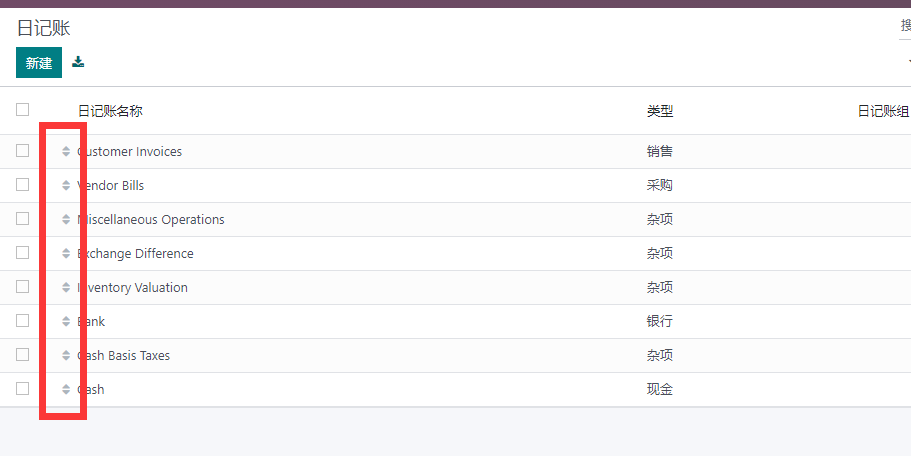
Change Journal Order
To change the display order of journals on the dashboard, drag journal rows in the journal list.
Creation Principle
Odoo allows many journals, but sales and purchase journals should usually be kept minimal. For ordinary sales and purchase flows, Odoo often uses the first suitable sales or purchase journal.
Other strategies, such as binding journals with sales teams, can be designed separately when needed.
Opening Balances
Opening balances can be imported with an Excel template. Before importing opening balances, confirm the chart of accounts, partners, receivable/payable accounts, and fiscal year opening date with finance.
This chapter introduced the accounting dashboard, localization, roles, chart of accounts, journals, and opening balance considerations. The next chapter explains customer and vendor invoicing.