Chapter 9 Returns, Refunds, And After-Sales Handling
The sales process is not only quotation, delivery, and payment. It also needs to handle customer returns, exchanges, refunds, discounts, and after-sales disputes. Odoo natively distributes these actions across Sales, Inventory, and Accounting: the sales order records the original transaction, inventory returns handle physical goods, and accounting credit notes handle financial reduction.
If the company does not design the return and refund process in advance, users may delete orders, manually change quantities, or refund offline. The result is that sales, inventory, and finance no longer match. This chapter explains how returns and refunds should be understood in Odoo, and which rules should be established during self-implementation.
Separate Returns From Refunds
Return and refund are not the same thing.
| Action | Object Handled | App |
|---|---|---|
| Return | Physical goods move from customer back to warehouse | Inventory |
| Refund | Invoiced amount is reduced or paid back to customer | Accounting |
| Exchange | Return old goods and deliver new goods | Inventory + Sales |
| Allowance | Customer receivable is reduced without goods return | Accounting |
In real business, these actions may happen together or separately.
For example, the customer returns one product and receives money back: that is return plus refund. The customer keeps the product but requests a lower price: that is allowance, and may not involve a physical return.
Common After-Sales Scenarios
| Scenario | Recommended Handling |
|---|---|
| Cancel before delivery | Cancel the sales order and related delivery order |
| Return after delivery, before invoice | Use inventory return, then adjust later invoicing |
| Return after delivery and invoice | Inventory return plus accounting credit note |
| Refund without return | Create credit note or allowance |
| Exchange | Return original product and deliver new product |
| Customer refused delivery | Handle returned goods and order cancellation according to logistics status |
Do not solve every after-sales problem by deleting the order. Confirmed, delivered, and invoiced orders are business facts. Use reverse business documents to handle them.
It is helpful to define simple after-sales categories first:
| Category | Example | Main Concern |
|---|---|---|
| Customer-caused return | Wrong purchase, duplicate order, no longer wanted | Whether return is allowed and who pays freight |
| Product quality issue | Damage, failure, wrong specification | Quality inspection, exchange, or refund |
| Wrong shipment | Wrong product or quantity | Warehouse responsibility, replacement, or return |
| Price dispute | Missed discount or wrong negotiated price | Credit note or price adjustment |
| Logistics issue | Refusal, lost parcel, delay | Carrier responsibility and stock status |
Categories are not meant to add bureaucracy. They help the company later analyze whether returns are caused by product quality, warehouse mistakes, logistics, or sales commitments.
Sales Order Cancellation
If an order has not been delivered or invoiced, cancellation is relatively simple. When cancelling a sales order, Odoo tries to cancel related deliveries.
The sales order has a Cancel button. Before clicking it, check whether smart buttons already show delivery, invoices, or other downstream documents.
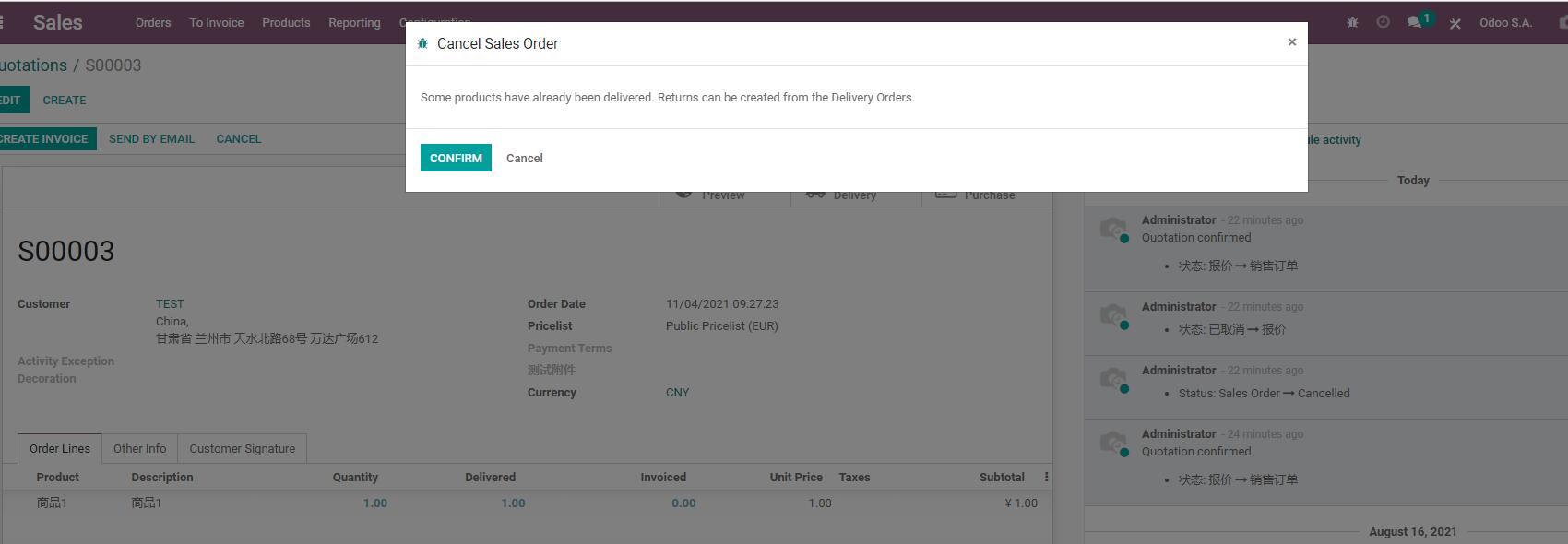
If the order has been delivered or invoiced, cancellation is no longer only a sales action:
- Delivered goods may require inventory return.
- Issued invoices may require credit notes.
- Received payments may require refund or customer balance treatment.
- Triggered purchase or manufacturing documents may need downstream handling.
Before cancellation, sales users should review smart buttons for delivery, invoices, purchase, manufacturing, or project records.
Inventory Returns
Inventory returns are usually started from the original delivery order. This lets Odoo know which delivery, products, and quantities are being returned.
Delivered quantity on sales order lines is affected by returns. After a return, the system should update the real fulfillment situation through reverse stock operations, not by deleting the original order.
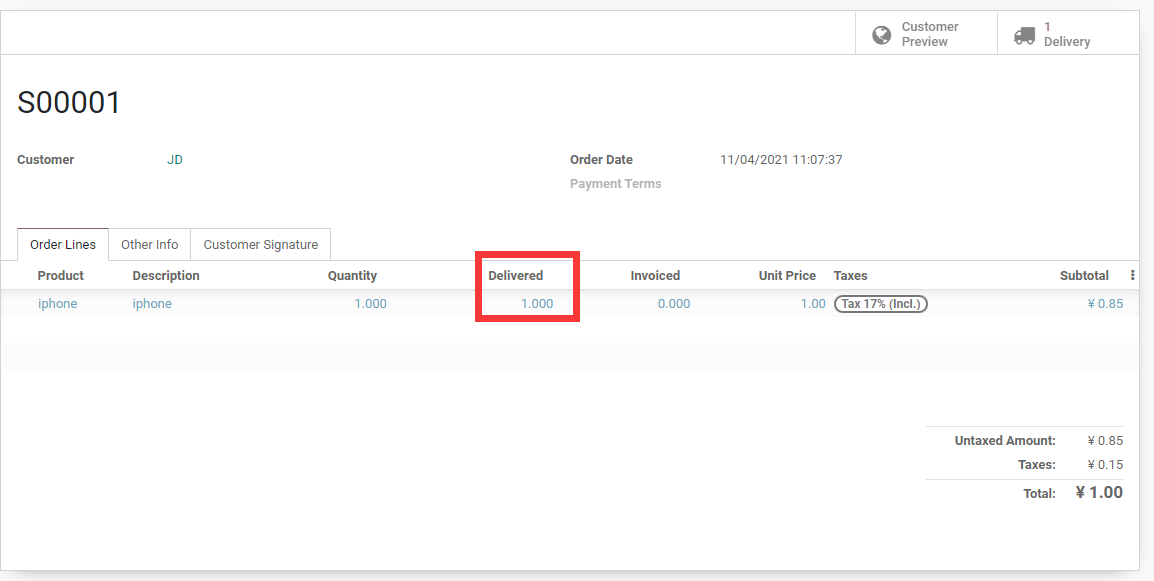
Returns affect:
- Customer location stock decreases.
- Warehouse stock increases.
- Product availability changes.
- Lot or serial number traceability.
- Inventory valuation and cost.
If lots or serial numbers are enabled, the returned lot or serial number must be checked. Otherwise after-sales, quality, and inventory records become difficult to trace.
Returned goods should not always go directly back to sellable stock. Design return handling according to condition:
| Returned Condition | Recommendation |
|---|---|
| Good and resellable | Return to normal stock |
| Needs inspection | Return to inspection location |
| Repairable | Move to repair or after-sales location |
| Not sellable | Move to scrap or defective location |
For a simple first phase, returning to the main warehouse may be enough. If return volume is high, design inspection and scrap flows in the Inventory app later.
Refunds And Credit Notes
In Odoo Accounting, refunds are usually handled through credit notes.
If the order has already been invoiced, refund handling should enter the finance process. Sales users can track related documents from the order or invoice, but should not bypass accounting and directly change amounts.
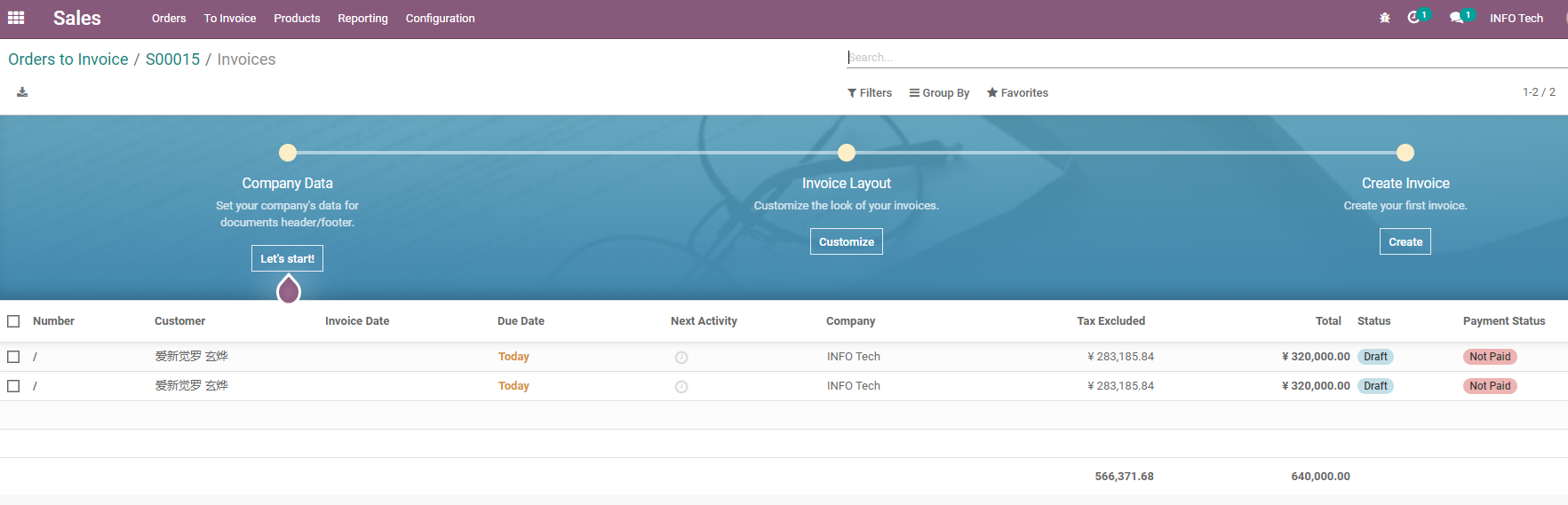
Credit notes can be used to:
- Reduce an issued customer invoice.
- Handle return and refund.
- Process allowance.
- Correct invoicing mistakes.
- Offset future receivables from the customer.
If the order has not been invoiced, a credit note is usually unnecessary. If it has been invoiced, do not only change sales order quantity. Use formal accounting reversal documents.
Refund amount also varies:
- Full refund.
- Partial refund.
- Refund product amount but not freight.
- Refund price difference.
- Allowance without return.
- Refund to original payment method.
- Keep as customer credit for next purchase.
Finance and customer service should define these rules together. Sales users initiate after-sales requests, but should not decide accounting reductions alone.
Exchange Flow
An exchange can be understood as two actions:
Return original product -> Deliver new product
During implementation, check the business rules:
- Is the new product the same price?
- Is a price difference required?
- Is a new invoice required?
- Does the original product return to sellable stock, repair stock, or scrap?
- Is quality inspection required?
A simple exchange can be handled through return plus new delivery. More complex after-sales flows may involve Helpdesk, Repairs, Quality, or other modules.
Where To Keep After-Sales Records
After-sales communication should not live only in chat groups. At minimum, key records should be kept in the chatter of related Odoo documents.
Examples:
- When the customer requested return.
- Return reason.
- Who approved refund.
- Return tracking number.
- Whether the warehouse received goods.
- Whether finance issued the credit note.
- Whether replacement delivery was sent.
If after-sales volume is large, Helpdesk, Repairs, or Quality can be introduced. Still, sales orders and invoices remain important traceability entries.
A practical structure is: sales order records the original transaction, delivery order records goods returned, invoice or credit note records financial reduction, and chatter records communication and approval. Then management, finance, customer service, and warehouse all see the same business facts.
Native Flow And Customization Boundaries
Odoo native features can support most basic return and refund flows: sales orders, inventory returns, credit notes, replacement deliveries, and chatter records.
The following cases may require deeper process design or customization:
- Complex after-sales approvals.
- Strict return reason statistics.
- Customer portal return/exchange requests.
- E-commerce platform after-sales integration.
- Automatic repair order or quality check creation.
- Complex refund rules, handling fees, or partial refunds.
- After-sales performance and quality analysis reports.
The recommendation remains: first run the native reverse flow, then decide whether Helpdesk, Repairs, Quality, or e-commerce after-sales interfaces are needed.
Implementation Advice
Before launching returns and refunds, the company should define:
| Question | Recommendation |
|---|---|
| Who can approve returns? | Sales manager, customer service manager, or finance |
| Which location receives returns? | Normal stock, inspection stock, or scrap stock |
| When is refund allowed? | Rules differ for paid, invoiced, and undelivered orders |
| Should return reasons be tracked? | At least record reasons for later improvement |
| Where are after-sales communications kept? | Prefer sales orders, invoices, or after-sales tickets |
This chapter clarified the relationship between returns, refunds, exchanges, credit notes, and after-sales records. The next chapter moves into rental, where products are not sold once, but rented by time and returned later.