WeCom-Based Petty Cash And Expense Reimbursement
The previous chapters introduced basic and advanced WeCom integration. This chapter explains how to combine WeCom approvals with Odoo to handle two common business processes: petty cash and expense reimbursement.
We start with the petty cash workflow.
WeCom Approval Setup
This solution uses WeCom's native approval flow. Therefore, first configure the approval process and approval nodes in WeCom.
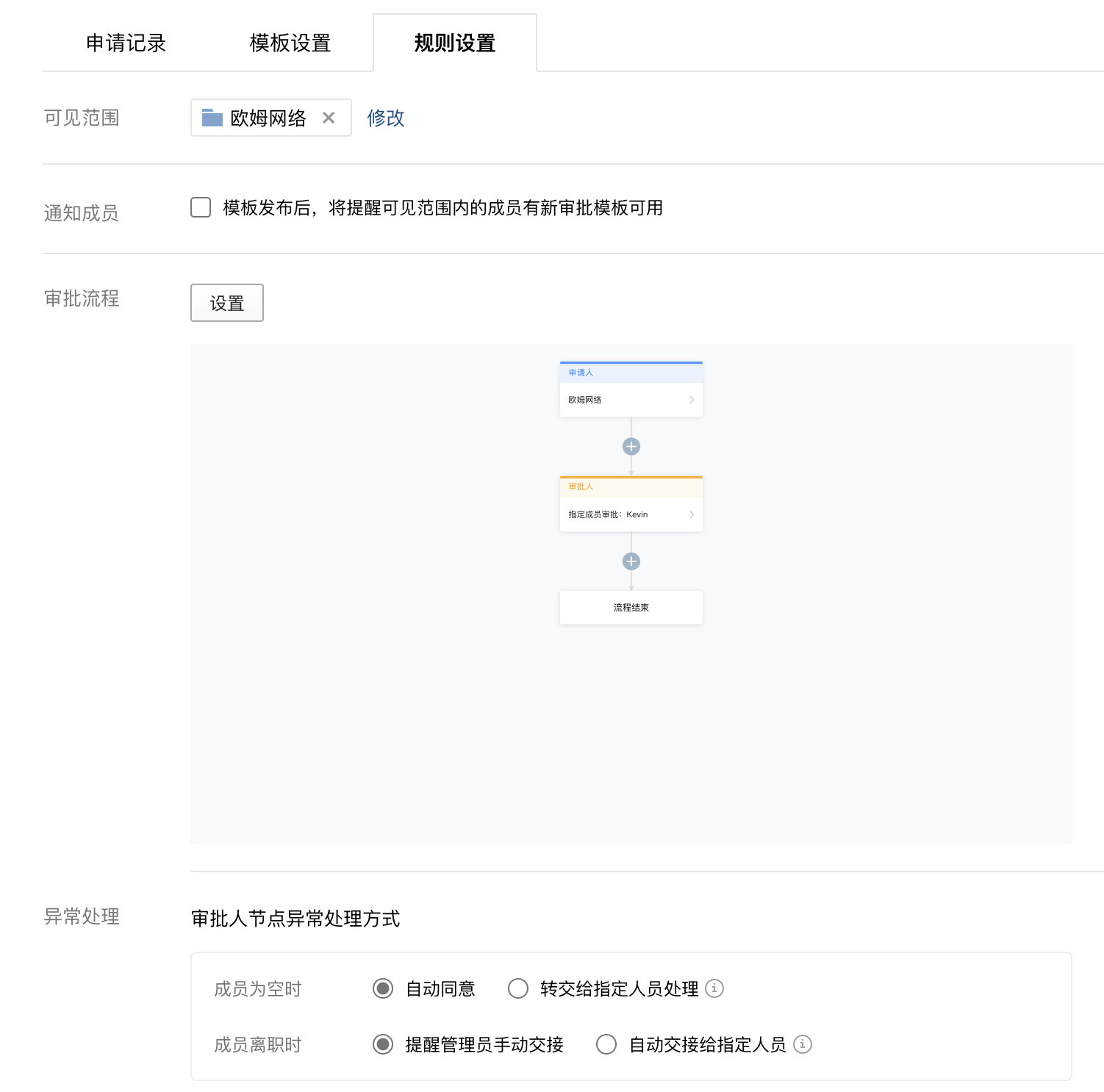
In this example, we use WeCom's payment approval process. Users can adjust the approval flow according to their actual business needs.
Approval Template Configuration
First, enable the expense solution and WeCom expense approval feature from Qingdao Ohm's solution settings.
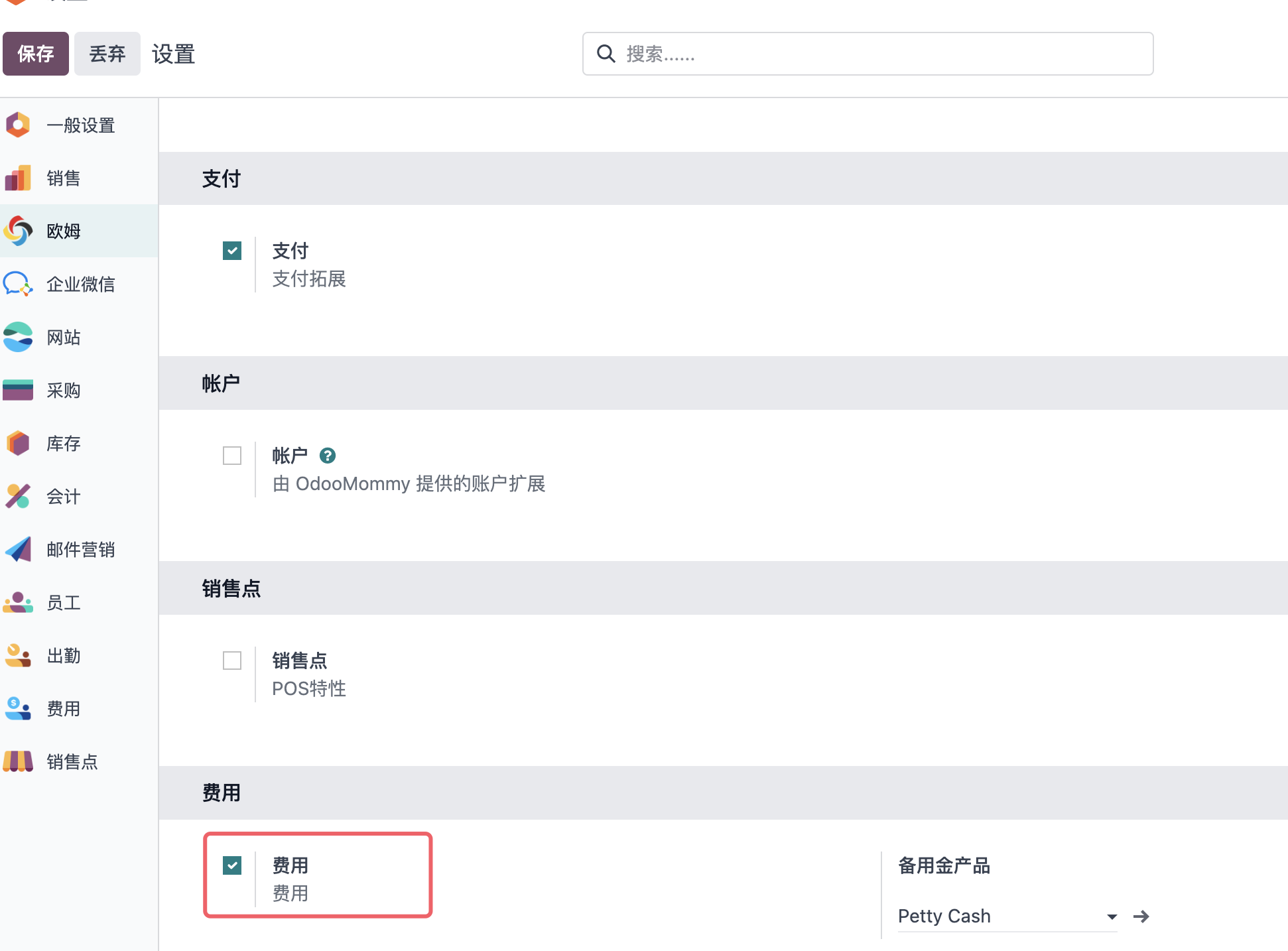
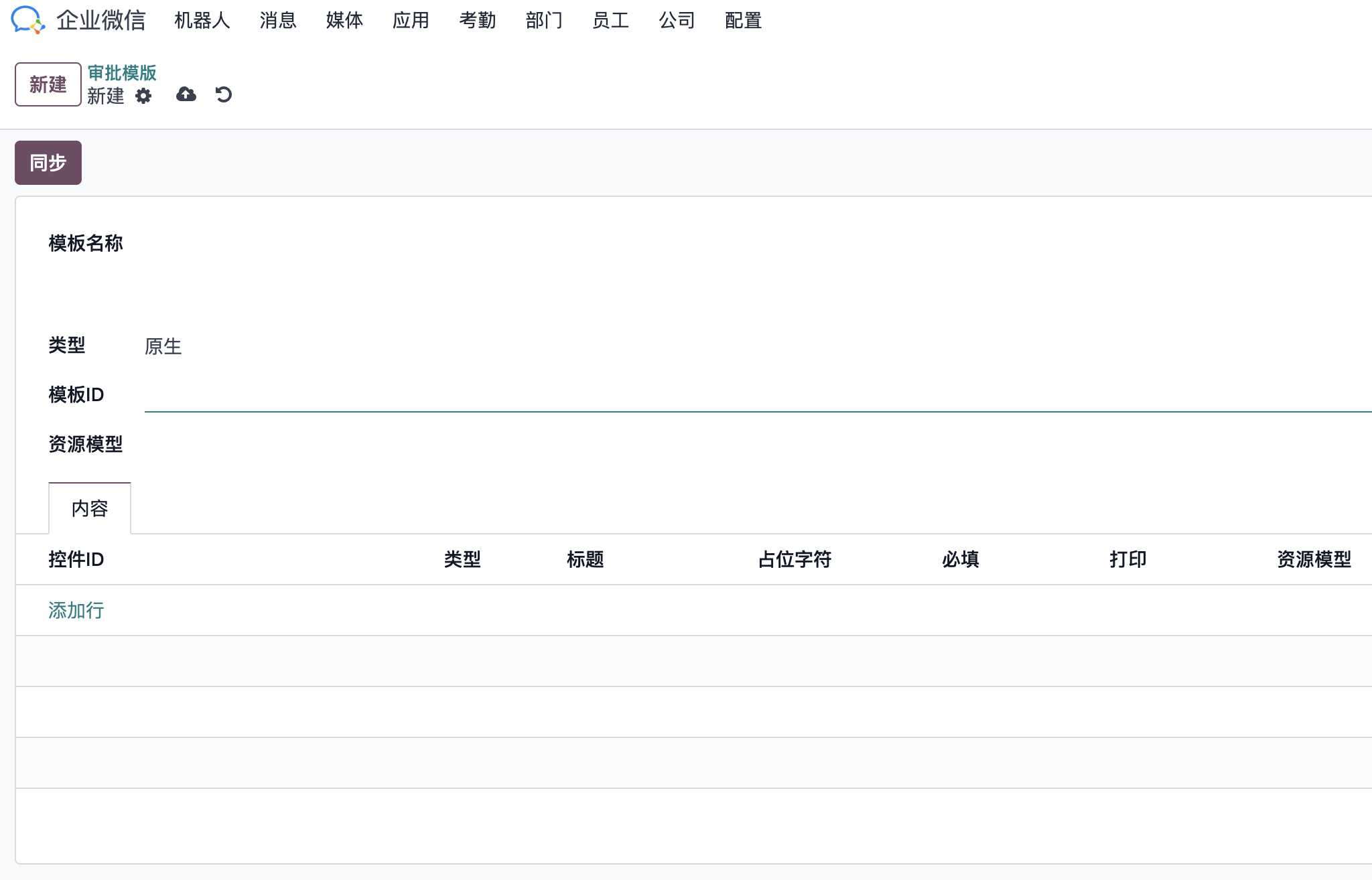
After enabling these features, go to WeCom > Settings > Approval Templates and synchronize the required approval template into Odoo.
To synchronize, open the target approval template in the WeCom backend, copy the template ID from the URL, paste it into the template ID field in Odoo, and click sync.
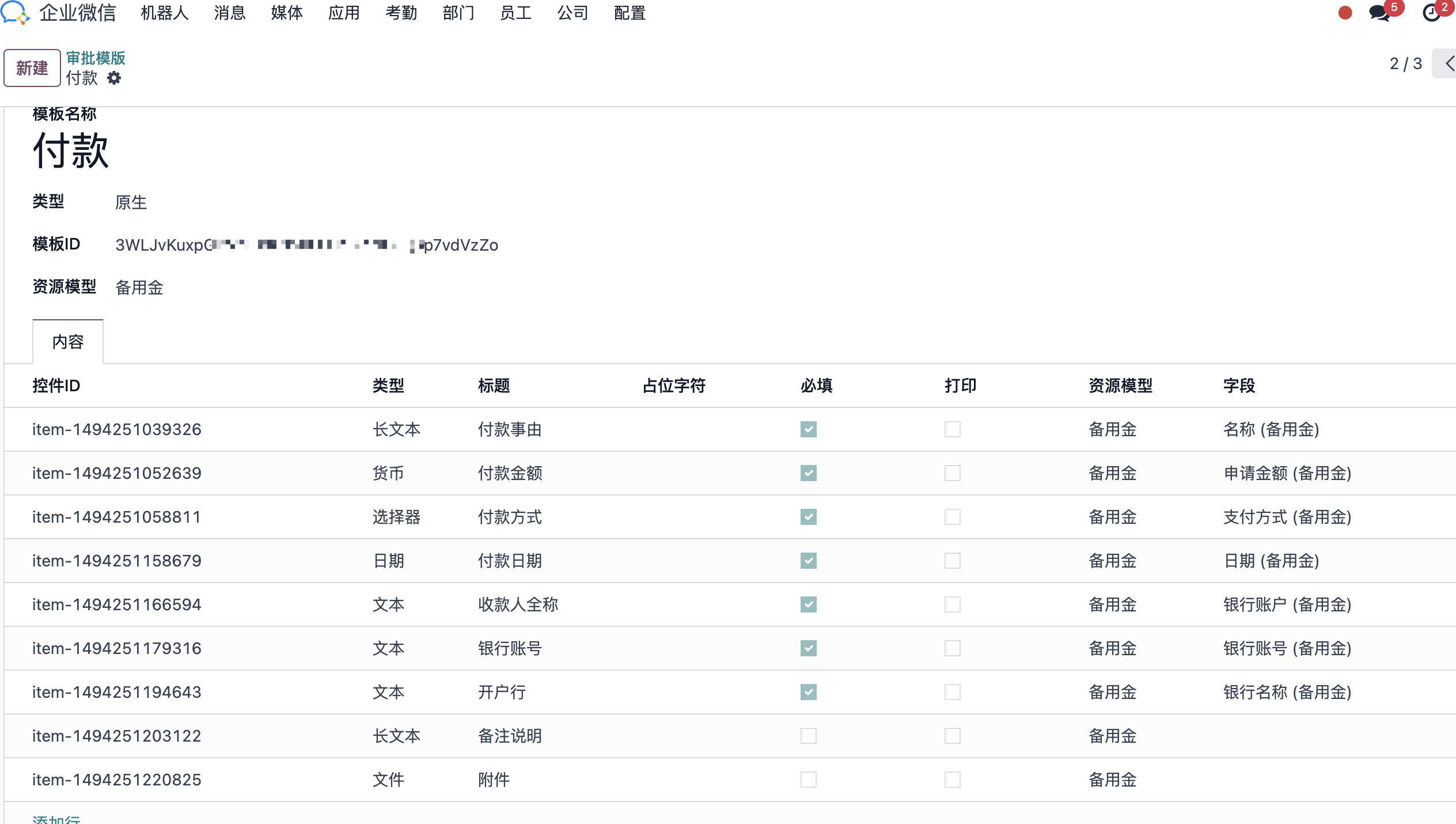
After synchronization, Odoo displays a form composed of multiple controls that match the WeCom-side configuration. Map these controls manually to the fields needed by the Odoo module, then save.
Petty Cash Application
After the approval template is configured, users can submit petty cash approval. Go to Expenses > Petty Cash and create a new petty cash process.
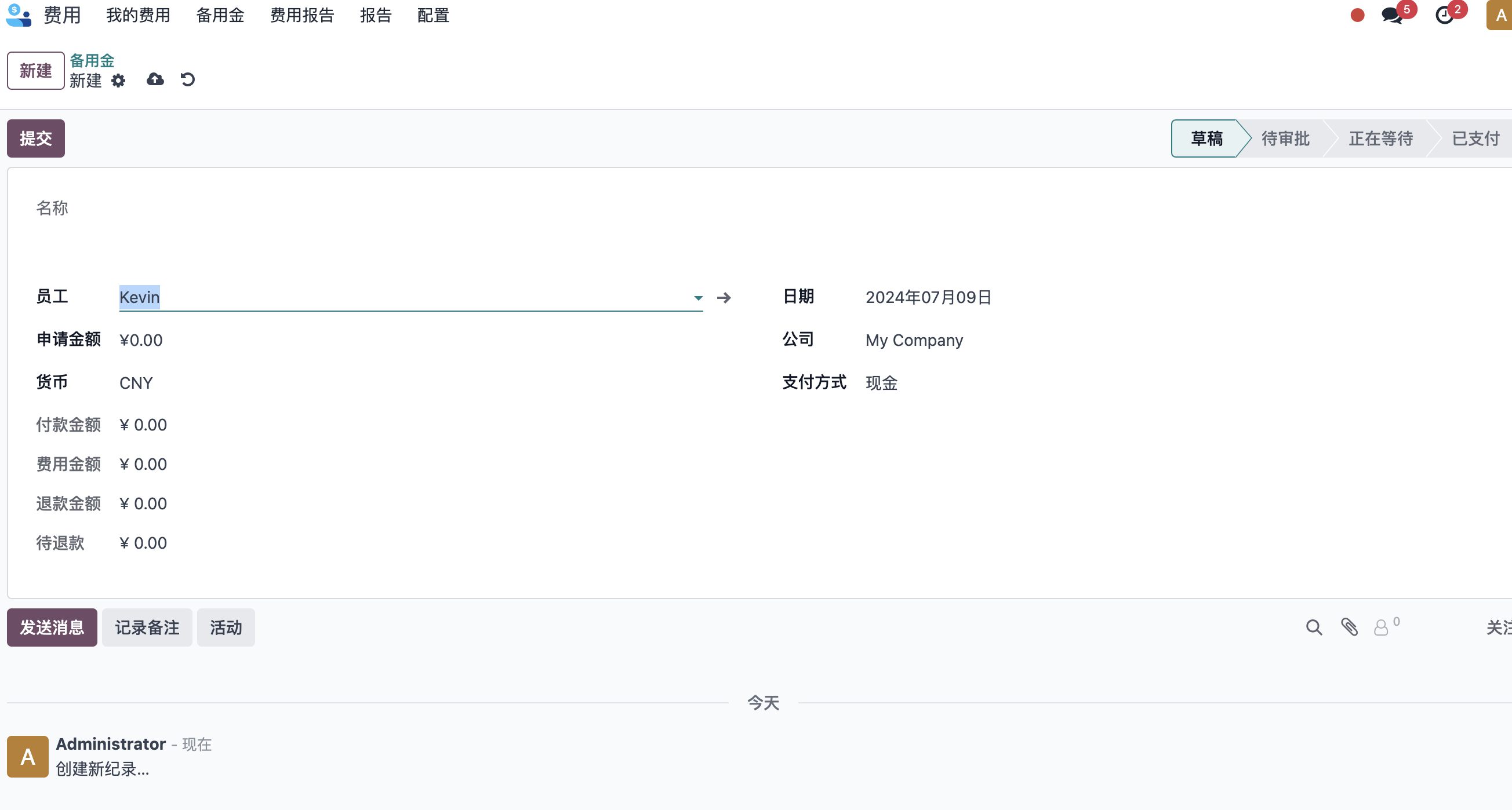
Fill in the employee, amount, date, and other required information, then submit.
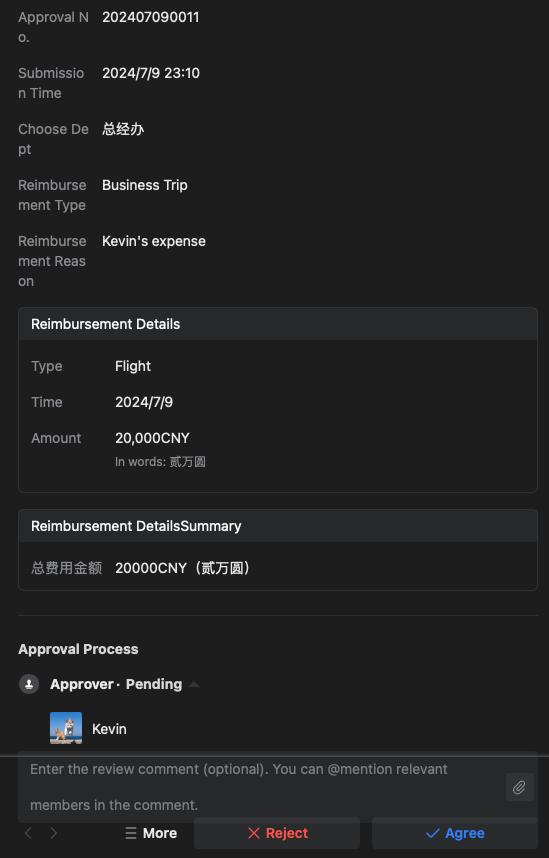
After submission, the employee's manager receives an approval reminder in WeCom.
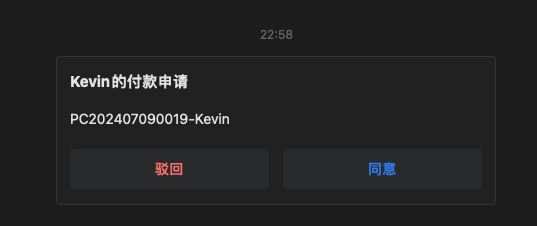
The approver can approve or reject from WeCom. The approval result is pushed back to Odoo and updates the Odoo record status.
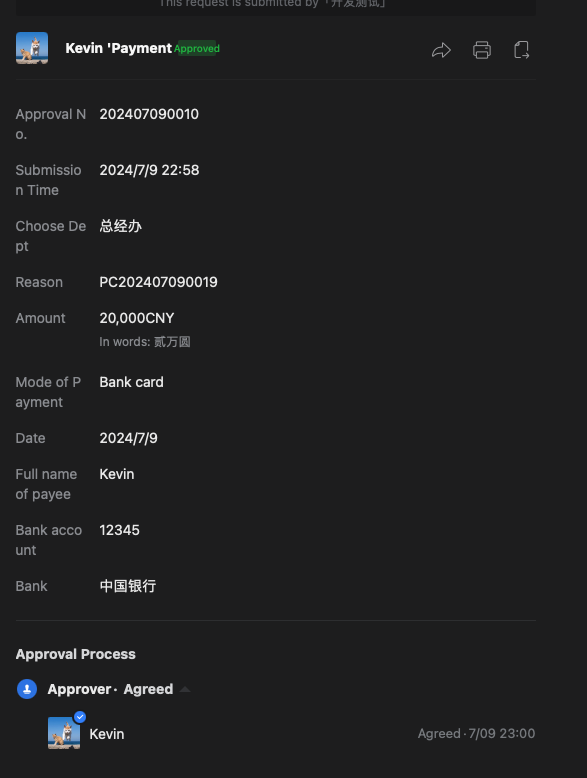
If the push does not succeed, the employee can manually click the refresh button to update the status.
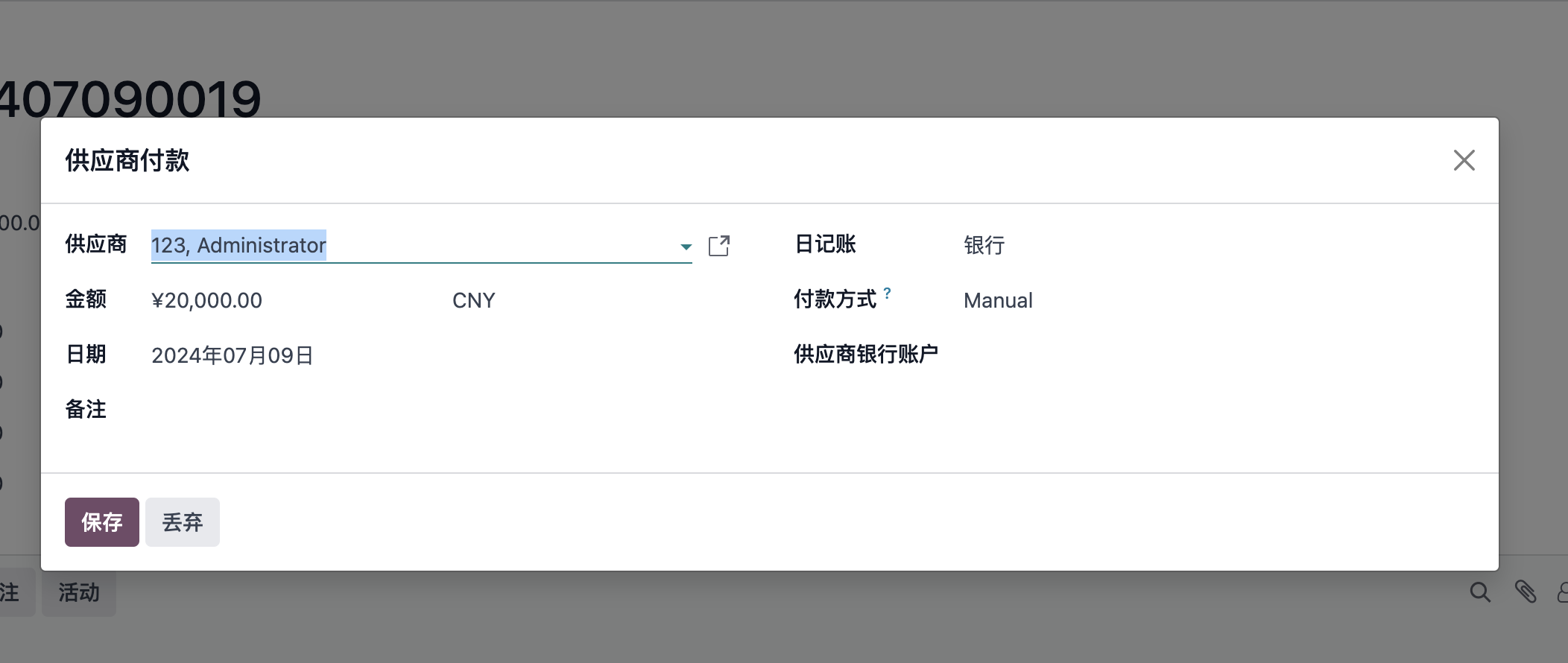
After approval, the finance user selects a payment method and clicks payment to complete the payment.
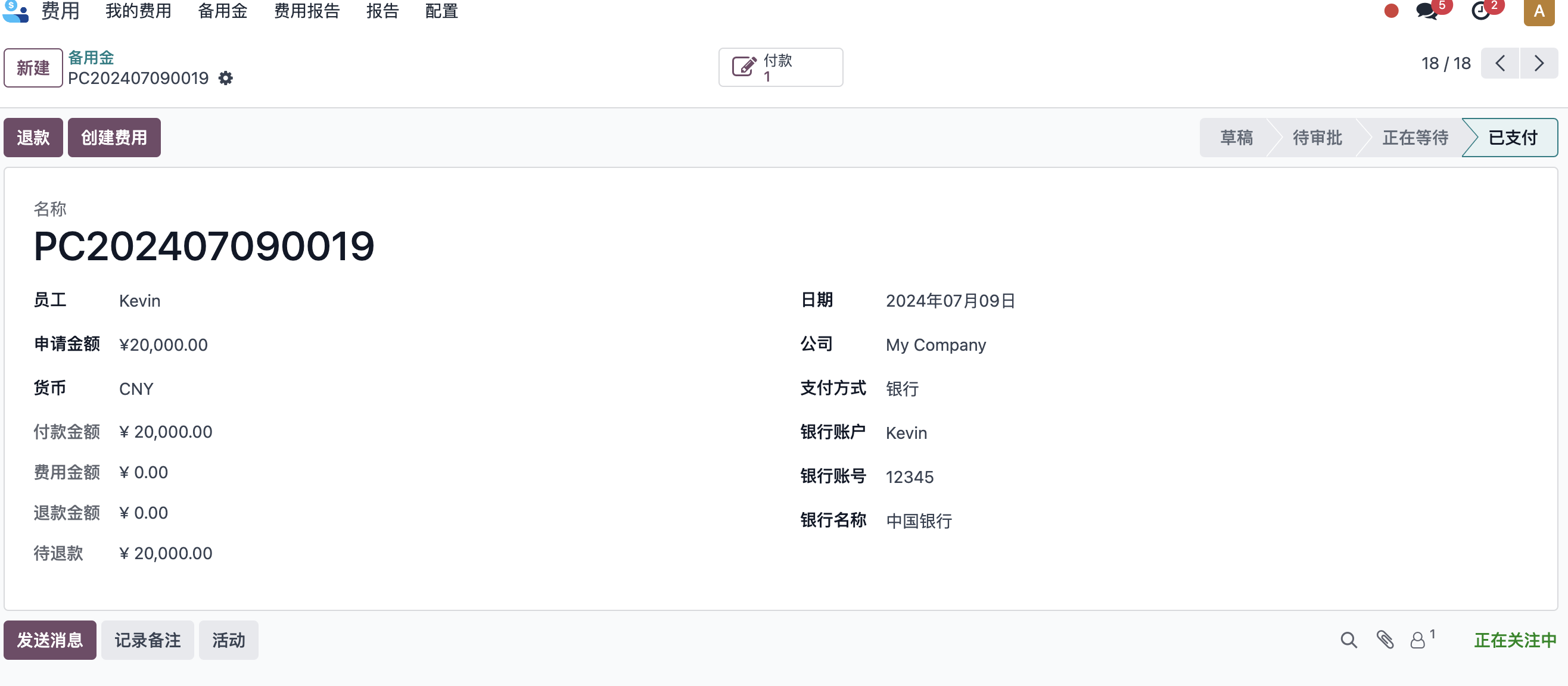
Petty Cash Return And Expense Reimbursement
After the employee finishes the business activity, three situations may occur:
| Situation | Handling |
|---|---|
| Petty cash is not enough | After reimbursement, the company needs to pay the employee's additional advanced amount. |
| Petty cash is exactly used up | Submit expense details and reimbursement documents directly. |
| Petty cash remains | Return the remaining petty cash after reimbursement. |
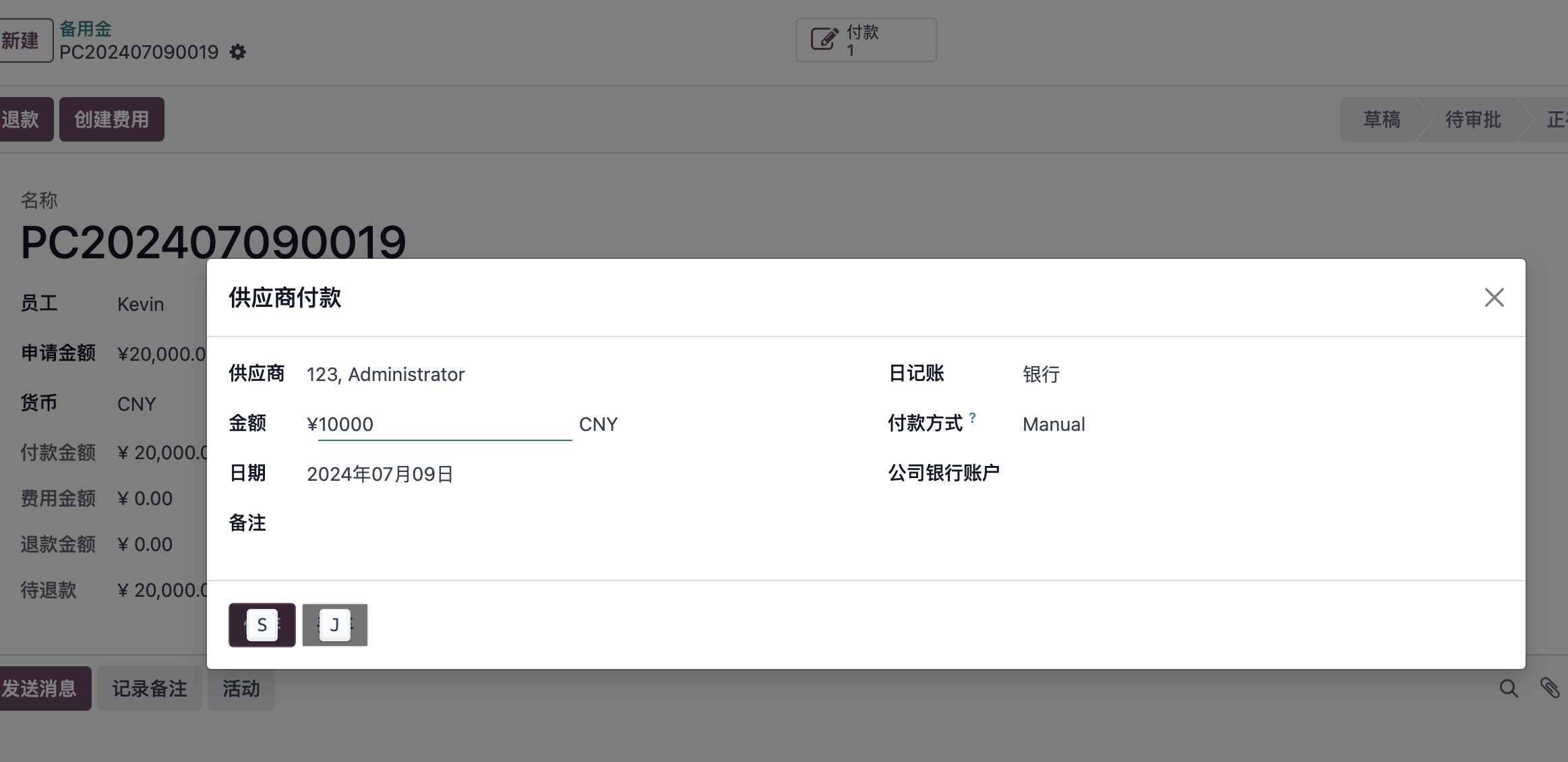
Refund
If petty cash remains, click the refund button on the petty cash form to record the returned amount.
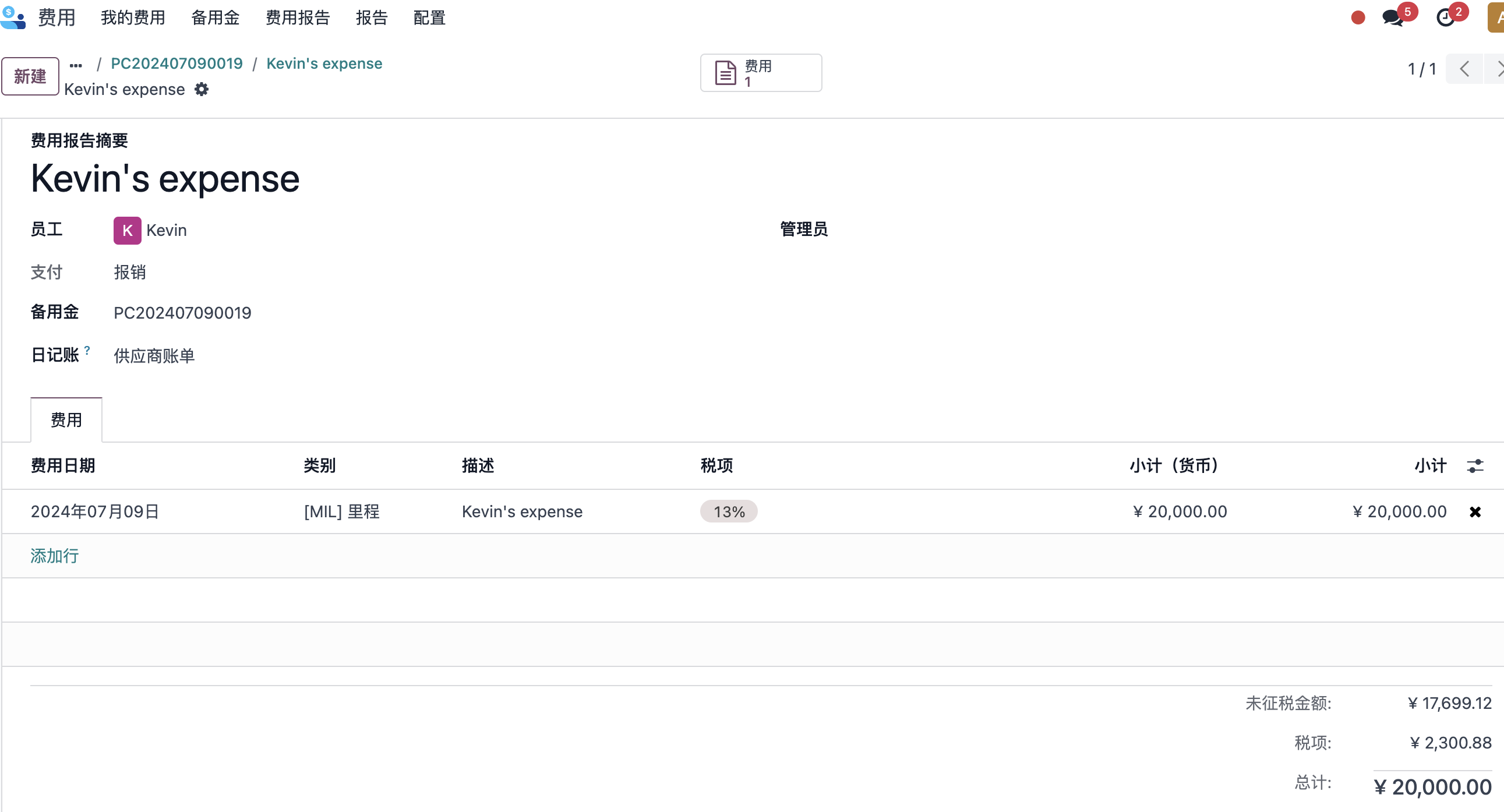
Expense Reimbursement
To offset expenses against petty cash, click Create Expense from the petty cash form and enter the expense reimbursement flow.
Similarly, after the expense report is submitted for approval, the supervisor or manager receives a reminder in WeCom. After approval, finance handles expense settlement.
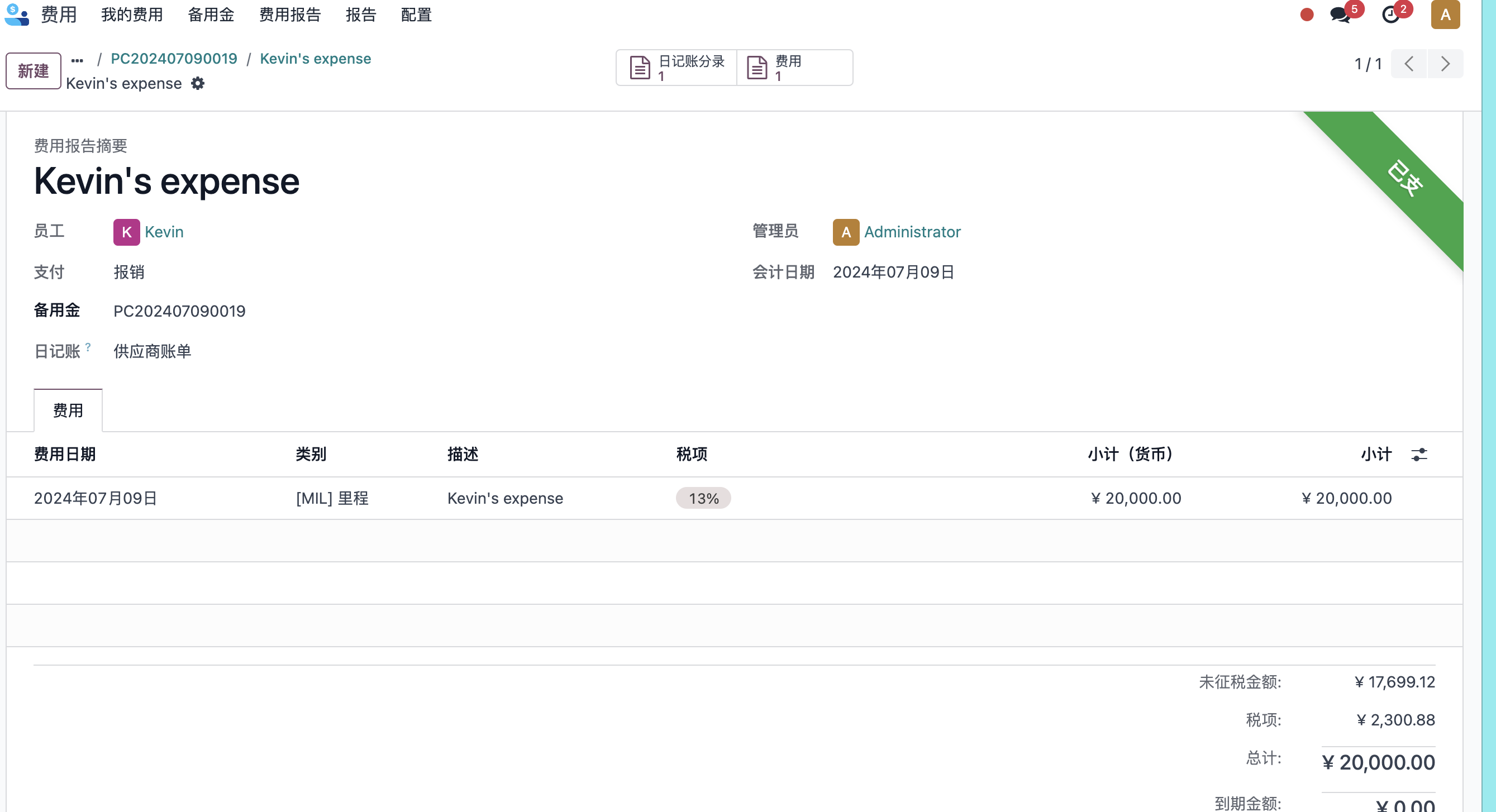
After finance posts the accounting entry, the system shows a payment button. If the expense amount exactly equals the petty cash amount, no additional operation is required and the bill is marked as paid.
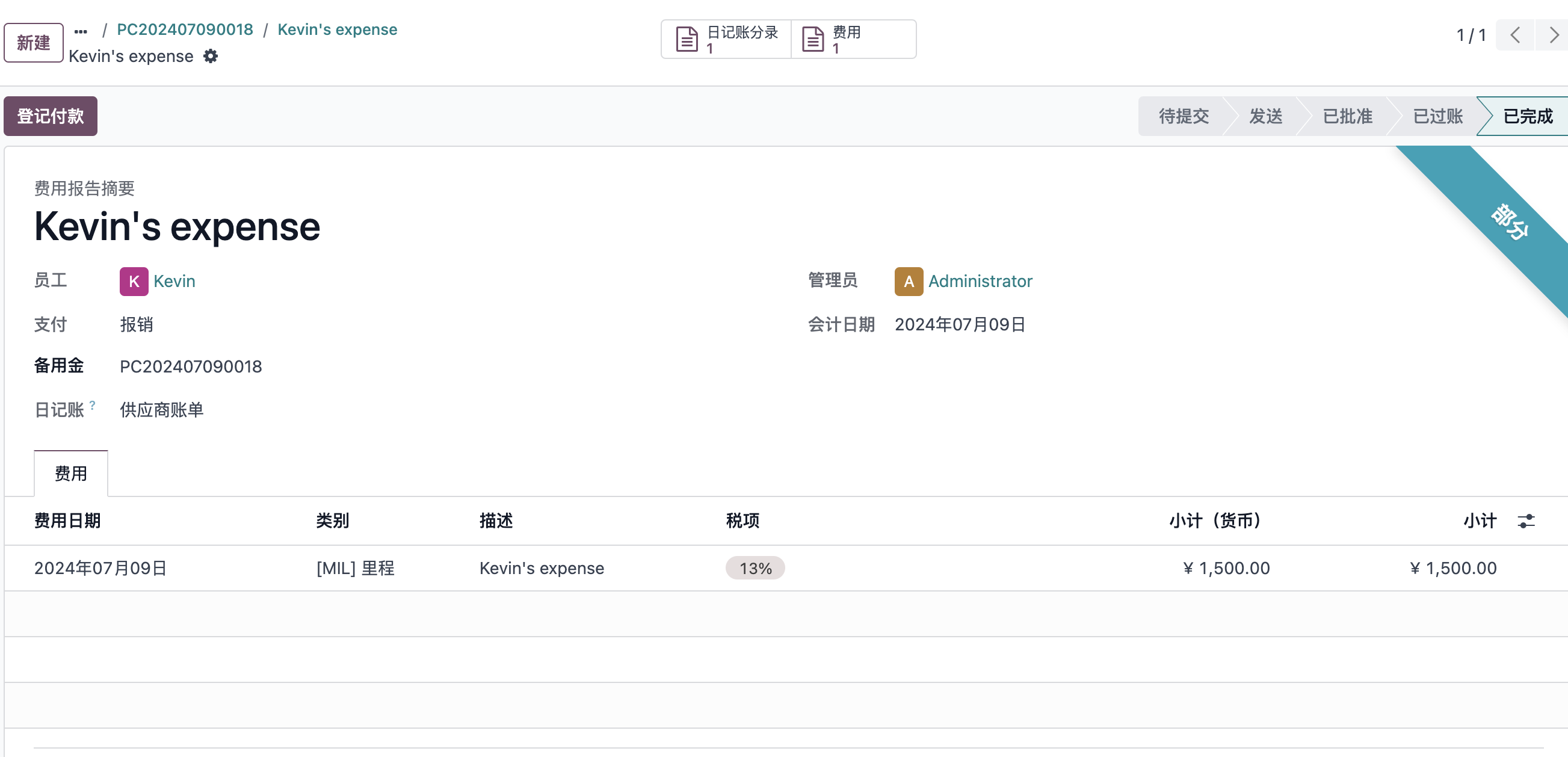
If the employee paid extra out of pocket, the system indicates that an additional payment to the employee is required.
FAQ
Error example:
field `creator_userid` expect type `string`. invalid Request Parameter, hint: [1720512723142834164225648], from ip: 39.88.46.36, more info at https://open.work.weixin.qq.com/devtool/query?e=40058
This error usually has two possible causes:
- The corresponding approval process is not configured correctly in WeCom.
- The employee submitted from Odoo does not have a matching WeCom OpenID.
This chapter explained petty cash and expense reimbursement using WeCom approvals. Together with the previous WeCom chapters, it shows how Odoo can delegate approval interaction to the communication tool that employees already use every day.