Chapter 3 Operation Types
An operation type is Odoo's classification for transfers. Different business operations can use different operation types, so users can manage receipts, deliveries, and internal transfers separately.
This chapter explains operation type properties, automatic merge behavior, lot display logic on receipts, stock moves, move lines, and negative stock.
The example below shows an operation type.
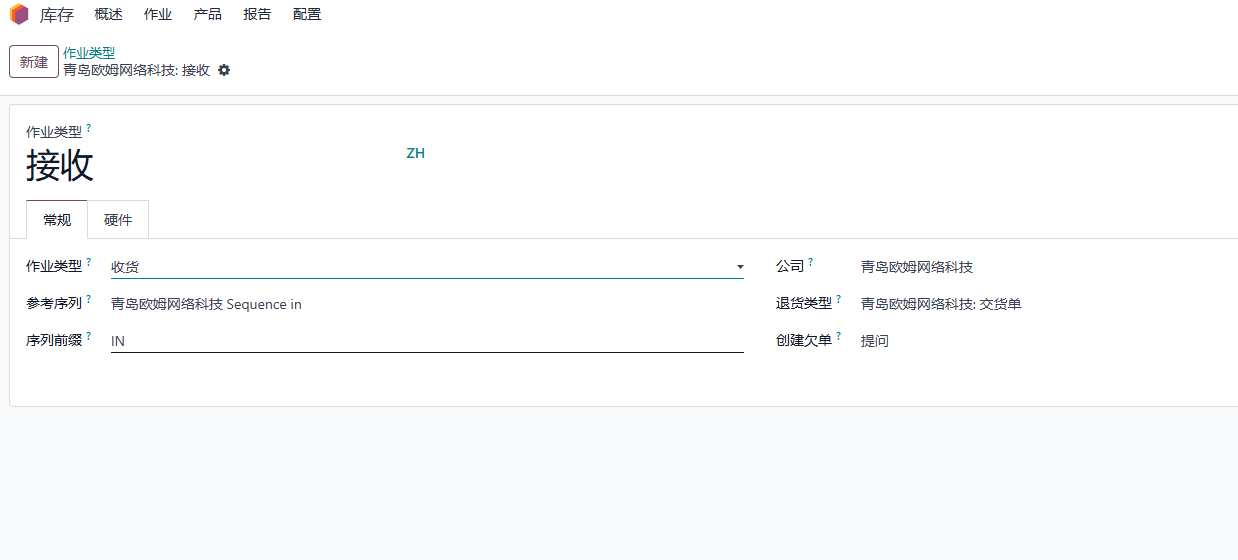
Basic Properties
Operation
By default, Odoo commonly uses these operation categories:
| Operation | Meaning |
|---|---|
| Receipt | Move products from vendor or other external location into internal stock |
| Delivery | Move products from internal stock to customer or other external location |
| Internal Transfer | Move products between internal locations |
When additional apps are installed, more types may appear, such as manufacturing, repair, or rental operations.
Preferred Sequence
Each operation type can define a sequence that controls the numbering rule of transfers under that type.
Sequence Prefix
The sequence prefix defines the prefix used for generated transfer numbers.
Return Type
The return type defines the reverse operation type. For example, the reverse of a receipt is usually a delivery-type operation, and the reverse of a delivery is usually a receipt-type operation.
Backorder Operation
Backorder operation defines the default action when the transfer cannot be fully completed.
| Option | Meaning |
|---|---|
| Ask | Show a wizard asking whether to create a backorder |
| Always | Create the backorder automatically |
| Never | Ignore the remaining quantity without asking |
Backorder policy should match business habits. If partial receipt or partial delivery is common, users should understand how backorders are created and followed up.
Automatic Merge
When Odoo creates a new transfer, it may check whether a similar unfinished transfer already exists. Similar transfers usually share:
- Same source and destination location.
- Same operation type.
- Same procurement group.
- Not printed.
- State in draft, confirmed, waiting, partially available, or assigned.
If the transfer has a partner and the source or destination location is a transit location, the partner may also need to match.
When similar transfers exist, Odoo may add move lines to the existing transfer rather than creating a new one.
Stop Automatic Merge
In real operations, some companies want every business action to create a separate transfer instead of merging into an existing one. Qingdao Ohm's warehouse solution adds a control field on the operation type to prevent merging.
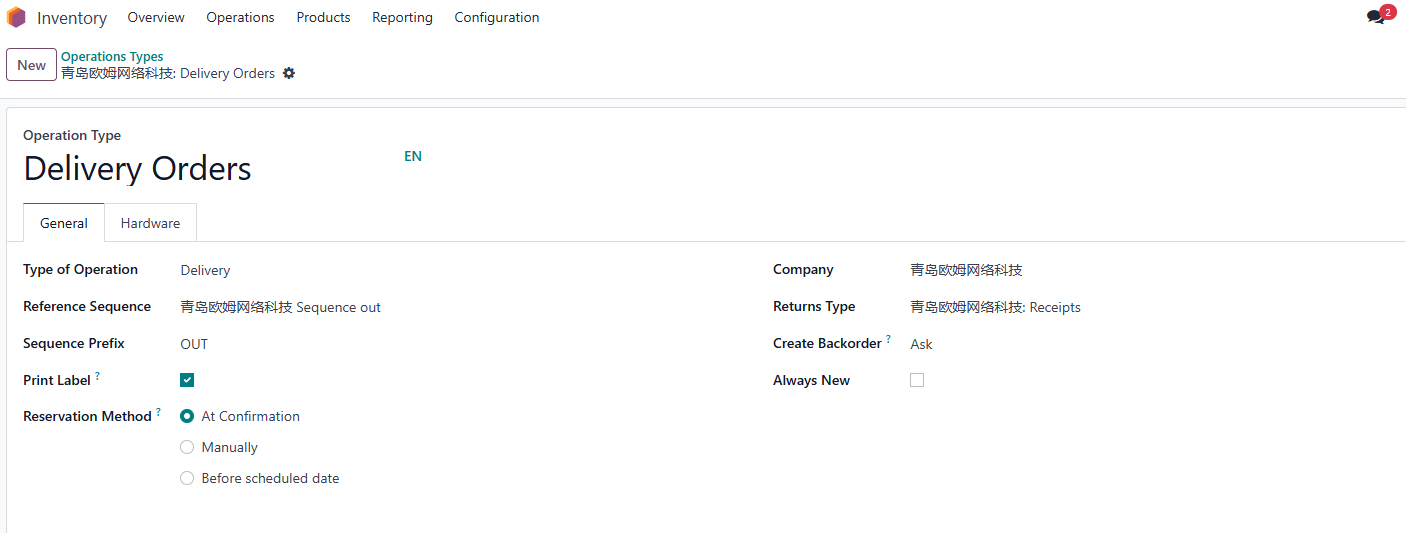
After enabling the "always new" option, Odoo no longer merges similar transfers. It creates a new transfer every time.
Lot Field Logic On Receipts
Receipt operation types can include two options:
- Create New Lots/Serial Numbers.
- Use Existing Lots/Serial Numbers.
These options affect which field appears on the transfer. Create New Lots shows a text field for entering a new lot number. Use Existing Lots shows a many-to-one field so users can choose or create an existing lot record.
The text lot field appears when:
- Lot tracking is enabled.
- The operation type allows creating new lots.
- The transfer is not yet done.
In other cases, the lot is usually selected from existing lot records.
Stock Moves And Sales Delivery Policy
The sales delivery policy affects delivery order state. The two options on sales orders, "as soon as possible" and "when all products are ready", correspond technically to move types direct and one.
Delivery order state is closely related to stock move states. When Odoo determines the transfer state, it sorts move lines by state and quantity. Common state priority includes:
confirmedpartially_availablewaitingassigned
If the first move uses the "when all products are ready" policy, it becomes the most important move. Odoo uses it to determine whether the whole transfer is confirmed, waiting, or ready. If some moves are ready while the first important move is not, the whole transfer may still not show as ready.
For business users, the practical meaning is simple: if the sales order says "ship when all products are ready," one unavailable product can hold the whole delivery. If the sales order says "deliver as soon as possible," Odoo can let available products move earlier.
Stock Move Lines
Each stock move can have stock move lines. Some operation types do not show detailed operations by default. To manually show them, enable detailed operations on the operation type.
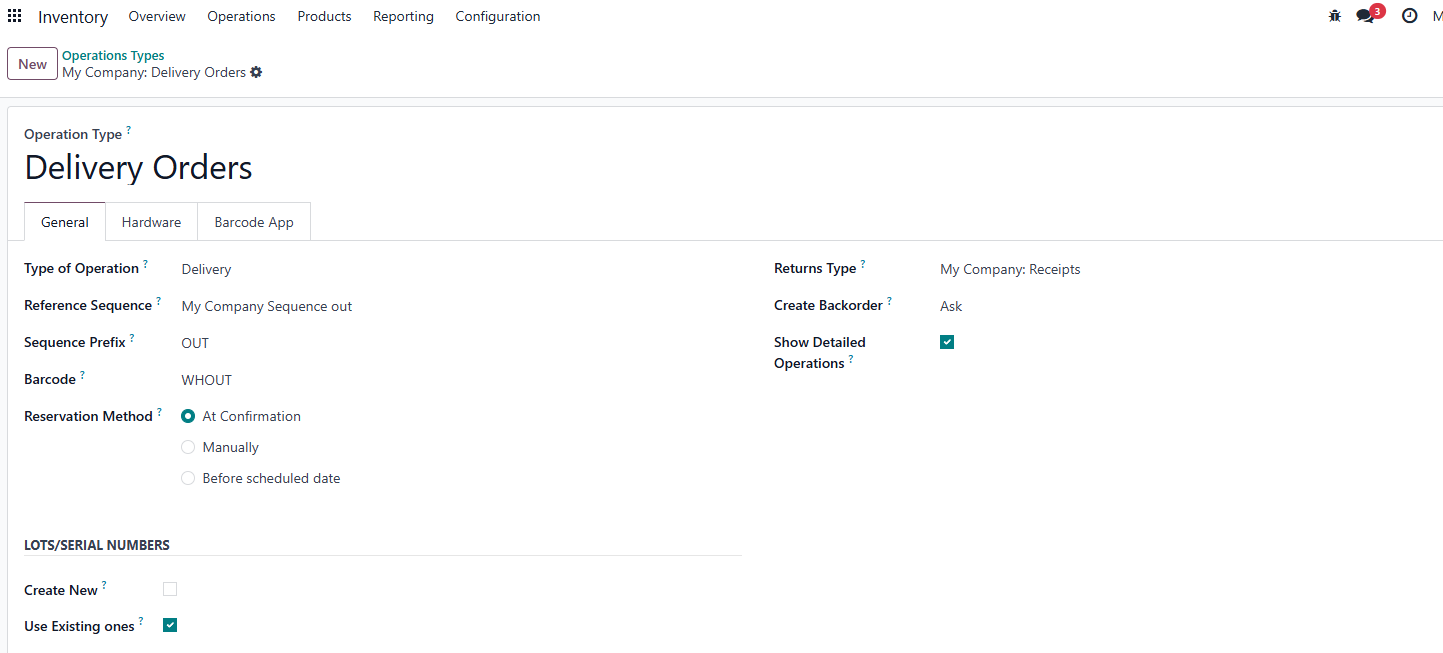
After enabling it, the transfer form shows the detailed operations tab.
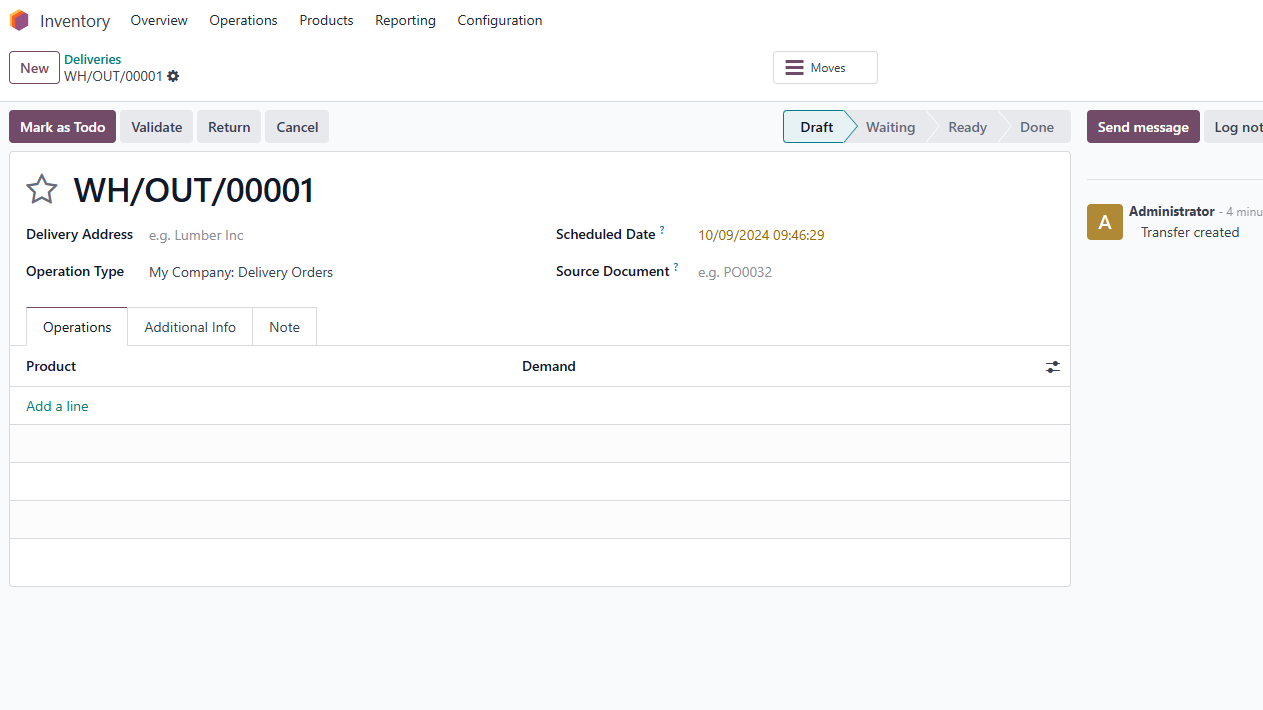
This field may be removed in later Odoo versions, so treat it as version-sensitive when documenting or customizing.
Negative Stock
Odoo can allow negative stock. If a user forces a SKU from one location to another even though the source location has insufficient stock or does not contain the specified lot/serial number, the operation may still succeed. The source location then gets negative quantity to balance the artificial movement.
Negative stock can be useful for emergency processing, but it can also hide operational problems. If the company does not want negative stock, consider using a negative-stock restriction module such as the OCA stock_no_negative module, after confirming compatibility with the target Odoo version.
Implementation Advice
Operation types should be designed around real warehouse processes:
- Receipts for vendor incoming goods.
- Deliveries for customer shipments.
- Internal transfers for stock movement between zones.
- Separate operation types only when users need different sequences, routes, permissions, or process rules.
This chapter explained operation types and how they affect transfers. The next chapter in this first batch covers reordering rules, where Odoo creates replenishment according to stock levels and demand.