Odoo Prod Backup Solution
When Odoo backup no longer means high cost: a more affordable production-grade solution with point-in-time recovery.
After Odoo enters production, the real question is not only whether the system can go live. It is whether data can be restored quickly, accurately, and with limited loss when something goes wrong.
Whether the issue is user error, upgrade failure, hardware failure, or an unexpected production incident, the value of a backup system is not simply “there is a backup”. The value is whether the business can recover to the right point in time.
Qingdao Ohm Network Technology's odoo-prod-backup is designed for Odoo production data protection. It focuses on three core values: lower cost, more flexible recovery, and better long-term suitability for self-hosted Odoo environments.

A Better Backup Choice For Cost-Sensitive Companies
When companies evaluate Odoo data safety, they often first encounter platform solutions such as Odoo.sh. Odoo.sh provides a managed environment with automatic backup, version control, testing environments, and other useful features. It is a good fit for companies that do not want to invest in operations.
However, the cost can be high, especially for companies that already self-host Odoo or care strongly about long-term cost control.
odoo-prod-backup does not require a company to migrate its full deployment model. It adds independent production backup capability on top of the existing Odoo production environment.
The advantages are clear:
| Advantage |
|---|
| No ongoing high platform cost. |
| No need to change the existing Odoo deployment structure. |
| No need to rebuild the whole business environment. |
| Existing server resources can be reused. |
| Companies keep stronger control over their own data. |
For manufacturing, trading, project delivery, and channel management companies that rely heavily on Odoo, data safety matters, but the protection plan must also make commercial sense.
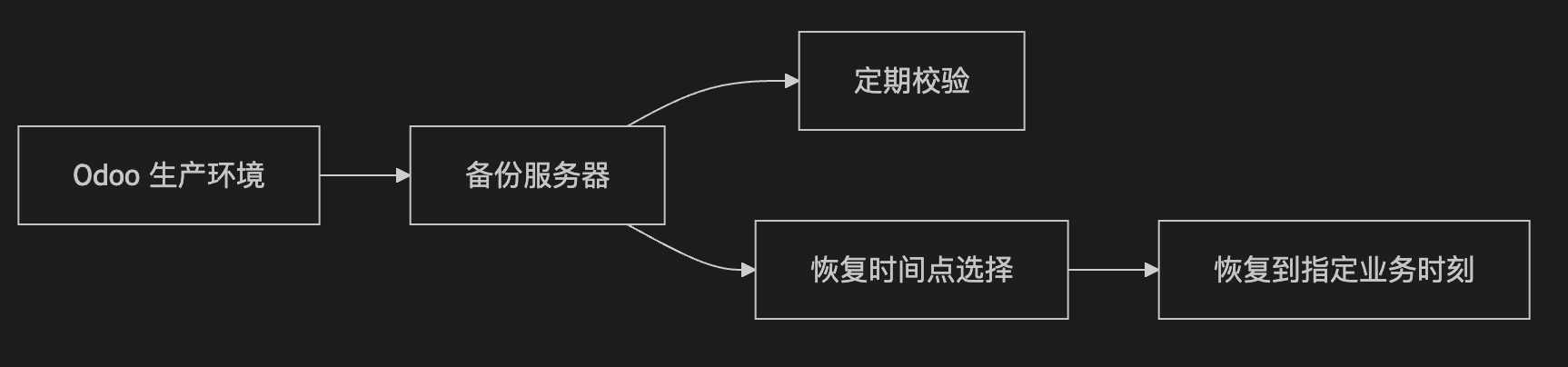
Real-Time Synchronization And Point-In-Time Recovery
The common problem with traditional backups is that they look safe but are not flexible enough during recovery.
If a system only keeps one full package backup per day, then when an accidental deletion, wrong import, or failed upgrade happens in the afternoon, recovery usually goes back to the previous night or an earlier backup. The system is restored, but a large amount of business data is lost.
odoo-prod-backup provides more continuous data protection and supports point-in-time recovery.
This means:
| Capability |
|---|
| Key data is synchronized continuously to the backup environment. |
| Files, configuration, and code keep staged snapshots. |
| Recovery can use the latest available state. |
| Recovery can also target a time close to the incident. |
For production systems, the real question is not only whether recovery is possible, but how much data is lost after recovery.

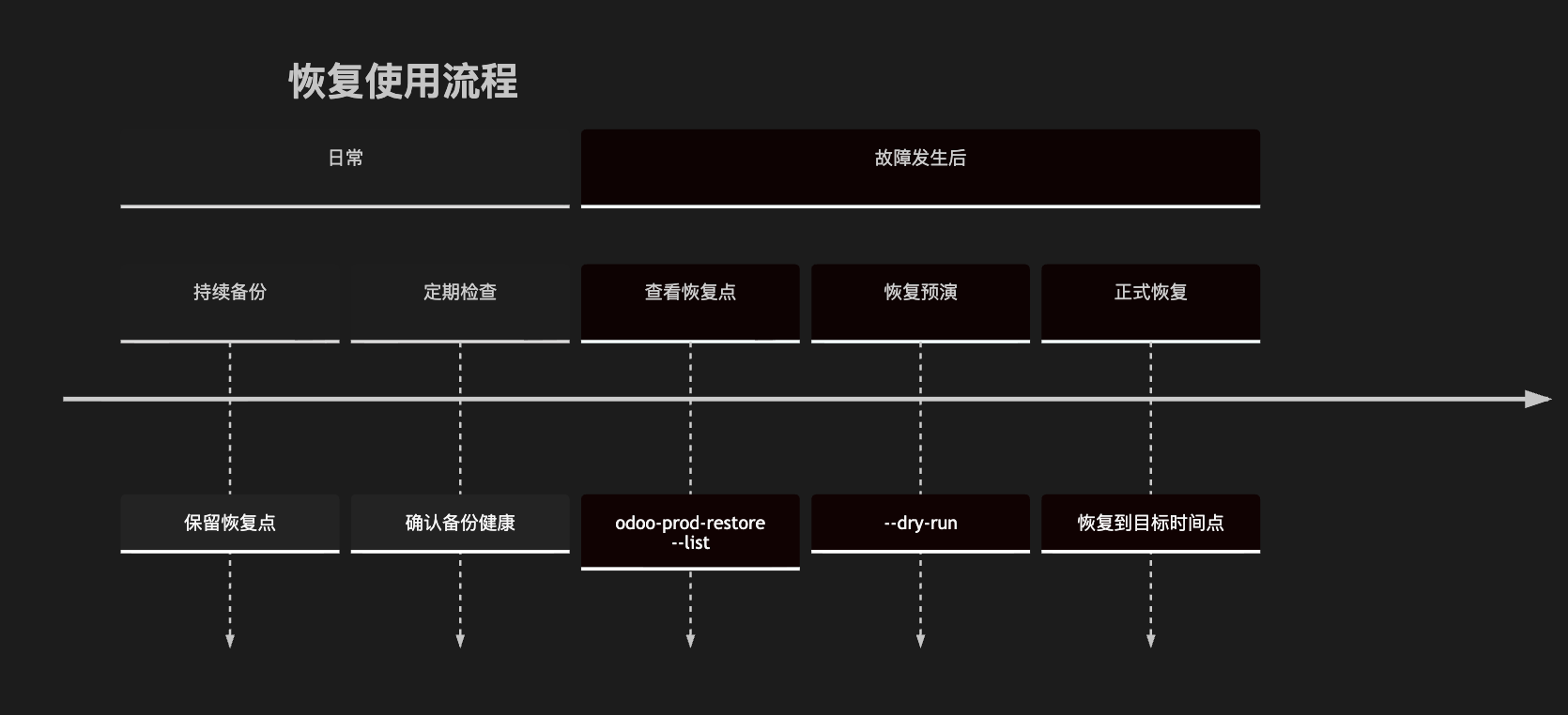
Common commands focus on listing restore points, dry-run restore, actual restore, and backup health checks.
List Available Restore Points
odoo-prod-restore --list
Use this before recovery to see which time points are available.
Dry Run Before Real Restore
odoo-prod-restore --dry-run latest <db_name>
Or specify a target time:
odoo-prod-restore --dry-run "2026-05-28 14:30:00" <db_name>
Dry run does not change the current environment. It tells operators which backup, file snapshot, and configuration version would be used.
Execute Restore
Restore to the latest available state:
odoo-prod-restore latest <db_name>
Restore to a specified time:
odoo-prod-restore "2026-05-28 14:30:00" <db_name>
This makes recovery a controlled operation rather than emergency guessing.
Check Backup Health
/usr/local/sbin/odoo-prod-backup-check
Regular health checks help discover potential backup problems before recovery is needed.
Test Environments Comparable To Odoo.sh
Because of continuous synchronization and staged snapshots, odoo-prod-backup can also prepare a test environment from backup data, similar to Odoo.sh.
This helps companies avoid operating directly on production when they need to:
| Use Case |
|---|
| Test new modules. |
| Validate upgrade plans. |
| Check report or workflow adjustments. |
| Reproduce production issues. |
| Train internal users. |
| Rehearse restore procedures. |
Operators can list restore points, choose a suitable time, and prepare a test environment based on realistic data without affecting production.
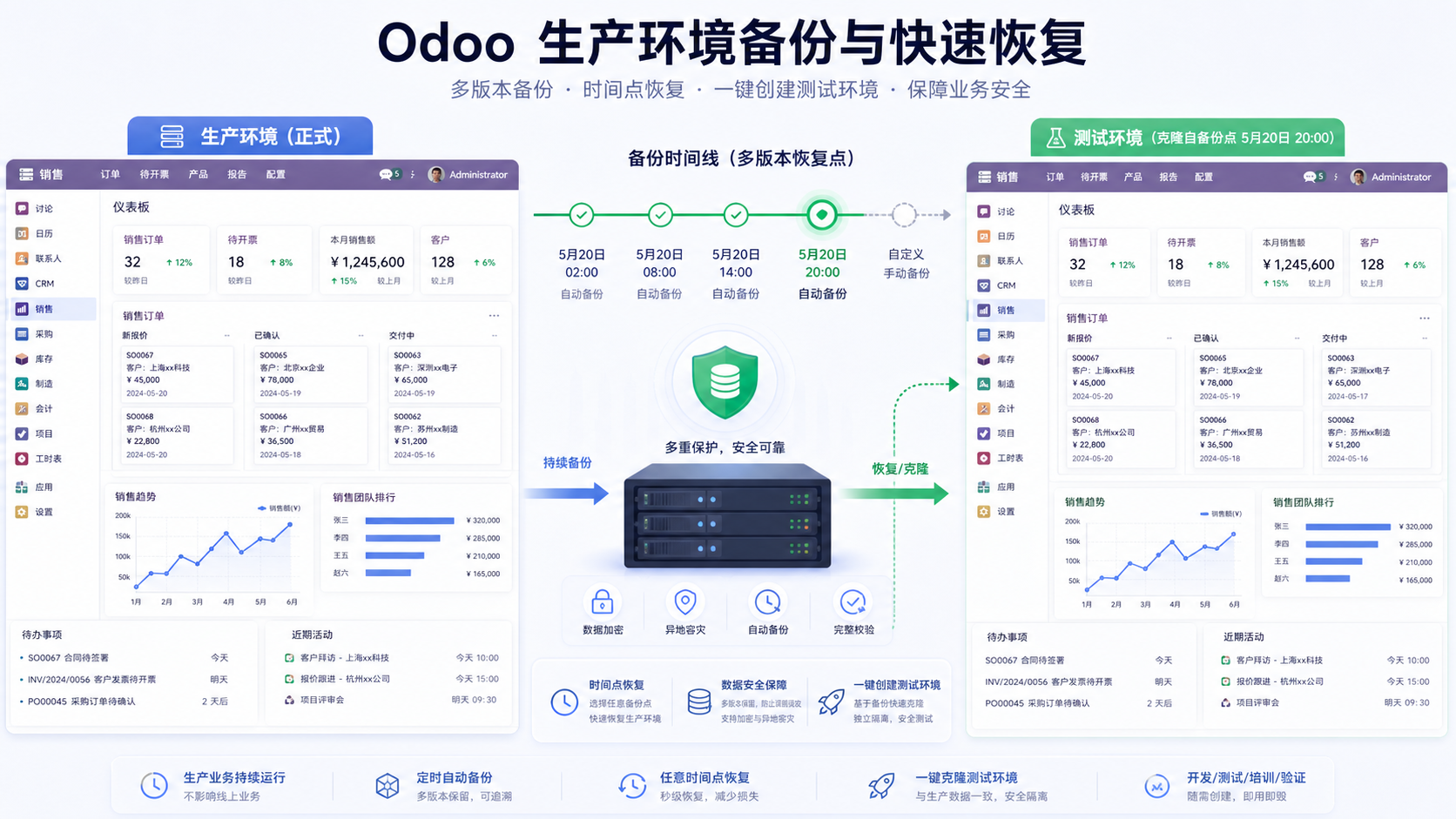
Protect Data And Save Cost
A mature backup solution should not only work technically. It must also be practical for business, executable for operations, and acceptable in cost.
odoo-prod-backup is designed to make data protection a long-term capability:
| Customer Concern | Solution Value |
|---|---|
| Data safety with controlled cost | Independent backup without platform migration. |
| Recovery capability without heavy operational burden | Standard commands and health checks. |
| Fit existing Odoo environments | Works with self-hosted deployments. |
| Backup must be restorable | Restore points and dry-run restore are part of the workflow. |
Lower cost does not mean lower standards. Professional backup means that when recovery is needed, the customer can recover, dares to recover, and can recover accurately.
Conclusion
If your Odoo is already in production, or you are considering a more reliable and cost-effective backup mechanism for an existing Odoo system, odoo-prod-backup is a practical direction. At the current stage, it is available for contracted customers.
Qingdao Ohm Network Technology, your one-stop Odoo service expert, is ready to help protect your data and support continuous business growth.