Chapter 4 Contacts And Partners
Contacts are one of the most basic and most easily confused data types in Odoo. Customers, vendors, contacts, invoice addresses, and delivery addresses all belong to the contact system.
Once contacts are understood clearly, Sales, Purchase, Inventory, Accounting, and Portal will be much easier to use.
What Is A Contact
In Odoo, a contact can represent:
- A customer company;
- A vendor company;
- A specific person;
- An invoice address;
- A delivery address;
- A contact linked to an employee;
- A contact linked to a portal user.
So do not treat "Contacts" as only an address book. It is core master data used by Odoo business documents.
Open The Customer List
After installing the Sales application, open customers from Sales -> Orders -> Customers.
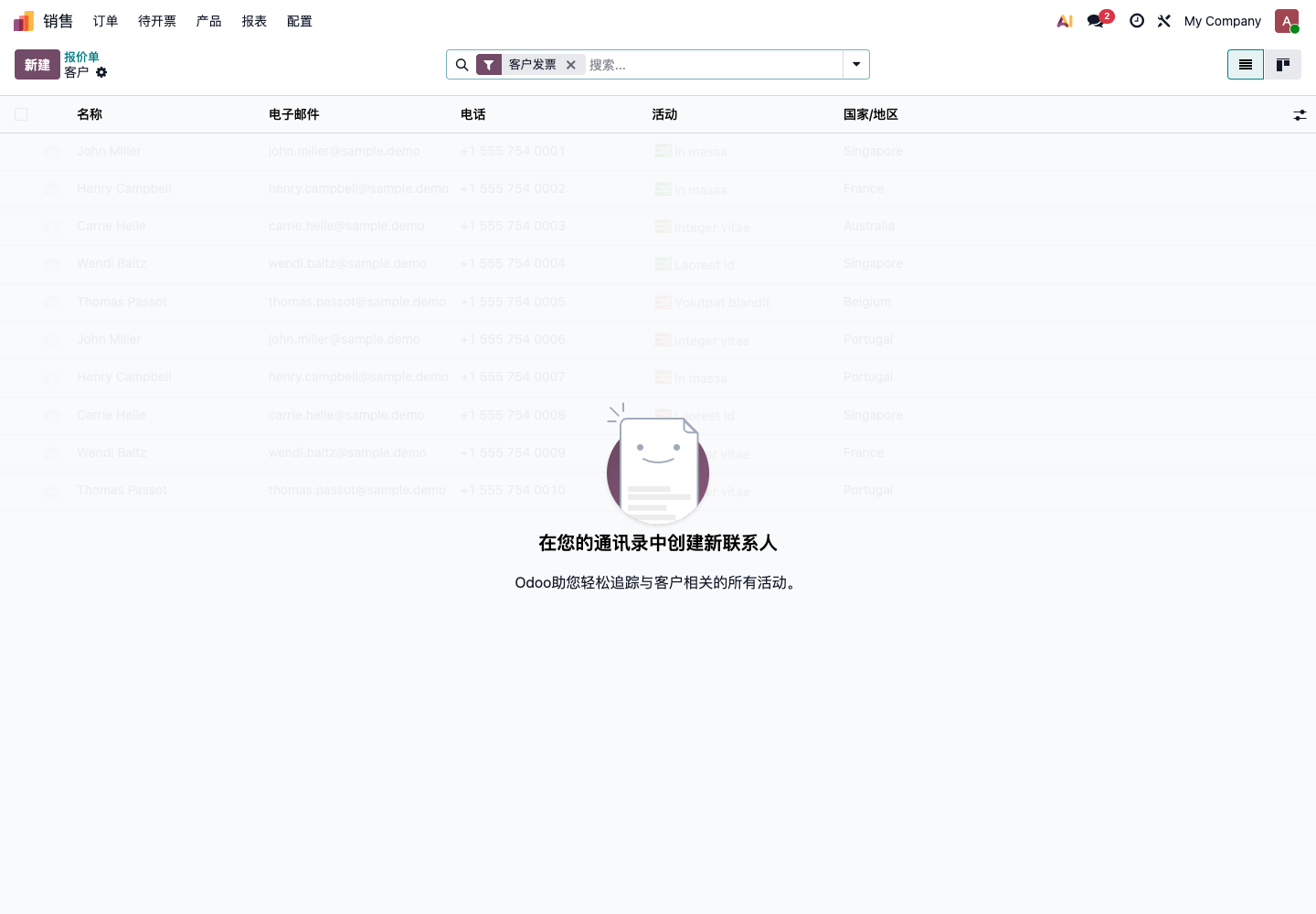
If the Contacts application is installed, customers, vendors, and other contacts can also be maintained from the Contacts app.
Create A Company Customer
When creating a customer, choose Individual or Company.
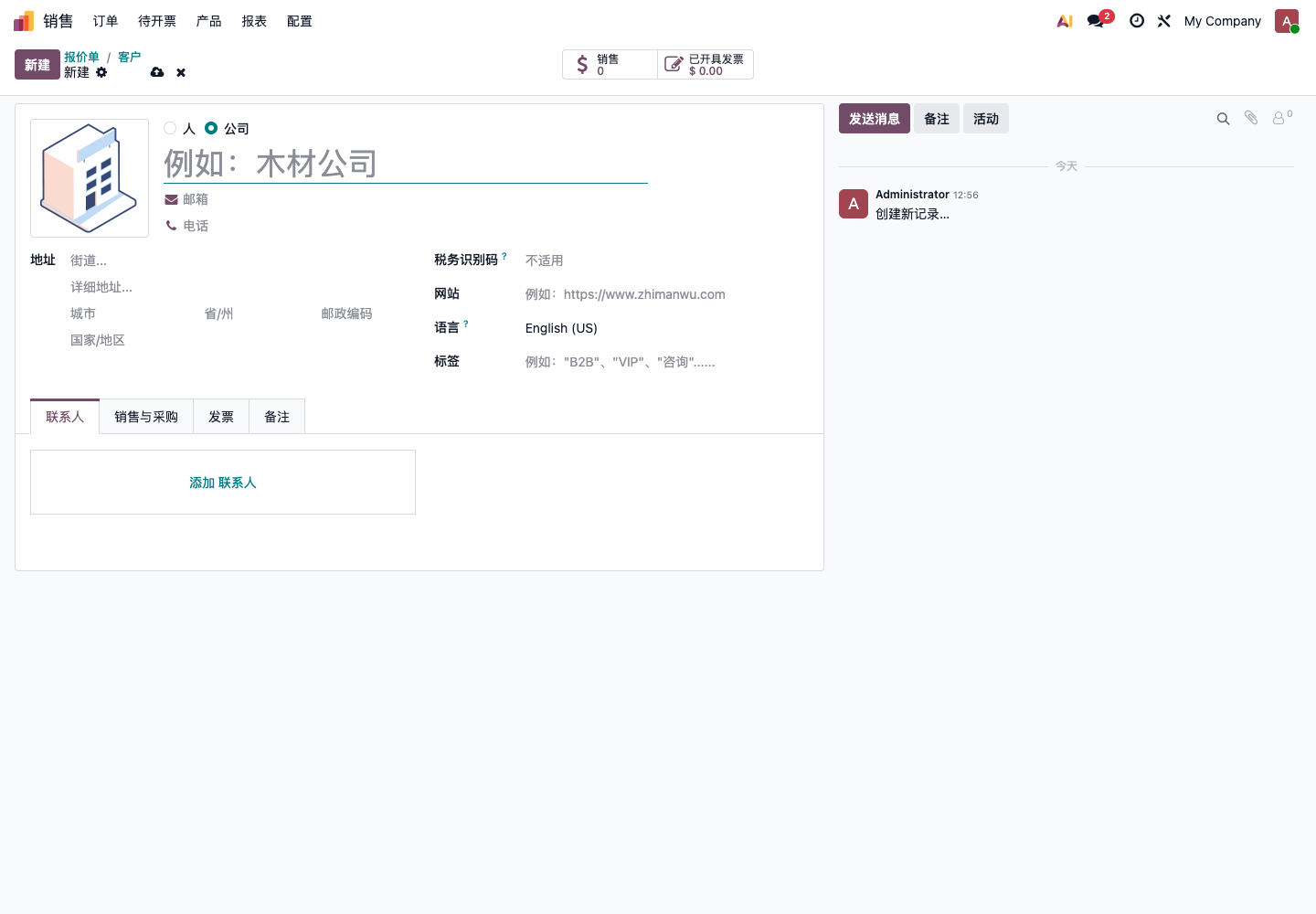
Common rules:
| Type | Suitable Scenario |
|---|---|
| Company | Customer entity, vendor entity, invoicing party |
| Individual | Contact person under a company, individual customer, business contact |
If the customer is a company, create the company first, then add contact persons under that company. Do not create the purchaser, finance person, and owner of the same company as three independent customers.
Customers And Vendors Are Not Two Separate Tables
In Odoo, customers and vendors are both contacts. One company can be both a customer and a vendor.
For example:
- Company A buys products from us, so it is a customer;
- Company A also provides maintenance services to us, so it is also a vendor.
A contact used on sales orders behaves as a customer. A contact used on purchase orders or vendor bills behaves as a vendor. Do not create duplicate company records just to separate customer and vendor identities.
Invoice Address And Delivery Address
Many companies have this scenario: the customer headquarters pays the invoice, but goods are delivered to different warehouses or stores.
The correct approach:
- Create the customer company;
- Add contacts or addresses under that company;
- Set the address type as invoice address, delivery address, or other address;
- Select the correct customer and delivery address on the sales order.
Common address types:
| Type | Usage |
|---|---|
| Contact | Contact person under the company |
| Invoice Address | Invoicing, reconciliation, accounting contact |
| Delivery Address | Warehouse delivery and logistics |
| Other Address | Backup address, store, temporary address |
Do not create separate customers for different delivery addresses of the same customer. Otherwise receivables and sales statistics will be split.
Contact Fields
At minimum, maintain these fields:
| Field | Usage |
|---|---|
| Name | Customer or vendor name |
| Send quotations, orders, invoices, portal invitations | |
| Phone | Daily contact |
| Address | Quotations, invoices, deliveries |
| Tax ID | Finance and invoice data |
| Website | Customer or vendor information |
| Language | Language used in customer emails and portal content |
| Tags | Customer classification, industry, level, channel |
Email is very important. Without an email address, quotations, invoices, password resets, and portal invitations cannot be sent smoothly.
Tags And Classification
Contact tags are suitable for lightweight classification.
Common tags:
- VIP;
- Wholesale customer;
- Retail customer;
- Agent;
- Vendor;
- Store customer;
- Overseas customer;
- Monthly settlement required;
- Special pricing required.
Tags are useful for filtering and statistics, but do not rely on tags for complex permissions. If data must be isolated by salesperson, department, or company, permission rules need further evaluation.
Contact Deduplication
Duplicate contacts cause many problems:
- Sales orders for the same customer are scattered under different records;
- Receivable statistics become incomplete;
- Customer portal data is inconsistent;
- Finance cannot find the full history during reconciliation;
- Email communication history is scattered.
Deduplicate before importing customers.
Focus on:
| Check Item | Example |
|---|---|
| Duplicate names | Qingdao Ohm, Qingdao Ohm Network, Ohm Network Technology |
| Duplicate phones | The same phone number appears under multiple customers |
| Duplicate emails | The same email is linked to multiple customers |
| Duplicate tax IDs | One tax ID corresponds to multiple companies |
| Duplicate addresses | The same address is created as multiple delivery customers |
If duplicates are found, merge or archive them first. Do not continue creating new orders on duplicate records.
Relationship Between Users, Contacts, And Employees
These three concepts are often mixed together.
| Concept | Description |
|---|---|
| User | An account that can log in to Odoo |
| Contact | Company, person, customer, vendor, address, and related partner data |
| Employee | Employee profile in the HR application |
A user usually links to one contact. After installing the Employees application, an employee can also be linked to a user.
Simple distinction:
- User answers "who can log in to the system";
- Contact answers "who is the customer, vendor, or address on business documents";
- Employee answers "who is this internal employee in HR records."
Portal Users
Portal users are also generated from contacts. After customers receive quotations, orders, or invoices, they can view related documents through the portal.
Portal users are suitable for:
- Customers viewing quotations;
- Customers confirming orders;
- Customers viewing invoices;
- Customers viewing projects, tickets, or subscriptions;
- Vendors viewing certain collaboration information.
Portal users are not internal employee accounts. They cannot enter the backend to process business like sales, warehouse, or finance users.
Address And Country
Odoo displays address formats according to country. For domestic Chinese customers, pay attention to:
- Whether country/region is filled in;
- Whether province, city, and detailed address are maintained separately;
- Whether postal code is required;
- Whether invoice address and delivery address are different;
- Whether English addresses are needed for foreign trade documents.
If the company needs China province-city-district linkage, maps, or logistics labels, localization modules or custom modules are usually required.
Contact Acceptance Checklist
After contact data is prepared, use this standard:
| Check Item | Passing Standard |
|---|---|
| Customer entity | One customer has only one main company record |
| Contact persons | Purchaser, finance, receiving contact, and others are under the company |
| Addresses | Invoice and delivery addresses are clearly separated |
| Email and phone | Key contacts have email and phone |
| Tax data | Customers needing invoices have complete tax information |
| Tags | Customer classification is clear and tags are not abused |
| Portal | Contacts needing portal access have correct email addresses |
| Deduplication | No obvious duplicate customers or vendors |
Contacts are the entry point for later business. Once contacts are clear, Sales, Purchase, Accounting, and Portal will run much more smoothly.
Why Customers And Vendors Are Together
Many new users ask why customers, vendors, and contacts are all in one place. This is the core of Odoo's contact design. Customers and vendors are both based on res.partner. Older versions once used fields to distinguish customers and vendors.
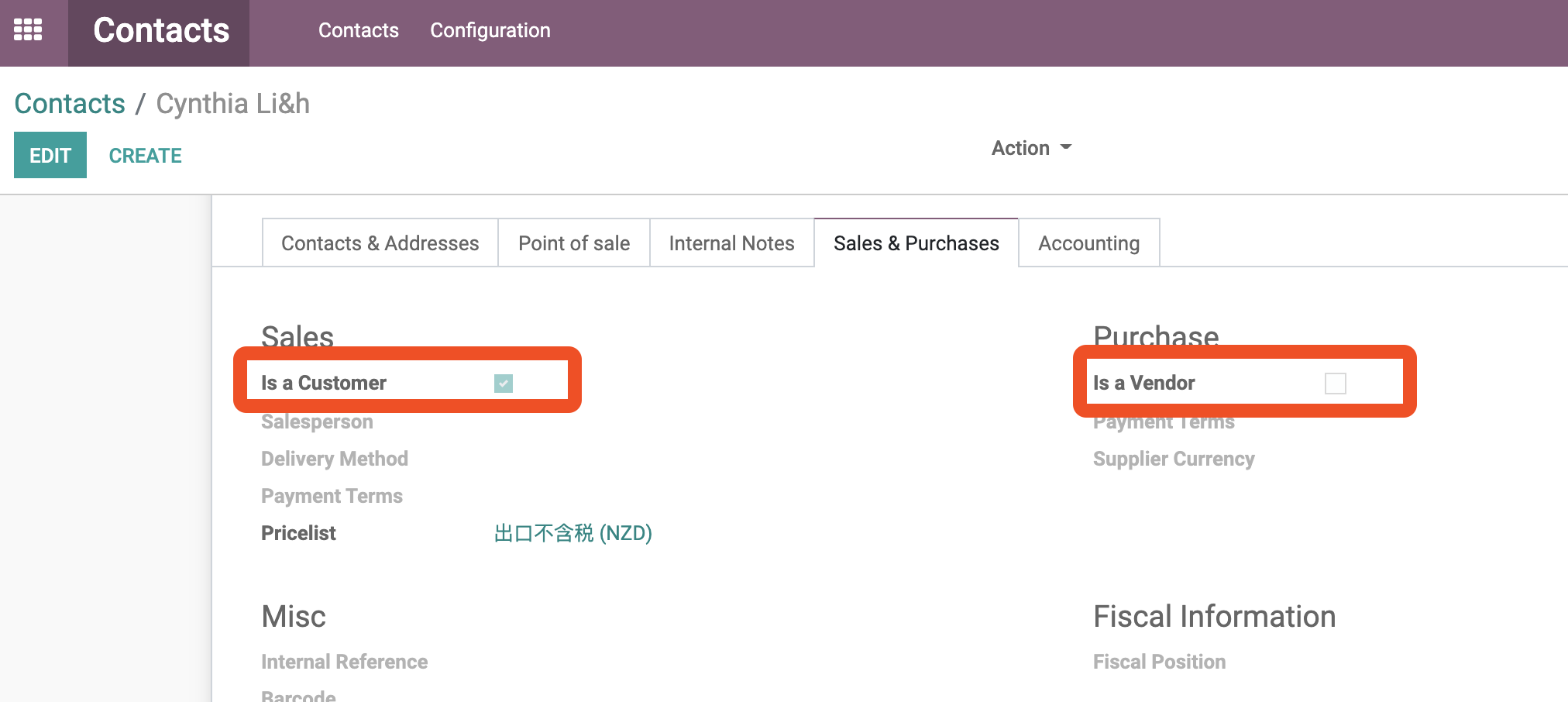
In later versions, customer and vendor identities are more often reflected by business usage, customer ranking, vendor ranking, and similar fields.
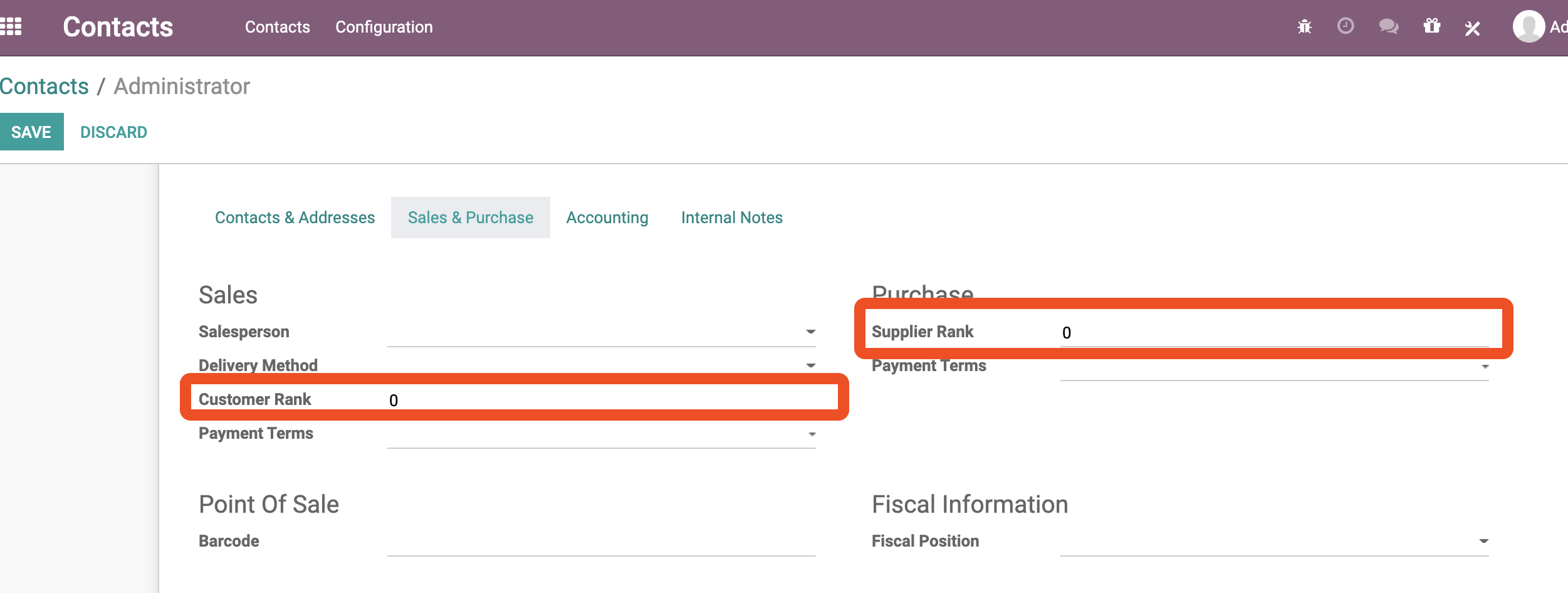
This means one partner can be both a customer and a vendor. During implementation, do not create duplicate records just to make "one customer record and one vendor record." Doing so affects receivables, payables, and business history statistics.
Use Menus And Filters To Separate Customers And Vendors
To help domestic customers quickly distinguish customers and vendors, menus or filters can provide separate entry points.
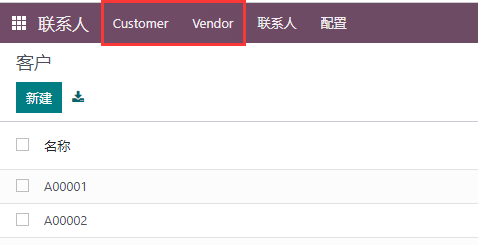
This is essentially display and filtering optimization. It should not break Odoo's native contact model.
Customer Codes, Aliases, And Quick Identification
If the customer base is large, establish a customer code rule. In Odoo, the common field is reference or internal code.
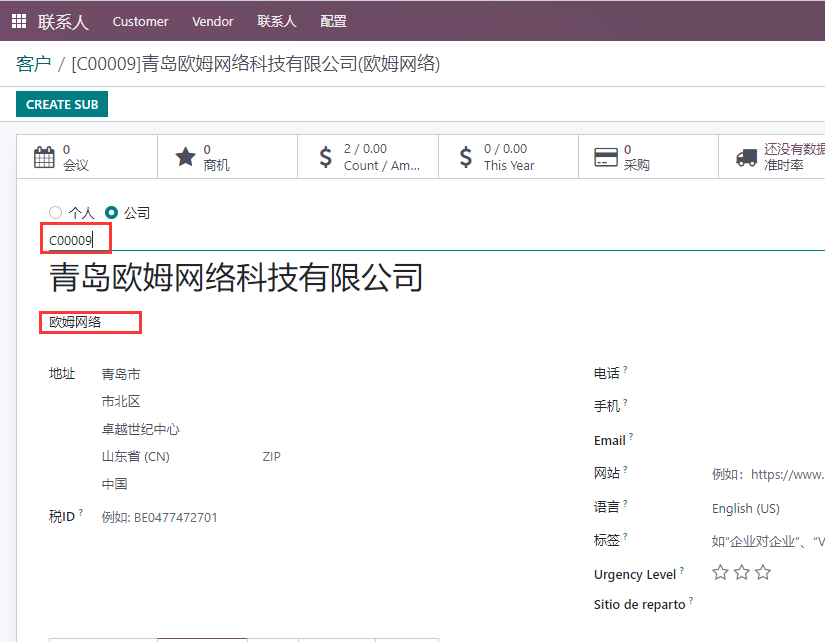
Customer short names or aliases help sales, warehouse, and finance identify customers quickly.
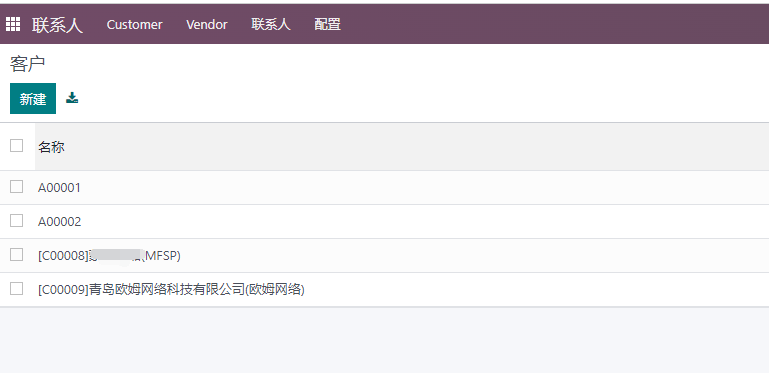
Professional suggestions:
- Keep customer codes unique;
- Do not force customer level, region, and salesperson all into the code;
- Use codes for identification, and use tags or fields for classification;
- Decide the coding rule before go-live and avoid frequent changes later.
Company And Individual Relationship
A customer can be a company or an individual. A company can have multiple contacts under it.
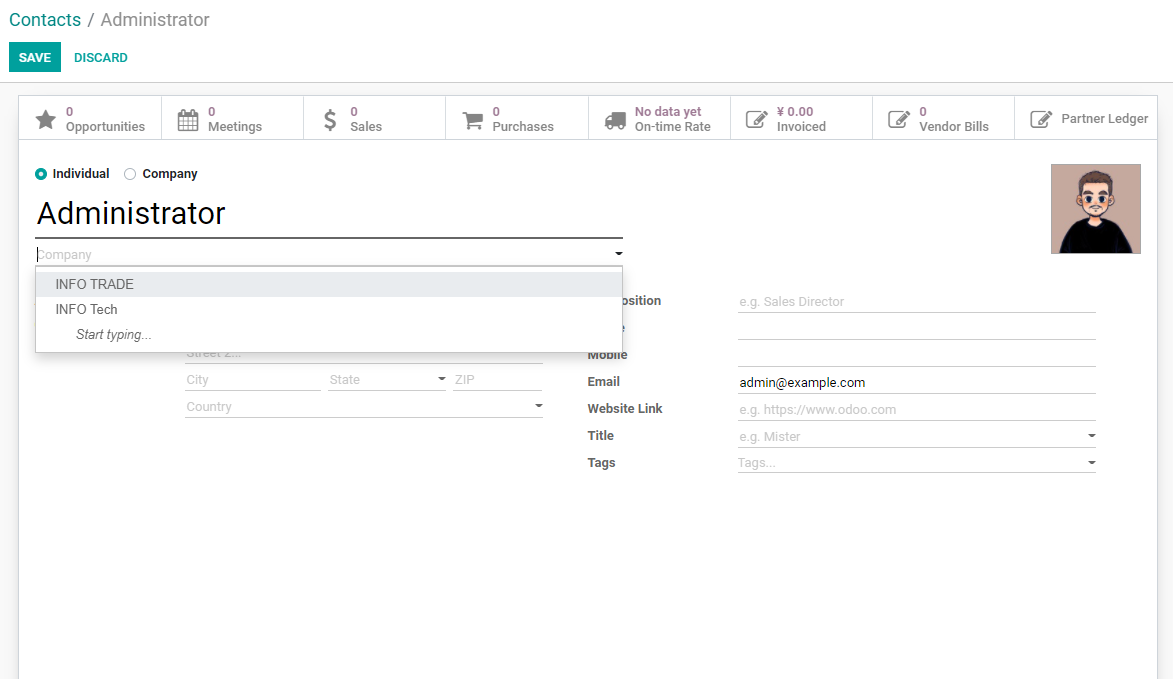
When an individual contact is selected on a business document, Odoo shows its relationship with the parent company.
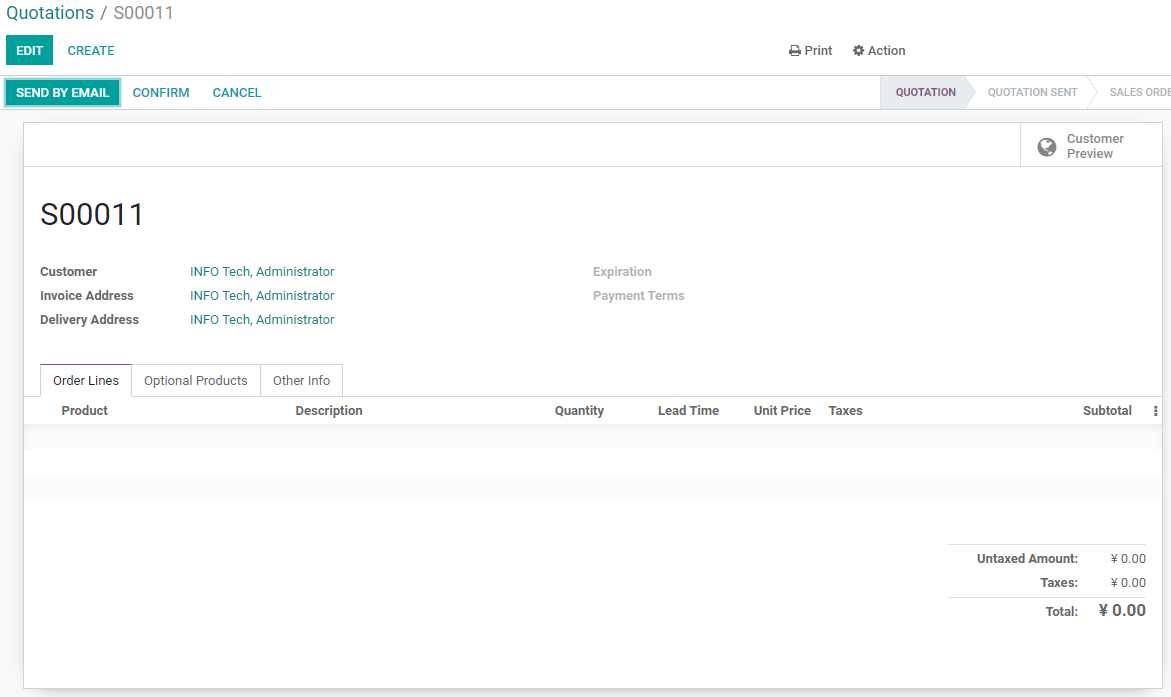
Technically, common fields include is_company and company_type. During development, pay attention to company and individual logic. Do not judge customer type only by name or tag.
How Address Type Affects Business Documents
Contacts can represent not only the customer entity, but also invoice addresses, delivery addresses, and other addresses.
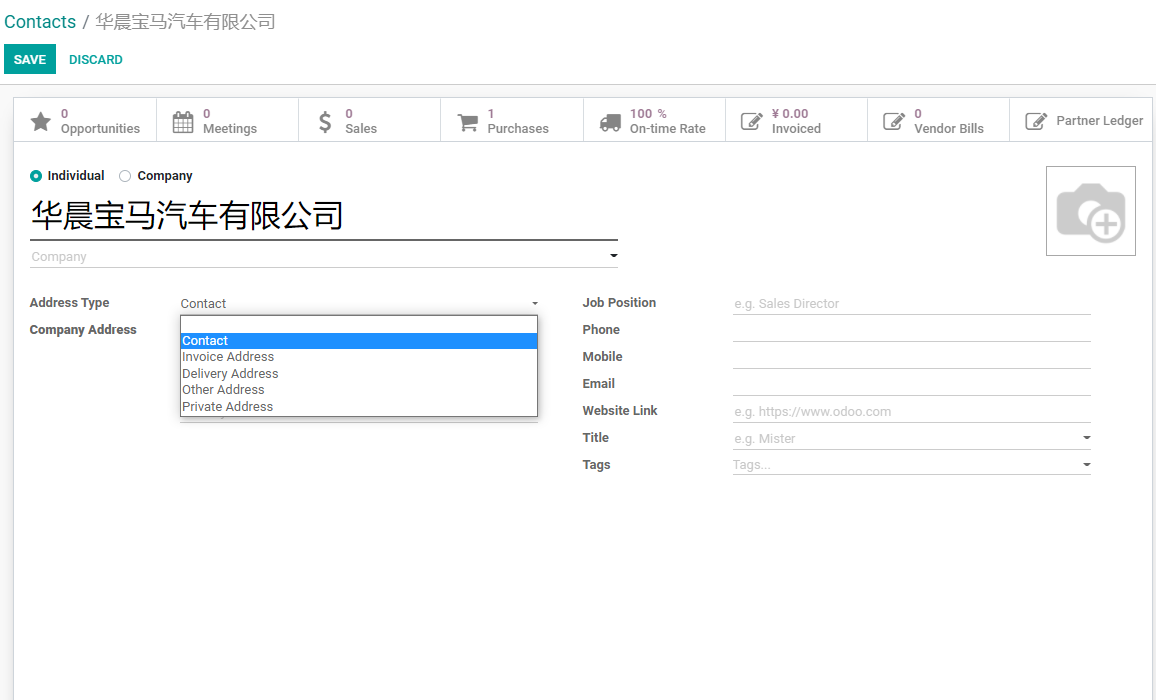
Implementation should pay special attention to:
- Whether the invoice address is used by finance;
- Whether the delivery address is used by warehouse and logistics;
- Whether a contact is only a communication person;
- Whether private addresses involve employee and privacy permissions.
Incorrect address type configuration directly affects sales orders, invoices, and delivery slips.