Chapter 2 Language Settings
Language settings in Odoo affect more than translation. They can also control date formats, time formats, separators, and other locale-related display behavior. This is important for companies that operate across countries or serve users who expect different date and number formats.
Date And Time In Languages
Open the language settings to configure date formats.
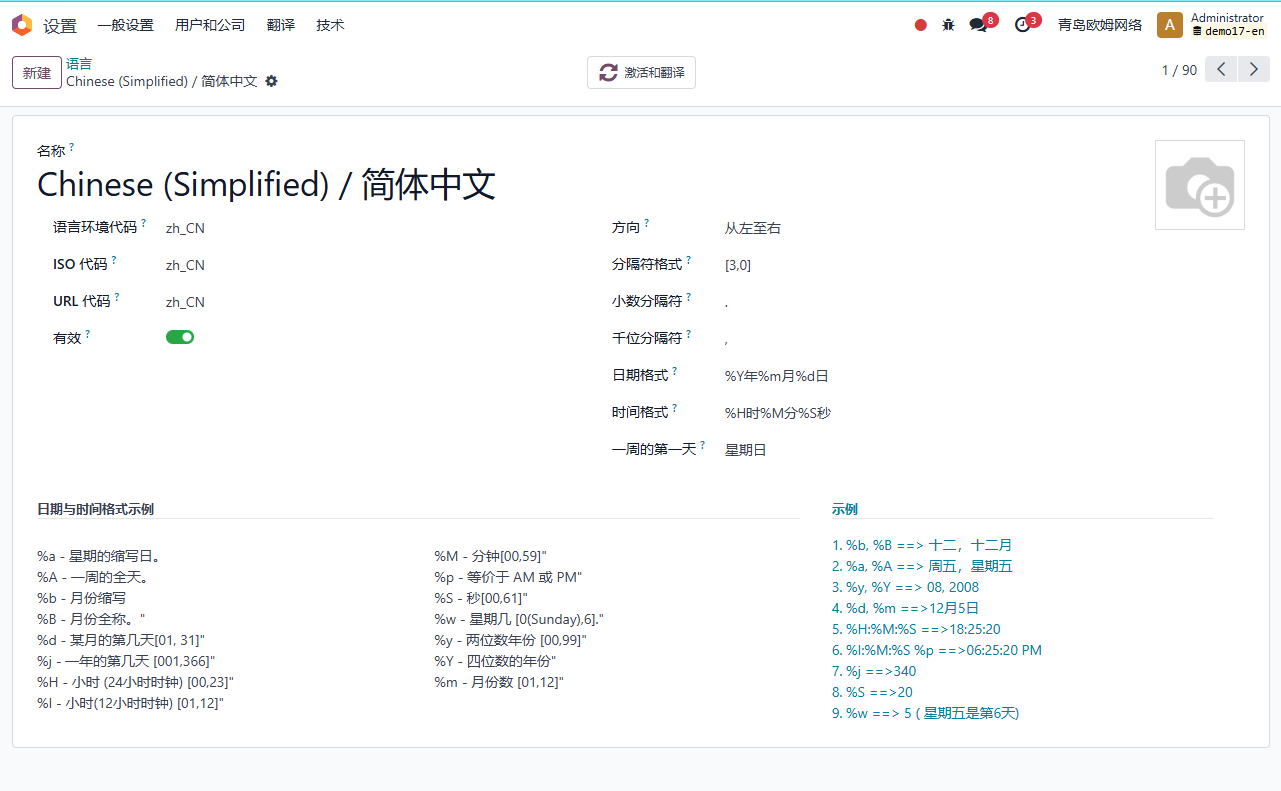
In the language configuration, you can define how dates are displayed.
Common format symbols include:
| Symbol | Meaning |
|---|---|
%Y |
Year |
%m |
Month |
%d |
Day |
For example, different countries may prefer YYYY-MM-DD, DD/MM/YYYY, or MM/DD/YYYY. Choosing the correct format reduces misunderstanding in quotations, invoices, delivery dates, and reports.
When implementing a multilingual database, always test date and number display under each major user language. A format that looks natural to one user group may be confusing to another.
This chapter covered language-based date formatting. The next chapter explains attachment sharing, which is useful when external users should access selected attachments without seeing the whole document.