Chapter 8 Sales And Inventory Delivery
After a sales order is confirmed, Odoo decides whether to create a delivery order according to product type, inventory routes, and warehouse configuration. For salespeople, what the customer bought, when it can ship, and whether enough stock exists are daily questions. For the warehouse, sales orders are an important source of outbound work.
This chapter covers only sales-related delivery logic. More complete topics such as locations, routes, lots, inventory adjustments, and replenishment are explained in the Inventory section.
Which Sales Affect Inventory
Not every sales order creates a delivery order.
| Product Type | Usually Creates Delivery? |
|---|---|
| Physical product | Usually yes |
| Service product | Usually no stock move |
| Consumable / non-stock product | Depends on version and configuration; usually not strict stock control |
| Rental product | Uses pickup and return flow |
| Kit / bundle | Depends on BoM and routes |
If no delivery order appears after confirmation, first check product type, whether Inventory is installed, whether the product is stock-managed, and whether routes are correct.
How Delivery Orders Are Created
The standard stock sales flow is:
Sales order confirmation -> Delivery order created -> Warehouse pick/pack/ship -> Validate delivery -> Delivered quantity updates
Delivery states tell sales whether the order can ship.
| State | Meaning |
|---|---|
| Waiting | Stock is insufficient or waiting for upstream operation |
| Ready | Stock is available and delivery can be processed |
| Done | Warehouse has completed outbound delivery |
| Cancelled | Delivery order is cancelled |
Sales users should not look only at the sales order state. They should also review the delivery order state.
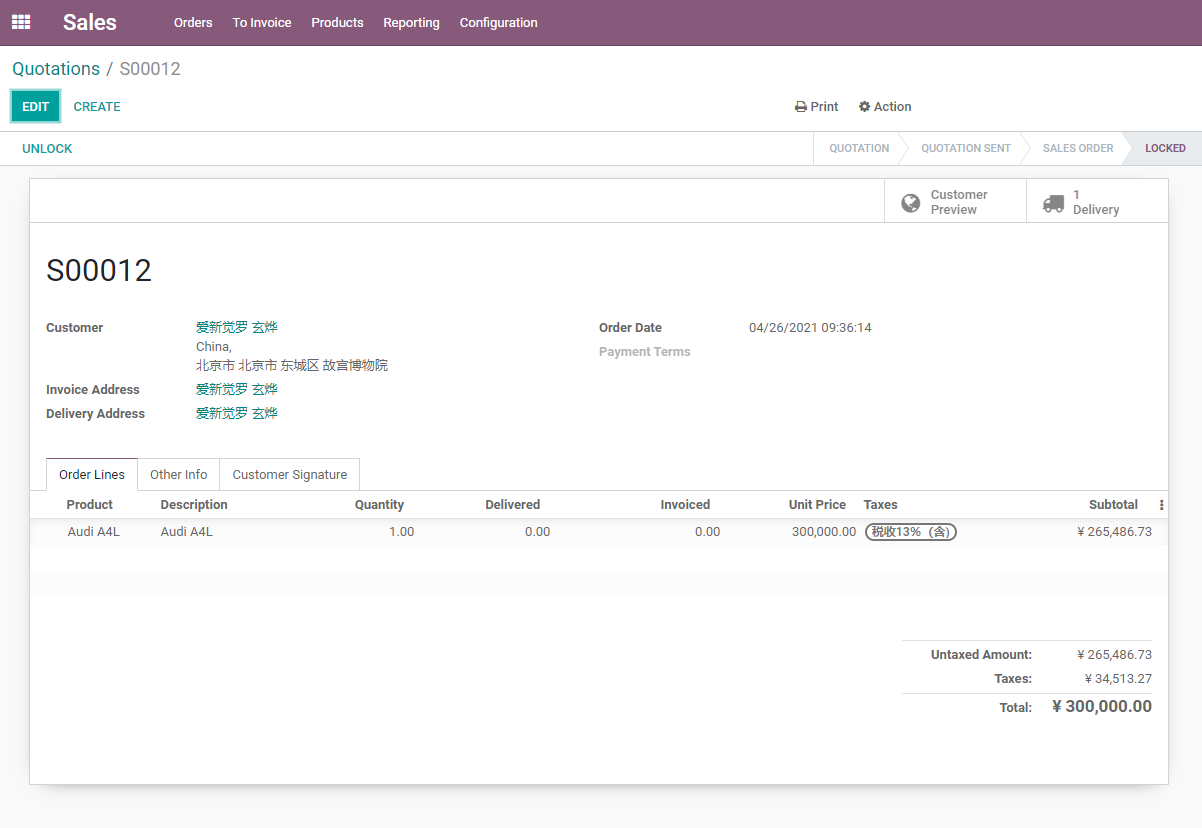
If the product requires stock delivery, a Delivery smart button appears after sales order confirmation. Sales users can open the related delivery order from that button to check warehouse progress.
Forecast Widget
When Inventory is enabled, sales order lines may show inventory forecast information. It helps sales users understand whether stock is available now and whether future incoming or outgoing movements affect delivery.
The forecast icon on the order line helps sales check product availability. This is very useful when judging whether the order can be delivered on time.
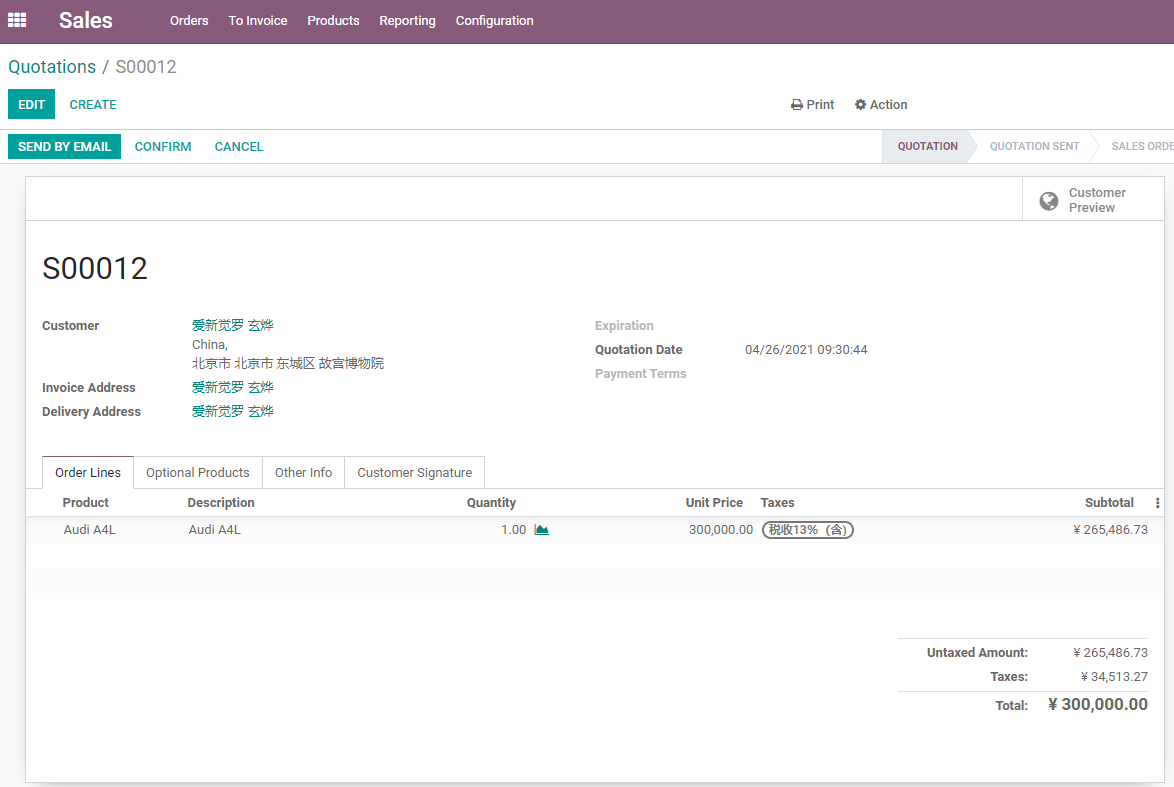
Stock forecast often considers:
- Current on-hand quantity.
- Reserved quantity.
- Confirmed sales demand.
- Incoming purchases.
- Manufacturing in progress.
- Reordering rules.
- Expected delivery date.
Forecasted stock is not simply "how much is in the warehouse right now." It is a planning view that helps sales judge whether the customer promise can be met.
Delivery Policy
A sales order can define a delivery policy.
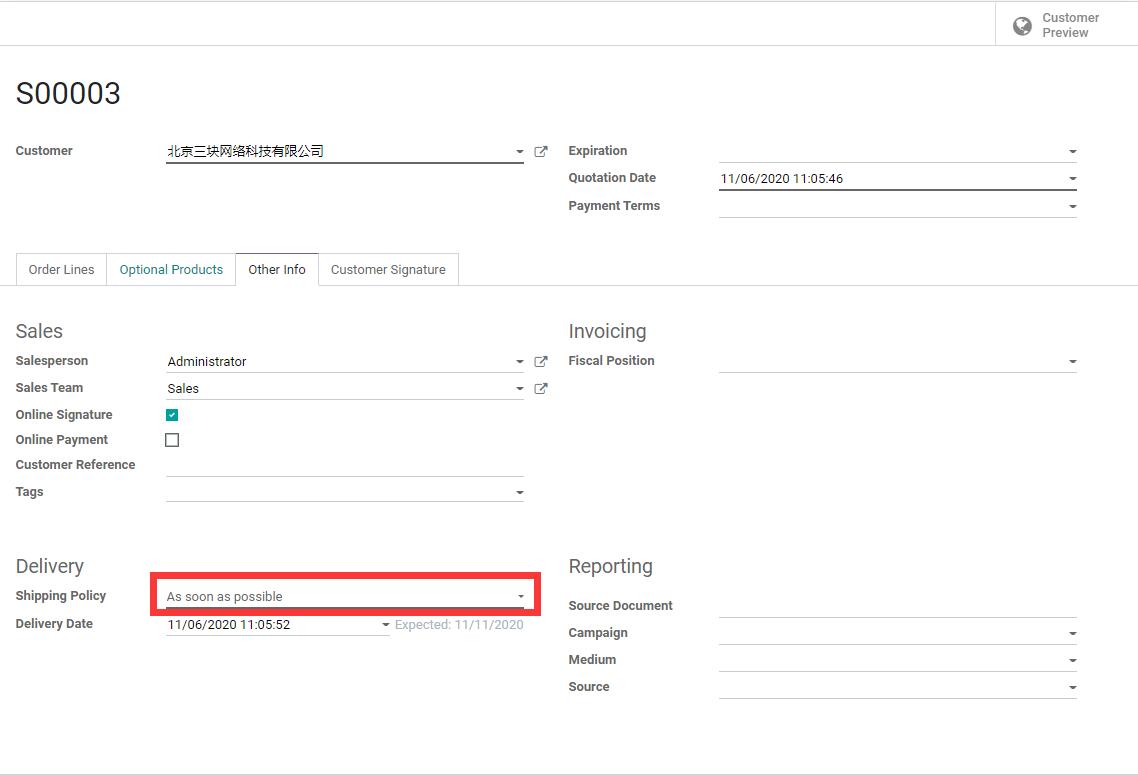
The delivery policy may appear in the Other Info page or delivery-related area depending on version, but the business meaning is the same.
| Policy | Meaning | Suitable Scenario |
|---|---|---|
| As soon as possible | Ship available products first | Customer accepts partial delivery |
| When all products are ready | Wait until everything is available | Customer requires one complete shipment |
Delivery policy affects warehouse planning and customer experience. If the customer does not accept partial delivery, do not choose the "as soon as possible" policy casually.
Commitment Date
The sales order can record a commitment date. This date represents the company's promise to the customer.
If the commitment date is earlier than the system's expected available date, Odoo shows a risk warning so sales users do not promise an impossible delivery date too easily.
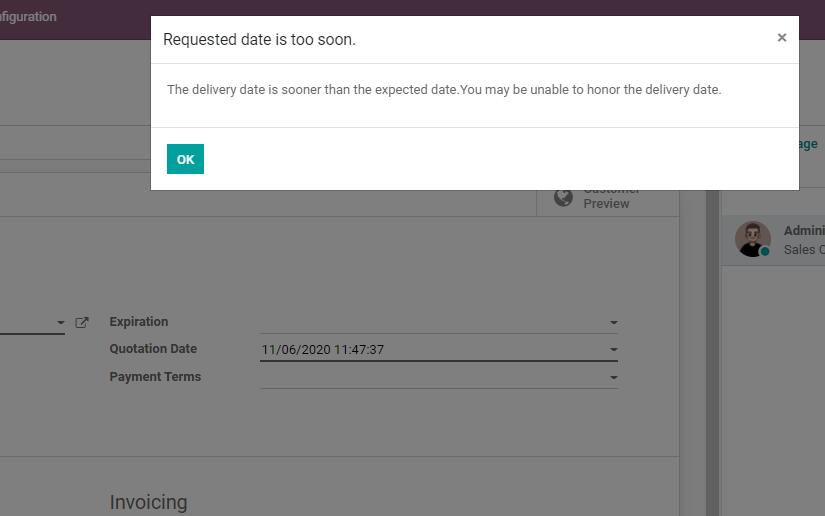
The commitment date works together with product sales lead time, stock availability, purchase plans, and manufacturing plans.
Implementation advice:
- Do not let sales promise dates that cannot be achieved.
- Maintain realistic product lead times.
- When stock is insufficient, check purchase and manufacturing plans.
- For export or project orders, align the delivery date with contract terms.
Delivered Quantity And Invoicing
Delivered quantity on sales order lines is very important.
Order lines show ordered quantity, delivered quantity, and invoiced quantity. For products invoiced based on delivered quantities, delivered quantity directly affects invoiceable quantity.
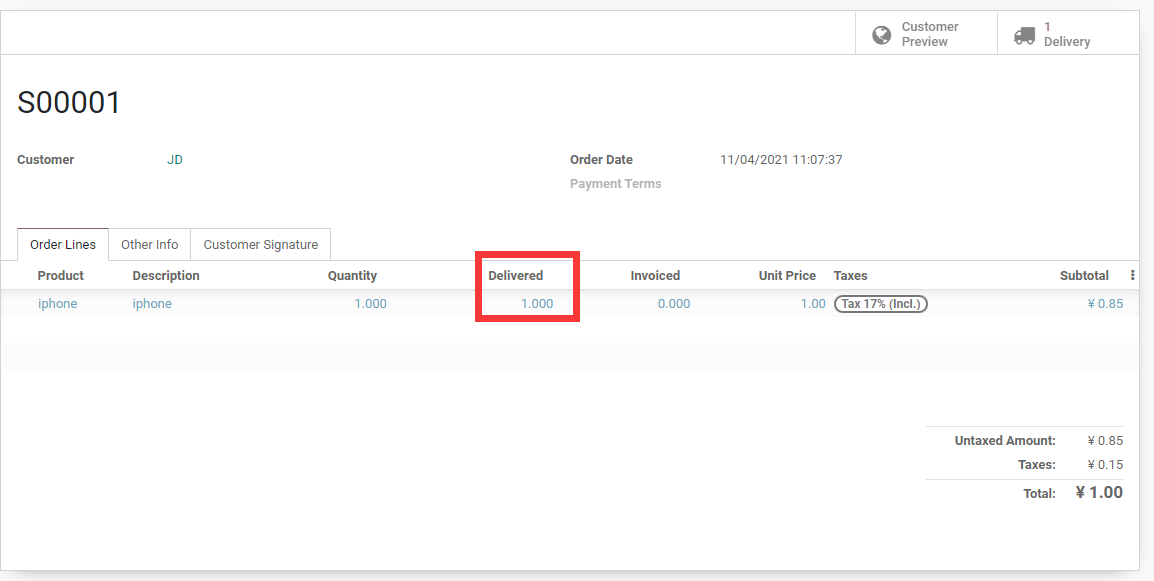
Delivered quantity affects:
- Whether the customer has received goods.
- Whether products invoiced on delivery can be invoiced.
- Actual delivered quantity after returns.
- Sales fulfillment reporting.
If a product invoices delivered quantities, finance may not be able to invoice until the warehouse completes delivery. This is why sales, warehouse, and finance must work together.
Buy To Order And Make To Order
Some products are not sold from stock. They are purchased or manufactured after customer order confirmation.
Common routes:
| Route | Meaning |
|---|---|
| Buy to Order | Sales confirmation triggers purchase demand |
| Make to Order | Sales confirmation triggers manufacturing order |
| Dropship | Vendor ships directly to the customer |
| Reordering rules | Purchase or manufacturing suggestions are created when stock falls below rules |
These topics cross Inventory, Purchase, and Manufacturing. Sales users should at least understand that order confirmation does not always mean stock is immediately available. Odoo may need to wait for purchase or production.
How Returns Affect Delivered Quantity
After a customer return, inventory return affects delivered quantity and later invoicing decisions.
For example, a customer orders 10 units, receives 10 units, then returns 2 units. Delivered quantity and invoiceable quantity may need to be recalculated according to the return result.
The after-sales chapter explains returns, refunds, and credit notes in more detail. For now, remember that returns are not handled by deleting the sales order. They are handled through reverse inventory operations.
Implementation Advice
Recommended rollout for sales delivery:
| Phase | Recommendation |
|---|---|
| Phase 1 | Use one stock product to test order confirmation, delivery, and invoicing |
| Phase 2 | Test insufficient stock, partial delivery, and all-at-once delivery |
| Phase 3 | Maintain product lead times and commitment dates |
| Phase 4 | Introduce buy-to-order, make-to-order, dropship, and routes |
| Phase 5 | Add returns, lots, serial numbers, and barcode processes |
This chapter explained the relationship between sales orders and inventory delivery. The next chapter covers returns, refunds, and after-sales handling, showing how Odoo keeps business records when orders have problems.