Chapter 6 Pricelists, Discounts, And Multi-Currency
Pricing is one of the most sensitive parts of sales management. Customer levels, sales channels, currencies, quantities, and promotions can all affect the final quotation. Odoo natively uses pricelists, discounts, payment terms, and currency configuration to help companies move pricing rules out of manual spreadsheets and into the system.
This chapter focuses on how to understand Odoo's native pricing system. The best practice is still to use native pricelists and discounts first, design the rules clearly, and only consider custom price calculation or an external pricing engine when native rules cannot express the business.
Where The Price Comes From
The unit price on a sales order line usually comes from several factors.
| Factor | Explanation |
|---|---|
| Product sales price | The base price on the product record |
| Pricelist | Calculates price by customer, currency, quantity, time, product, or other rules |
| Discount | Discount percentage on the order line |
| Tax | Determines tax-included or tax-excluded amount and tax value |
| Currency | Controls quotation currency and exchange rate |
| Customer conditions | Customer default pricelist, payment terms, and fiscal position |
The final price seen by sales is not always just the product sales price. During implementation, explain the price source clearly; otherwise users may feel that "the system price jumps around."
Enable Pricelists
Pricelists can be enabled under Sales -> Configuration -> Settings -> Pricing.
After enabling them, users can select a pricelist on the sales order.
Pricelists are suitable for:
- VIP customer prices.
- Wholesale prices.
- Distributor prices.
- Promotional prices.
- Tiered pricing.
- Multi-currency sales.
- Product category pricing.
- Quantity-based or date-based pricing.
Do not copy a full product price list for every customer. Prefer pricelist rules to express price differences.
Change The Pricelist On A Sales Order
After changing the pricelist on a sales order, Odoo usually prompts the user to update existing order line prices.
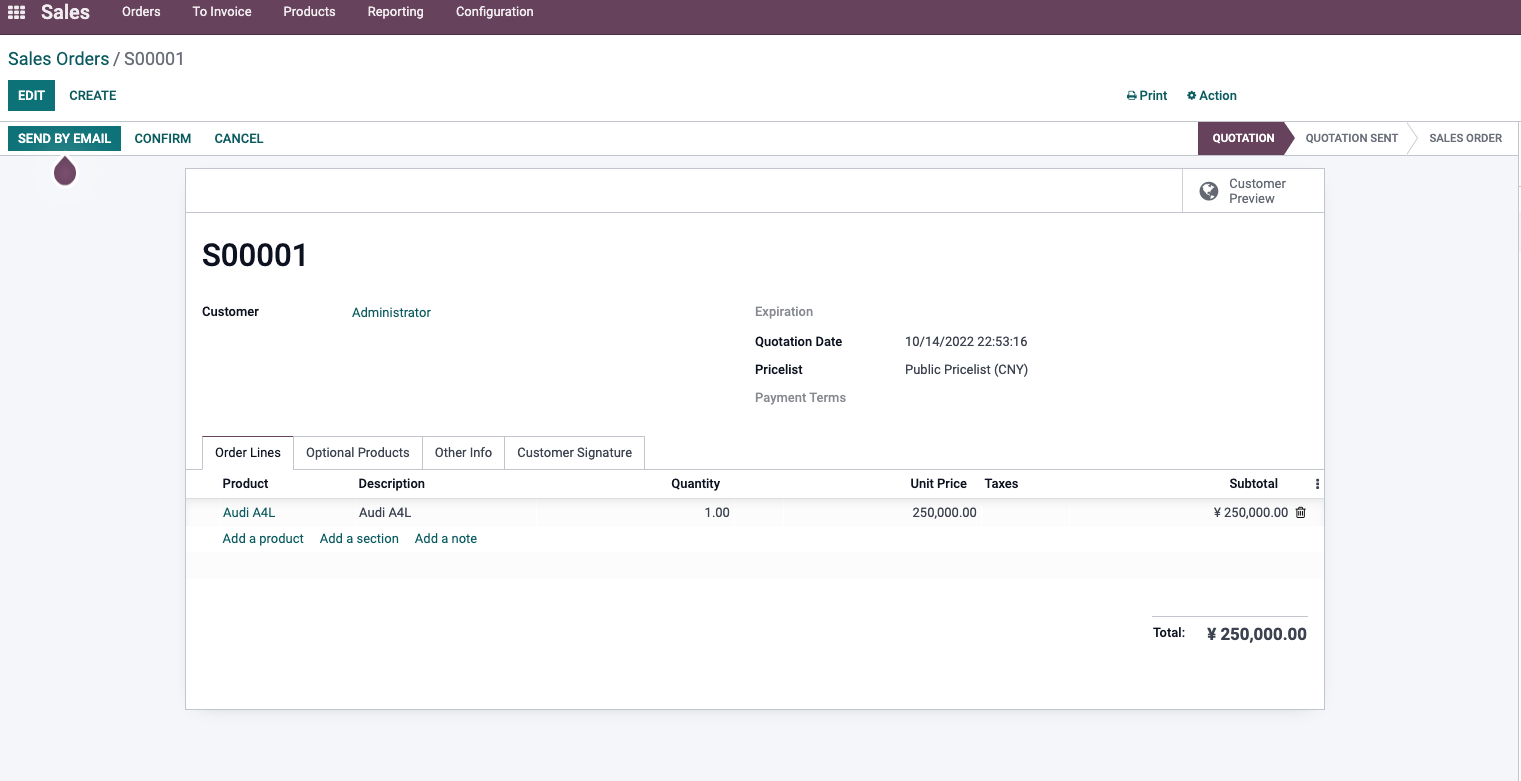
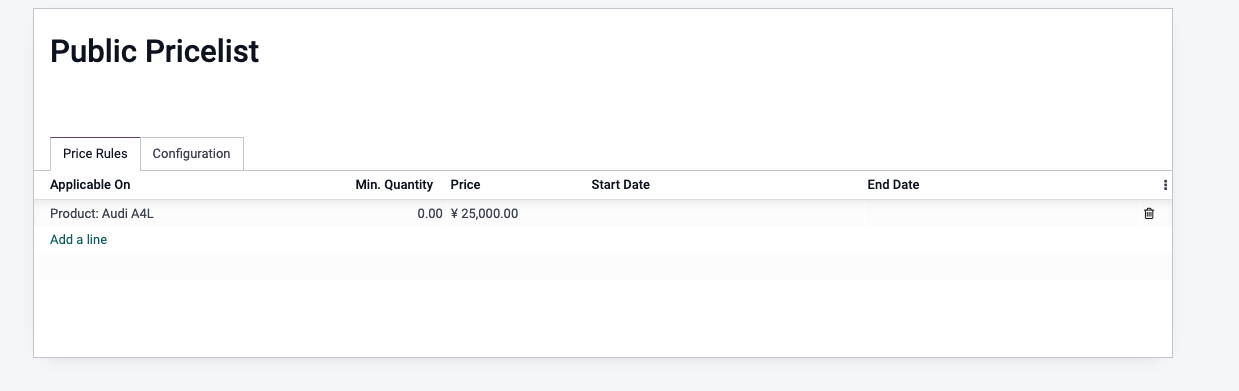
For example, the public price of an A4L is 250,000.
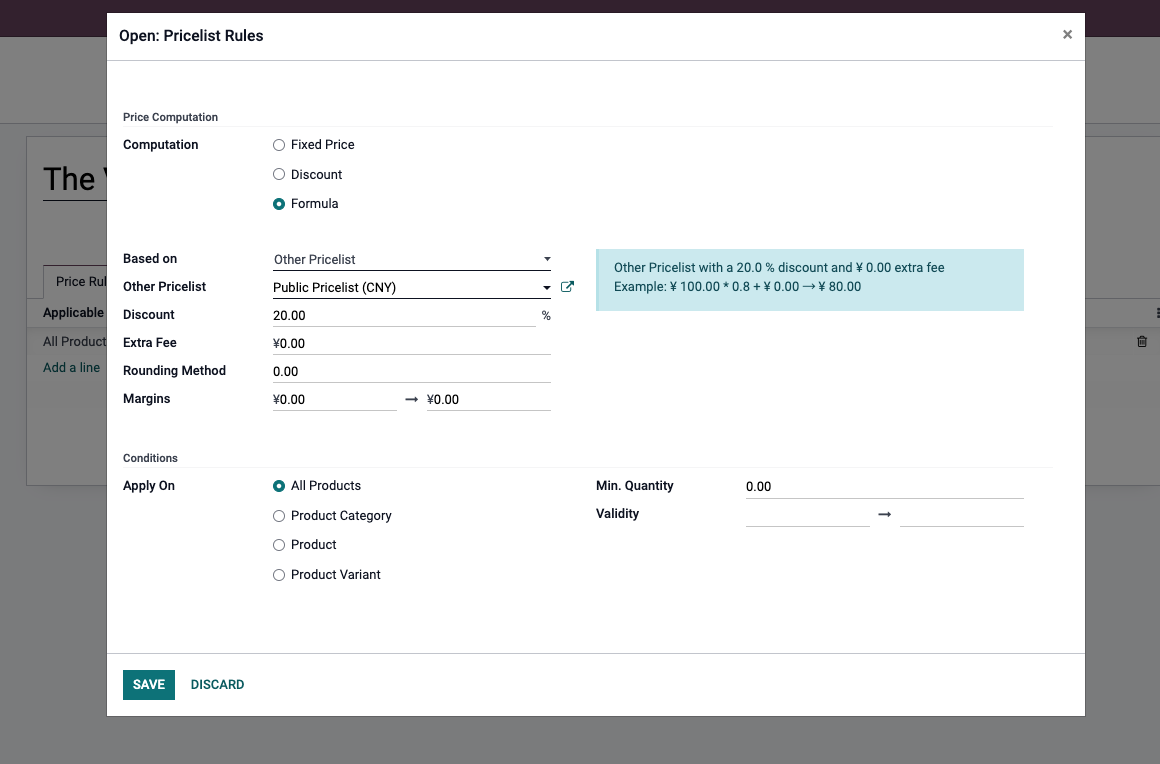
Then a VIP pricelist is configured with a 20% discount.
After switching the quotation to the VIP pricelist, Odoo shows an Update Prices button.
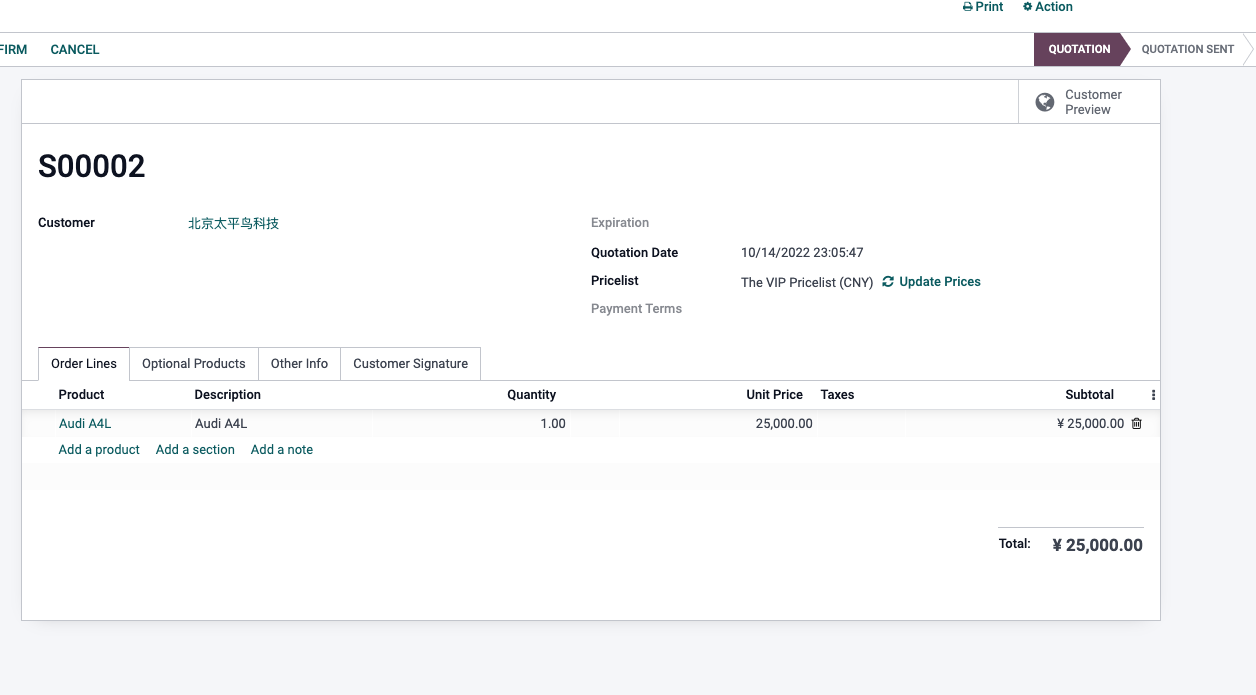
After confirming the update, order line prices are recalculated according to the new pricelist.
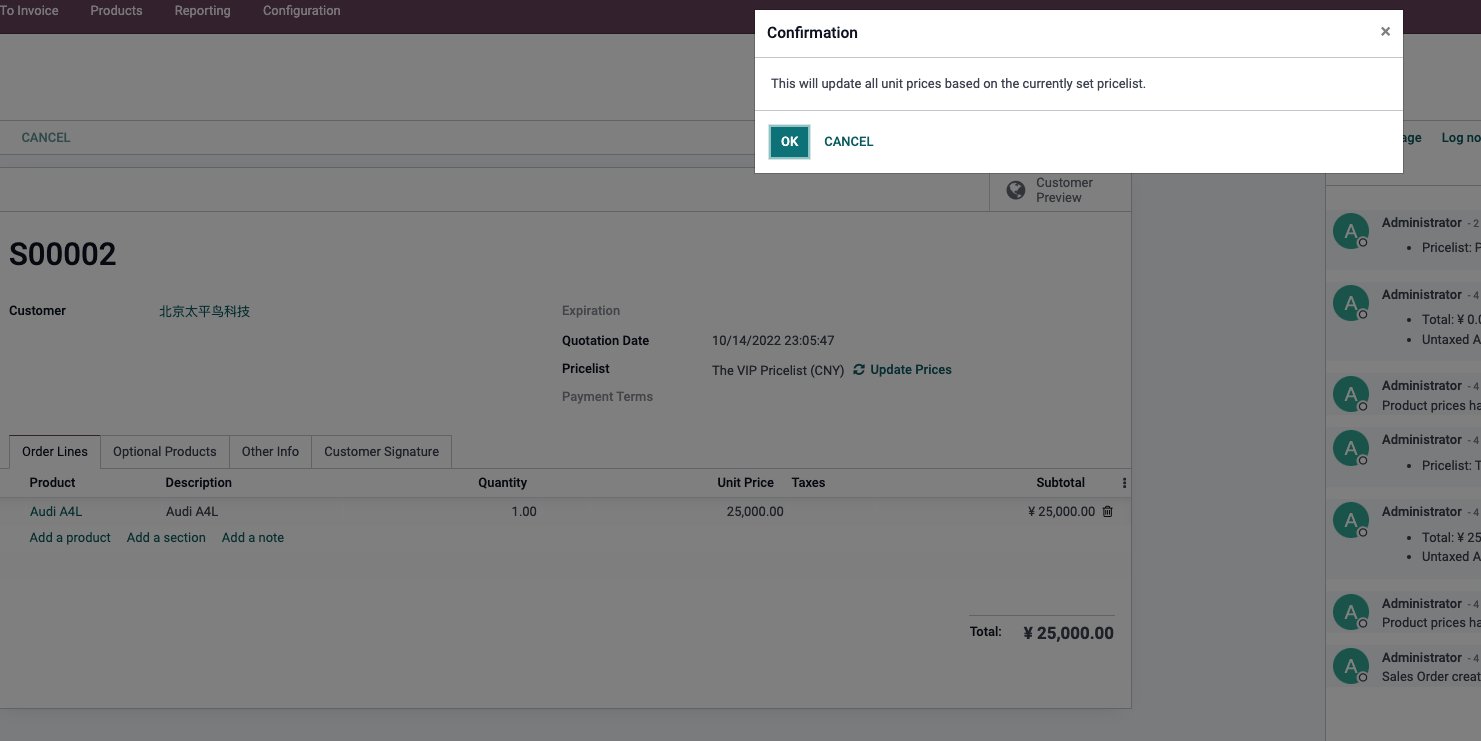
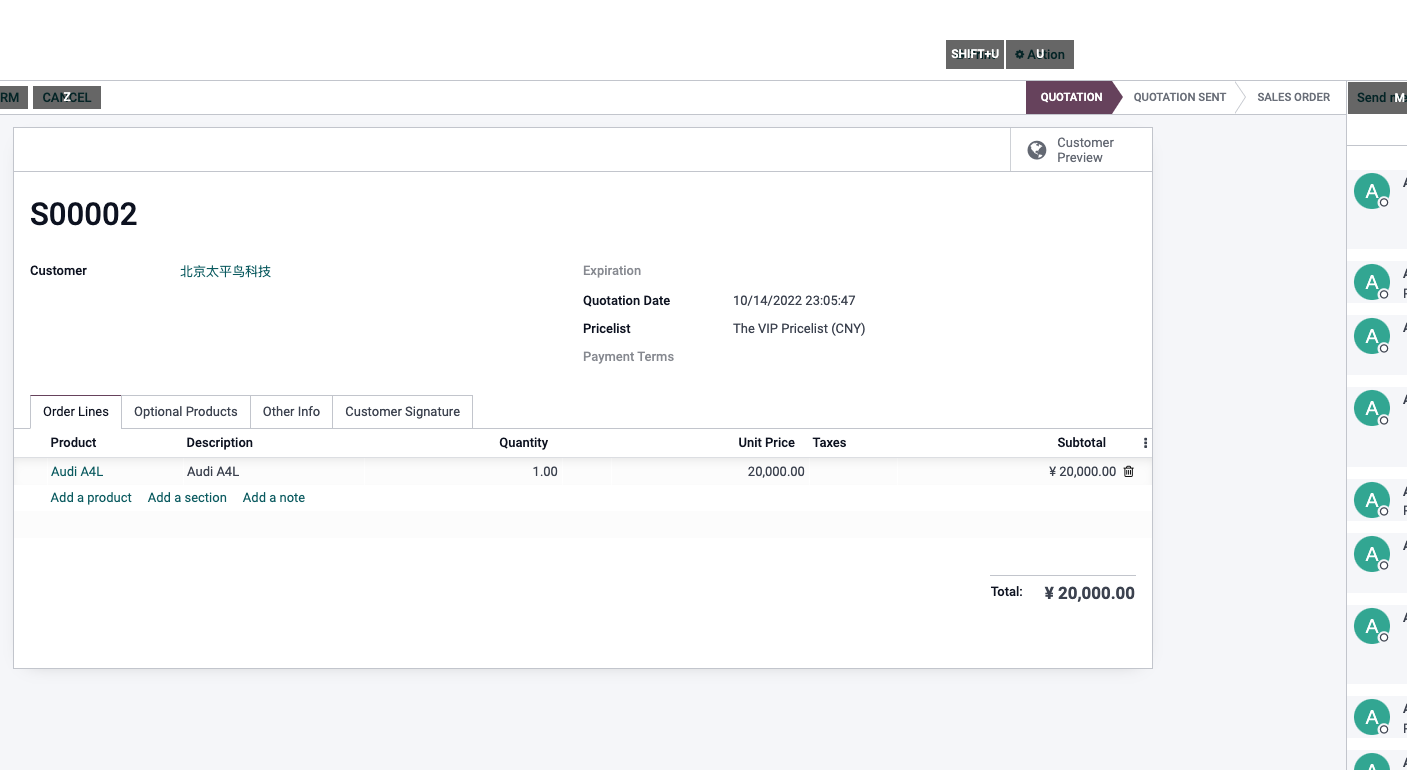
Use this action carefully. If sales already manually adjusted some order line prices, switching pricelists may overwrite those manual prices.
Pricelist Rules
Common pricelist rules include:
| Rule | Example |
|---|---|
| Fixed price | A specific product is fixed at 200 for VIP customers |
| Percentage discount | All products are sold at 20% off |
| Cost-based markup | Cost price plus 20% |
| Based on another pricelist | Discount from public price |
| Minimum quantity | Buy at least 10 units to get wholesale price |
| Validity dates | Promotional price valid only this month |
| Product category | Apply a category-wide discount |
The more complex the rules become, the more important priority design is. Otherwise sales users cannot explain why a product gets its final price.
Discounts
A discount is an order-line-level price adjustment.
Discounts are suitable for:
- Temporary sales concessions.
- Negotiated discount for a single order.
- Clearance discount.
- Customer complaint compensation.
- Manually handled special price.
Pricelists are better for:
- Long-term customer level pricing.
- Wholesale rules.
- Channel pricing.
- Multi-currency pricing.
- Time-limited promotions.
- Reusable standard rules.
In simple terms: use pricelists for long-term rules, and use discounts for temporary concessions.
Multi-Currency Sales
Odoo can use pricelists to manage prices in different currencies. Multi-currency sales usually also require the Accounting app to support currencies and exchange rates.
Common scenarios include:
- Export orders in USD, EUR, or AUD.
- Customers in different countries seeing different quotation currencies.
- The same product having different market prices.
- Exchange rate changes affecting quotation validity.
During implementation, confirm:
| Question | Explanation |
|---|---|
| Quotation currency | Which currency does the customer see? |
| Exchange rate source | Manual maintenance or automatic update? |
| Invoice currency | Is it the same as quotation currency? |
| Payment currency | Will foreign exchange gain or loss exist? |
| Price validity | How long is a quotation valid when exchange rates fluctuate? |
Multi-currency is not just changing a symbol. It affects quotation, invoicing, payment, and foreign exchange accounting.
Tax-Excluded And Tax-Included Prices
Pricelists and taxes also affect whether the customer sees tax-excluded or tax-included prices.
In B2B scenarios, quotations often use tax-excluded unit prices and show tax separately. In retail or some regions, customers are more used to tax-included prices.
During implementation, sales and finance should confirm:
- Whether product prices are tax-included or tax-excluded.
- How quotation PDFs show tax amounts.
- Whether invoice tax rates match sales order tax rates.
- Whether different countries or customer types use fiscal positions to map different taxes.
If tax-included and tax-excluded logic is not explained clearly, customers may think the quotation and invoice amounts do not match.
When Custom Pricing Is Needed
Native pricelists handle many common rules, but the following cases may require customization:
- Price depends on real-time cost, stock, exchange rate, or an external system.
- Complex formulas combine length, area, weight, and processing method.
- Customer contract price must be approved before taking effect.
- Pricing rules connect with rebates, commissions, or budgets.
- Industry quotation requires configurator or CPQ capability.
- Prices must sync from e-commerce platforms or third-party pricing systems.
Before customization, ask whether the rule can be expressed through pricelists, discounts, product attributes, secondary units, or quotation templates. If the native system can express it, do not start with complex code.
Implementation Advice
Design pricing in this order:
- Confirm the product base sales price.
- Confirm whether customer level pricing is needed.
- Confirm whether multi-currency pricing is needed.
- Confirm quantity tiers and promotion validity dates.
- Finally handle special customers, special formulas, and industry quotation logic.
Do not import every historical special price in the first phase. Start with price rules that are still active, explainable, and executable by the sales team.
This chapter explained the basic logic of pricelists, discounts, multi-currency, and tax-included or tax-excluded prices. The next chapter continues with taxes and fiscal positions, explaining how Odoo automatically matches tax rules for different regions, customers, and products.