Chapter 6 Customer Loyalty
Odoo includes loyalty and promotion tools that can help businesses increase customer retention, encourage repeat purchases, and run marketing campaigns directly from POS. These programs can include coupons, gift cards, loyalty cards, promotions, eWallets, discount codes, buy-X-get-Y rules, and next-order coupons.
This chapter introduces how to activate loyalty features and configure a coupon program.
Activate Customer Loyalty
First, activate the loyalty feature in POS settings. Enable Promotions, Coupons, Gift Cards & Loyalty Program.
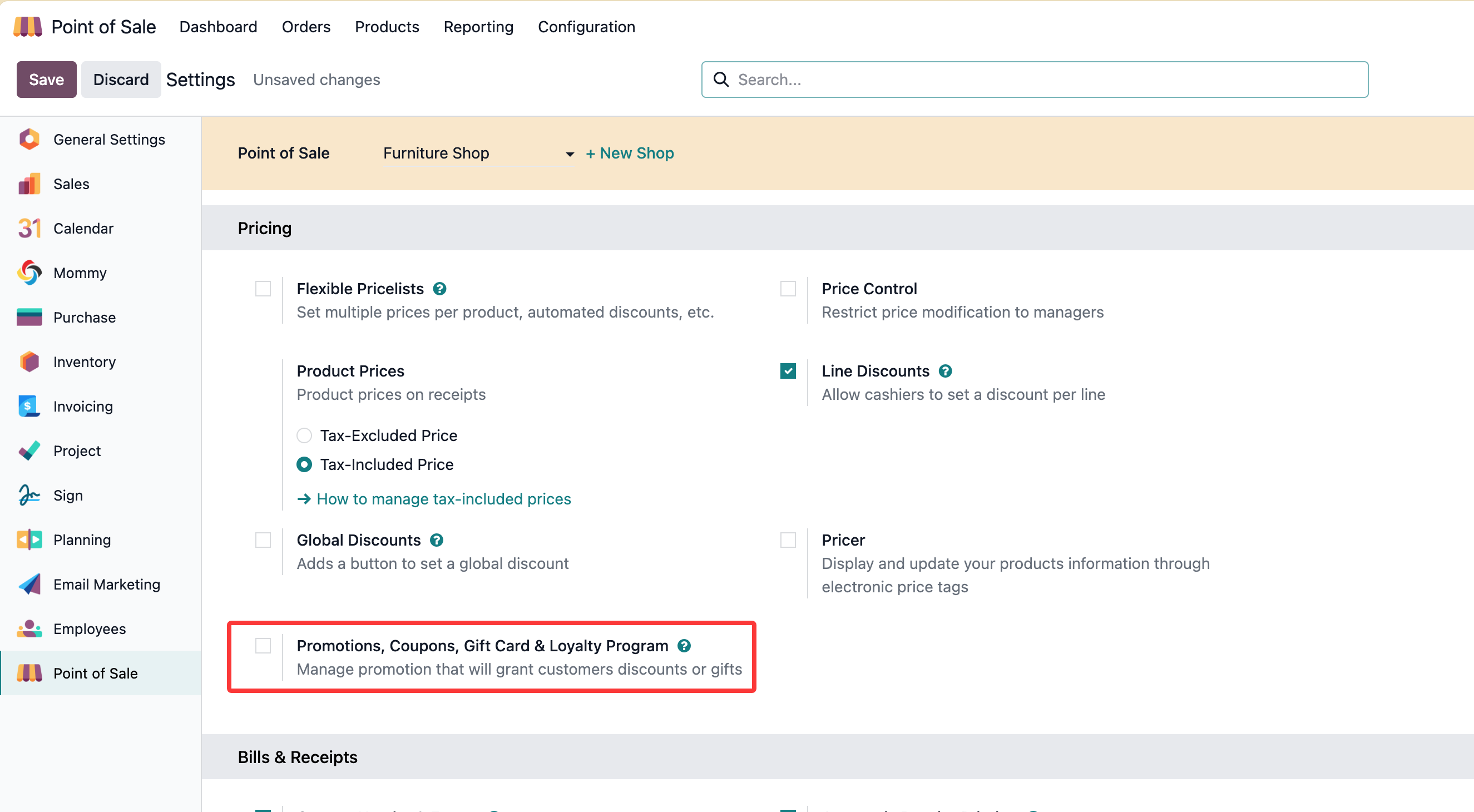
After this option is enabled, Odoo allows you to create different program types for POS and related sales flows.
Configure Loyalty Programs
Odoo supports the following loyalty program types by default:
| Program Type | Typical Use |
|---|---|
| Coupons | Generate and share coupon codes manually. |
| Gift Cards | Sell or issue gift cards that customers can redeem later. |
| Loyalty Cards | Let customers accumulate points and redeem rewards. |
| Promotions | Apply promotional benefits based on rules. |
| eWallet | Store customer balance for future purchases. |
| Discount Code | Apply a discount through a code. |
| Buy X Get Y | Give a reward when the customer buys specific products or quantities. |
| Next Order Coupons | Generate a coupon that can be used on a future order. |
Different program types have different rules and rewards. The correct choice depends on whether the business wants to reward current orders, future orders, customer membership, or stored value.
Coupons
Coupons are used to manually generate and share coupon codes. They can be configured flexibly with conditions and rewards.
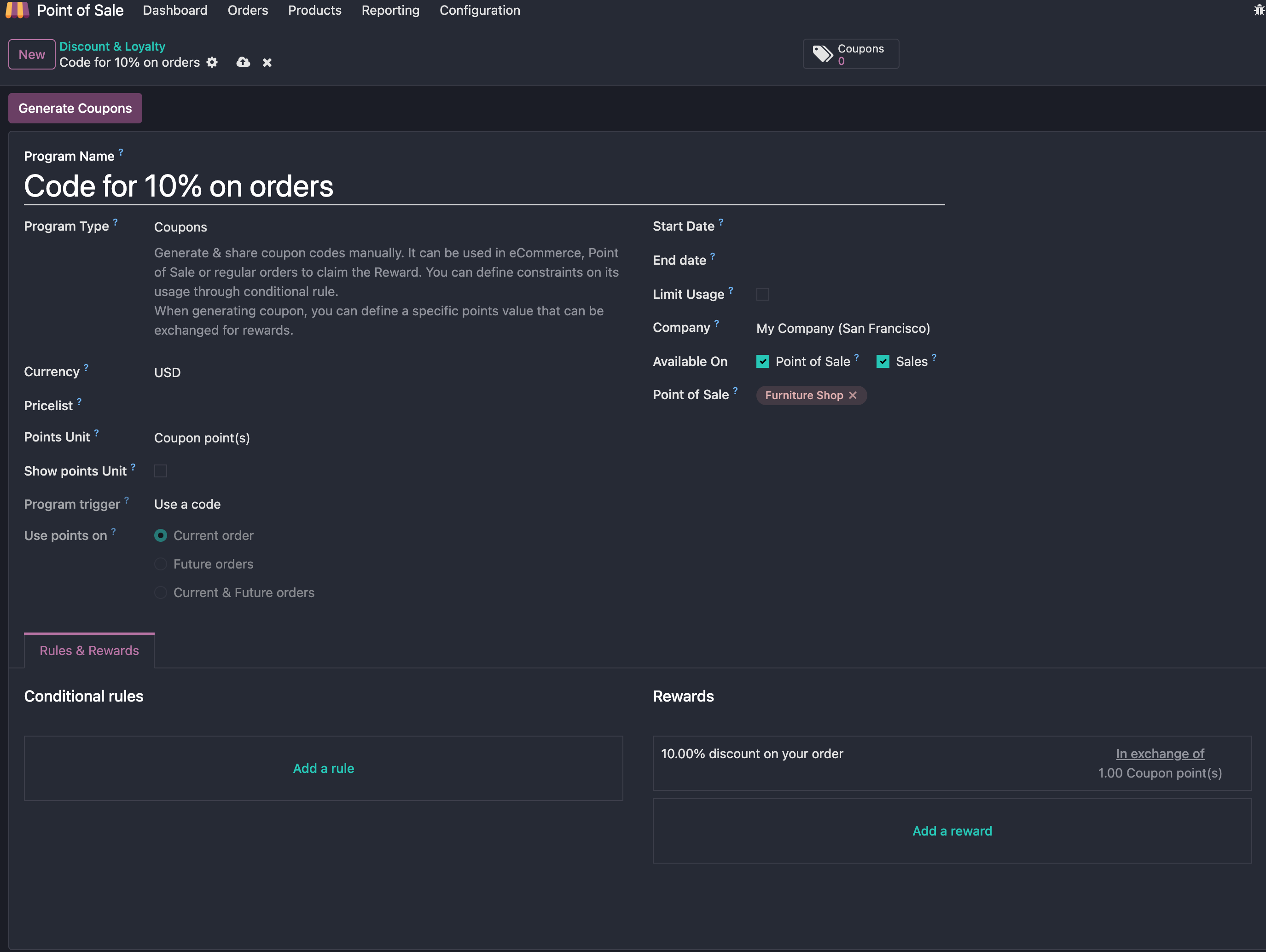
Coupons can only be redeemed through coupon codes. Points generated in the current order can only be used in that current order.
Conditions
Before using a coupon, configure its conditions.
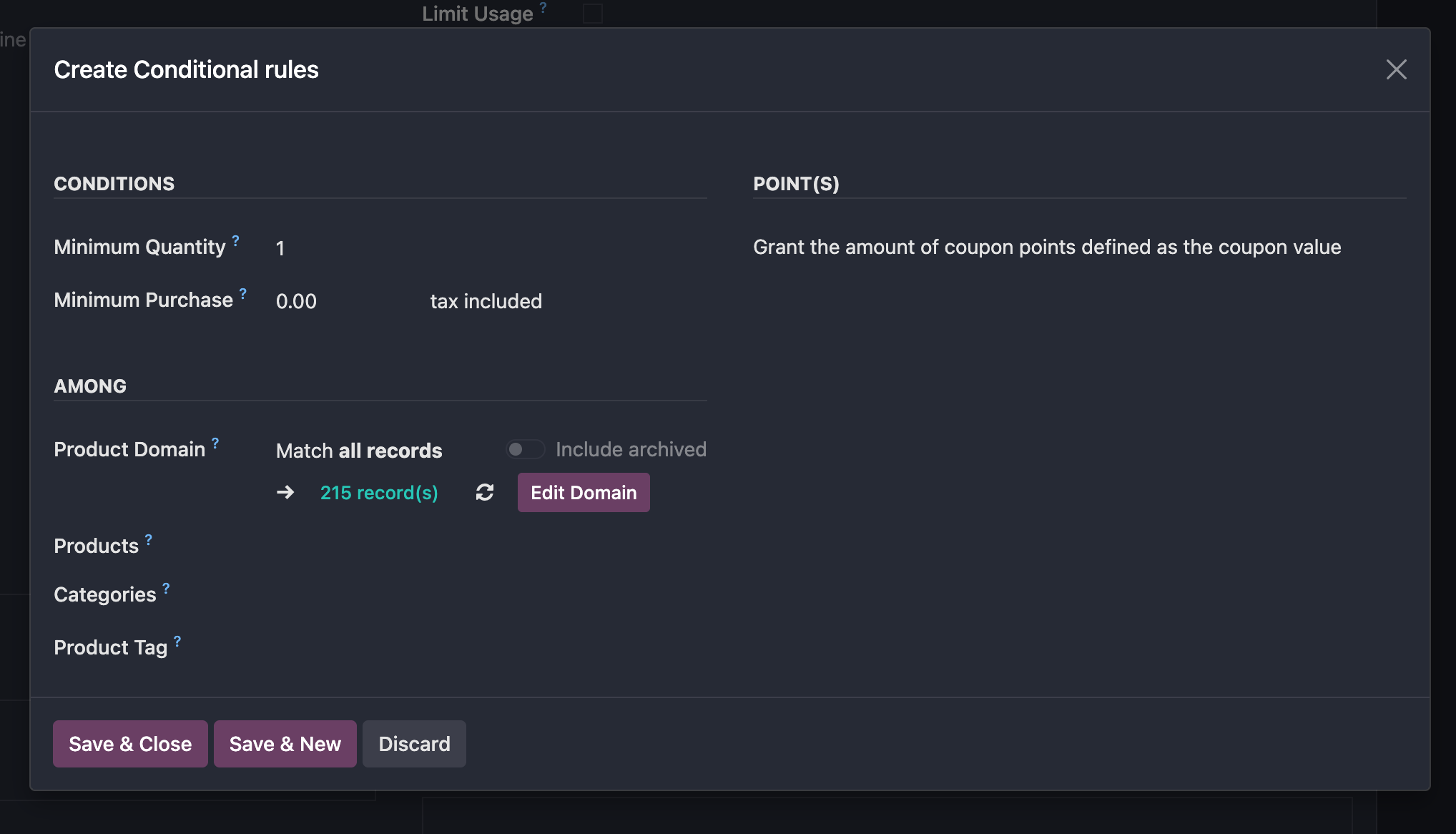
Common conditions include:
- Minimum quantity or minimum purchase quantity required to use the coupon.
- Product scope, product type, or product tags where the coupon applies.
- Custom domains for more precise filtering.
Rewards
Reward types include free products and discounts.
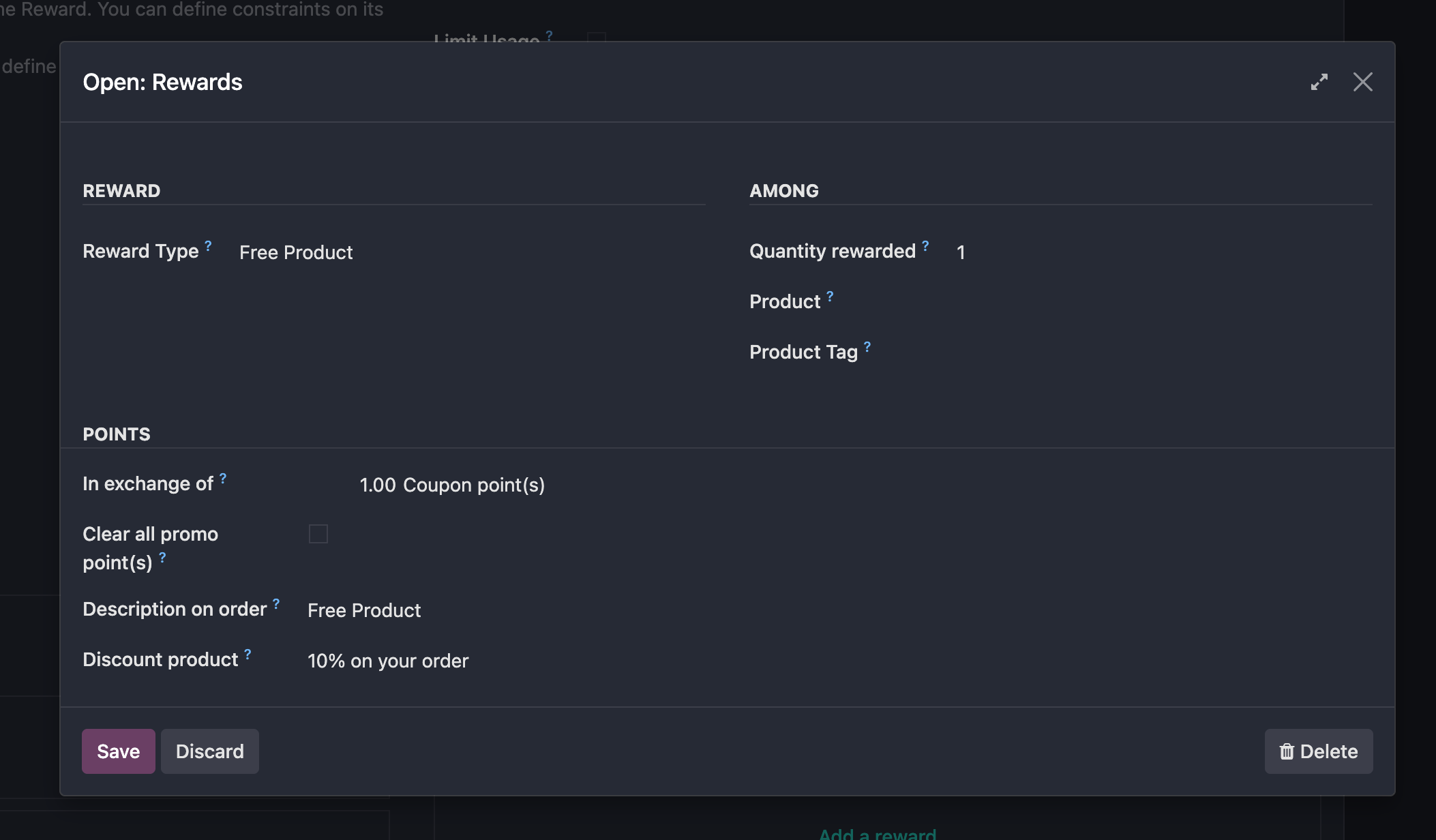
For free product rewards, you can define which products or product tags are eligible for the reward.
For point redemption, configure how many points are required to obtain the reward, and whether remaining points should be cleared after redemption.
This chapter introduced POS loyalty activation and the basic coupon program structure. The next chapter covers ePOS printing, which is a practical deployment topic for stores using compatible thermal printers.