Chapter 6 Reordering Rules
Odoo can automatically create purchase or replenishment suggestions according to system demand. The mechanism is called reordering rules. Companies can define different rules by product, location, and stock level to support inventory management.
This chapter explains the basic fields, replenishment logic, and how shortage or incoming demand affects recommended quantities.
Basic Concept
A reordering rule defines how Odoo replenishes a product. Common fields include:
| Field | Meaning |
|---|---|
| Product | Product controlled by the rule |
| Location | Location where the rule applies |
| On Hand | Current on-hand quantity |
| Forecasted | Forecasted quantity considering demand and incoming stock |
| Route | Preferred route used by the rule |
| Min Quantity | Lower stock threshold |
| Max Quantity | Target quantity after replenishment |
| To Order | Quantity waiting to be ordered |
| Unit | Unit of measure |
Reordering rules are especially useful for products that should be replenished automatically instead of waiting for manual observation.
Replenishment Logic
Suppose pork needs to be purchased. A reordering rule is configured as follows:
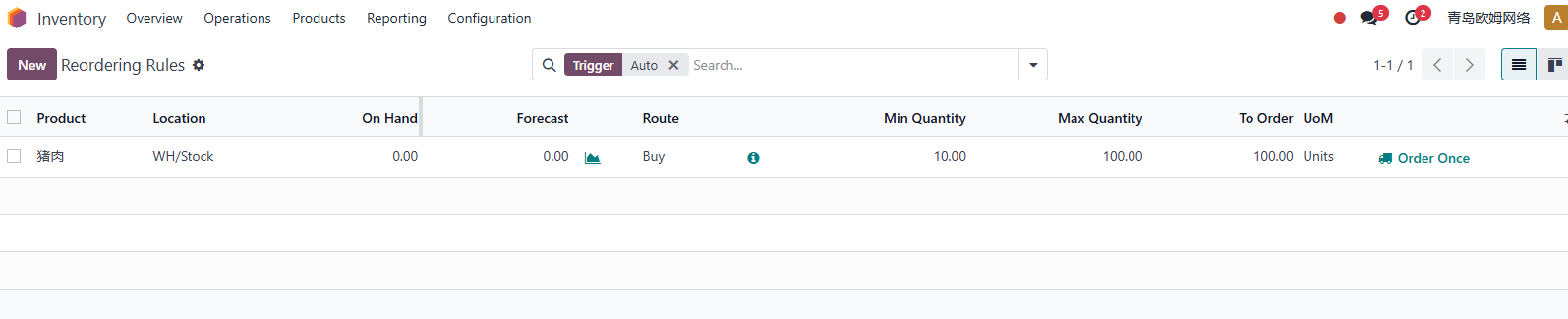
The minimum quantity is 10 kg, the maximum quantity is 100 kg, and current stock is 0. When the user clicks Replenish, Odoo creates a purchase order for 100 kg.

If 50 kg of pork is used to produce buns, and the stock falls below 100 kg, for example to 55 kg, Odoo creates a new purchase order.
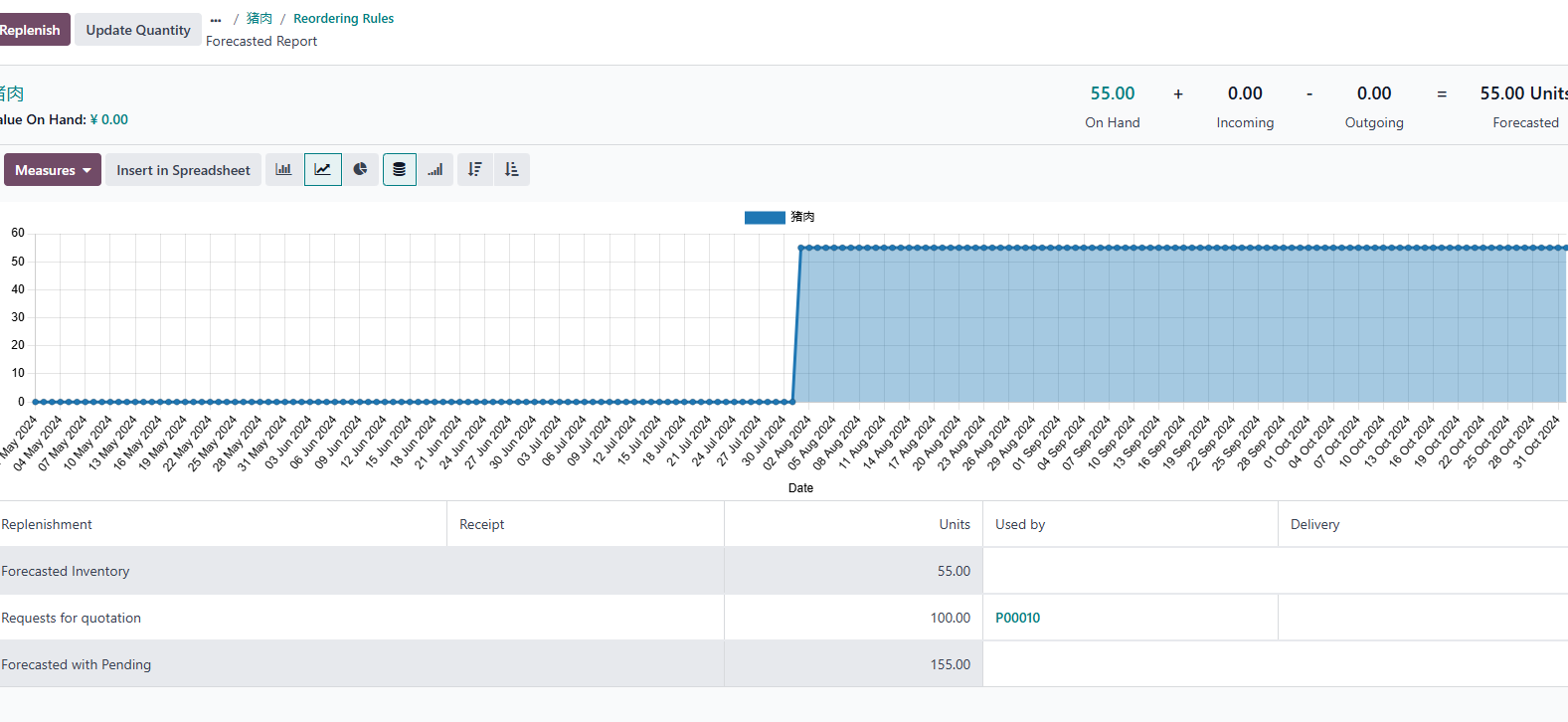
The purchase quantity is 100 kg.
If the stock falls below 10 kg, the same logic still aims to replenish up to the maximum quantity.
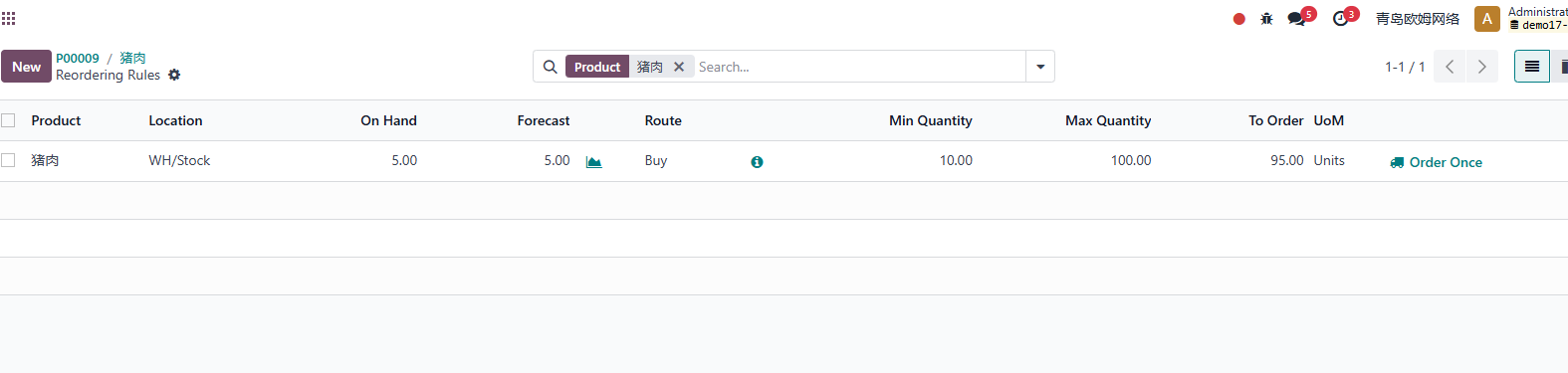
This shows that Odoo replenishment commonly uses the rule's maximum quantity as the target stock quantity.
Incoming And Shortage Quantity
Now consider another situation: stock is insufficient and other business documents are already waiting for this product to arrive, such as sales, manufacturing, or internal transfers. Odoo may calculate replenishment using both shortage demand and the rule's maximum quantity.
For example, an internal transfer moves 100 kg of pork from Stock to Demo. Current stock is only 5 kg, so the transfer cannot be completed.
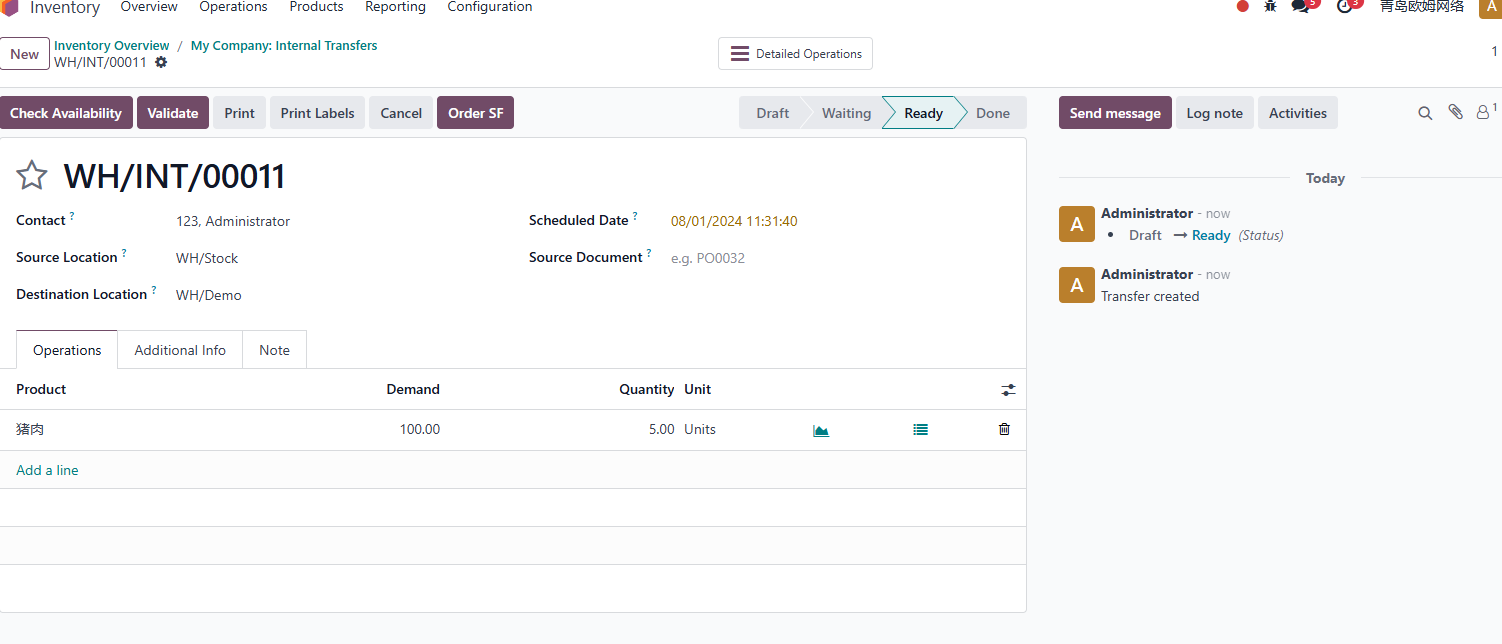
Odoo then generates a purchase quantity of 195 kg.
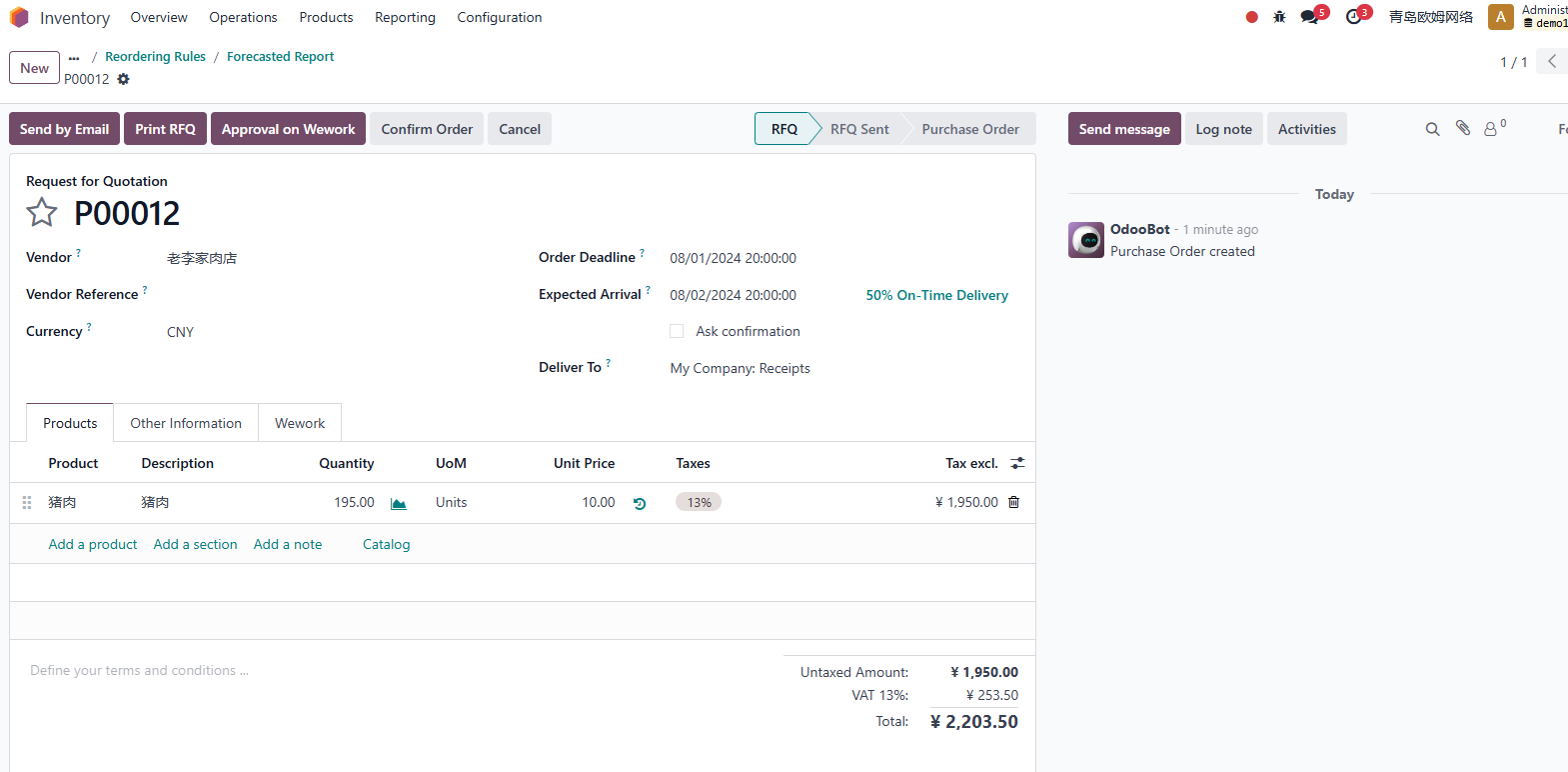
The logic is:
Purchase quantity = shortage / incoming demand + maximum rule quantity - on-hand quantity
In the example:
100 kg + 100 kg - 5 kg = 195 kg
Implementation Advice
Reordering rules should not be enabled blindly for all products. Start with stable, frequently purchased products whose demand pattern is easy to understand.
Before using automatic replenishment, confirm:
- Product type and route are correct.
- Vendor information is maintained.
- Purchase unit of measure is correct.
- Minimum and maximum quantities are realistic.
- Lead time is maintained for important suppliers.
- Users understand the difference between on-hand quantity and forecasted quantity.
If the company also uses manufacturing, sales delivery commitments, or multi-warehouse replenishment, test reordering rules with real scenarios before go-live.
This chapter explained reordering rules and replenishment logic. Later warehouse chapters continue with barcode operations, putaway rules, storage categories, delivery methods, and inventory cost valuation.