Chapter 3 Master Data Preparation
Master data is one of the most underestimated parts of an Odoo implementation. Many customers think that "importing Excel" is data preparation. In reality, proper data preparation means organizing old system records, Excel files, and business rules in employees' heads into data that Odoo can use reliably.
This chapter does not aim to move every historical record into Odoo at once. It helps customers prepare the data required for a phase-one go-live.
Why Master Data Comes First
Odoo Sales, Purchase, Inventory, and Accounting all depend on master data.
If product data is wrong, quotations will be wrong, inventory quantities will be wrong, and costs may also be wrong. If customer records are duplicated, receivables, reconciliation, and invoices will be scattered across multiple customer records. When data is not clean, even a powerful system becomes hard to use.
For self-implementation, spend time cleaning the data before entering a large number of business documents.
Master Data Overview
Phase one should at least prepare the following data:
| Data Type | Where It Is Used | Minimum Requirement |
|---|---|---|
| Company data | Quotations, invoices, emails, reports | Company name, address, phone, email, tax number, bank accounts |
| User data | Login, permissions, approvals, messages | Name, email, job role, required modules |
| Customer data | Quotations, sales orders, invoices, payments | Customer name, contacts, phone, email, payment terms, invoice address, delivery address |
| Vendor data | Purchase orders, vendor bills, payments | Vendor name, contacts, phone, email, payment terms |
| Product data | Sales, purchase, inventory, manufacturing, POS | Product name, internal reference, unit, sales price, cost, category, barcode |
| Warehouse data | Receipts, deliveries, transfers, inventory counts | Warehouse name, locations, opening stock, lot or serial rules |
| Accounting data | Invoicing, payments, reconciliation, reports | Taxes, bank accounts, opening receivables, opening payables, bank balances |
Do not try to complete every possible field from the beginning. Phase one should focus on the ability to sell, purchase, receive, deliver, invoice, and reconcile.
Company Data
Company data appears in many places, such as quotations, invoices, email signatures, and the customer portal.
In Odoo, start from Settings to configure company and system information.
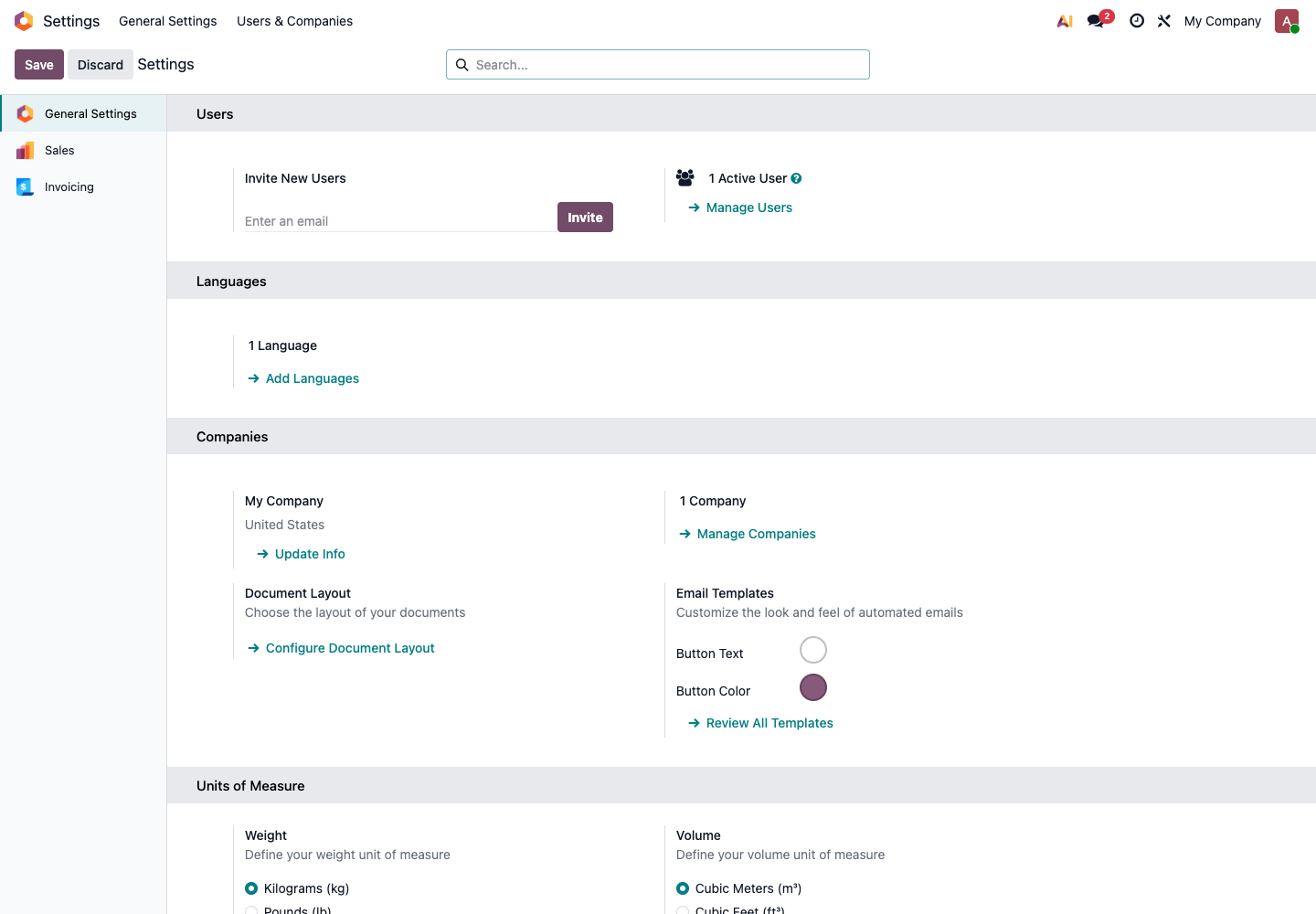
Recommended fields:
| Field | Description |
|---|---|
| Company name | Official name displayed externally |
| Address | Used on quotations, invoices, and delivery documents |
| Phone and email | Used for customer contact and email templates |
| Tax number | Used for finance and invoice-related information |
| Bank accounts | May appear on quotations, invoices, or payment instructions |
| Default currency | Determines default amounts for sales, purchase, and accounting |
| Time zone and language | Affects dates, time, and user interface |
If the company has multiple legal entities, do not configure a complex multi-company flow on the first day. First confirm whether multi-company accounting, inter-company purchase, or inter-company inventory is truly required.
Users And Permissions
Do not let all employees share the administrator account. The administrator account should handle configuration and maintenance. Daily business should be performed with each employee's own account.
Users can be managed from Settings -> Users & Companies -> Users.
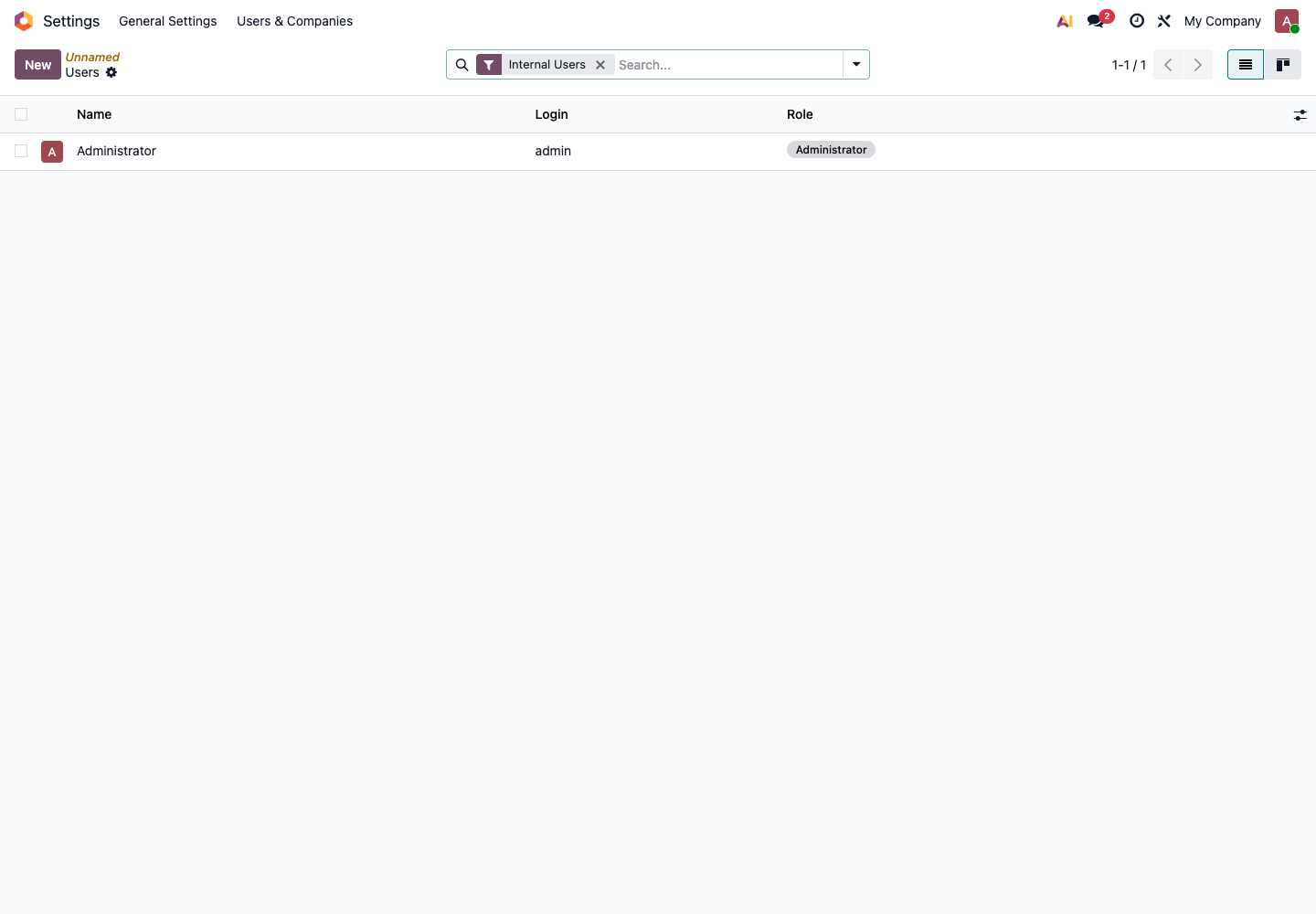
Prepare users by role instead of assigning permissions casually person by person.
| Role | Common Permission Scope |
|---|---|
| Sales | Customers, quotations, sales orders, sales reports |
| Purchase | Vendors, requests for quotation, purchase orders, purchase reports |
| Warehouse | Receipts, deliveries, internal transfers, inventory counts |
| Finance | Invoices, payments, bank reconciliation, financial reports |
| Store | POS checkout, returns, session closing |
| Manager | Report viewing, approvals, key business review |
| Administrator | Application installation, system settings, user permissions |
The rule for permissions is "enough to work." If access is too small, employees cannot do their job. If access is too large, they may accidentally change prices, inventory, or accounting data.
Customers And Vendors
In Odoo, customers, vendors, and contacts are all contact records. A company can be both a customer and a vendor.
In Sales, open the customer list to view and maintain customers.
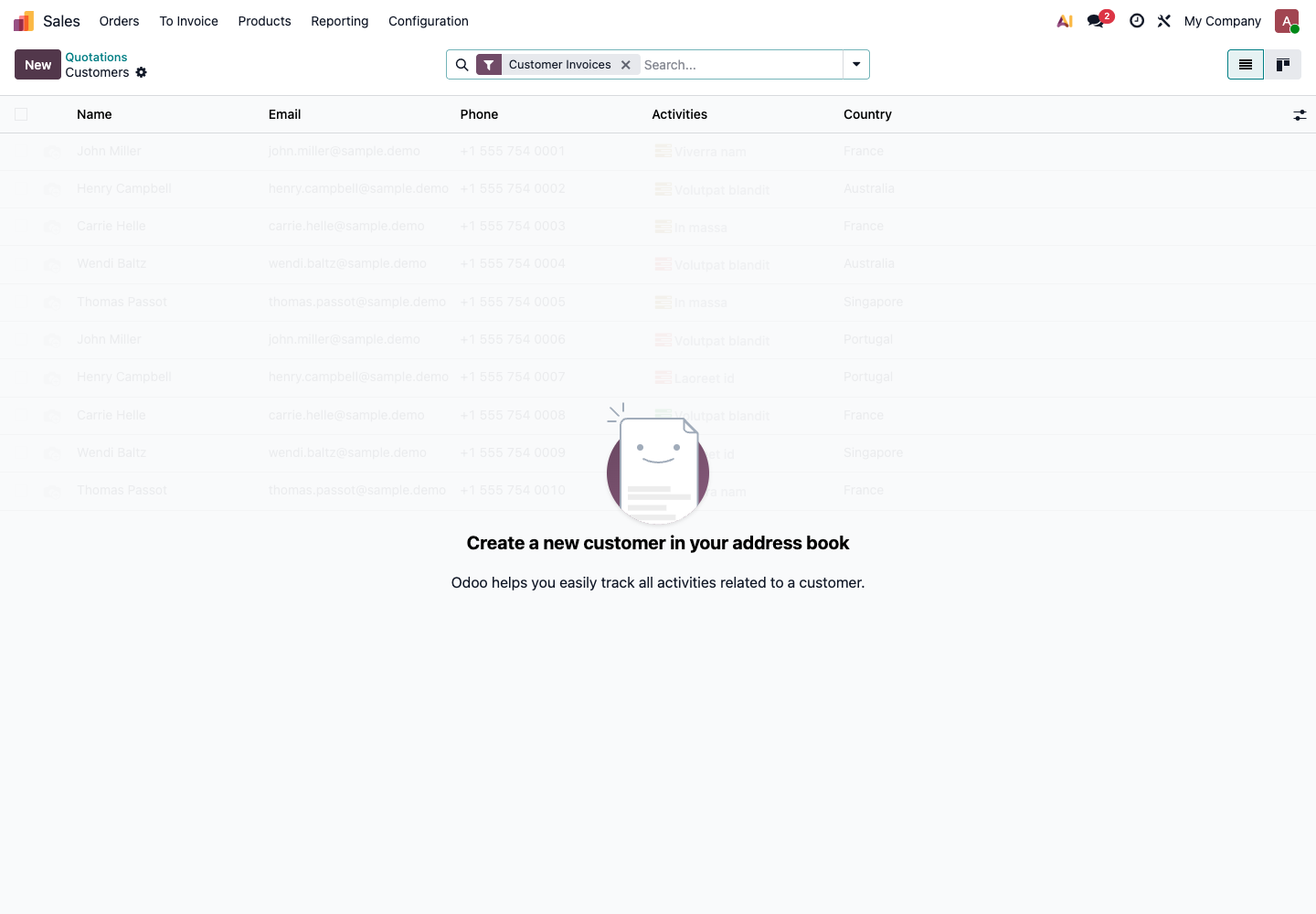
Do not import only names. At minimum, prepare:
| Field | Why It Matters |
|---|---|
| Company name | Main party on quotations, orders, and invoices |
| Contact person | Sales follow-up, email communication, delivery contact |
| Phone and email | Notifications, quotation sending, reconciliation communication |
| Invoice address | Customer invoice and accounting data |
| Delivery address | Warehouse delivery and logistics data |
| Payment terms | Affects receivables and payables due dates |
| Salesperson or buyer owner | Supports later filtering and statistics |
Deduplicate before import. Common duplication problems include:
- The same customer has both a short name and a full legal name;
- The same vendor is created separately by different departments;
- A contact person is imported as a company;
- Invoice address and delivery address are mixed in one record;
- Customer phone or email is empty, so quotations or reconciliation emails cannot be sent later.
If a customer has multiple delivery addresses, maintain them as different addresses under the same company in Odoo instead of creating duplicate customer records.
Product Data
Products are core data for Sales, Purchase, Inventory, Manufacturing, and POS. If product data is wrong, every later process will be affected.
Products can be created from the Sales application's Products menu.
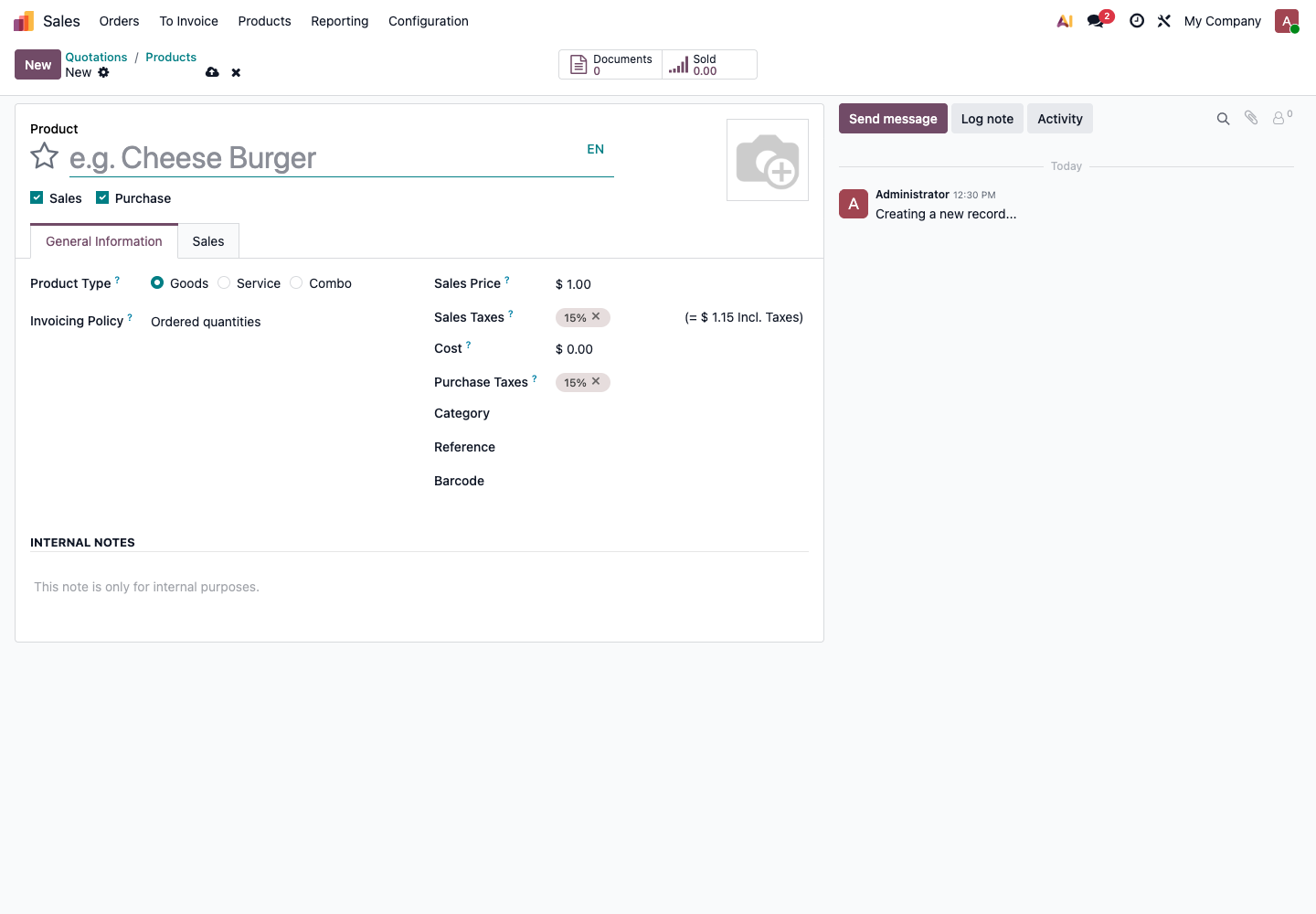
At minimum, confirm these fields:
| Field | Description |
|---|---|
| Product name | Name displayed internally and externally |
| Internal reference | Internal code used to identify the product |
| Barcode | Commonly used for POS, warehouse scanning, and quick search |
| Product type | Goods, Service, or Combo |
| Can be sold | Whether the product appears on sales orders |
| Can be purchased | Whether the product appears on purchase orders |
| Sales price | Default price for quotations and sales orders |
| Cost | Used for inventory valuation, margin, and cost analysis |
| Taxes | Sales and purchase tax setup |
| Product category | Commonly used for reports, accounting accounts, and inventory valuation |
Pay special attention to product type.
| Type | Suitable Scenario | Common Mistake |
|---|---|---|
| Goods | Physical goods with stock, purchase, or delivery | Creating physical goods as services, causing inventory not to change |
| Service | Consulting, installation, freight, labor service | Creating services as goods, causing meaningless warehouse deliveries |
| Combo | Bundle selling scenarios | Overusing combo products without a confirmed business scenario |
If a product has color, size, or specification variations, use variants. But in phase one, do not create excessive variants only to make the product list look complete. Too many variants increase maintenance cost.
Warehouse And Inventory Data
Companies that manage physical inventory must prepare opening stock. Opening stock is not only a total number. It should explain which product is in which warehouse, in which location, and in what quantity.
At minimum, prepare:
| Field | Example |
|---|---|
| Product | A001 phone case |
| Warehouse | Qingdao warehouse |
| Location | Stock or a specific shelf |
| Quantity | 100 |
| Unit | pcs |
| Lot or serial number | Required when traceability is needed |
| Cost | Required when inventory valuation is needed |
If the company does not manage detailed locations yet, start with one main stock location. Do not create many shelves, zones, or virtual locations at the beginning just to look detailed.
Accounting Master Data
Finance must participate in confirming accounting data. It should not be filled in only by business users or implementation staff.
At minimum, confirm:
| Data | Usage |
|---|---|
| Taxes | Sales invoices, vendor bills, tax calculation |
| Bank accounts | Receipts, payments, bank reconciliation |
| Payment terms | Receivables and payables due dates |
| Opening receivables | Money customers still owe before go-live |
| Opening payables | Money the company still owes vendors before go-live |
| Opening bank balances | Reconciliation and cash flow reports |
Note: In Odoo, an Invoice is an accounting customer invoice or vendor bill. It is not the same as a Chinese tax-control VAT invoice. If a domestic company needs e-invoice, Golden Tax, or third-party tax invoicing integration, evaluate it separately.
Recommended Import Sequence
Do not import data in a random order. Use this sequence:
- Company data;
- Users and permissions;
- Customers, vendors, and contacts;
- Product categories;
- Products;
- Warehouses and locations;
- Pricelists and vendor prices;
- Opening inventory;
- Opening receivables and payables;
- Unfinished sales orders and purchase orders.
Import master data first, then business balances. Do not import orders first and later discover that customers, products, and taxes are wrong.
Data Cleaning Checklist
Use this table before import:
| Check Item | Passing Standard |
|---|---|
| Customer deduplication | Each customer has only one main record |
| Vendor deduplication | Each vendor has no duplicate records |
| Product codes | Every key product has a unique code |
| Unit consistency | Similar products use consistent units |
| Price confirmation | Sales price, cost, and taxes have been spot-checked |
| Address separation | Invoice and delivery addresses are not mixed |
| Inventory quantity | Opening inventory has been physically counted and confirmed |
| Accounting balances | Receivables, payables, and bank balances are confirmed by finance |
If this table does not pass, do not rush to import data into the production database.
Data Not Recommended For Phase One
Do not move all historical data into Odoo in phase one.
Temporarily avoid importing:
- Customers that have been inactive for many years;
- Old products that are no longer sold or purchased;
- Historical quotations without future business value;
- Historical invoices and payments that are already fully settled;
- Custom fields from the old system that nobody maintains;
- Inventory quantities with unclear sources;
- Duplicate, incomplete, or unconfirmed data.
More historical data does not always mean a better implementation. In phase one, it is more important that future business happens accurately in Odoo.
Master Data Acceptance Standard
After master data preparation, the company should be able to reach these standards:
| Item | Verification Method |
|---|---|
| Customers | Randomly check 10 customers for correct name, address, and contacts |
| Vendors | Randomly check 10 vendors for correct payment terms and contact information |
| Products | Randomly check 20 products for correct code, type, price, and taxes |
| Inventory | Randomly check 10 products and compare Odoo quantity with physical count |
| Users | Each role can log in with its own account |
| Permissions | Employees can only use the functions required by their role |
| Finance | Taxes, bank accounts, and opening balances are confirmed by finance |
After master data passes this acceptance standard, move to the next chapter and rehearse the process in the test database.