Chapter 2 Location Management
Locations are the foundation of Odoo inventory. If the location structure is clear, receipts, deliveries, internal transfers, stock counts, and reporting become easier to understand. If locations are designed casually, users will soon lose confidence in stock numbers.
By default, multi-location management is not enabled. Go to Inventory -> Configuration -> Settings -> Warehouse -> Storage Locations and enable it.
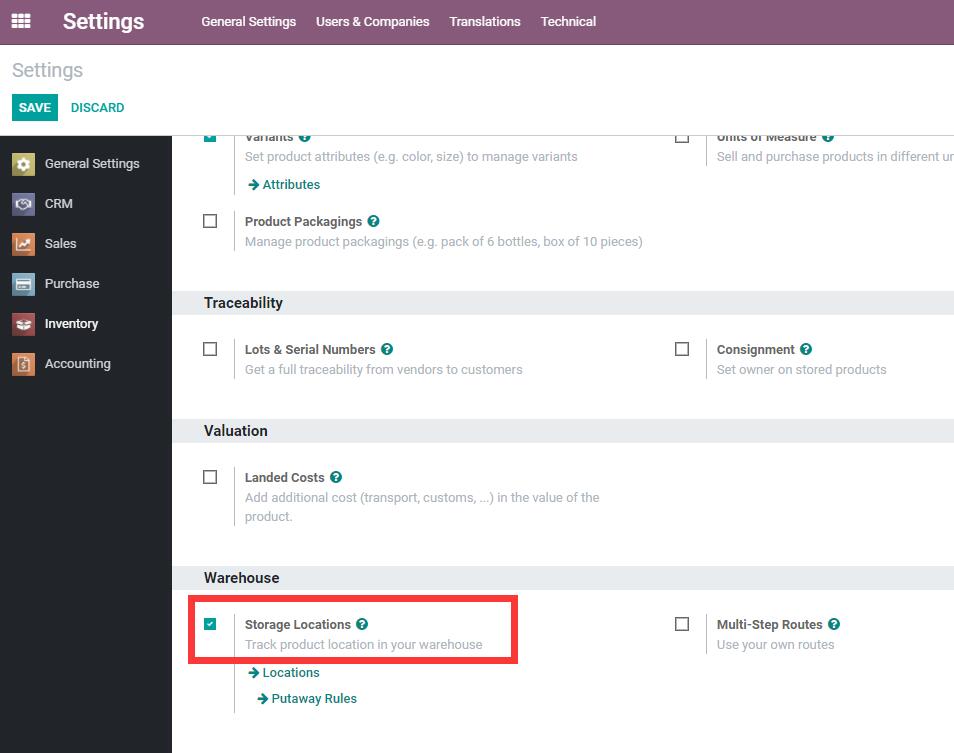
After enabling it, location management appears under Inventory -> Configuration -> Locations.
Location Types
Odoo locations have several usage types:
| Location Type | Meaning |
|---|---|
| Vendor Location | A virtual location representing vendor stock |
| Customer Location | A virtual location representing customer stock |
| Inventory Loss | A virtual location used for inventory adjustments |
| Production | A virtual location used for consuming raw materials and producing finished goods |
| View | A logical parent location that cannot store stock itself |
| Transit Location | A transit location for inter-company or multi-step transfers |
Locations can also be marked as scrap locations or return locations. Only locations marked as return locations can be selected in the return wizard.
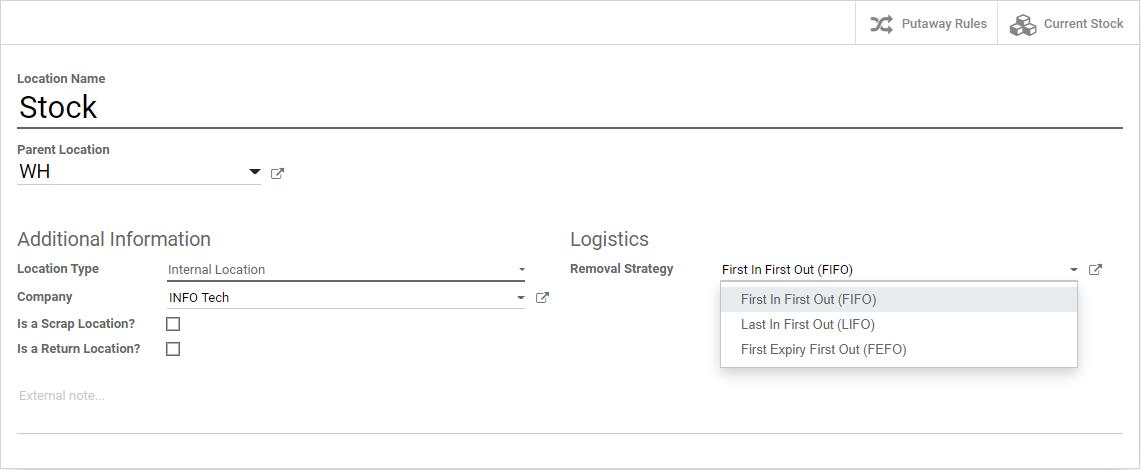
Removal Strategy
Odoo can define a removal strategy on a location, but the feature is not visible by default. The user needs permission to manage push and pull routes.
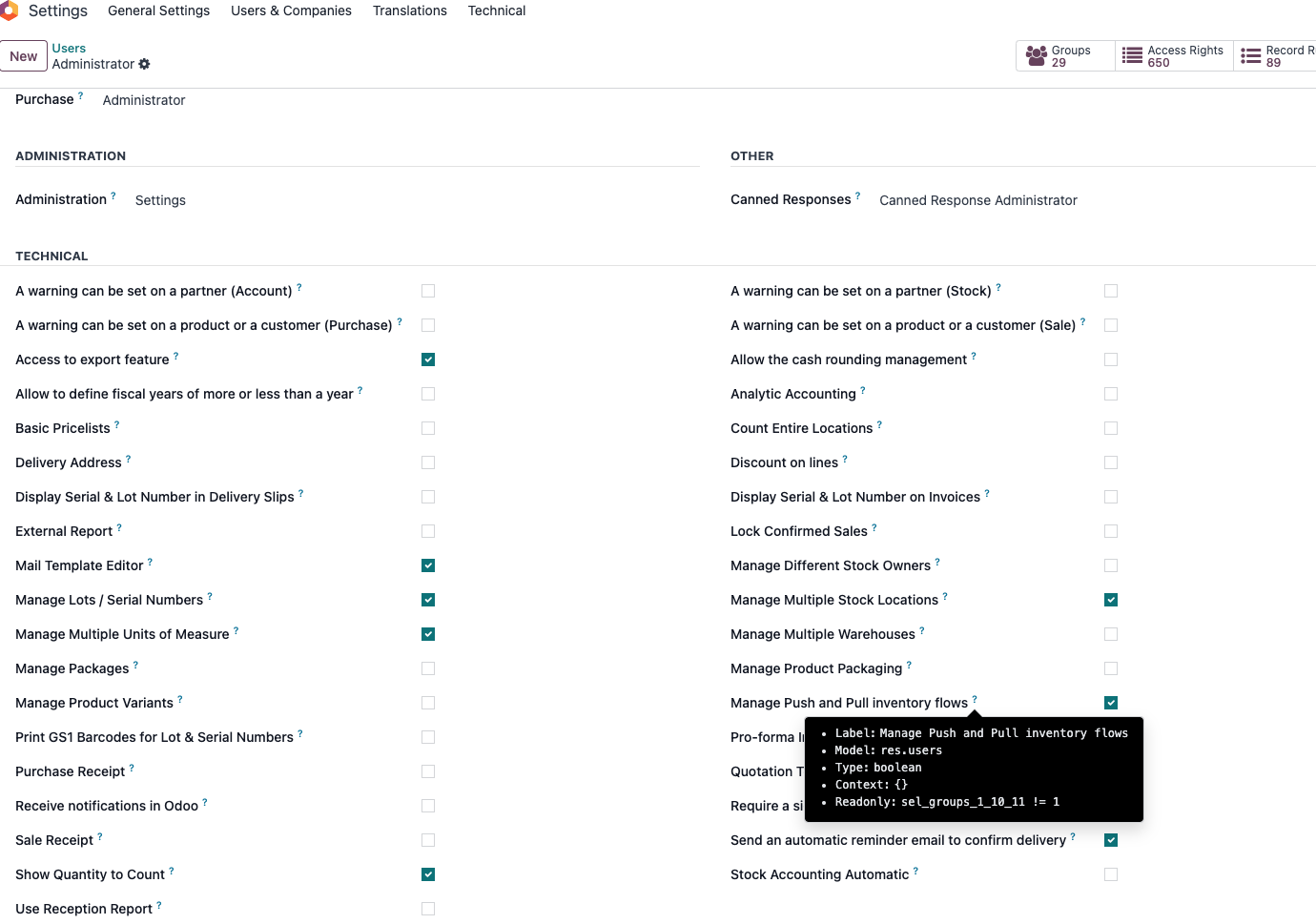
After the permission is enabled, the warehouse configuration can show removal strategy settings.
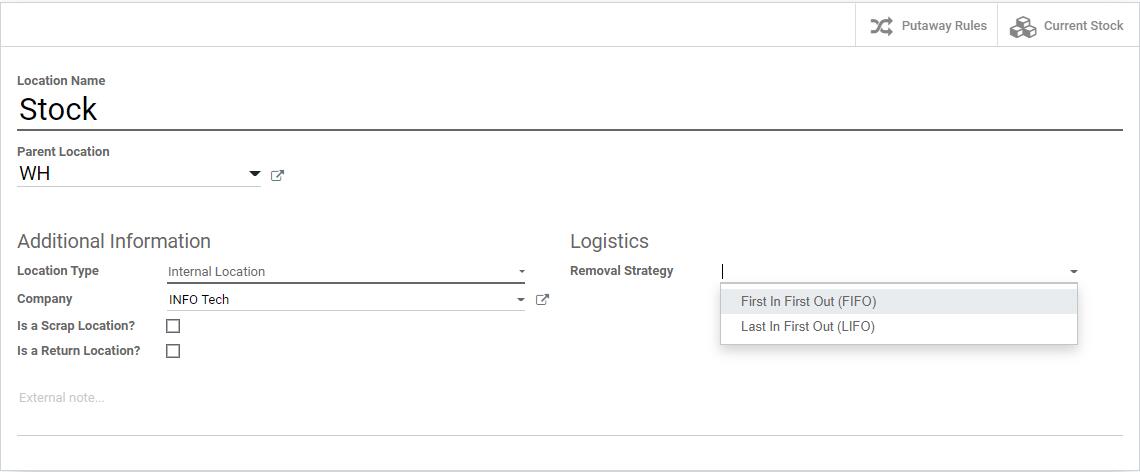
Product categories can also define removal strategies. The strategy on the product category has higher priority than the one on the location.
For example, purchase a batch of Play Car toys with lot number A00001. Then set LIFO on the product category and FIFO on the Stock location. Purchase another batch with lot number A00002. The stock looks like this:
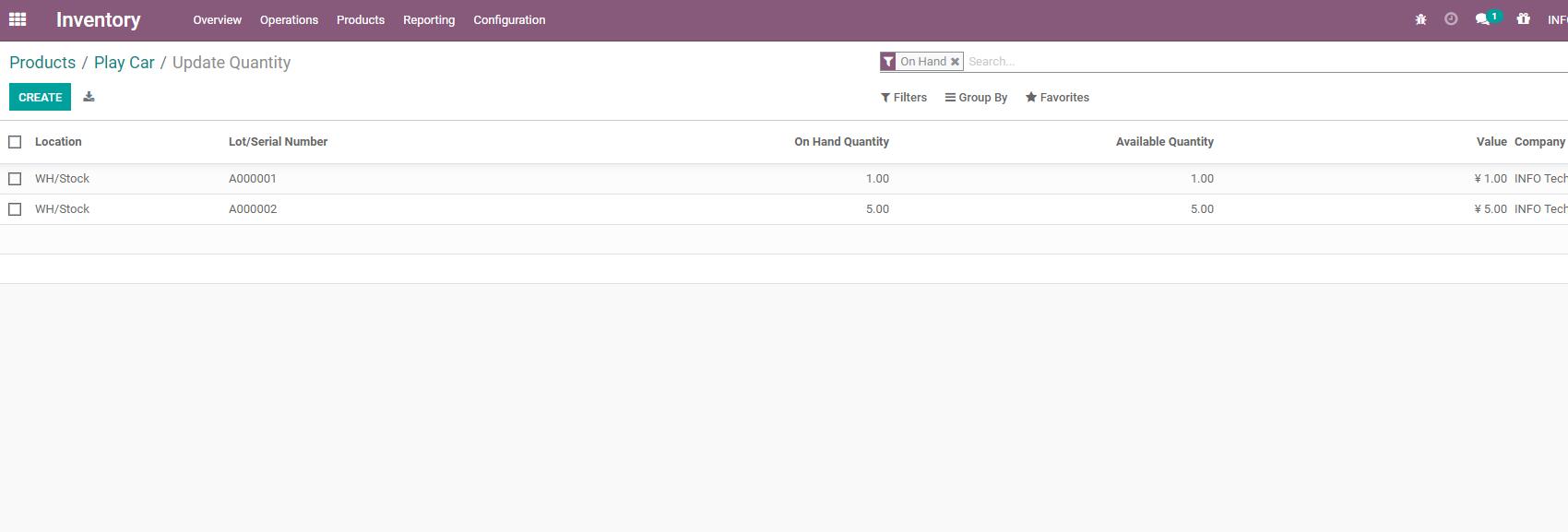
When creating a sales order, because the product category uses LIFO, Odoo should prioritize lot A00002.
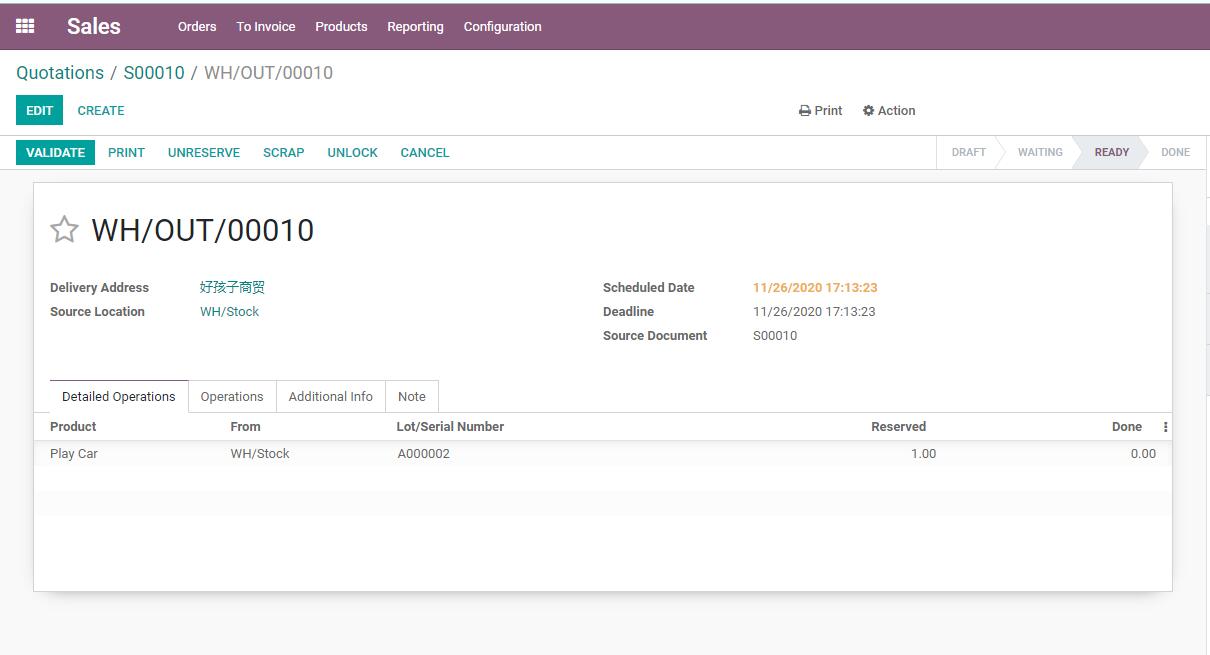
The result shows that Odoo indeed chooses stock from lot A00002 first.
Odoo also supports removal based on expiration dates. To enable this, first enable lots/serial numbers and expiration dates under Inventory traceability settings.
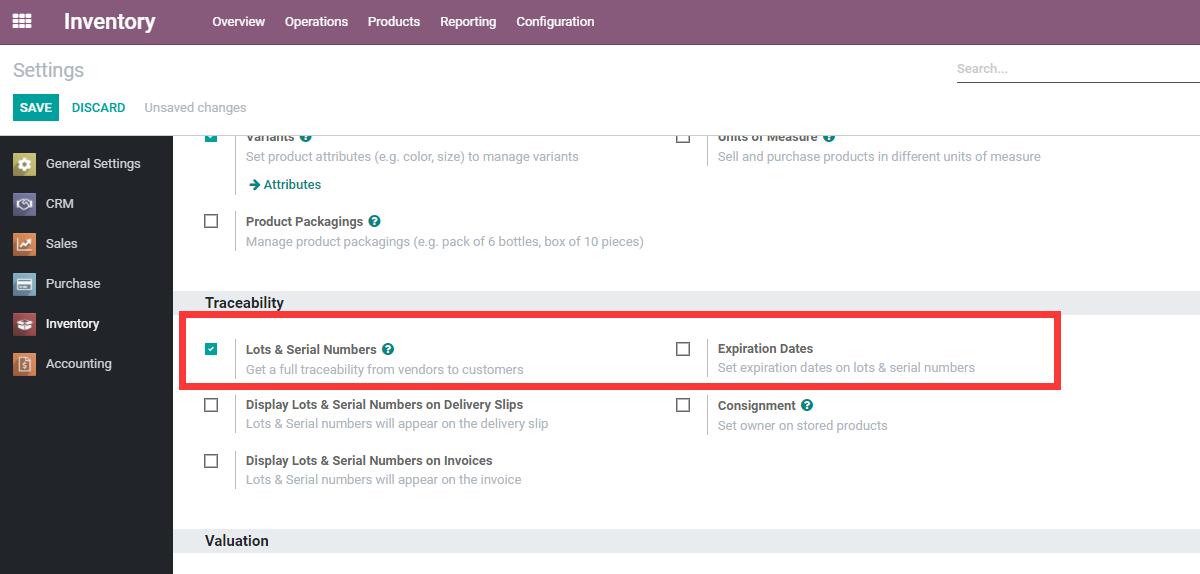
After that, FEFO appears as a removal strategy, meaning first-expired-first-out.
Putaway Strategy
Putaway strategy answers another question: after goods enter the warehouse, where should they be stored?
For example, cold-chain products may need to go to a refrigerated location, hazardous goods may need a special zone, and fast-moving goods may need a picking area. Putaway rules can help Odoo suggest the destination location during receipt or internal movement.
Putaway is explained in more detail in the later putaway chapter. At the location design stage, the key point is to avoid creating too many detailed locations before the team knows how they will be used.
Implementation Advice
Location design should follow real operations but remain simple enough for users.
Start with:
- One warehouse.
- A clear Stock location.
- Optional receiving, quality, packing, and output locations if the workflow requires them.
- Separate scrap and return locations if after-sales or quality handling is important.
Do not create a location for every shelf or bin unless barcode operations, putaway rules, or strict warehouse control really require it.
This chapter explained location types, removal strategy, FEFO, and the role of putaway strategy. The next chapter explains operation types, which classify receipts, deliveries, internal transfers, and related stock operations.