Chapter 10 Rental
Odoo Rental brings "renting products by time" into the sales system. A rental order is still built around the sales order concept, but it adds rental period, pickup, return, rental price, and rental status information.
Rental is suitable for equipment, tools, vehicles, clothing, photography gear, event supplies, and other products that must be picked up and returned. This chapter first explains the native Odoo rental flow, then helps readers decide whether complex rental scenarios need additional solution design.
Rental Business Flow
The biggest difference between rental and normal sales is ownership. In a normal sale, product ownership usually transfers to the customer. In rental, the product is lent out for a period and then returns to the company. The system must record not only customer and rental fee, but also start time, end time, pickup status, and return status.
A standard rental flow can be understood as:
Create rental product -> Create rental order -> Confirm pickup -> Product moves to rental location -> Customer returns -> Product returns to warehouse -> Invoice
1. Define A Rental Product
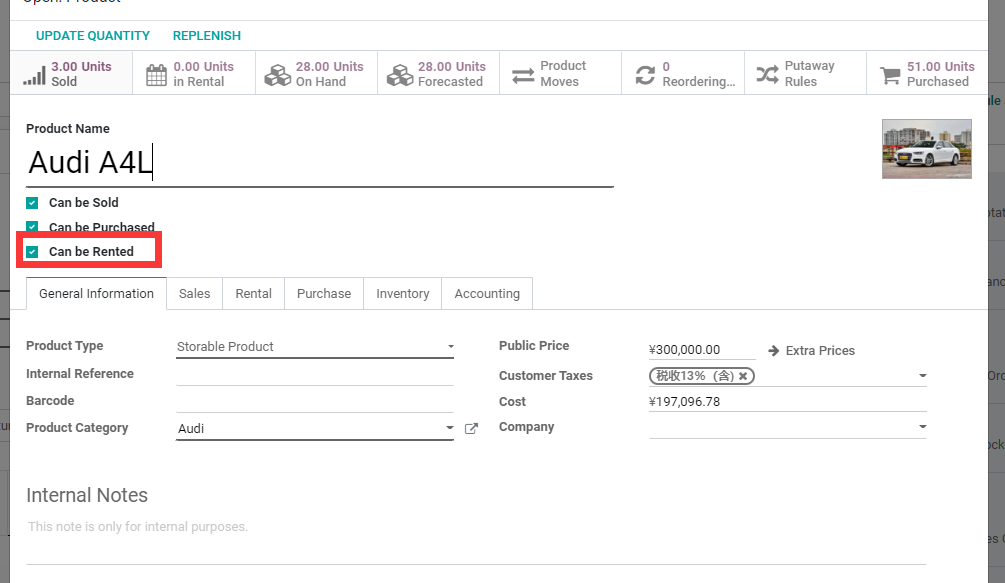
First, define a rental product and set rental prices. In this example, the A4L product is marked as rentable.
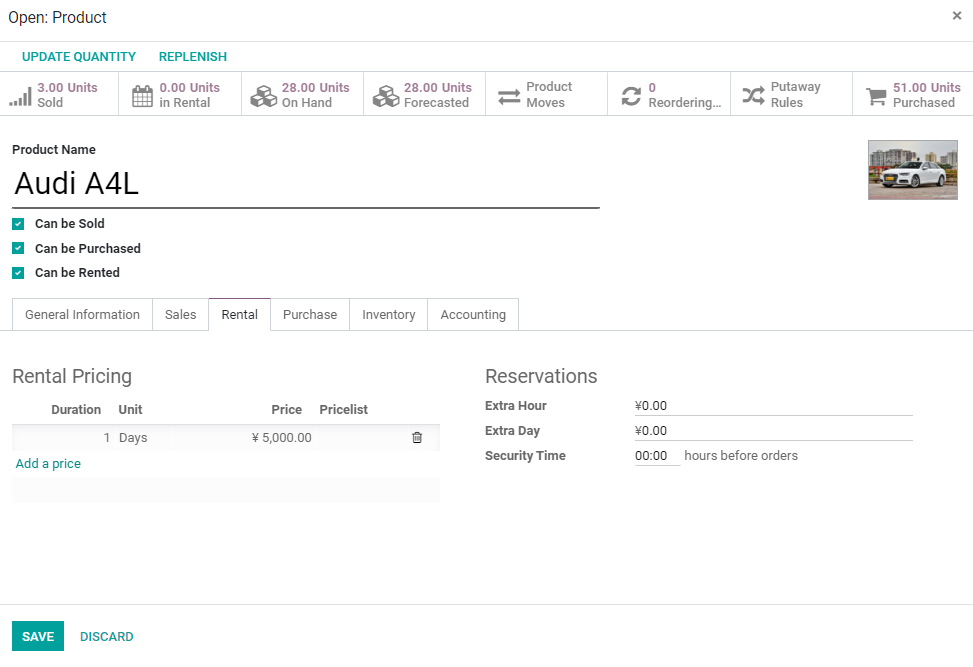
Then set rental prices in the rental tab.
2. Create A Rental Order
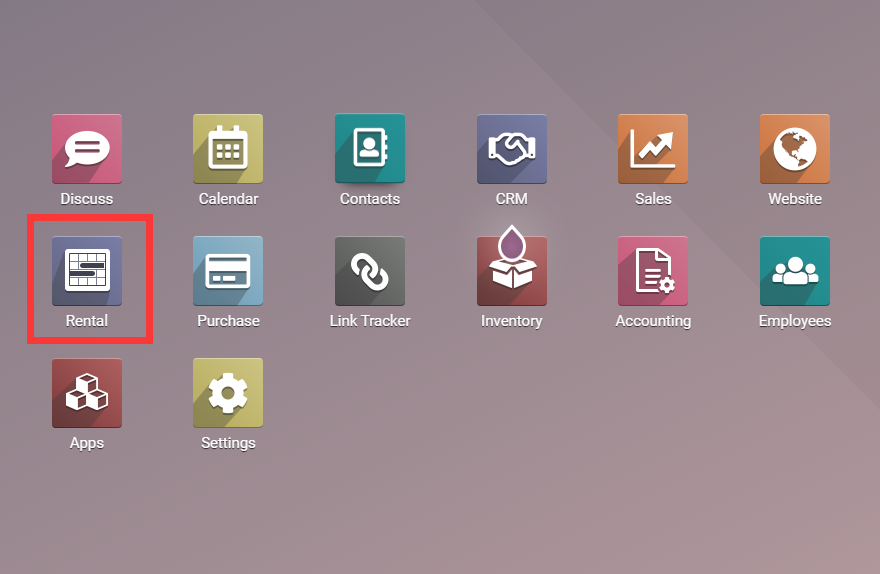
After installing the Rental app, a Rental menu appears. Open it to create rental orders.
For example, rent an A4L to a customer for one day at a rental fee of 5,000. Create the order with the rental period and rental product.
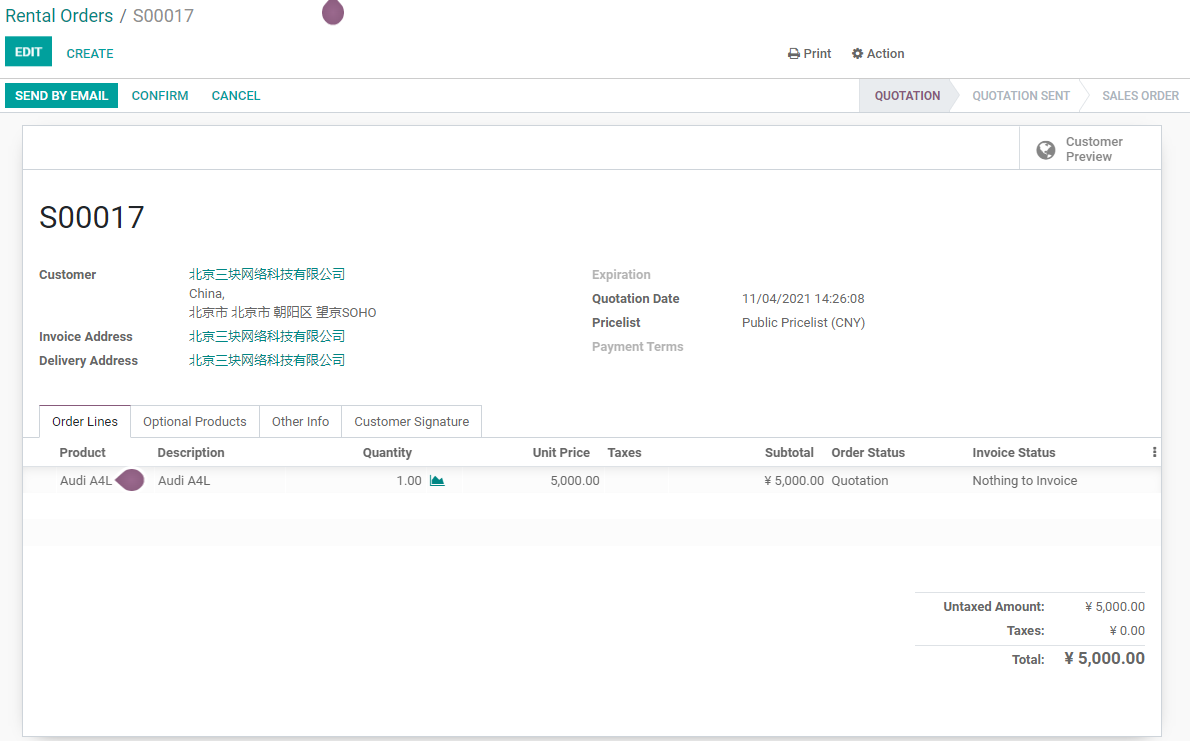
After selecting the rental product, Odoo opens a wizard to enter the rental duration.
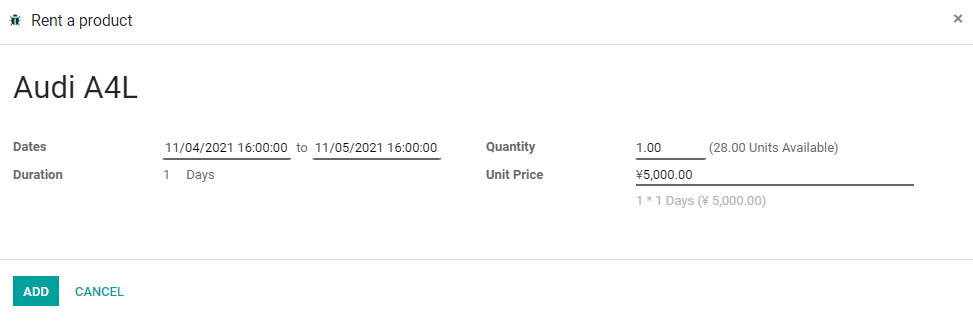
The order unit price is calculated according to rental price and rental duration.
Rental price design should confirm the billing unit in advance: hourly, daily, weekly, monthly, or different prices for different periods. Customers must understand rental period and price at quotation stage, otherwise disputes may appear at return time.
3. Pick Up Products
After confirming the order, click Pick Up to officially rent the product to the customer. Odoo creates and completes the rental stock transfer.
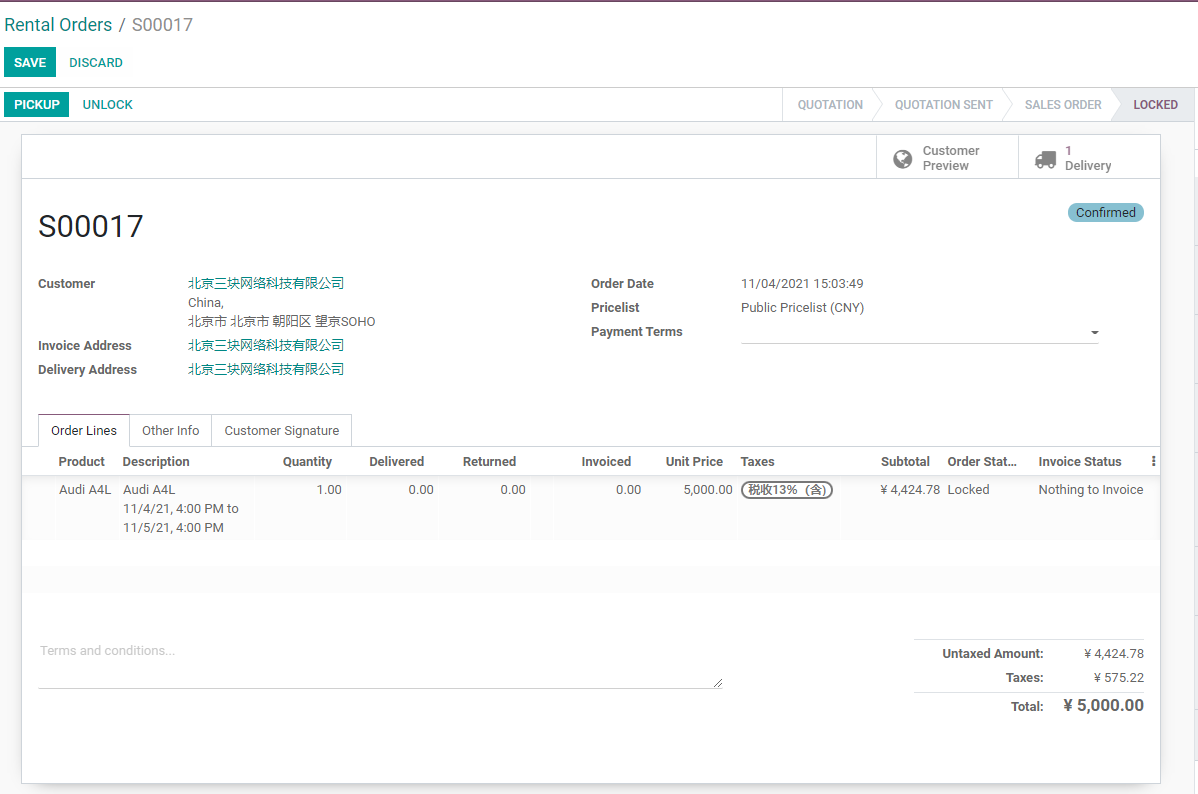
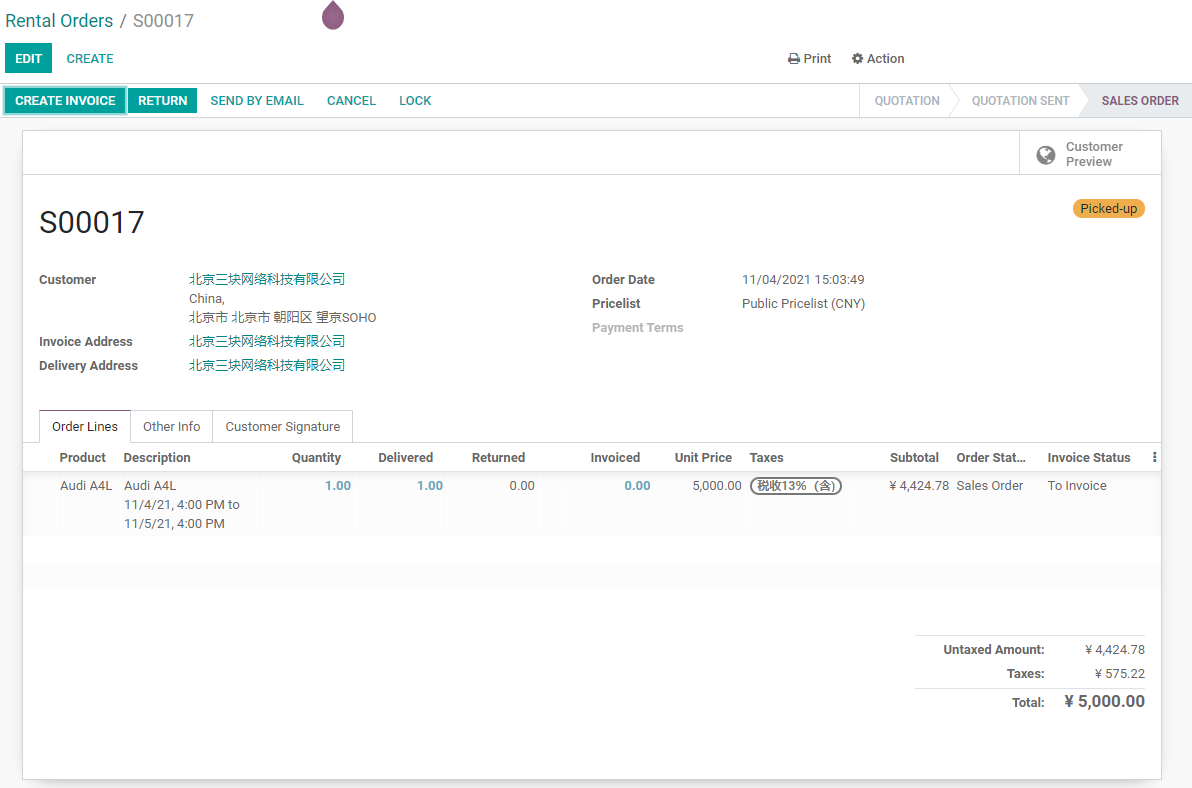
Viewing product stock moves shows that A4L has been moved to the Rental location.
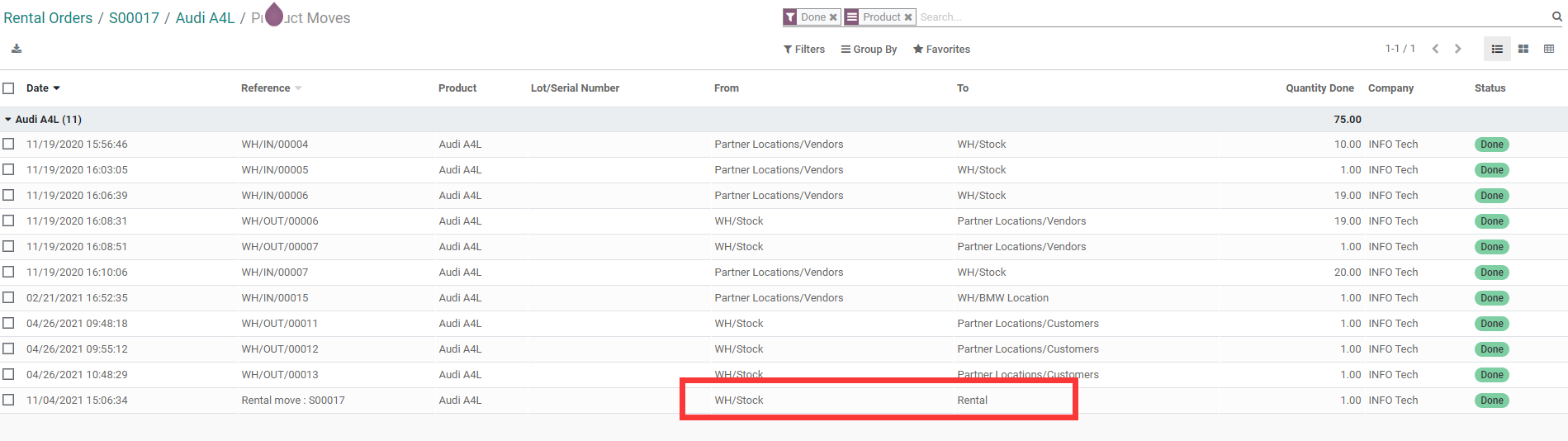
The Rental location is an internal location rather than a customer location. This means product ownership still belongs to the company; the product is only in rented status.
This design matters. The rented product leaves the warehouse, but it is not sold to the customer. It should not move to a customer location like a normal sale and complete ownership transfer. The rental location helps the company distinguish "in warehouse", "rented out", and "returned" statuses.
4. Return Products
After the customer returns the product, click Return on the rental order. Odoo opens a return wizard.
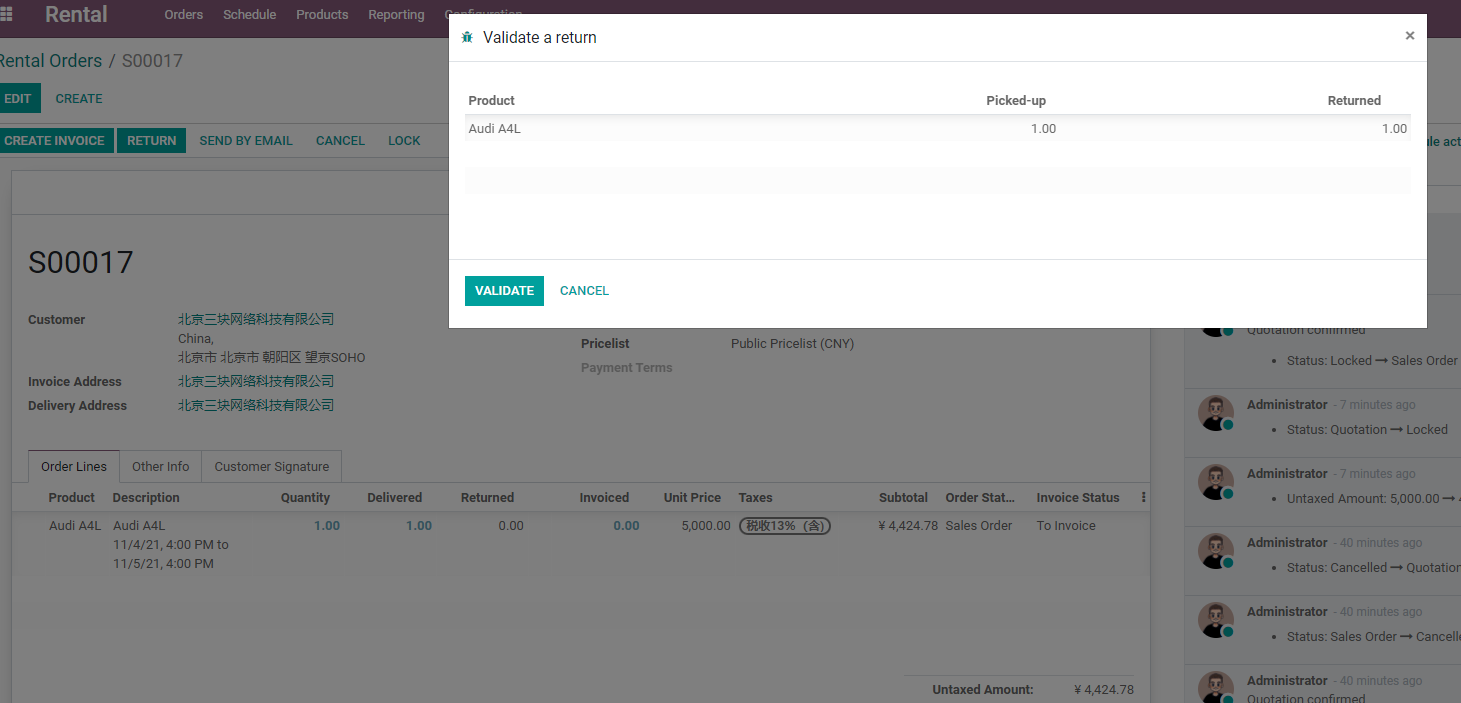
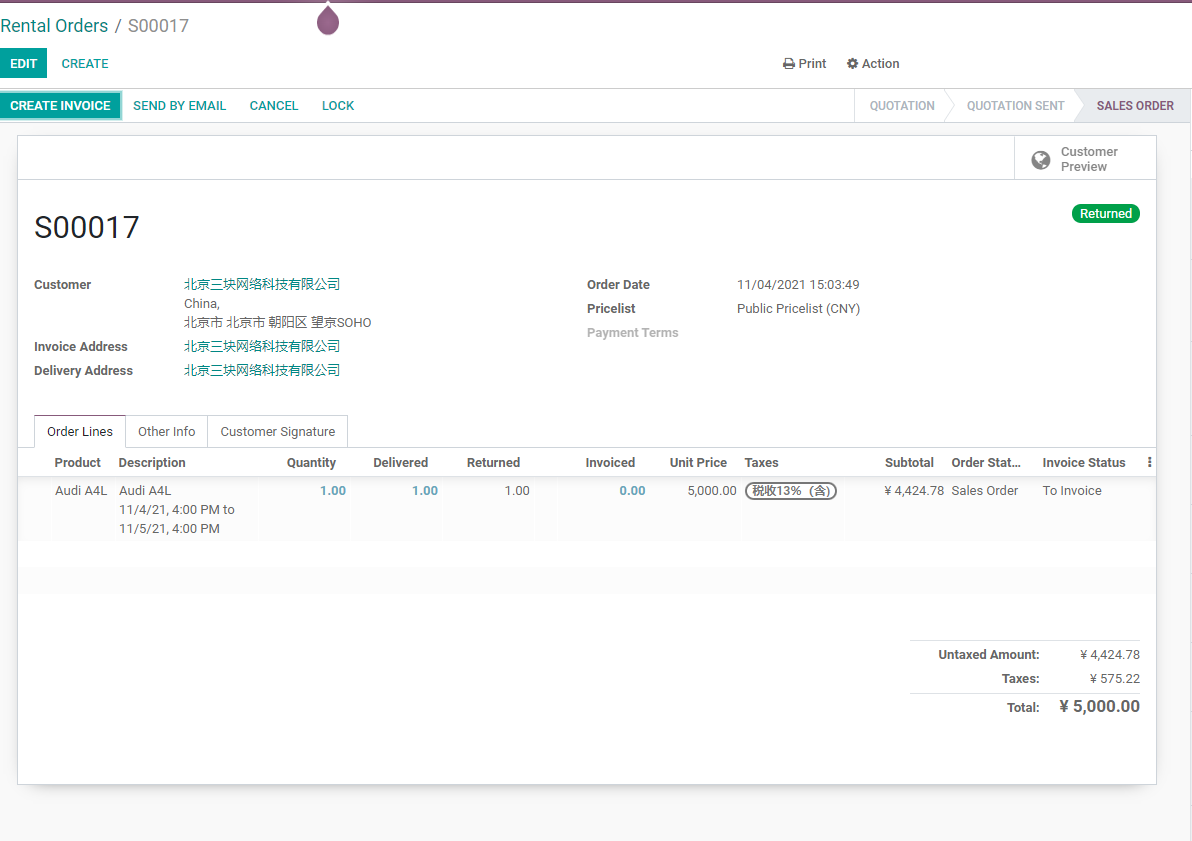
After confirming the return, the order state changes to returned.
5. Invoice
After the rental order is completed, create the customer invoice. Rental invoicing still follows the sales order to customer invoice flow.
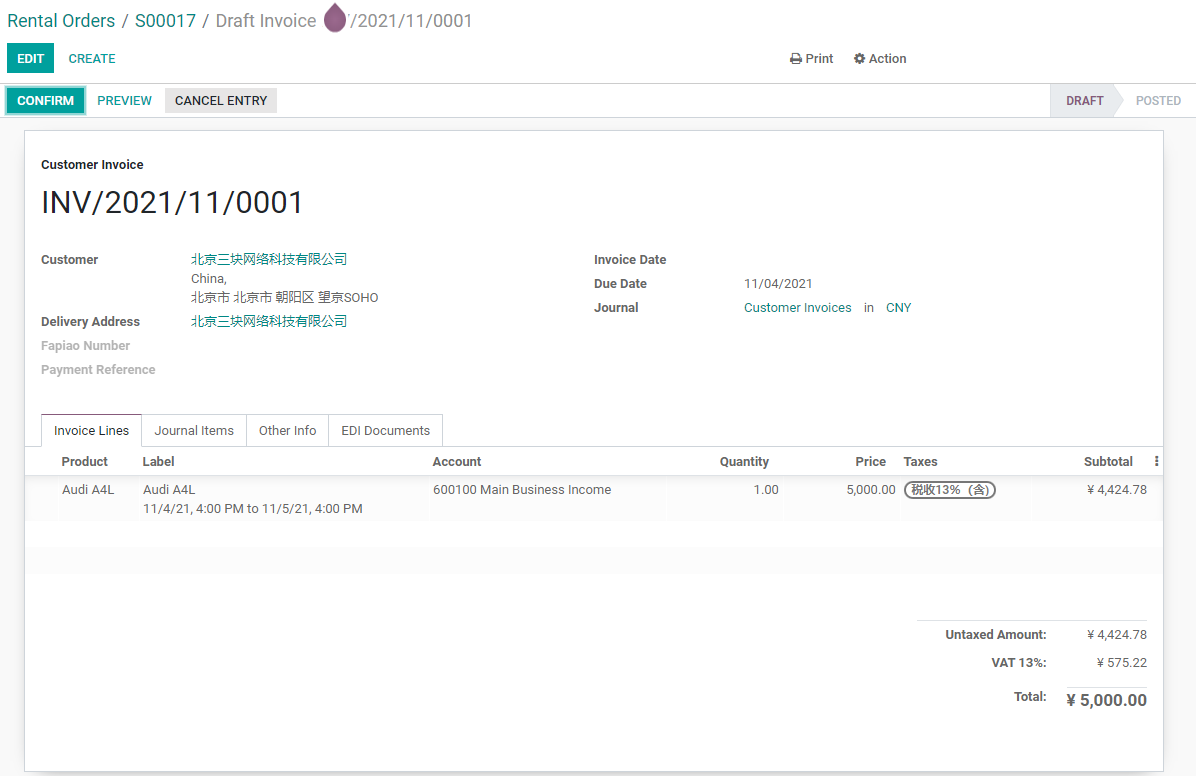
Rental invoicing can follow company rules:
- Collect payment before pickup.
- Settle by actual rental duration after return.
- Invoice monthly.
- Separate rental fee and deposit.
- Invoice damage compensation separately.
Native Odoo Rental is suitable for standard pickup, return, and invoicing. If deposits, late fees, compensation, renewals, repairs, and contract management are complex, design them on top of the native flow.
Implementation Advice
Native Odoo Rental fits standard rental, return, and invoicing scenarios. If customers need deposits, overdue penalties, damage compensation, rental approvals, complex inventory statuses, equipment maintenance, or contract renewals, further process design is required.
Do not start rental implementation with heavy customization. Use one or two rental products to run pickup, return, invoicing, and inventory locations first. Then evaluate whether deposits, contracts, repair, or industry enhancements are needed.
This chapter explained rental products, rental orders, pickup, return, and invoicing. The next chapter moves into excise duty and shows how specific industry taxes can extend standard sales tax logic.