Chapter 1 Purchase Management
Odoo's Purchase app manages the flow from vendor request for quotation to purchase order, receipt, vendor bill, and vendor performance analysis. For many companies, purchase is where sales demand, production demand, and stock replenishment become real supplier commitments.
This chapter explains the basic concepts of purchase documents, expected receipt dates, vendor lead times, purchase approval, reordering rules, vendor bills, and on-time delivery ratio.
RFQ And Purchase Order
Purchase documents are usually divided into RFQ and Purchase Order. They are essentially the same model in different states. An RFQ is a draft purchase order.
A typical RFQ looks like this:
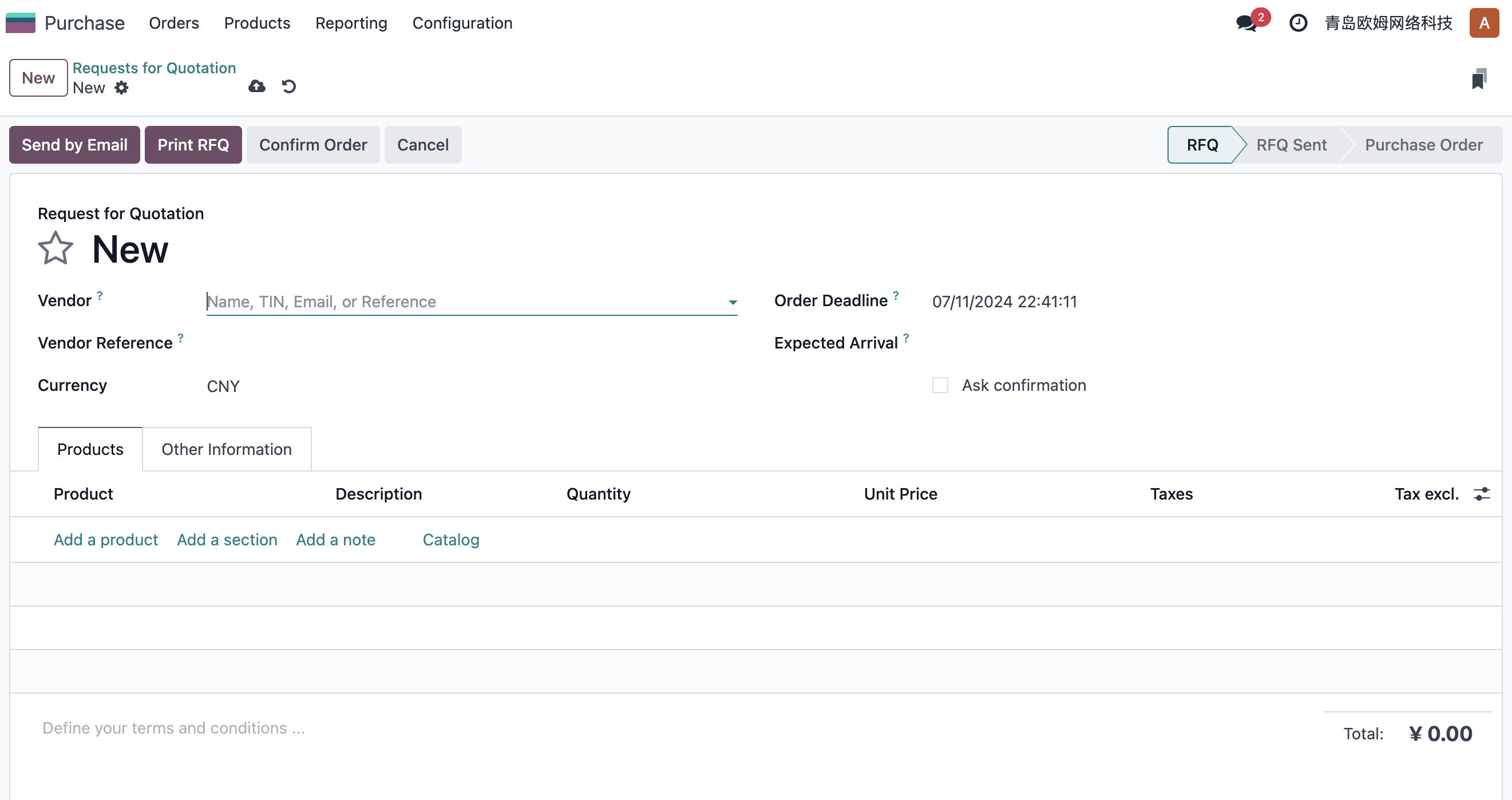
When creating an RFQ, users need to know the vendor, order date, products, quantities, price, taxes, and expected receipt information. After the information is complete, click Confirm Order to convert the draft RFQ into a purchase order.
After confirmation, Odoo decides whether to create a receipt according to the product type. If the purchase lines include stockable products, Odoo automatically creates an incoming receipt.
Receipt operations may use one-step, two-step, or three-step receiving depending on warehouse configuration. The detailed warehouse flow is explained in the Inventory section.
A typical receipt is shown below:
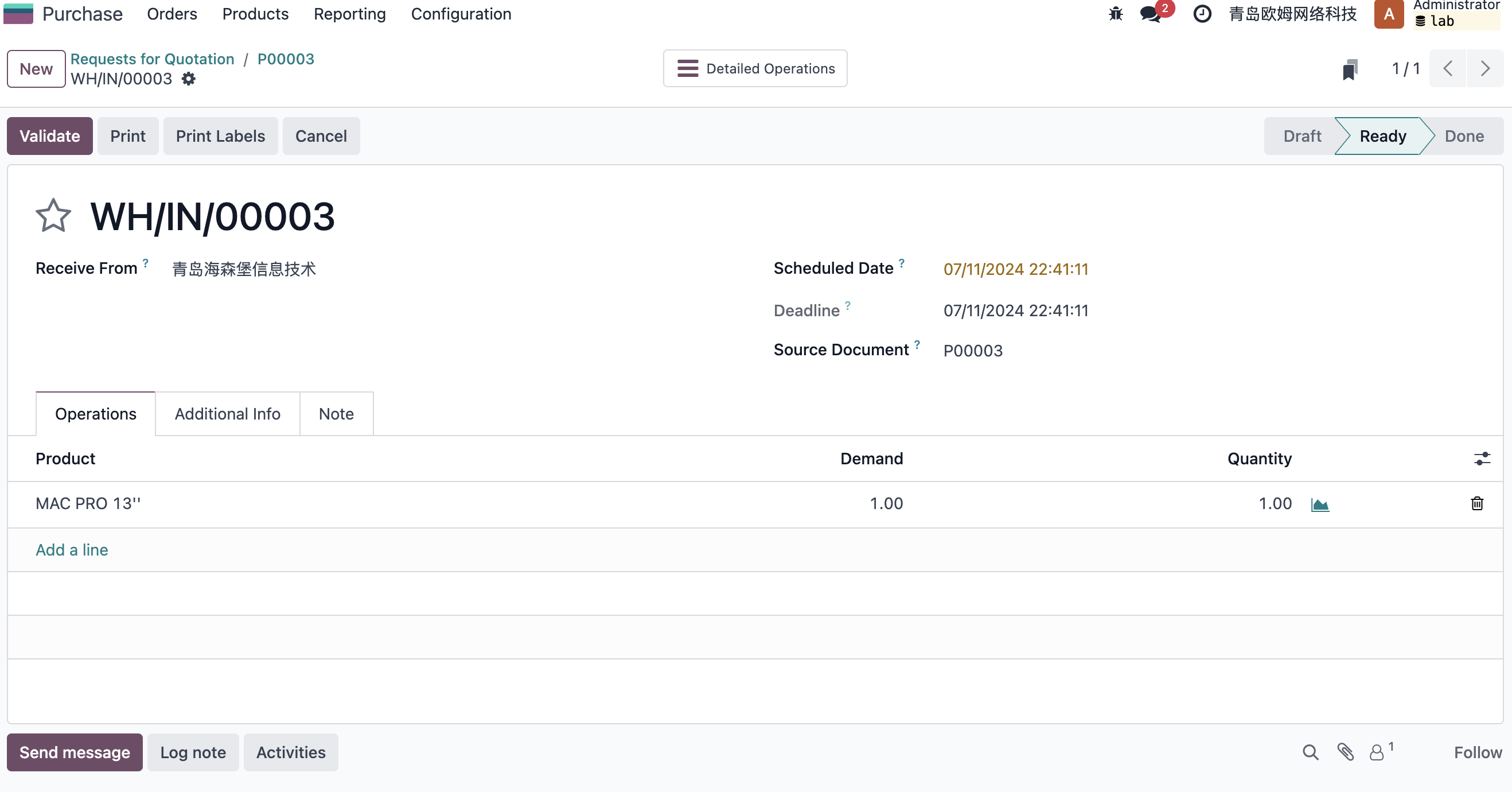
Warehouse users validate the receipt, and finance creates the vendor bill according to the purchase invoicing policy. This completes the basic purchase flow.
RFQ -> Purchase Order -> Receipt -> Vendor Bill -> Payment / Reconciliation
Expected Receipt Date
When purchasing raw materials or goods, companies often need a purchasing plan to support sales, production, or replenishment. The RFQ can include an expected receipt date.
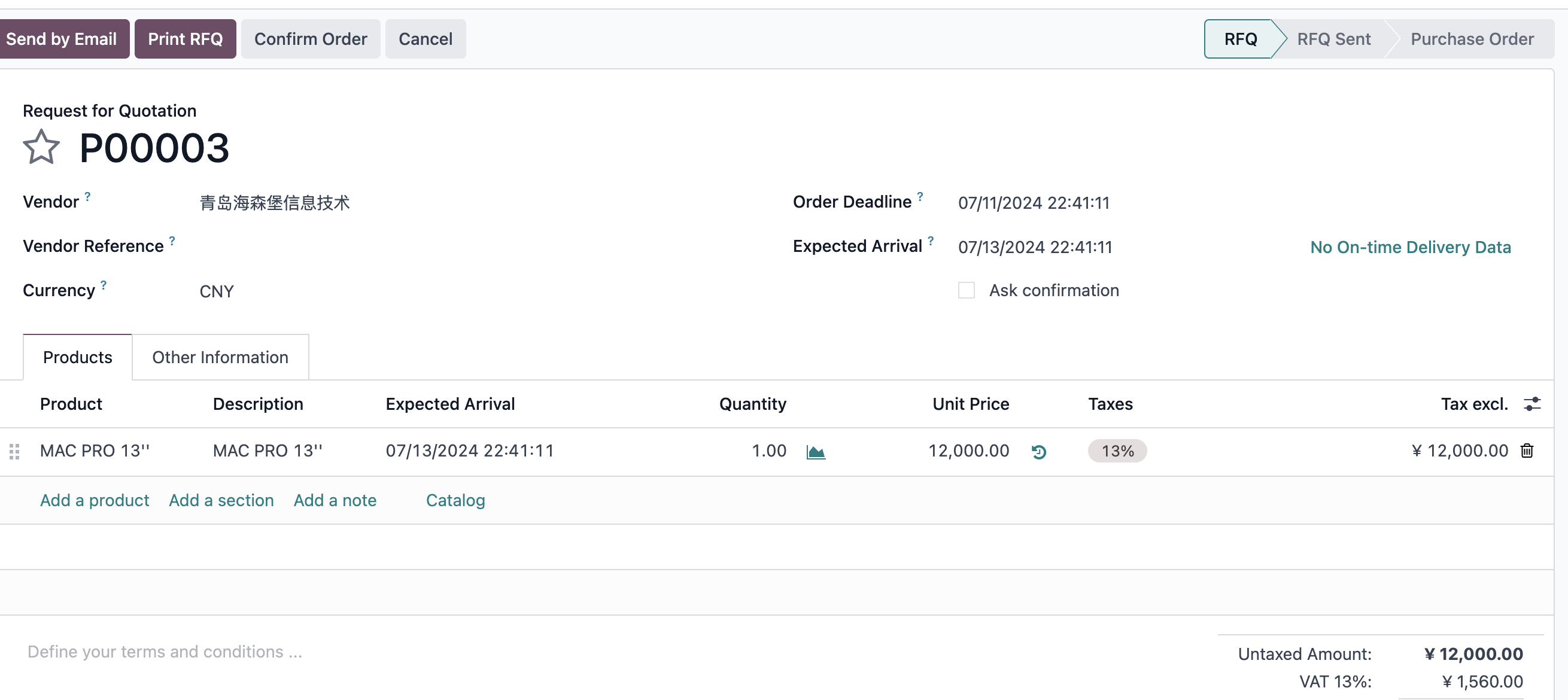
By default, the RFQ expected receipt date is consistent with line-level expected dates. If multiple lines have different expected dates, the document date usually follows the earliest receipt date among lines. If the document expected date is manually changed, existing line dates may be synchronized with it.
Expected receipt date is not only a note for purchasing. It affects warehouse planning and sometimes production or sales commitments.
Vendor Lead Time
Vendor lead time can be configured on the vendor information of a product. The unit is days.
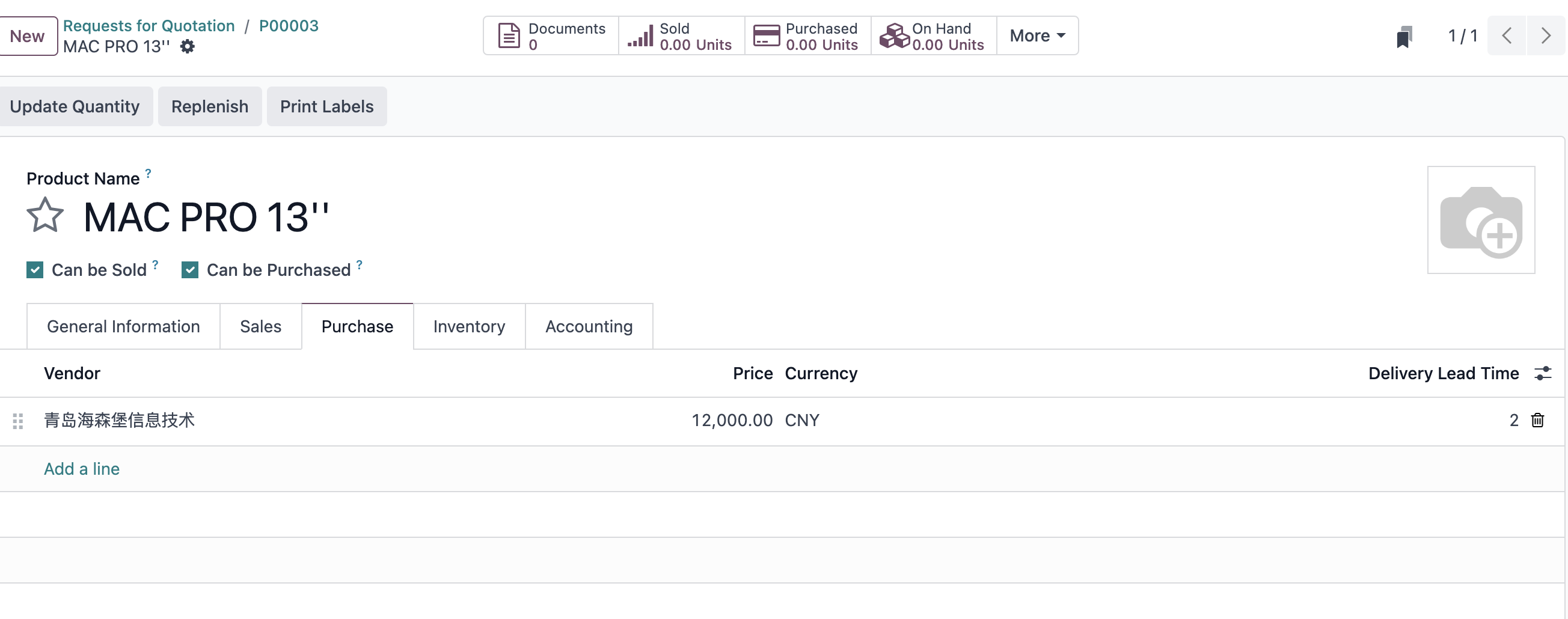
For example, the vendor lead time for a 13-inch Mac Pro from Heisenberg Information Technology is set to 2 days. If the vendor is selected on an RFQ and the expected date is 2024-07-20, after confirmation Odoo calculates the expected receipt date as 2024-07-22. The scheduled date on the receipt is also updated.
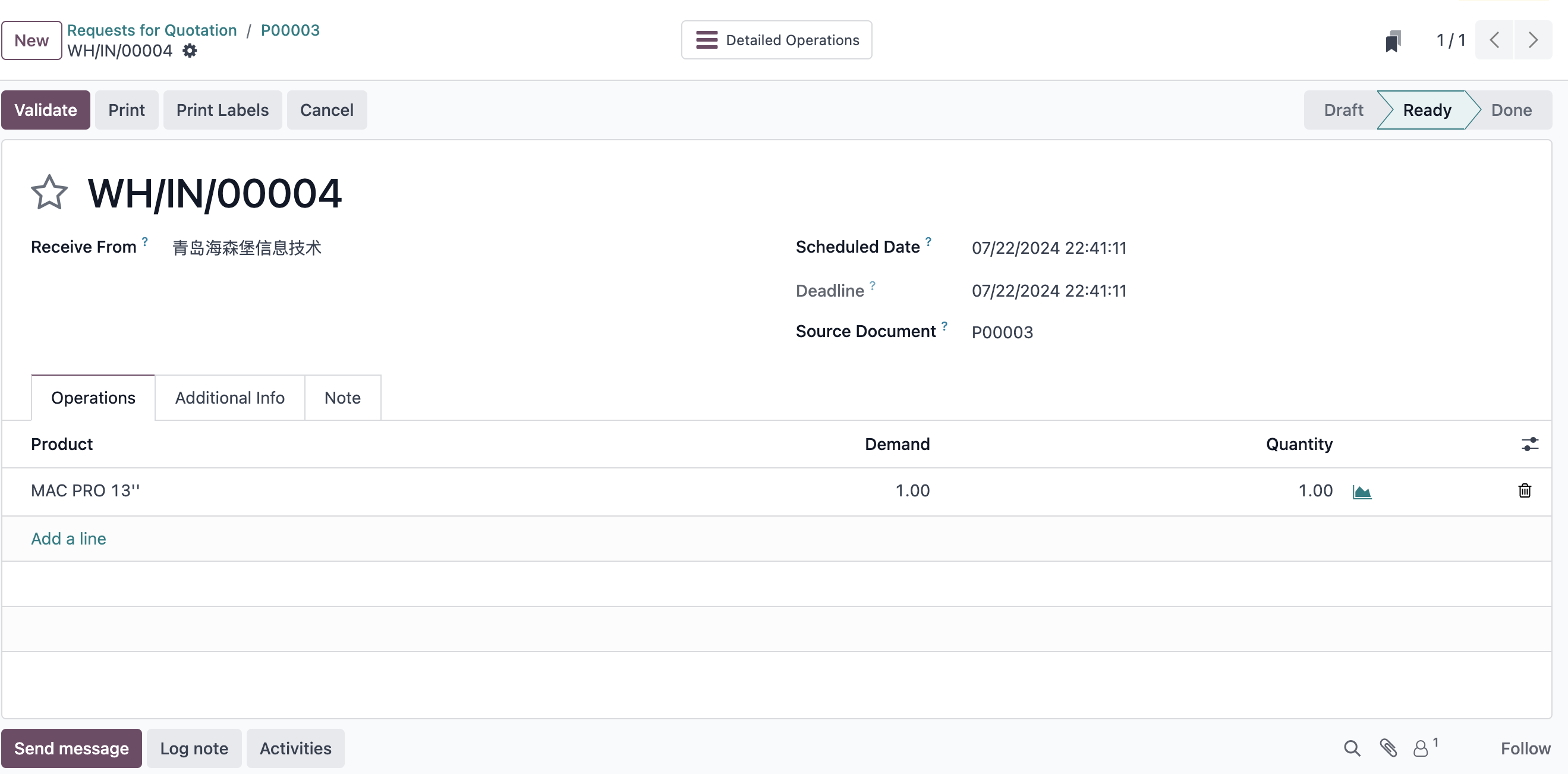
Vendor lead time helps purchasing users avoid unrealistic arrival promises. In a serious implementation, vendor lead time should be maintained for key products and suppliers, especially when purchase orders support sales or manufacturing commitments.
Purchase Approval
Odoo natively supports a simple purchase approval feature. It can be enabled in Purchase settings.
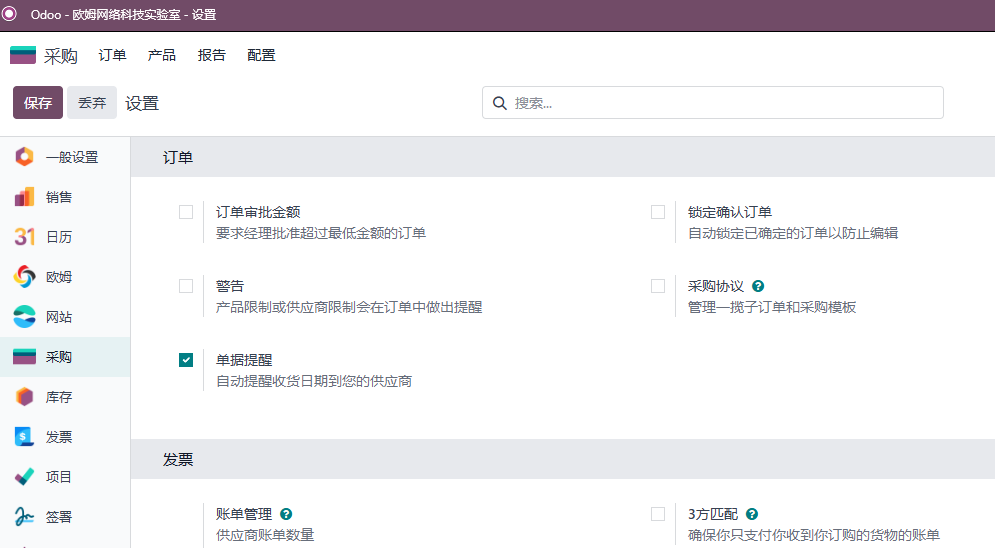
After enabling purchase approval, set the minimum amount that requires approval.
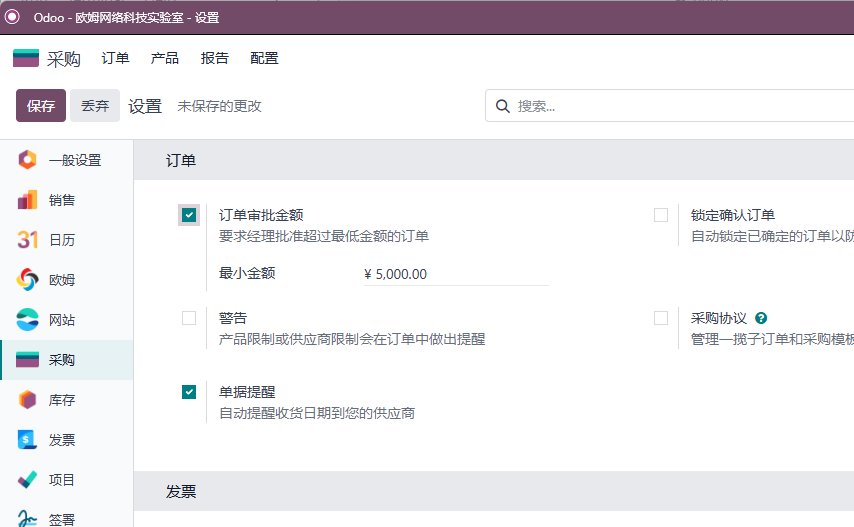
For example, if the approval threshold is 5,000, Odoo requires manager approval before an order above that amount can be confirmed.
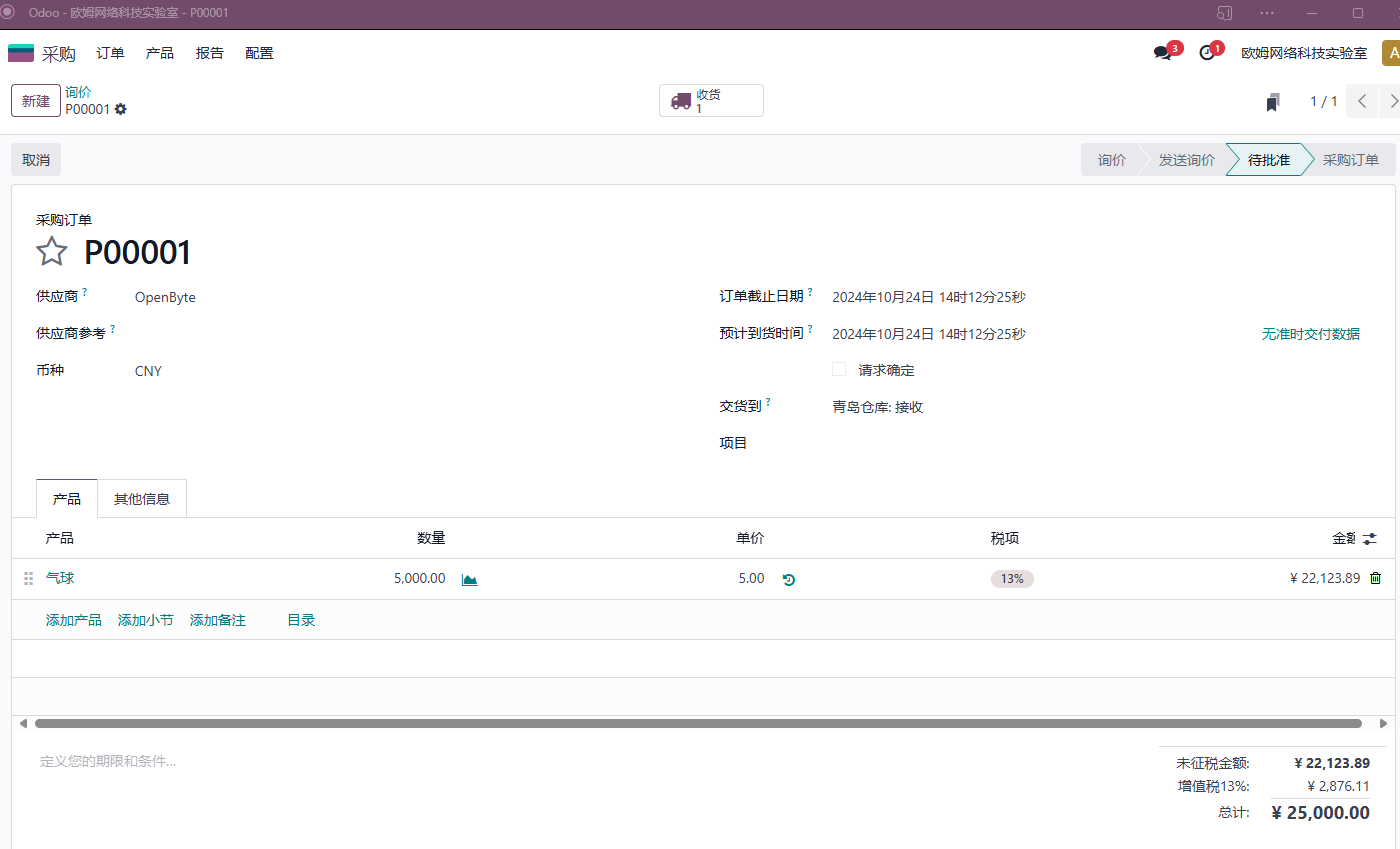
After the purchase manager approves it, the document becomes a confirmed purchase order.
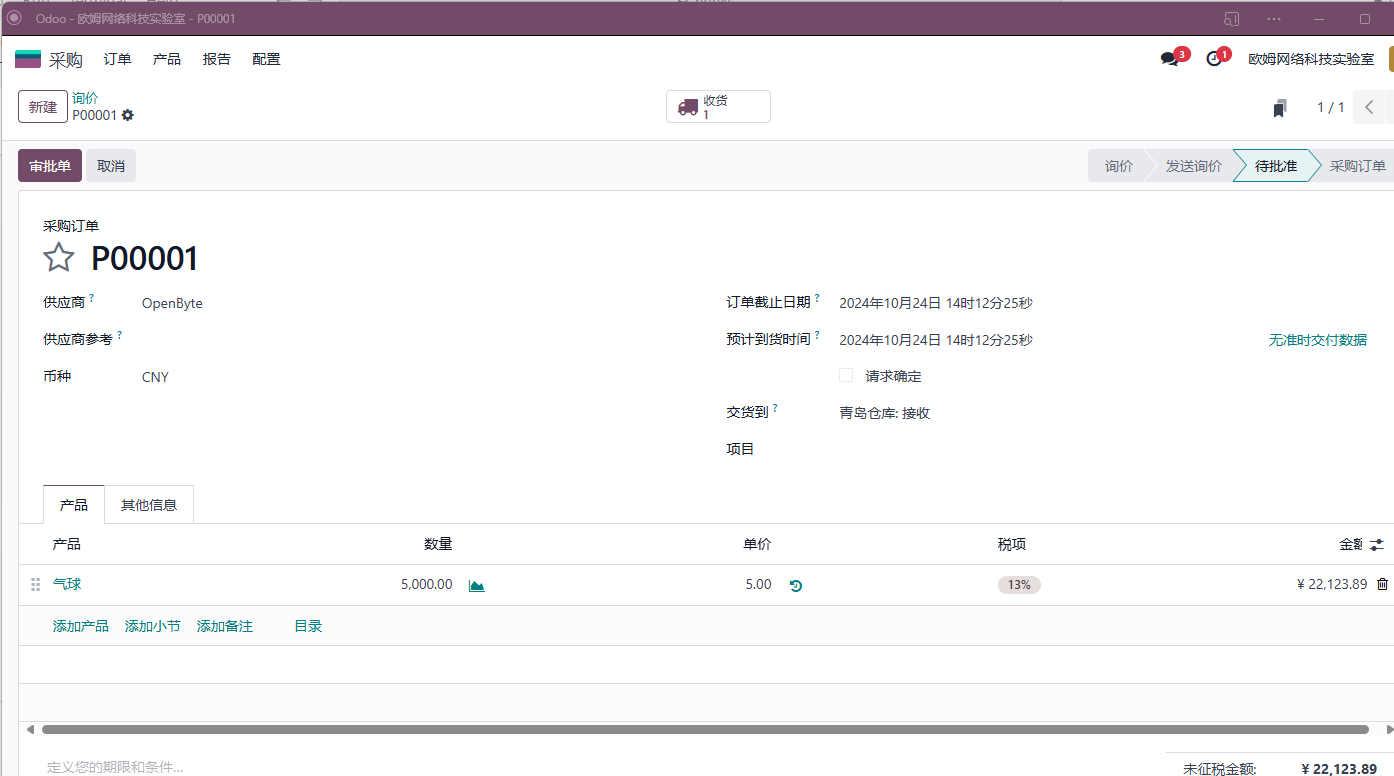
Native Odoo purchase approval is intentionally simple. It is suitable for amount-based approval, not complex OA workflows. If the company uses WeCom internally and needs complex approvals, Qingdao Ohm's WeCom approval integration can extend this scenario.
Reordering Rules
Reordering rules let Odoo create purchase orders or replenishment suggestions according to system demand. The rule defines replenishment logic for a product and location.

Reordering rules are closely related to inventory. When stock falls below the minimum quantity, Odoo can suggest replenishment up to the maximum quantity. If the product uses a Buy route, the replenishment may become a purchase order or purchase suggestion.
For beginner implementations, do not enable too many automatic replenishment rules at once. First verify product data, vendor information, lead time, and purchase price. Then test replenishment on a small group of products.
Vendor Bills
In native Odoo, if the purchase order is ready for billing, users can click Create Bill.
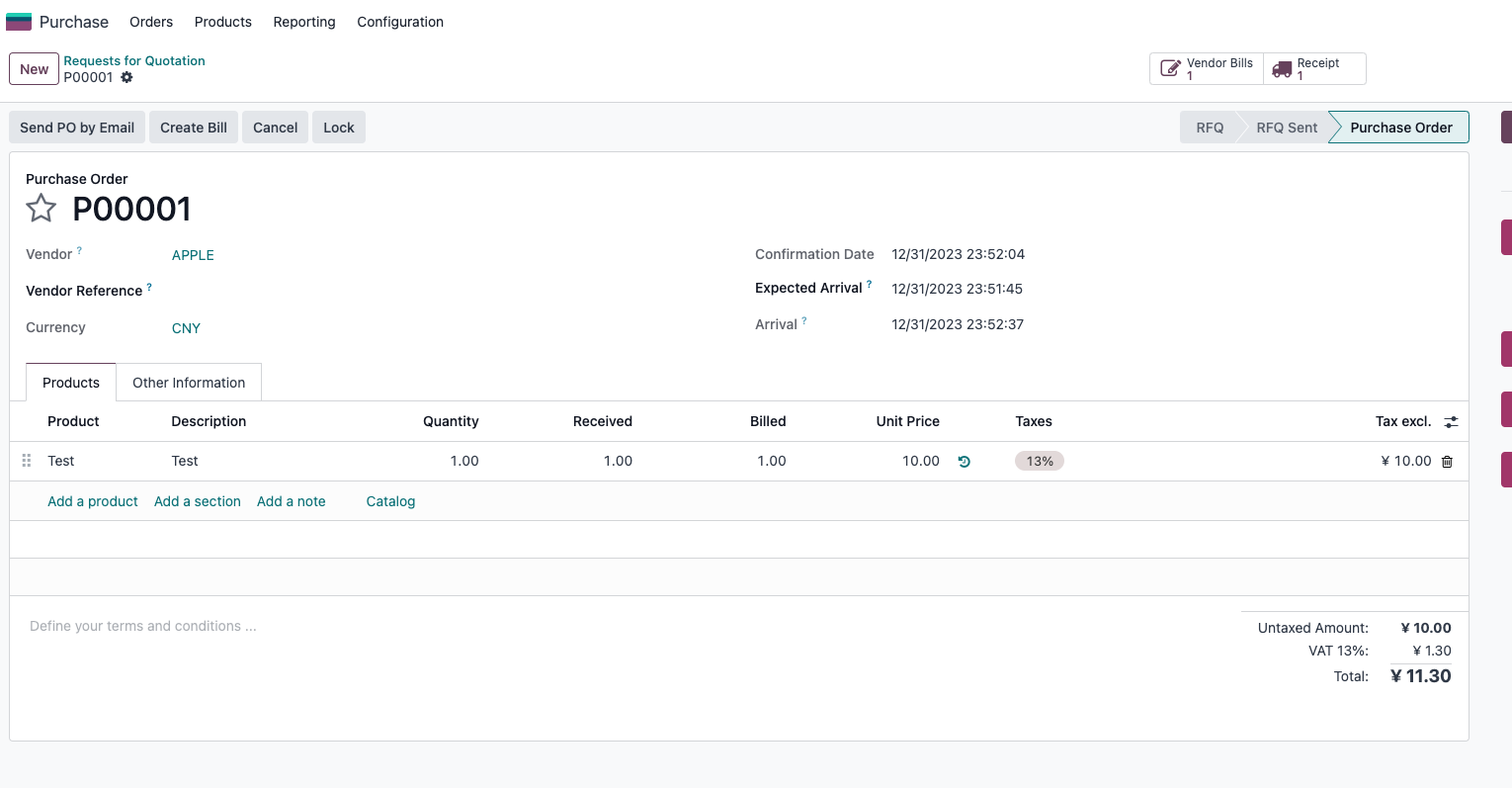
The result is a vendor bill draft.
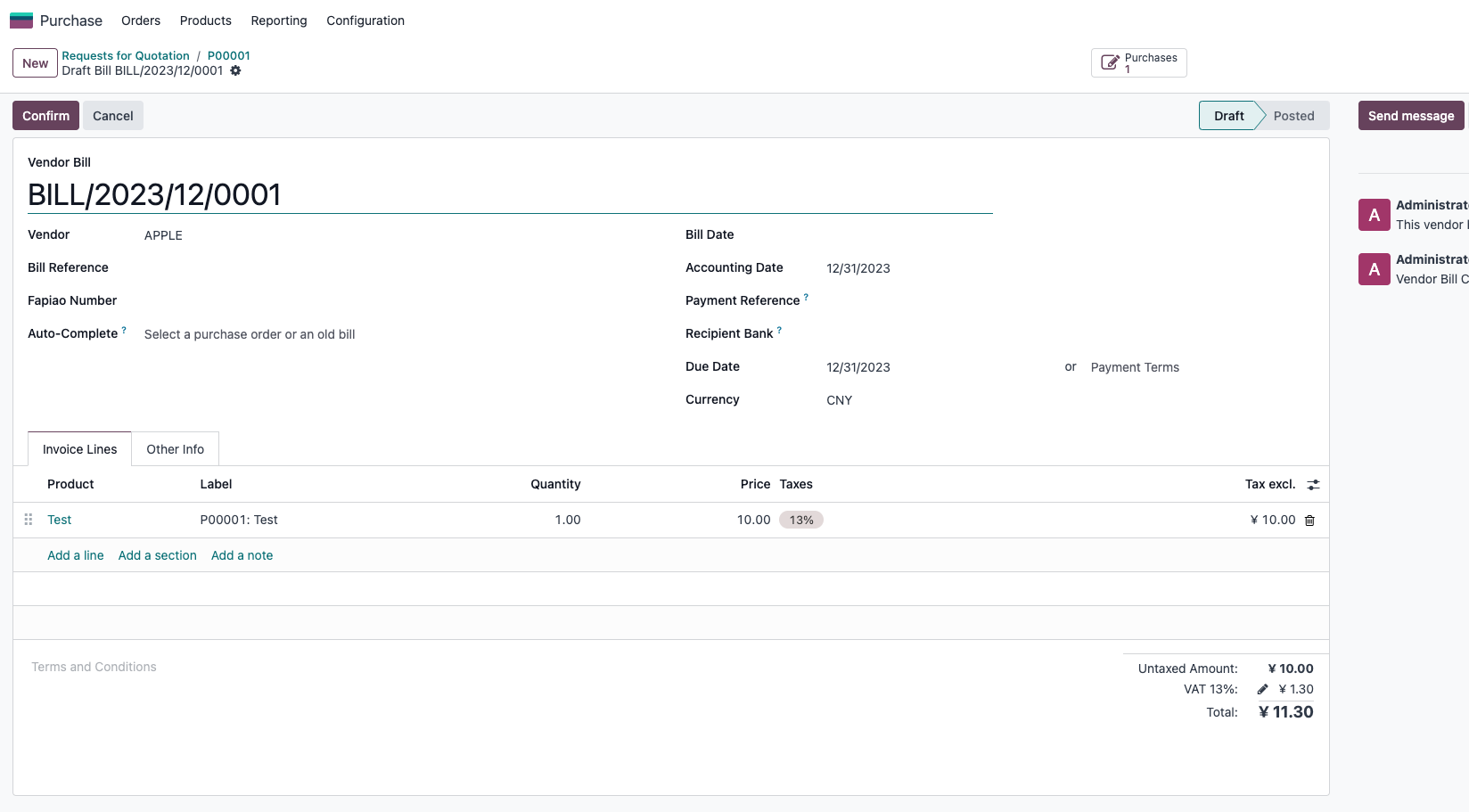
This handles basic purchase billing, but native purchase does not provide a down-payment wizard like the Sales app. In Qingdao Ohm's purchase and warehouse solution, the purchase module can be enhanced with a bill creation wizard similar to sales invoicing.
After installing the purchase warehouse module:
Create Bill on the purchase order opens a wizard:
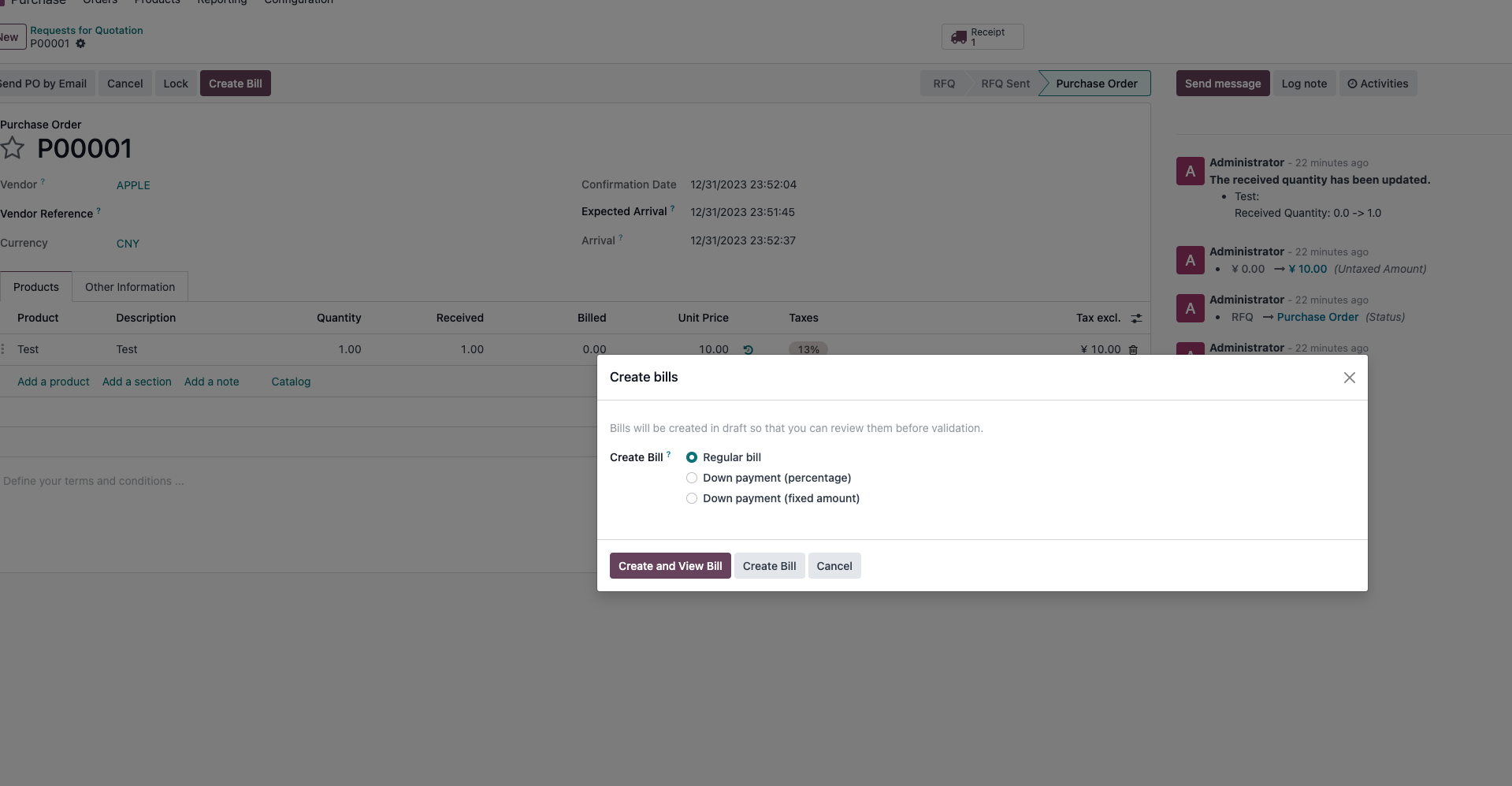
The wizard supports:
- Full vendor bill.
- Percentage-based down payment bill.
- Fixed-amount down payment bill.
Example bill:
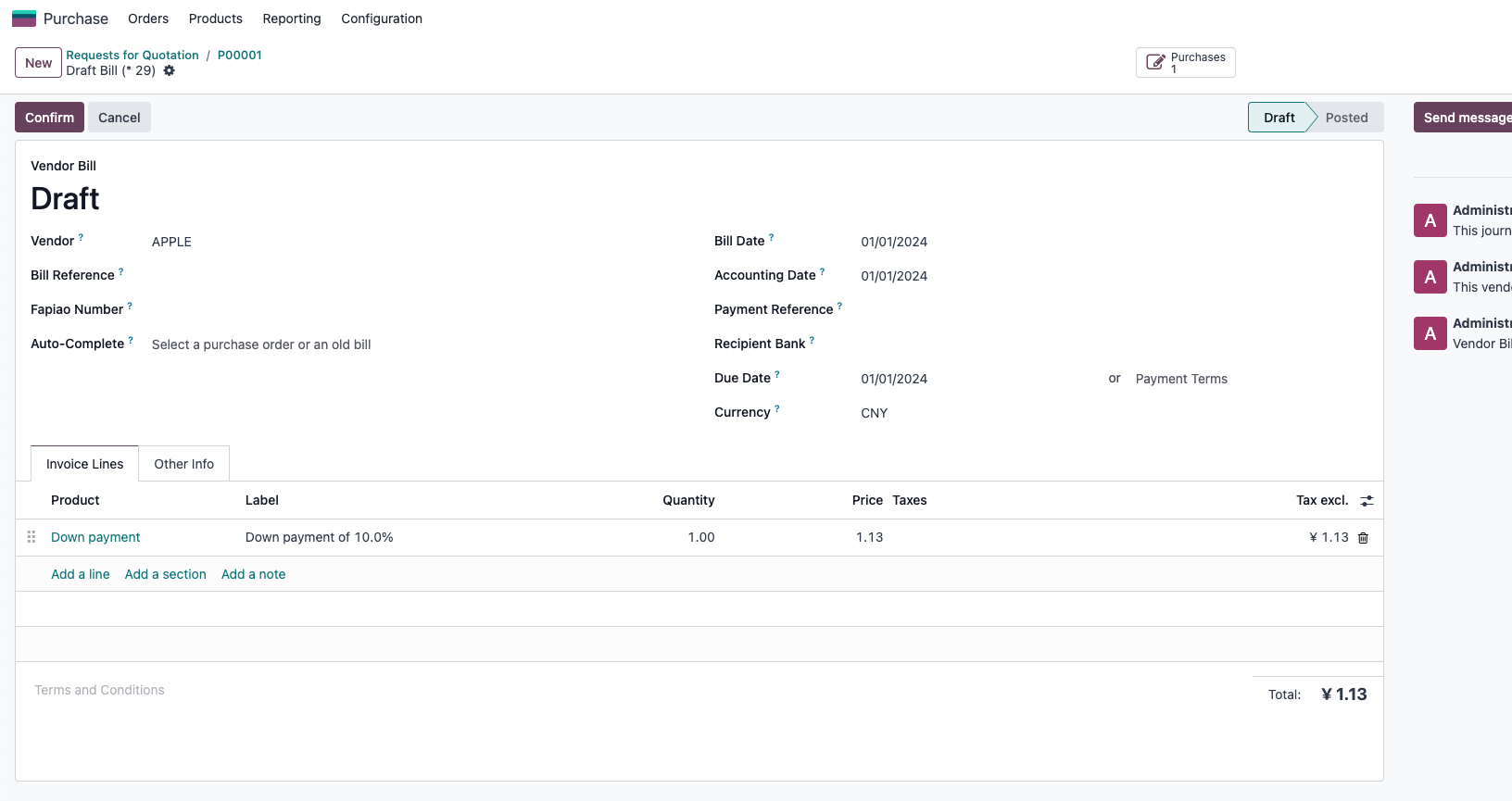
This enhancement is useful when companies need purchase deposits, prepayments, or staged vendor billing. If the company only needs ordinary vendor bills, native Odoo is usually enough.
On-Time Delivery Ratio
Vendor records include an On-time Ratio that indicates vendor delivery performance.
The formula is:
On-time delivered quantity from this vendor in the past N days / Total ordered quantity x 100%
The calculation applies to non-service products. If there is no data, the value may be shown as -1.
The default period N is 365 days. To change it, enable developer mode and add or update the system parameter:
purchase_stock.on_time_delivery_days
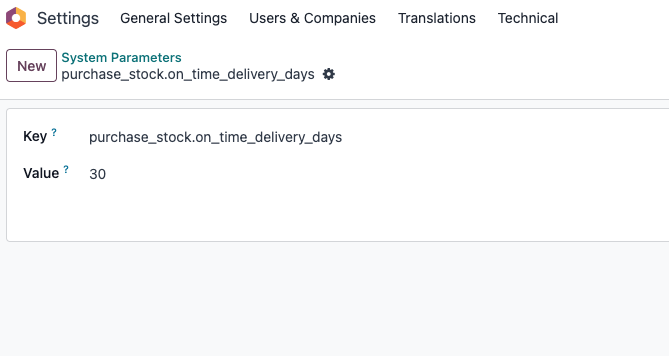
On-time delivery ratio is useful when comparing suppliers, reviewing vendor reliability, and deciding whether purchase lead times are realistic.
Implementation Advice
For a first purchase rollout, use a simple product and one vendor to test the full chain:
RFQ -> Confirm purchase order -> Receive goods -> Create vendor bill -> Validate bill
Then expand to approvals, vendor lead times, reordering rules, and purchase deposits. Purchase should be implemented together with inventory and accounting, because supplier commitments affect stock availability, cost, and payables.
This chapter covered the standard purchase flow, expected receipt date, vendor lead time, approval, reordering rules, vendor bills, and on-time delivery ratio. The next chapter explains how purchase receipts affect product cost, especially when average costing is used.