Alibaba Cloud SMS
Due to SMS service restrictions in China, Odoo's native SMS service is often not suitable for domestic deployments. Alibaba Cloud SMS can be used as a local replacement for Odoo SMS sending.
This chapter explains how to use Alibaba Cloud SMS in Odoo.
Alibaba Cloud Configuration
To use Alibaba Cloud SMS, first register an Alibaba Cloud account and obtain the API Key and API Secret.
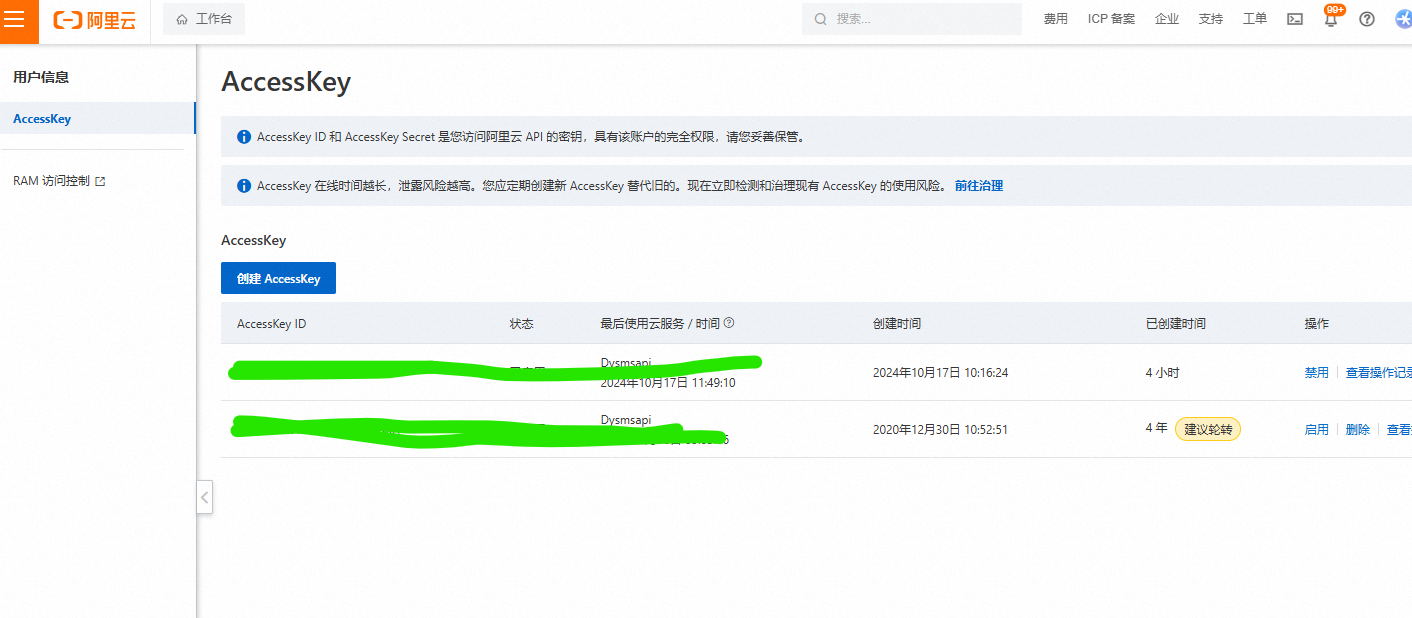
Then create an SMS message template.
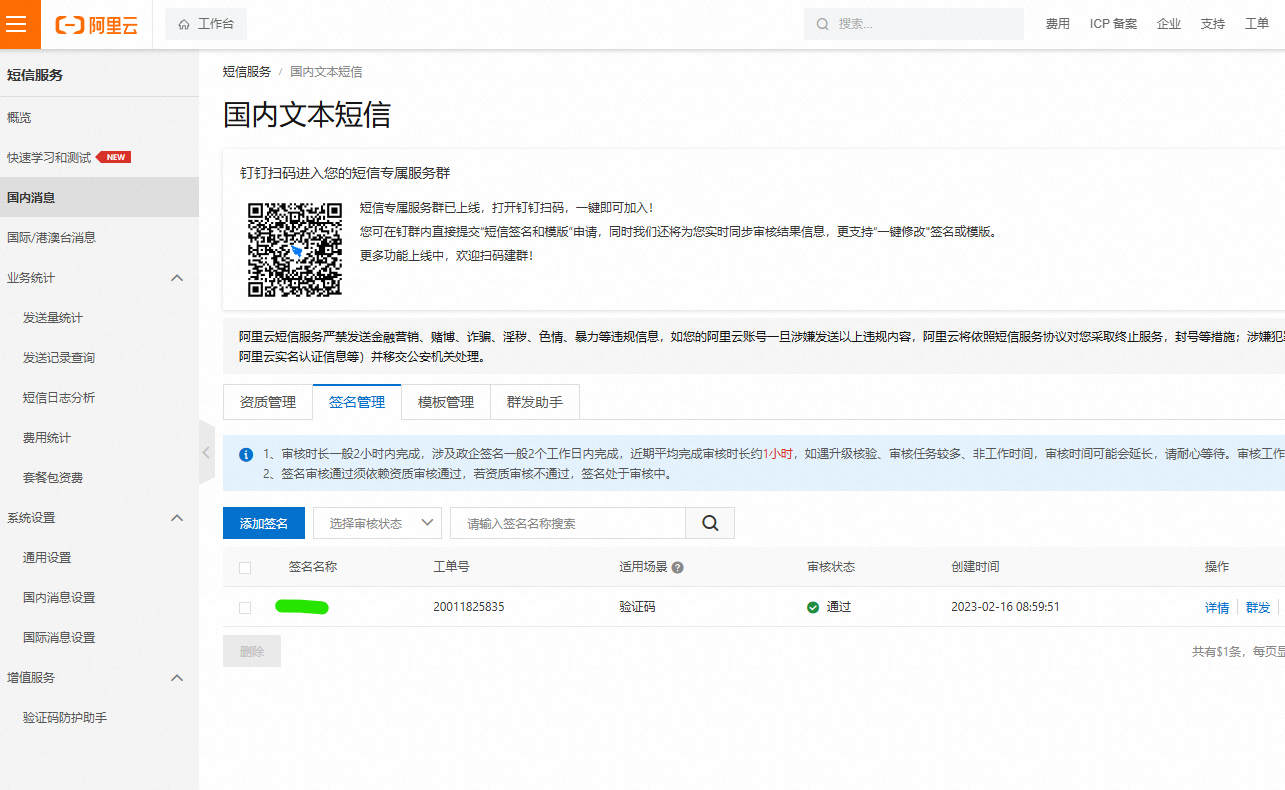
After creating the SMS template, keep the template signature for later configuration.
Use Alibaba Cloud SMS In Odoo
Enable Alibaba Cloud SMS
Go to Settings > Ohm > Mail And SMS Settings and enable Alibaba Cloud SMS.
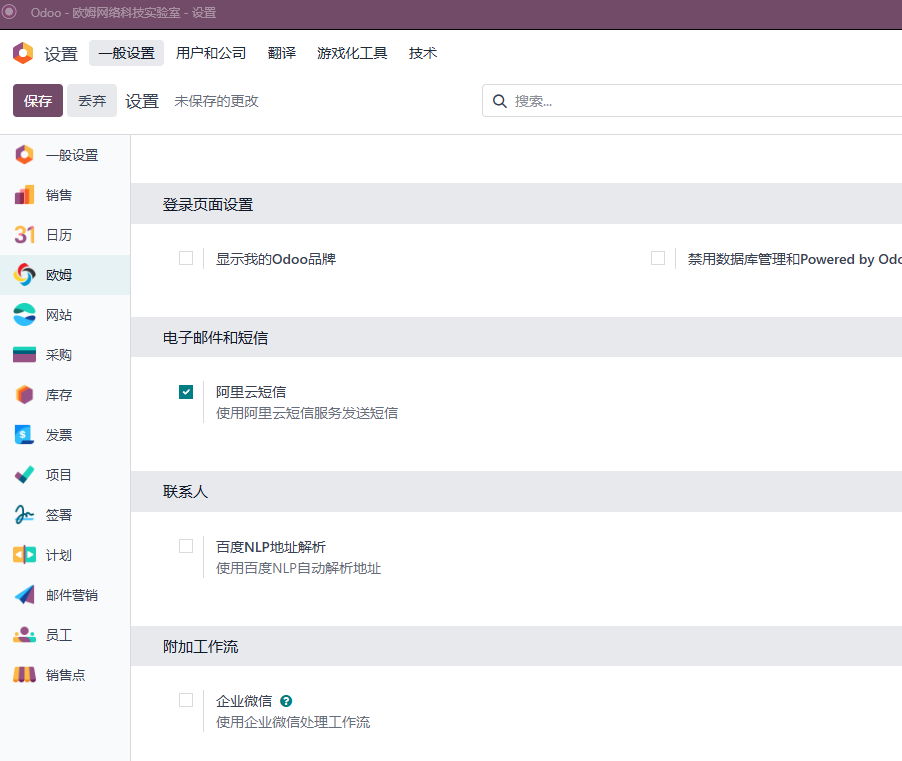
Click save to install the Alibaba Cloud SMS module.
Configure Alibaba Cloud SMS
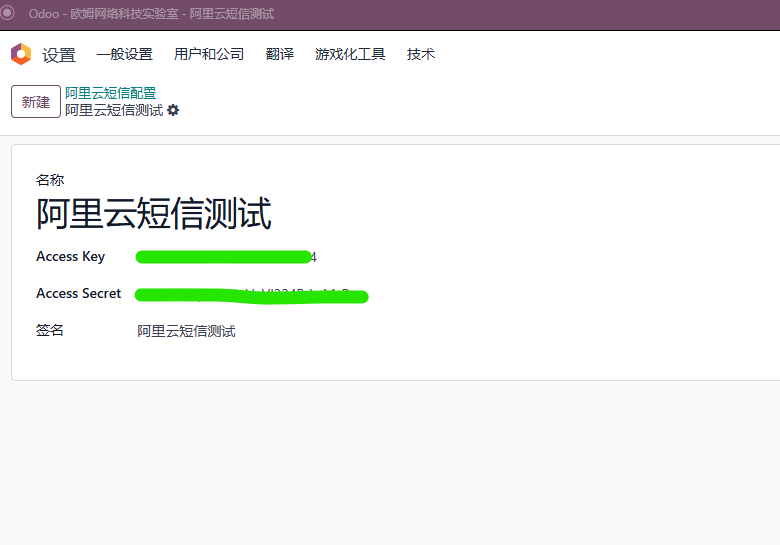
After installation, go to Settings > Technical > Alibaba Cloud SMS and add an SMS configuration.
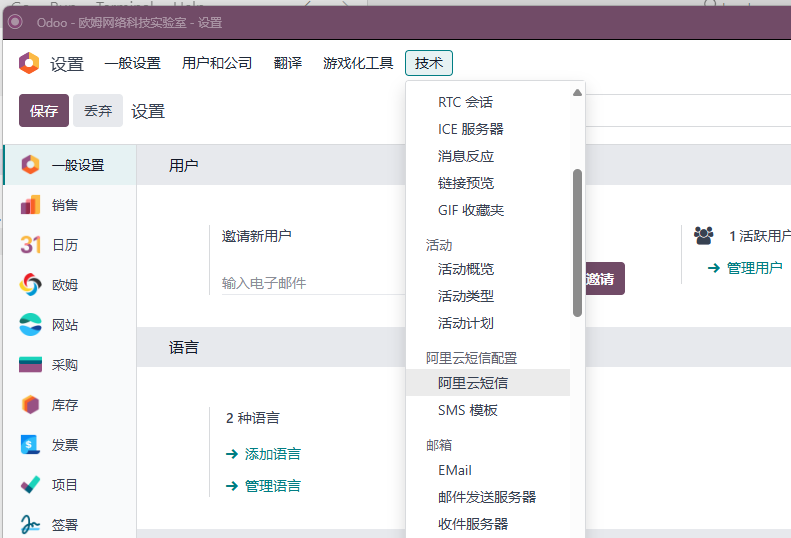
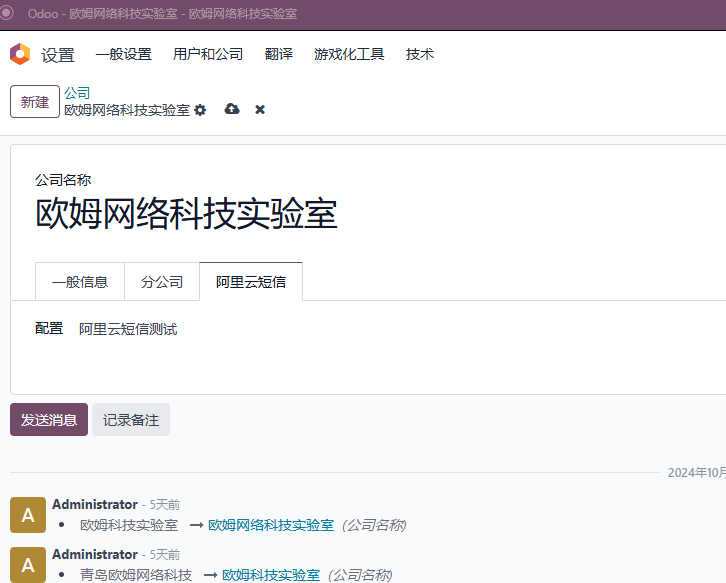
Bind SMS Configuration To Company
In company settings, bind the SMS configuration created above.
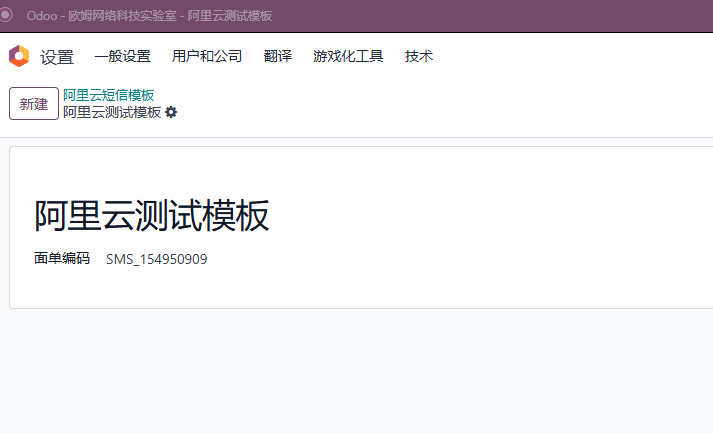
Create SMS Template In Odoo
Go to Settings > Technical > Alibaba Cloud SMS > SMS Templates and create an SMS template. This example uses an Alibaba Cloud test template.
Now the system is ready to send SMS messages.
Send A Test SMS
Go to Settings > Technical > Phone And SMS and create a new SMS message.
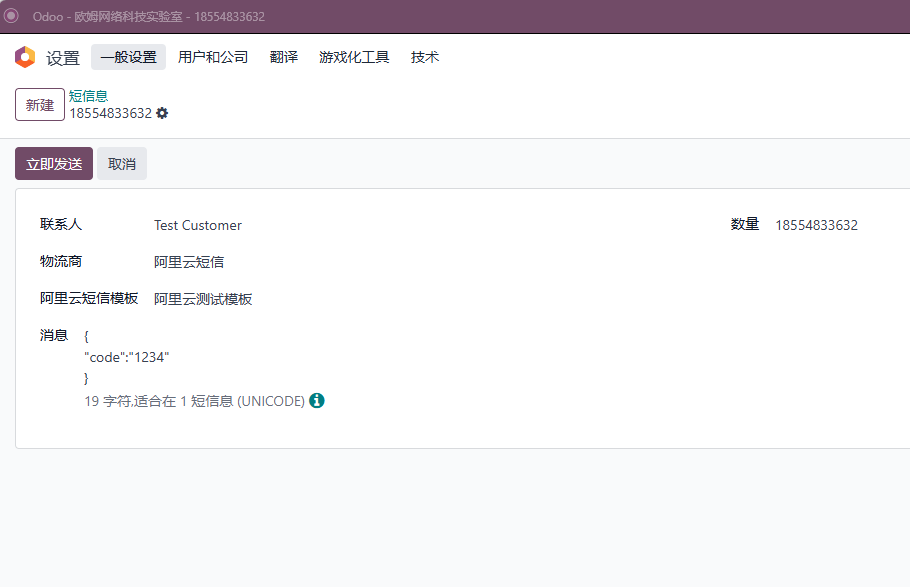
Click send. If successful, the status changes to sent.
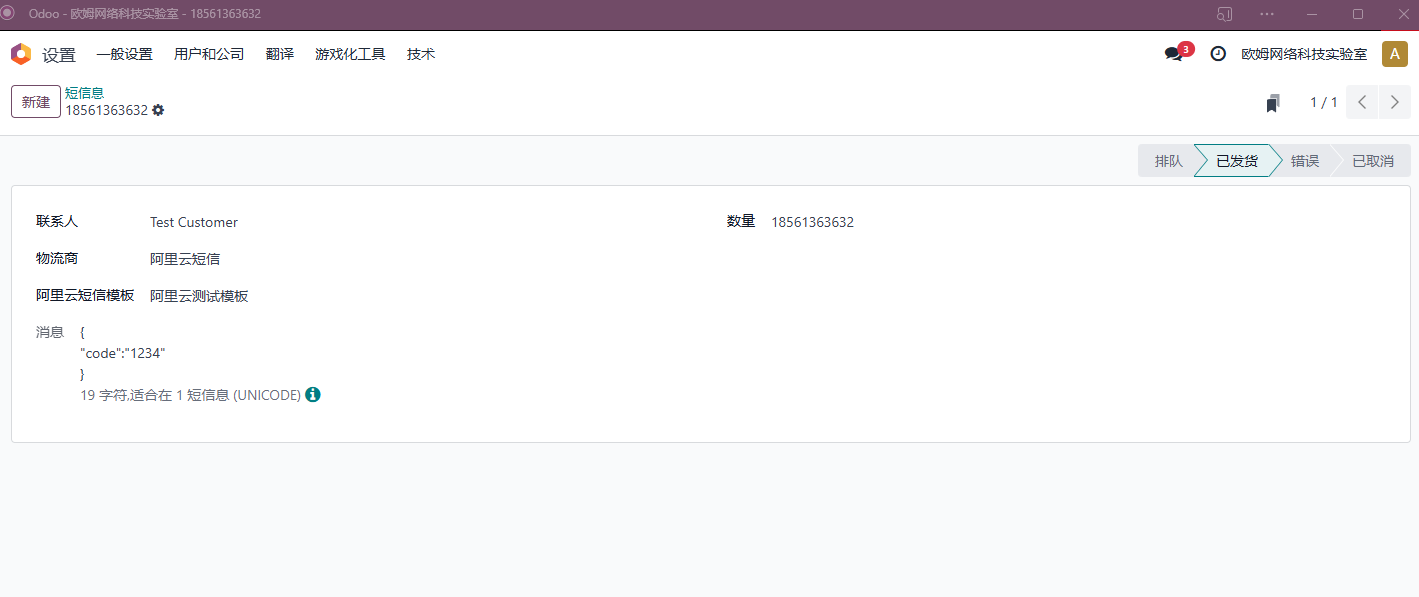
If sending fails, Odoo displays the failure reason.
This chapter introduced Alibaba Cloud SMS as a domestic SMS replacement for Odoo.