Chapter 1 General Settings
General settings are the starting point for many visible details in Odoo. A small configuration here may affect every printed quotation, invoice, delivery slip, or report in the database.
This chapter focuses on document layout and the save/discard button style.
Document Layout
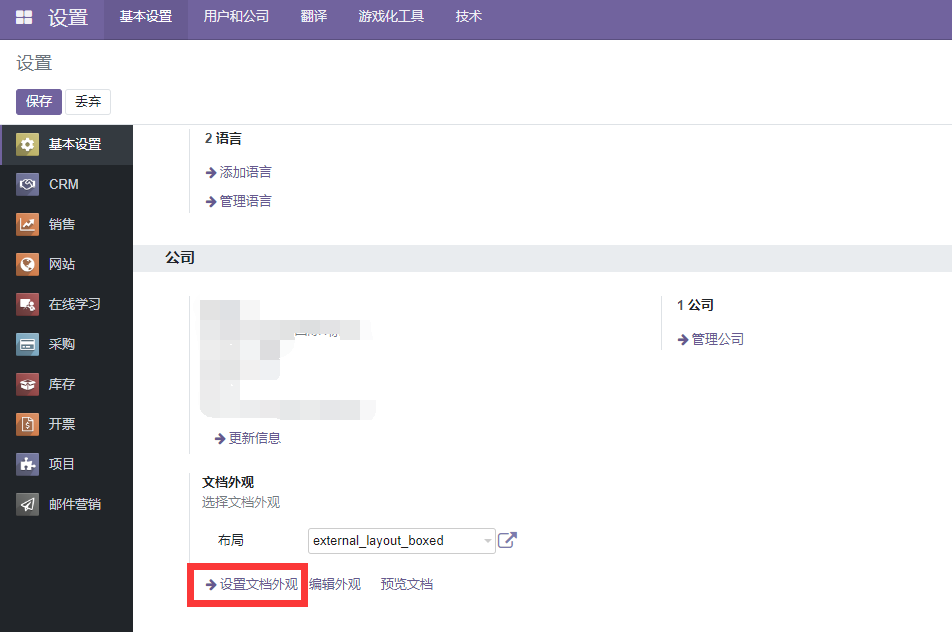
In Odoo settings, you can configure the layout of printed documents, including style, font, company slogan, logo, and related visual elements. The path is Settings > General Settings > Companies > Configure Document Layout.
After opening the configuration wizard, the page looks like this:
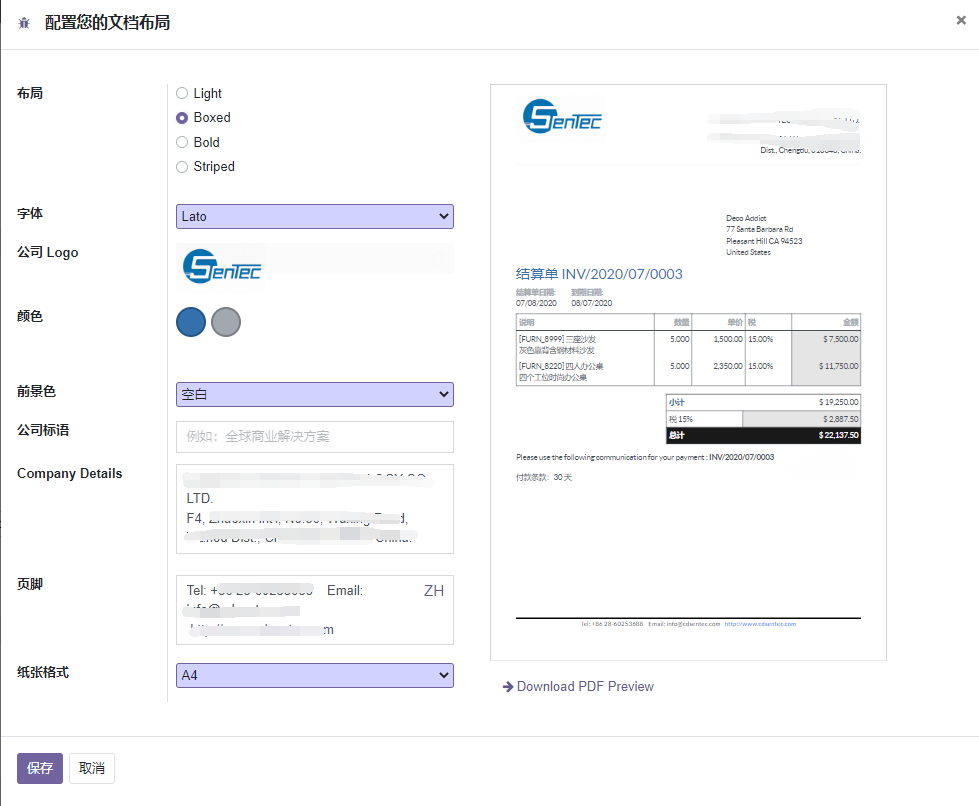
Document layout affects common business reports such as quotations, sales orders, invoices, purchase orders, and delivery documents. During implementation, this is usually one of the first areas customers notice because it appears directly on documents sent to customers and suppliers.
Technically, the document layout wizard is based on the
base.document.layoutmodel. However, because the layout model is transient, the actual values are stored on matching fields ofres.company. Therefore, when customizing document layout data, it is usually safer to extend the company model rather than relying on the transient layout model.
Traditional Save And Discard Buttons
Starting from Odoo 16, the style of the save and discard buttons changed to icon-style upload and restore buttons.
Some users prefer the older button style because it is more explicit for training and daily operation. If a project needs to restore a traditional save/discard experience, evaluate whether the requirement is only a user habit issue or a real usability need before customizing.
For most implementations, we recommend keeping native Odoo UI behavior unless the customer has a strong operational reason. This reduces future upgrade risk and keeps user training aligned with standard Odoo.
This chapter introduced general settings that affect document layout and basic user interface habits. The next chapter explains language settings and date formats.