Chapter 9 Putaway Rules
Putaway rules are the counterpart of removal strategies. Removal strategies decide which stock to take out first; putaway rules decide where incoming products should be stored.
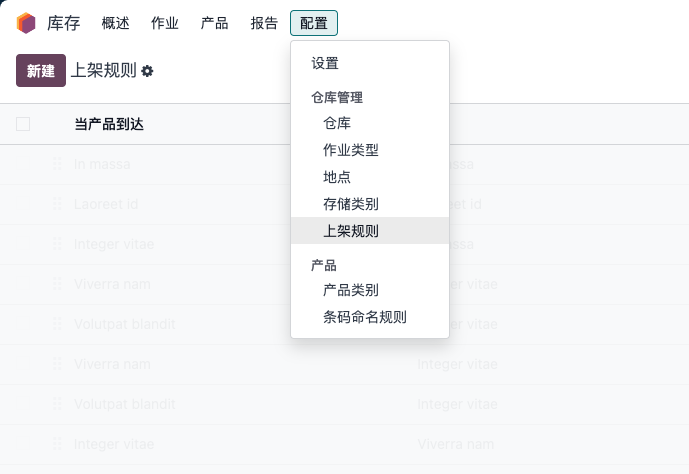
Putaway rules are managed under Inventory -> Configuration -> Warehouse Management -> Putaway Rules.
Multi-location management must be enabled before using putaway rules.
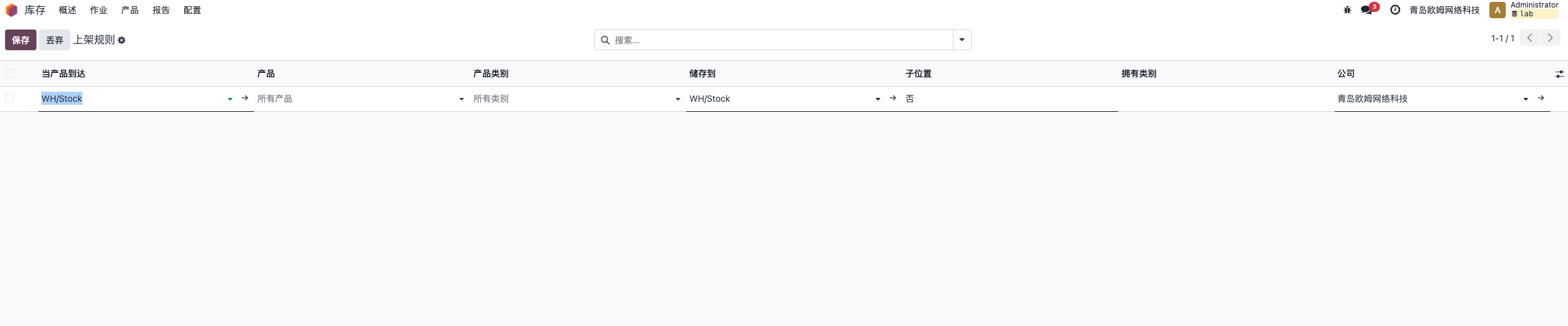
Putaway rules commonly include:
| Field | Meaning |
|---|---|
| Product | Which product this rule applies to |
| When product arrives in | The location where the product arrives, usually a parent location |
| Product category | Which category the rule applies to |
| Store to | Destination location where the product should be stored |
| Sub-location | Strategy for choosing a sub-location |
| Storage category | Storage rules based on product or quantity |
| Company | Company for multi-company environments |
The sub-location field is available in newer versions such as Odoo 18.
For example, suppose product P and two locations exist: WH/L1 and WH/L2. If products arriving in WH should be stored in WH/L2, configure:
Product: P
When product arrives in: WH
Store to: WH/L2
Priority Between Putaway Rules And Transfers
Users may encounter a confusing situation. Suppose transfer WH/INT/0002 has source location BMW Location and destination location Audi Location. The user wants to move an A4L that was wrongly placed in BMW location back to Audi location. But during availability check, Odoo still generates BMW Location as destination.
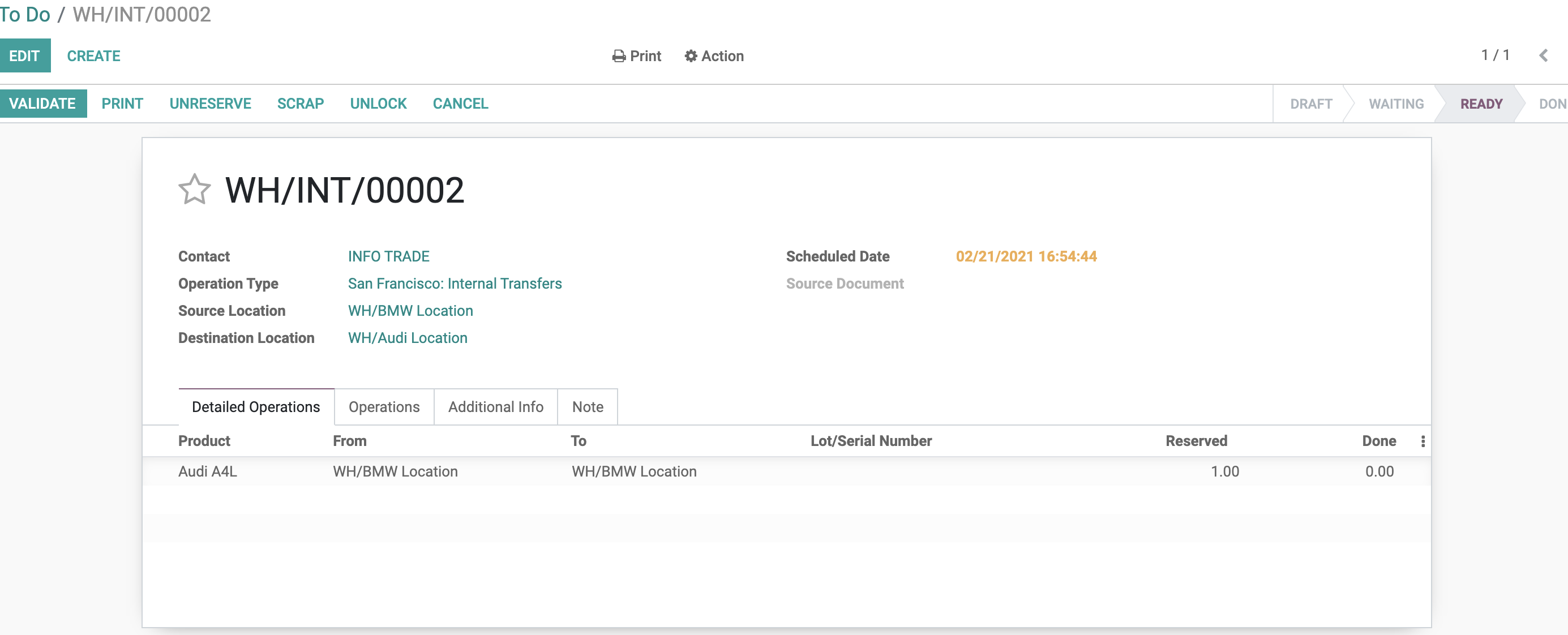
At first glance this seems wrong. The transfer clearly specified Audi Location as destination, but the detailed destination became BMW Location.
After reviewing the source logic, the reason is putaway rules. Odoo's putaway rule priority is higher than the destination location manually set on the transfer. Because an A4L putaway rule was defined for the WH warehouse, the simple destination on the transfer no longer controls the final detailed location.

This behavior is very important for consultants. If users report that Odoo "changed the destination location by itself," check putaway rules before assuming it is a bug.
Sub-Location Strategy
Sub-location strategy includes:
| Strategy | Meaning |
|---|---|
| None | Do not use sub-location strategy |
| Last Used | Use the most recently used location as target |
| Closest Location | Use the closest location among locations linked with the storage category |
Sub-location strategy and storage categories are useful for more advanced warehouse organization, especially when the warehouse has capacity rules or product families.
Implementation Advice
Putaway rules should reflect real receiving habits. Start with a small set of clear rules, such as cold-chain products to a cold area or hazardous products to a special area. Avoid creating too many rules before the receiving team is trained, because unexpected destination changes can confuse users.
This chapter explained putaway rules and their priority over transfer destination. The next chapter introduces storage categories, which can control capacity and allocation among sub-locations.