Chapter 11 Delivery Methods
Odoo can integrate carriers to estimate freight, create shipments, print labels, and track packages. Once multiple delivery methods are enabled, a natural business question appears: which carrier should we choose for this shipment?
Native carrier integration focuses on individual carriers. In Qingdao Ohm's logistics solution, carrier rate comparison is added so users can compare multiple delivery methods and choose the best option from a delivery order or sales order.
Freight Comparison
Freight comparison helps users compare different carriers by cost and service before shipment.
Enable Delivery Freight Comparison
First, enable Delivery Extension and Sales Delivery Extension in settings. The Sales Delivery Extension is used when freight comparison is needed on sales orders.
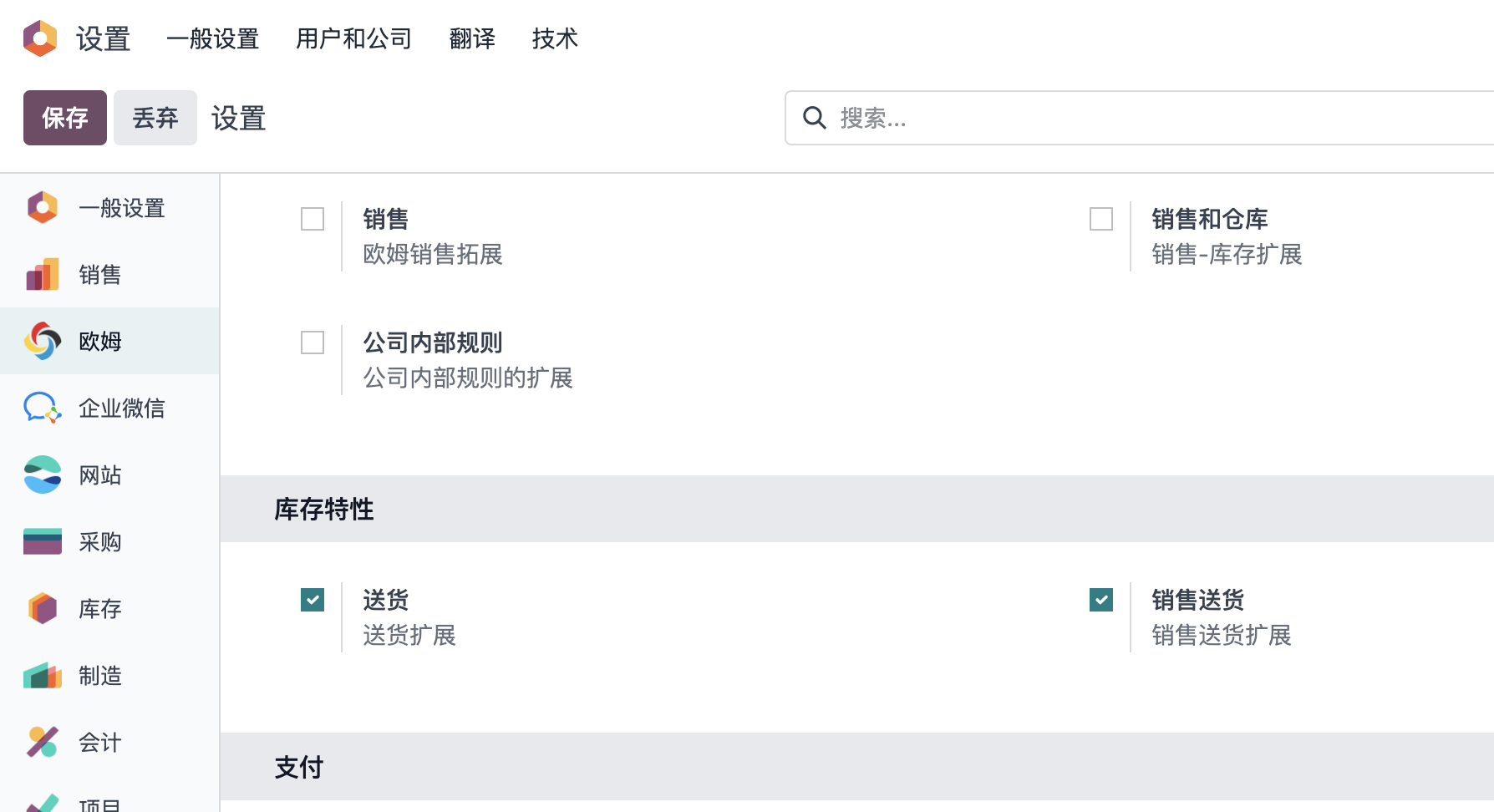
Enable User Permission
After enabling the feature, also enable the carrier comparison technical feature on the user.
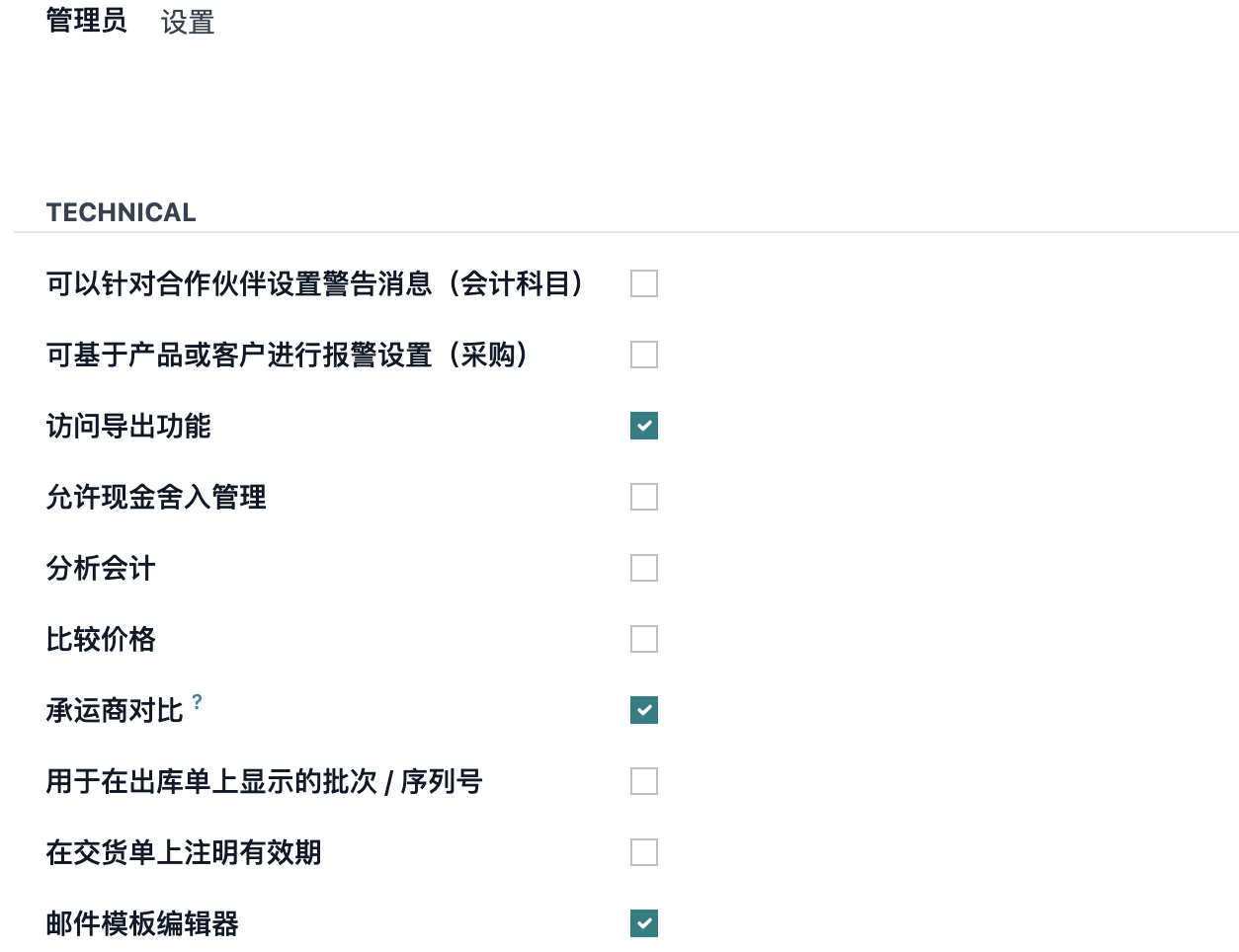
Compare Rates On Delivery Orders
After the previous steps, rate comparison can be used on delivery orders.
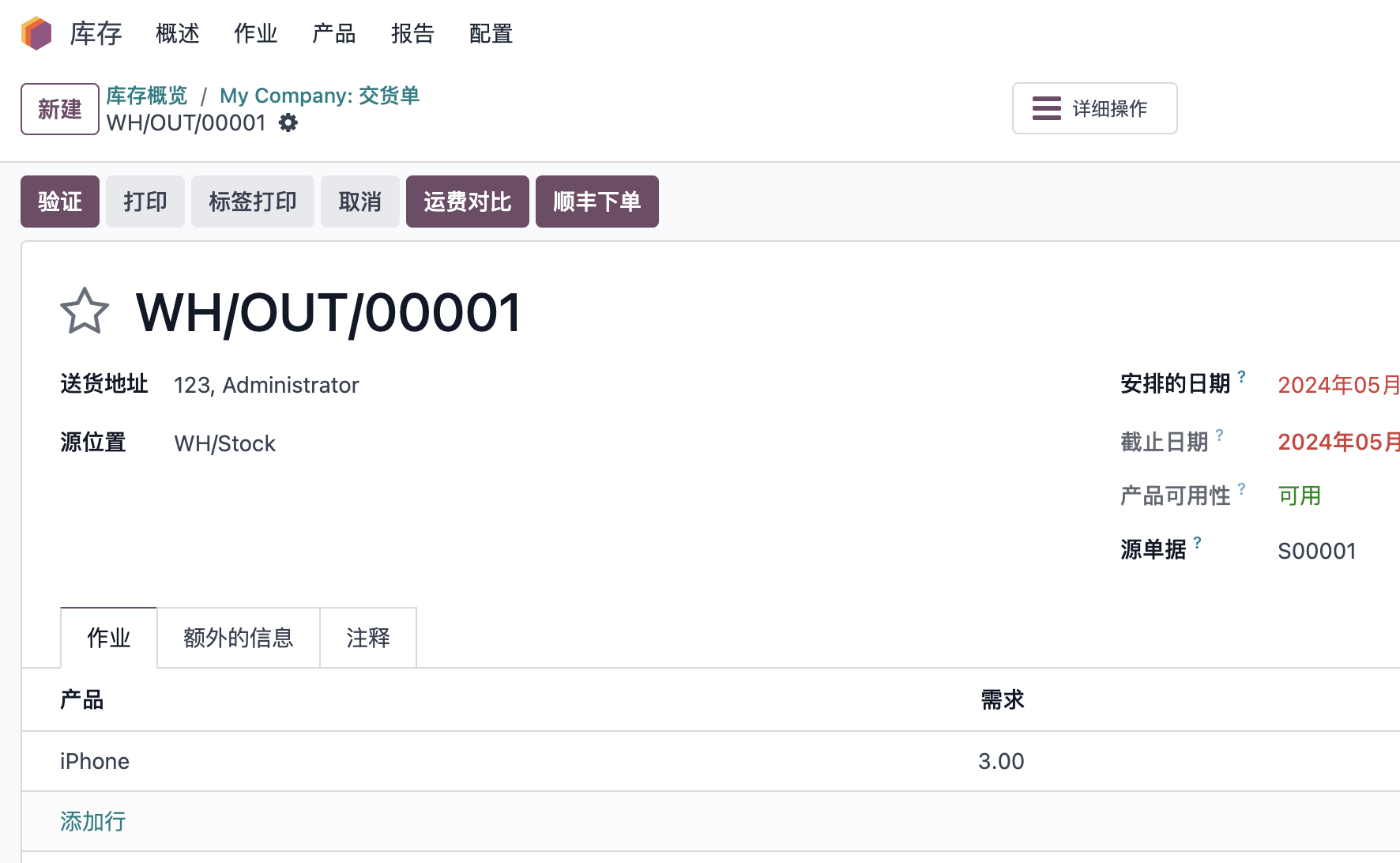
Click Freight Comparison.
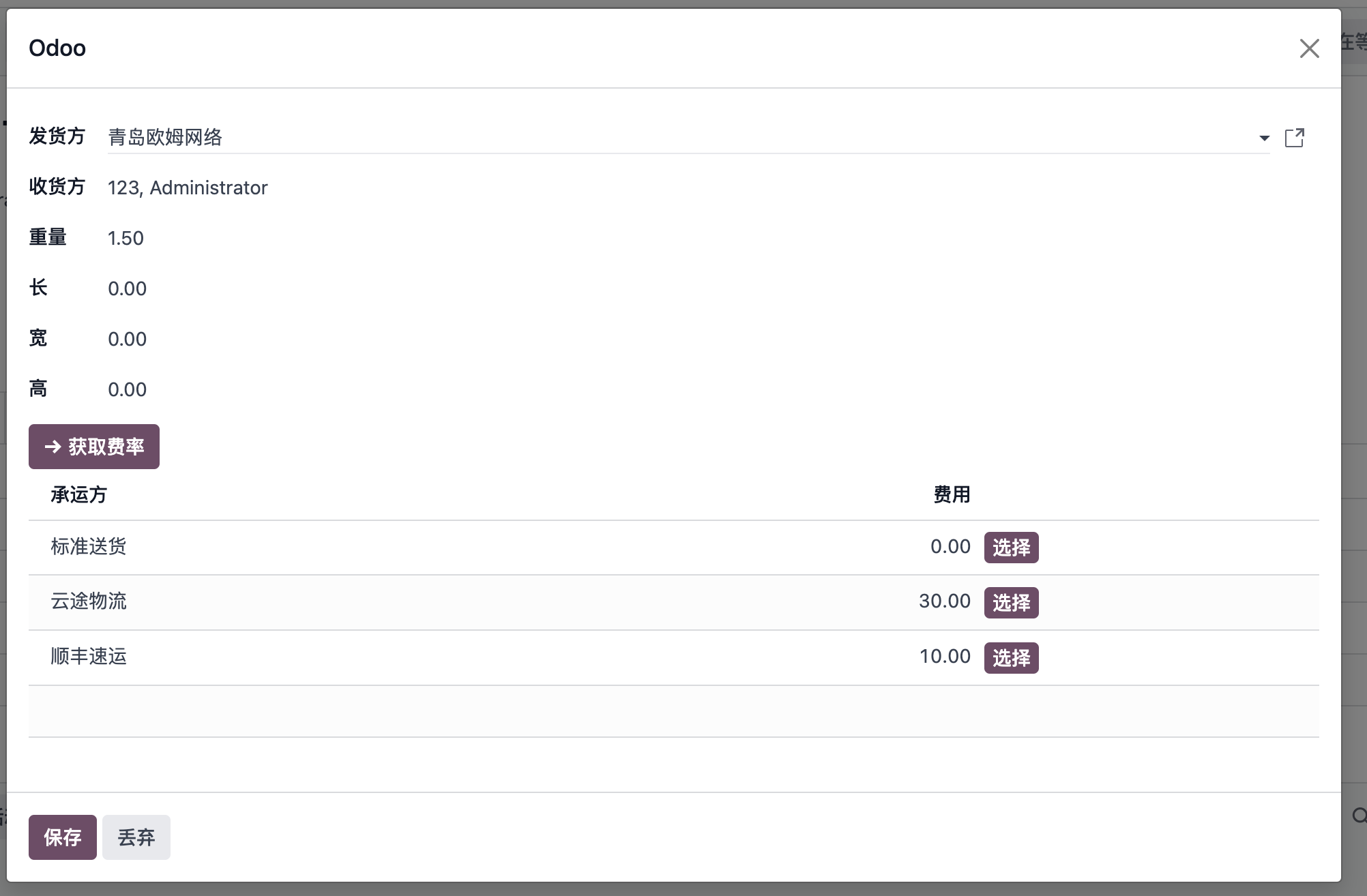
In the comparison wizard, choose sender and recipient addresses, adjust weight and volume, and click Get Rate to retrieve carrier rates.
The user can select the preferred carrier from the comparison results. The selected carrier is automatically filled back into the delivery order.
Compare Rates On Sales Orders
If users also need freight comparison on sales orders, enable Sales Delivery Extension and click Add Shipping on the sales order.
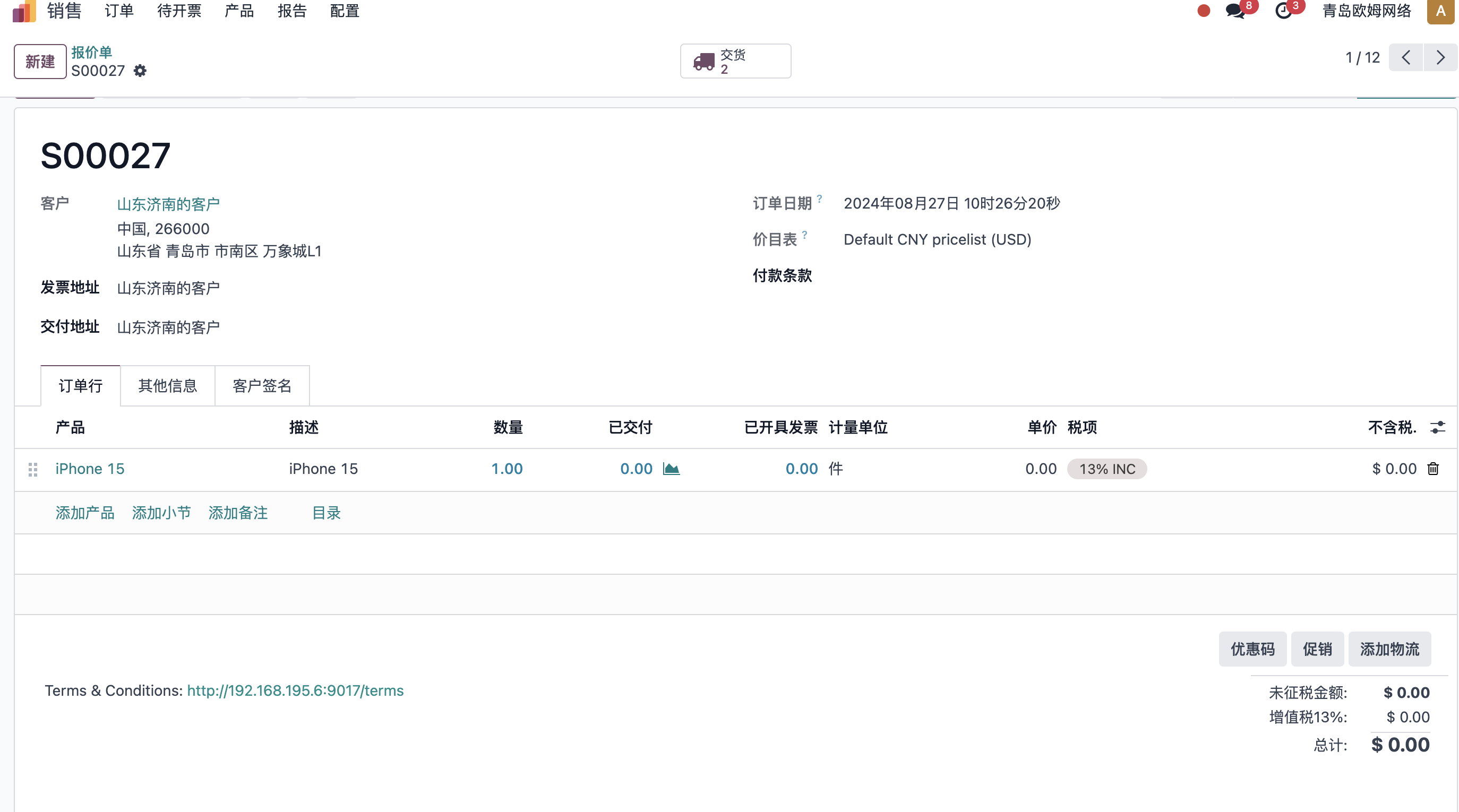
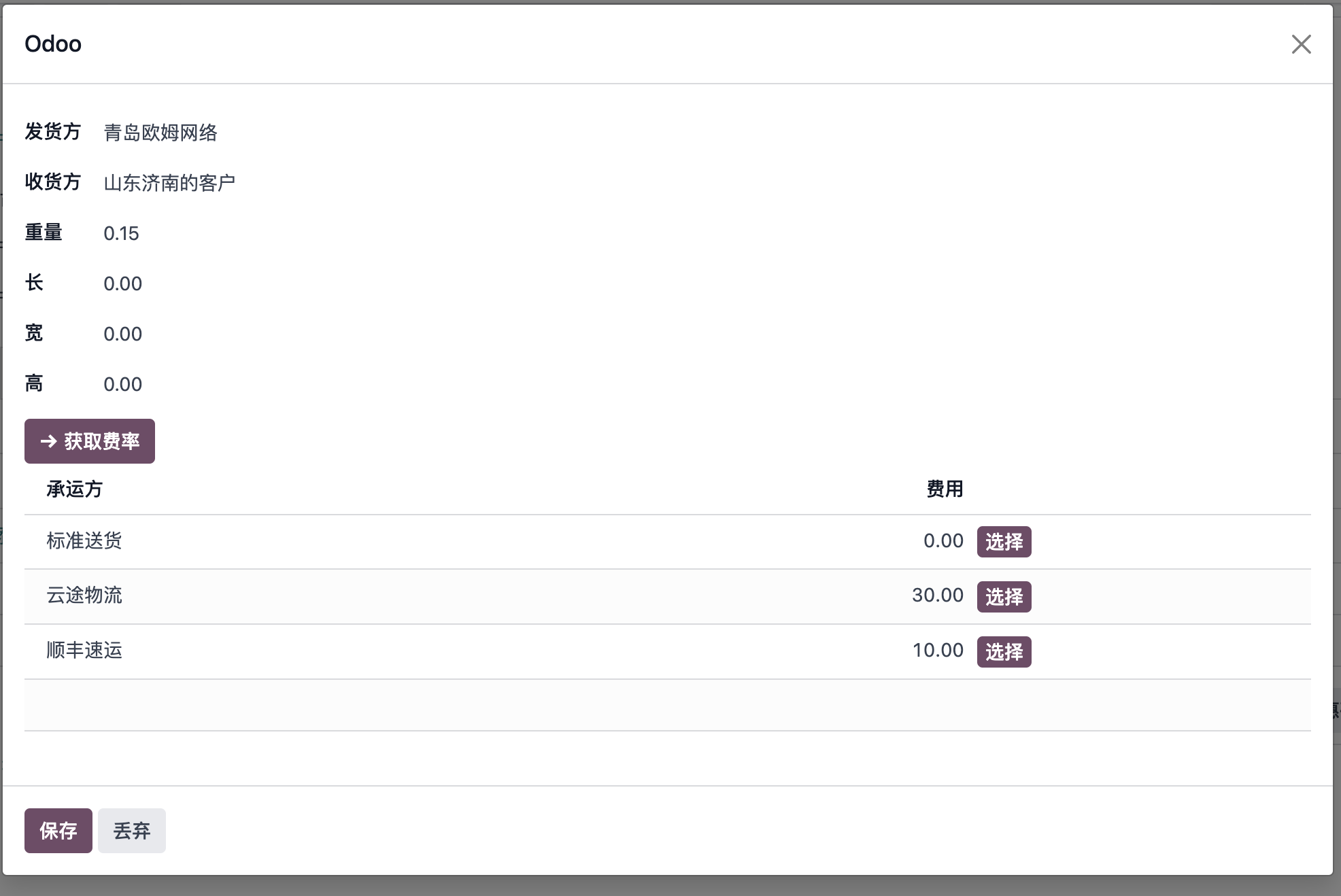
The comparison behavior is almost the same as on delivery orders. After selecting the desired shipping method, Odoo fills it into the sales order.
FAQ
The returned rate is -1
-1 usually means an exception happened during rate retrieval. Check backend logs for details. Common causes include weight being zero, weight being less than the carrier minimum, or a carrier requiring weight greater than 1 kg.
Validation error says the sales line is missing description
Do not archive or delete the built-in product named Delivery Comparison Product. The comparison module may need it to create the required delivery line.
Implementation Advice
Carrier comparison is useful when shipping cost changes frequently or when different carriers perform better for different routes, weights, or service levels. Start by integrating stable carriers first, then add comparison after the basic carrier flow is reliable.
This chapter explained delivery method comparison. The next chapter explains inventory cost valuation, including standard price, average cost, and FIFO.