Chapter 2 eCommerce
Odoo eCommerce connects the public website, product catalog, sales orders, payments, invoices, and customer communication into one workflow. When a customer places an order online, Odoo can create the sales order, confirm payment, send emails, and prepare downstream operations such as delivery and invoicing.
In real projects, the website may represent only one brand, or it may be part of a multi-company and multi-website database. This chapter focuses on several practical eCommerce settings that often matter after the storefront is already running: order confirmation templates, invoice email templates, and website form messages.
Order Confirmation Email Template
After a customer places an order in the online store, Odoo sends an order confirmation email according to the default confirmation template configured by sale.default_confirmation_template.
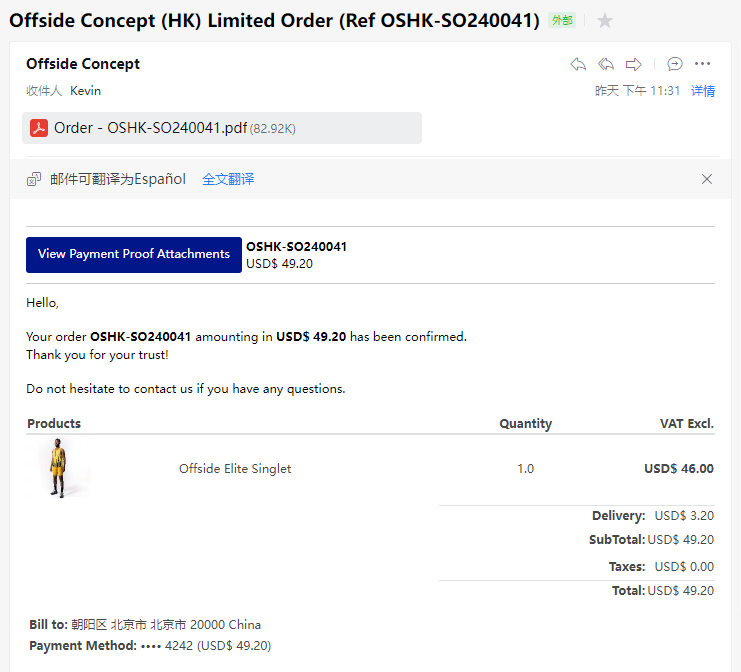
In Odoo 17, a practical limitation is that this order confirmation template does not have a convenient company-specific setting similar to the invoice template setting described below. This can be inconvenient in multi-company environments because each company or website may need its own confirmation email style, subject, signature, and domain information.
Our Ohm Website Sale Solution mommy_website_sale adds this option. Users can define different order confirmation templates for different companies.
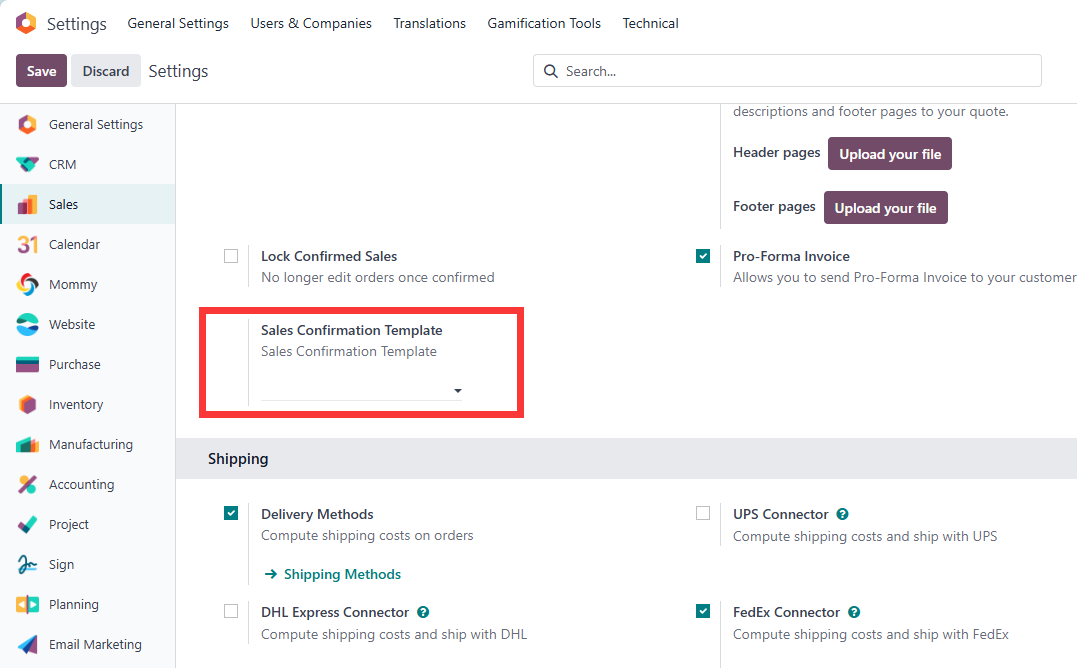
After saving the configuration, each company can use its own email template when sending website order confirmations. This avoids situations where the customer buys from one brand but receives an email that looks like it came from another website.
Invoice Template
After the customer completes checkout and payment, Odoo can automatically send an invoice to the email address registered by the customer. The setting is available under Settings > Invoicing > Automatic Invoicing.
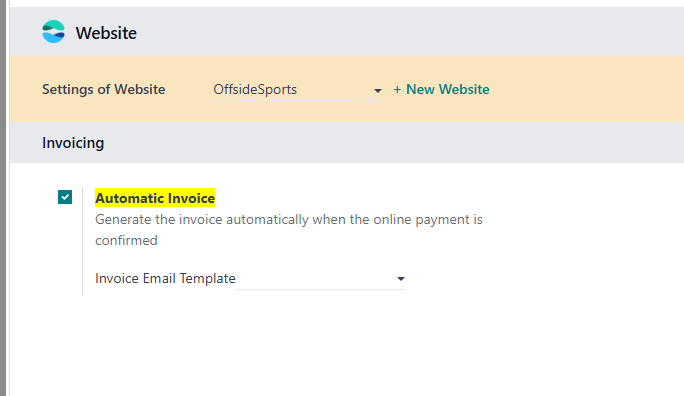
Automatic invoicing is useful when the eCommerce business requires fast post-payment document delivery. It also helps reduce manual work for finance users, especially for high-volume online orders.
Multi-Company Invoice Email Templates
When one database contains multiple websites, email template control becomes more important. Native email templates are not always enough for every multi-company branding requirement. If the second website uses a different domain, title, logo, and customer communication style, customers may still receive the first website's invoice template, which feels unprofessional.
Our Ohm Website Sale Solution mommy_website_sale adds support for multi-company invoice templates. After installing the module, different companies can use different invoice email templates. This is especially useful for group companies, multi-brand operations, and databases that host several storefronts.
Customer Messages
Odoo Website can use forms to collect customer messages, inquiries, registration information, and service requests.
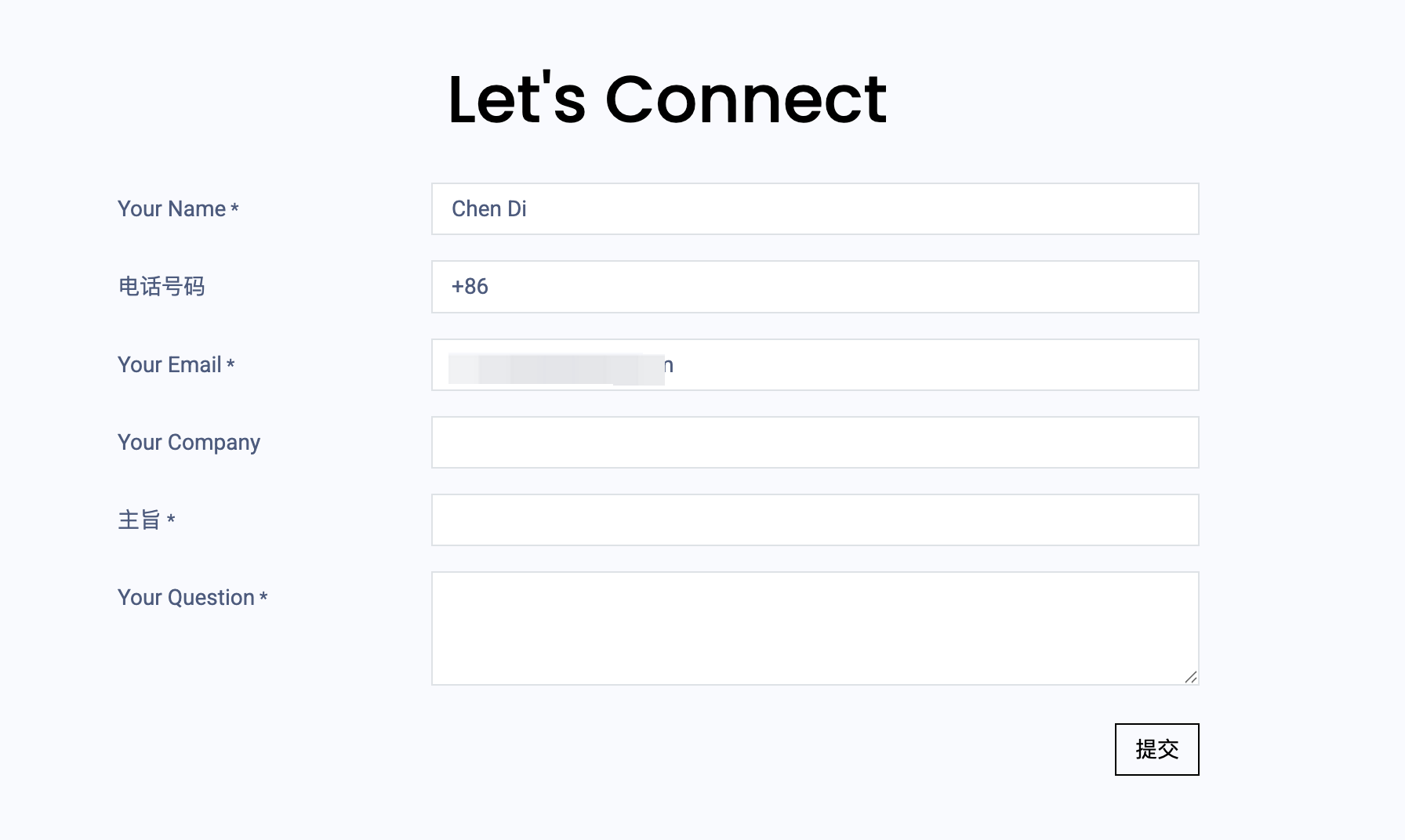
When adding form fields, pay attention to the email field type. If the selected field type is email, the value must be a valid email address. Do not keep the default placeholder value, otherwise Odoo may raise the following error:
invalid website_form_signature
This usually means the submitted form values do not match the expected signed form structure. In implementation, always test public website forms as a real visitor after editing fields, especially when fields are added, removed, renamed, or changed to another type.
This chapter covered several practical eCommerce settings around order confirmation, invoice emails, and customer message forms. The next chapter explains access tokens, which are the mechanism Odoo uses when documents need to be safely shared through portal links.