Chapter 4 Mailing Lists
Mailing lists allow website visitors to subscribe to company news, campaigns, product updates, or other communication channels. In Odoo, the website subscription component is connected with the Email Marketing application, so subscribers collected from the website can become part of a mailing list used for future campaigns.
This chapter is based on Odoo 17 behavior and explains the common website subscription setup.
Email Subscription On The Website
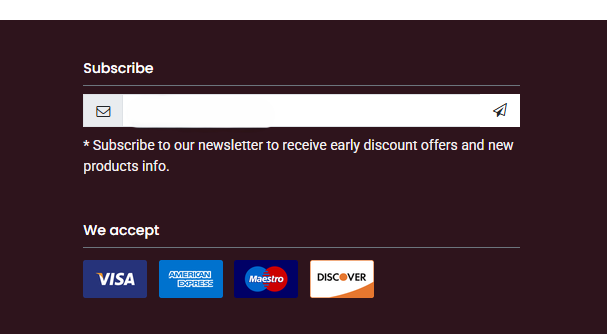
When visitors browse the website, they can subscribe to a mailing list through a subscription block. In the website editor, add the mailing list component to the page.
After users subscribe to a mailing channel, you can configure a thank-you button or message so the visitor knows the subscription has been received.
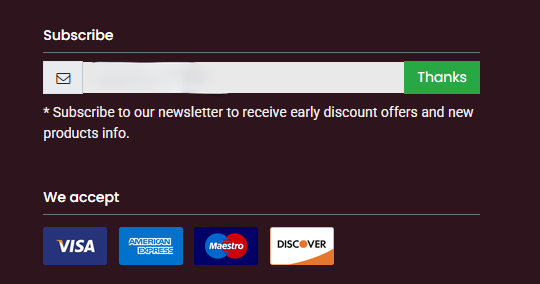
This small feedback message matters. Without it, users may click repeatedly or wonder whether the subscription worked.
Custom Mailing Lists
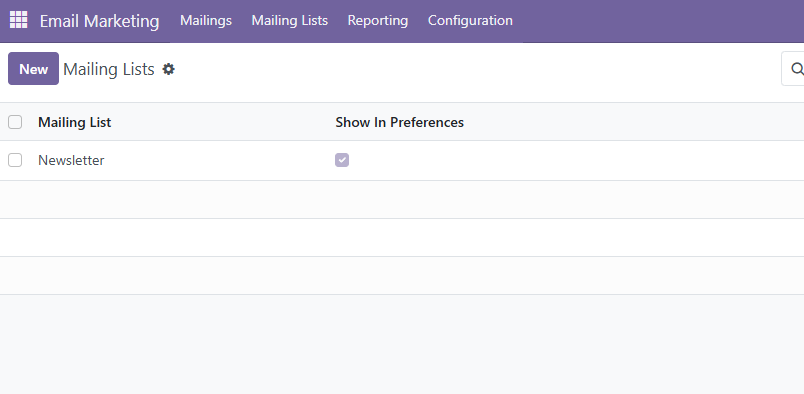
By default, the website may not already contain the exact mailing list you want to use. To create your own list, go to the Email Marketing application in the backend and create a mailing list. Make sure the list is set as public if it should be available from the website subscription component.
Then return to the website editor, select the subscription component, and choose the mailing list that visitors should subscribe to.
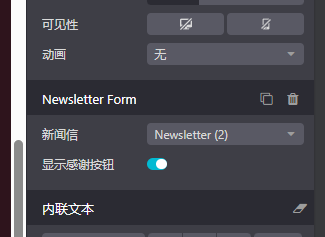
After this configuration, website visitors who submit the subscription form will be added to the selected list.
Implementation Suggestions
For a production website, do not treat mailing list subscription as only a page decoration. It should be connected with a real communication plan.
| Topic | Suggestion |
|---|---|
| List naming | Use clear list names, such as Product Updates, Monthly Newsletter, or Wholesale Customers. |
| Consent | Make the subscription purpose clear to visitors. |
| Segmentation | Keep different audiences in different lists when future campaigns need different content. |
| Testing | Subscribe with a test email and confirm the contact appears in the expected list. |
| Branding | Ensure confirmation messages and campaign templates match the website brand. |
This chapter introduced the website mailing list subscription flow and how to connect a website block to a backend mailing list. The next chapter returns to sales portal behavior and explains when customers can sign quotations or sales orders online.