Chapter 1 Sales Management Overview
Odoo's native Sales app manages the complete flow from customer quotation to sales order, delivery, invoicing, and payment. It is not an isolated order table. It is one of the central modules that connects CRM, contacts, products, pricelists, inventory, accounting, website, rental, and project services.
When a company implements Odoo sales management, the most important step is not to copy the old order screen into Odoo. The first step is to understand Odoo's standard sales chain: what is still a quotation, what becomes a sales order, when inventory is triggered, when an invoice can be created, and where price, tax, payment terms, and delivery commitments are decided. This chapter establishes the overall framework before later chapters expand each area.
Standard Sales Flow
The Odoo sales flow can be summarized as:
Customer / Opportunity -> Quotation -> Customer Confirmation -> Sales Order -> Delivery -> Invoice -> Payment -> After-Sales
Different companies may use different variants of this flow.
| Company Type | Typical Flow |
|---|---|
| Trading company | Quotation -> Confirm order -> Purchase or reserve stock -> Delivery -> Invoice and payment |
| Service company | Opportunity -> Quotation -> Project or timesheets -> Milestone invoicing -> Payment |
| Export company | Quotation -> Pro-forma invoice -> Deposit -> Delivery -> Balance invoice |
| Retail store | POS direct sale, sometimes linked with sales orders |
| Rental business | Rental order -> Pick up -> Return -> Invoice |
| Custom manufacturing | Quotation -> Confirm order -> Manufacture or purchase -> Delivery -> Invoice |
The strength of Odoo is that these flows are not isolated. Once a sales order is confirmed, Odoo can automatically generate deliveries, purchases, manufacturing orders, project tasks, or invoices depending on the products and configuration.
How Sales Connects With Other Apps
Sales is usually implemented together with other Odoo apps.
| Related App | Relationship With Sales |
|---|---|
| Contacts | Customers, invoice addresses, delivery addresses, contact persons |
| CRM | Convert opportunities to quotations and analyze pipeline performance |
| Products | Define sellable items, prices, taxes, invoicing policy, and fulfillment behavior |
| Inventory | Generate delivery orders after sales order confirmation and affect available stock |
| Accounting | Create customer invoices, register payments, and manage receivables |
| Website / Portal | Let customers view, sign, pay, and download documents online |
| Project / Timesheets | Sell services, then invoice by time or milestone |
| Purchase / Manufacturing | Buy or manufacture on demand, or replenish stock |
| Rental | Extend sales orders with pickup and return flows |
So a sales implementation should not only ask, "Which fields does sales need?" It should also ask how the warehouse ships, how finance invoices, how customers confirm, and how products are priced.
Quotations And Sales Orders
A quotation is a sales proposal that has not yet been accepted by the customer. After the customer accepts it, the quotation is confirmed as a sales order.
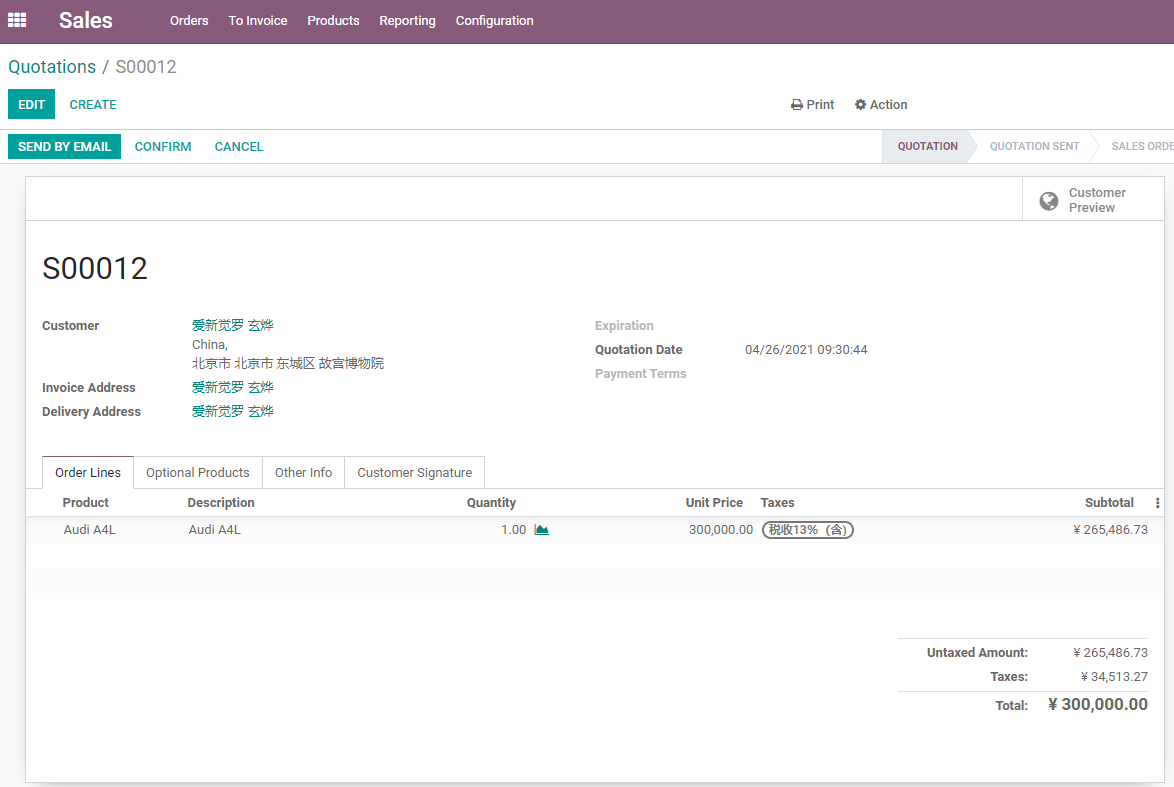
The screen below shows a typical quotation. The transaction has not been formally confirmed yet, so the header still shows actions such as Send by Email, Confirm, and Cancel.
| Stage | Business Meaning | System Impact |
|---|---|---|
| Quotation | A price and condition proposal for the customer | Can be edited, sent, and assigned an expiration date |
| Quotation sent | Already sent and waiting for customer confirmation | Can be followed up, signed online, or paid online |
| Sales order | Customer has confirmed the transaction | Triggers delivery, invoicing, purchase, manufacturing, or project work |
| Cancelled | Deal is cancelled | Related downstream documents must be handled carefully |
| Locked / Done | Order should no longer be edited casually | Useful for archiving or completion control |
Technically, quotations and sales orders are usually the same business object in different states. For business users, the key point is this: once the order is confirmed, Odoo begins to create downstream business actions.
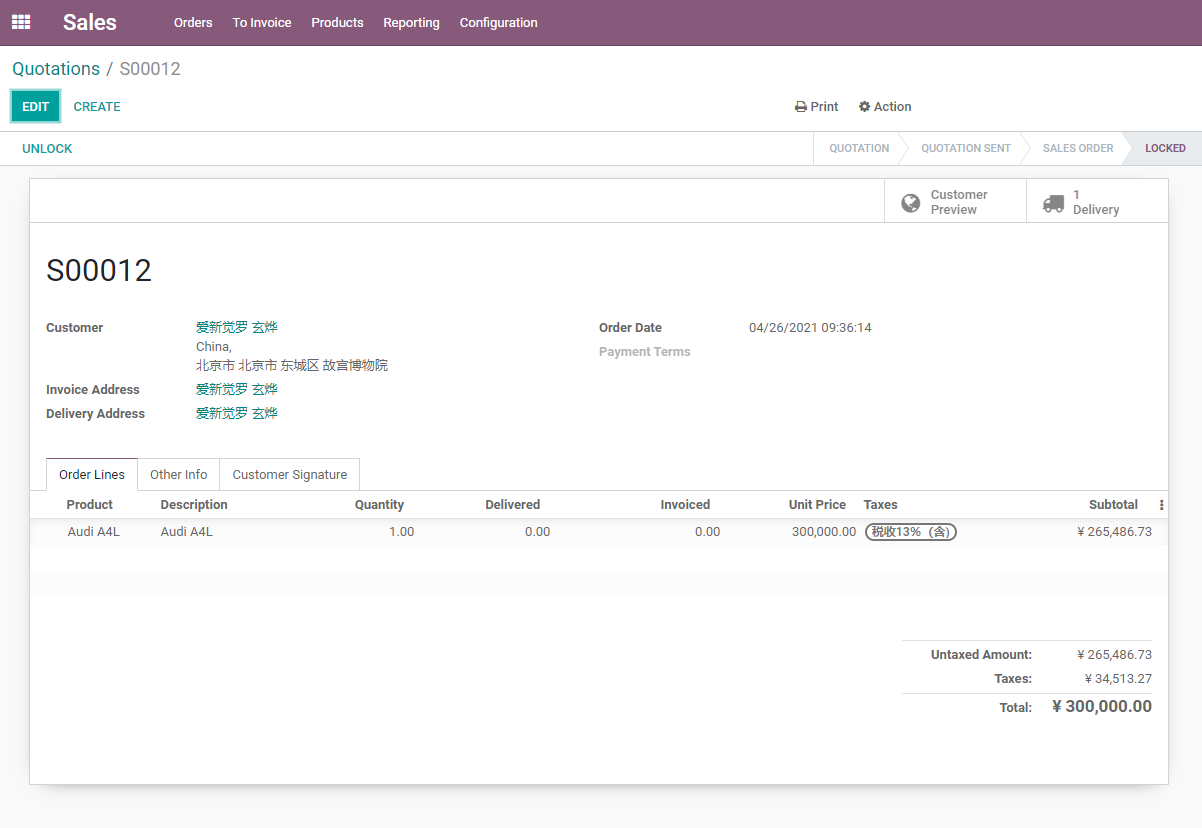
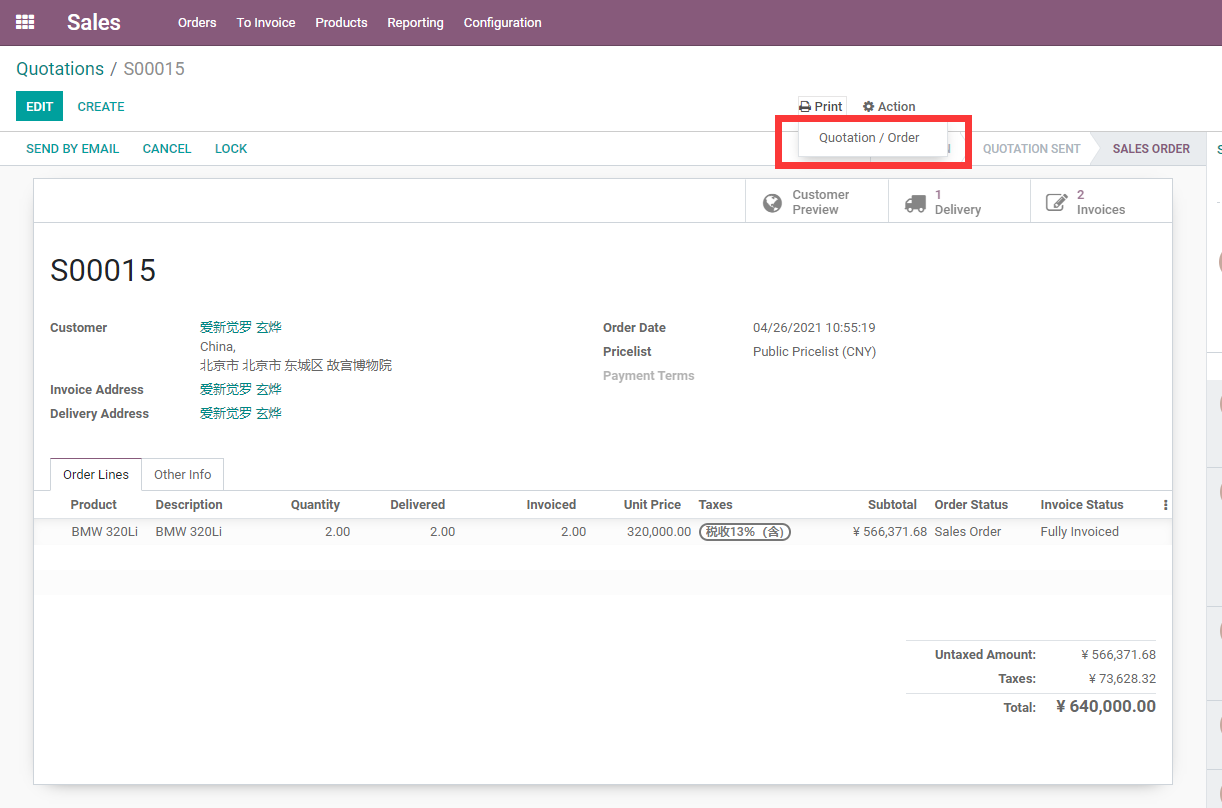
After confirmation, the sales order shows smart buttons such as Delivery and Customer Preview. Order lines also show fulfillment fields such as delivered quantity and invoiced quantity.
Sales Settings To Review First
Go to Sales -> Configuration -> Settings. Common settings include:
| Setting | Purpose |
|---|---|
| Quotation templates | Quickly generate standard quotation content |
| Online signature | Let customers sign and accept quotations in the portal |
| Online payment | Confirm orders after customer payment |
| Quotation expiration | Control default quotation validity |
| Pricelists | Enable customer-level pricing, multi-currency, or promotional pricing |
| Discounts | Show the discount field on order lines |
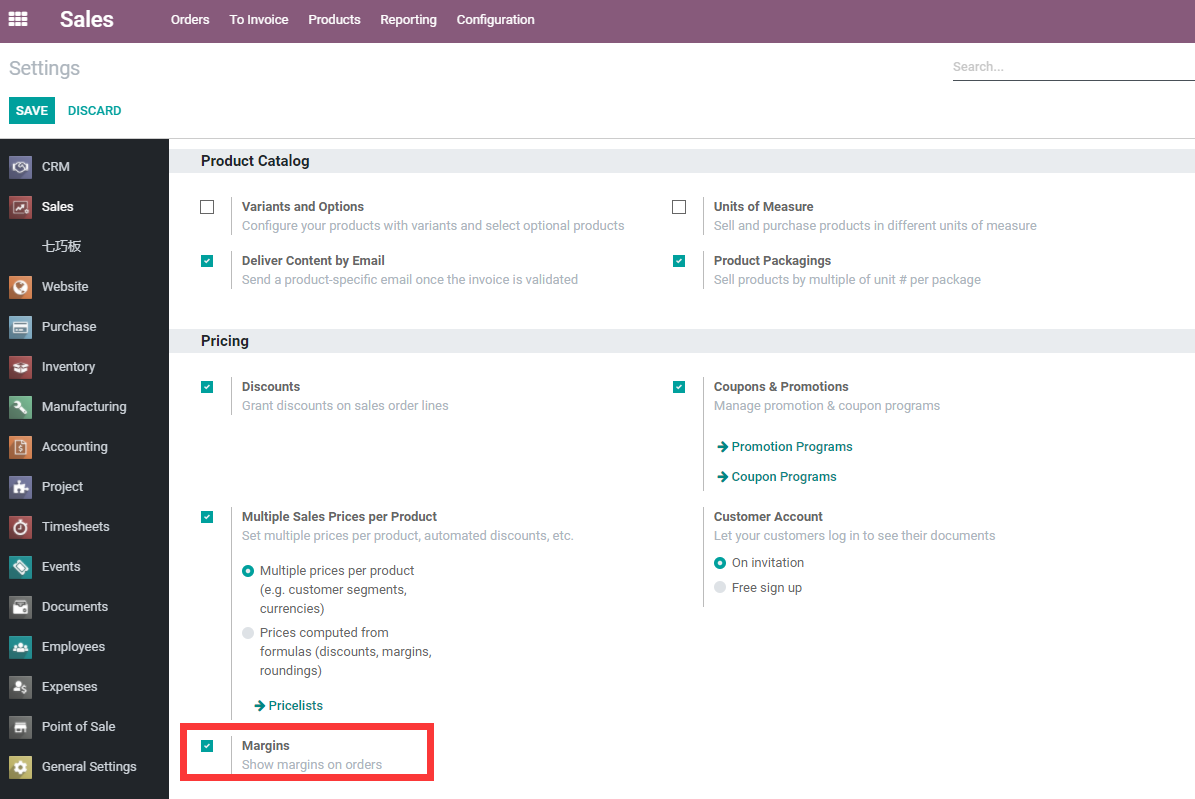
| Margins | Show cost and margin on sales orders |
| Customer addresses | Manage customer, invoice, and delivery addresses separately |
| Invoicing policy | Invoice ordered quantities or delivered quantities |
| Sales warnings | Show warnings on selected customers or products |
Do not enable every switch at the beginning. For the first phase, enable only the settings required for quotations, products, pricing, delivery, and invoicing. After the process becomes stable, gradually enable online signatures, online payments, quotation templates, and complex pricelists.
Customer Addresses
A customer may have multiple addresses: headquarters, invoice address, delivery address, and contact address. A sales order commonly uses three roles:
| Address | Purpose |
|---|---|
| Customer | The customer that owns the sales order |
| Invoice address | The billing party, tax information, and receivable relationship |
| Delivery address | The address used by warehouse and logistics |
Many customers initially put all address information into one contact. That may work for very small usage, but once a group customer has multiple branches, warehouses, or billing entities, Odoo contact hierarchy and address types should be used.
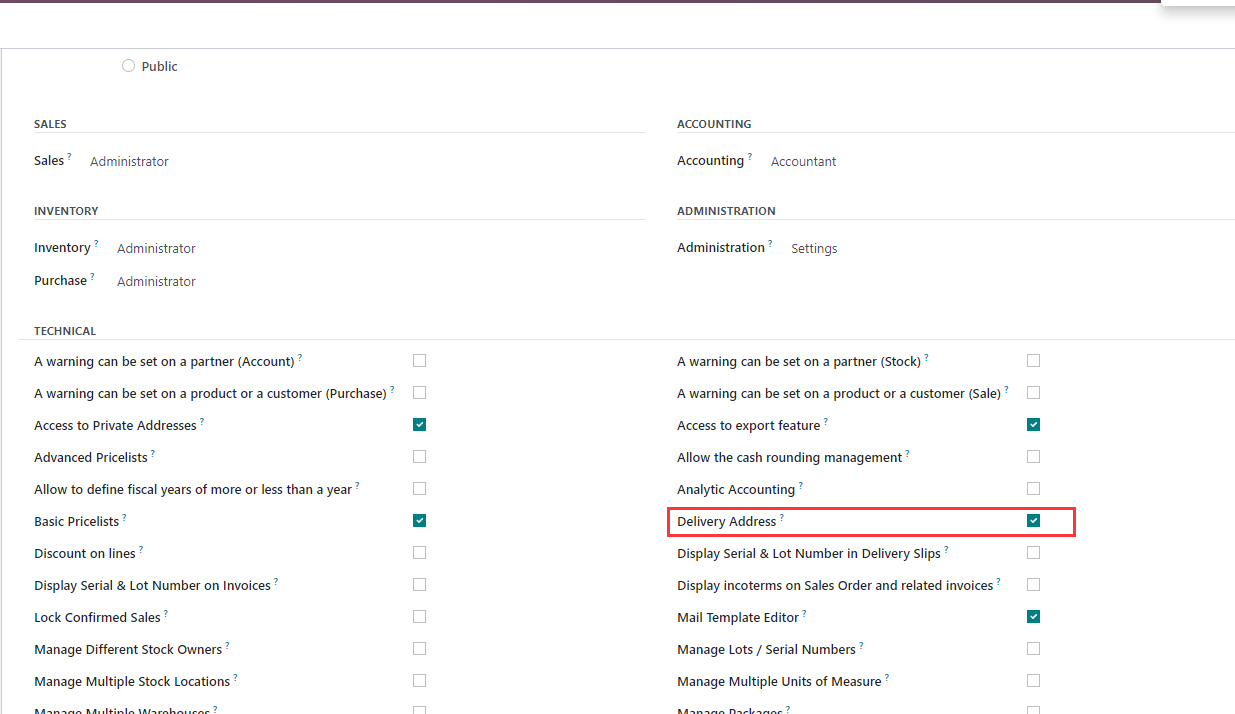
After the required sales setting or user permission is enabled, a sales order can show separate invoice and delivery addresses.
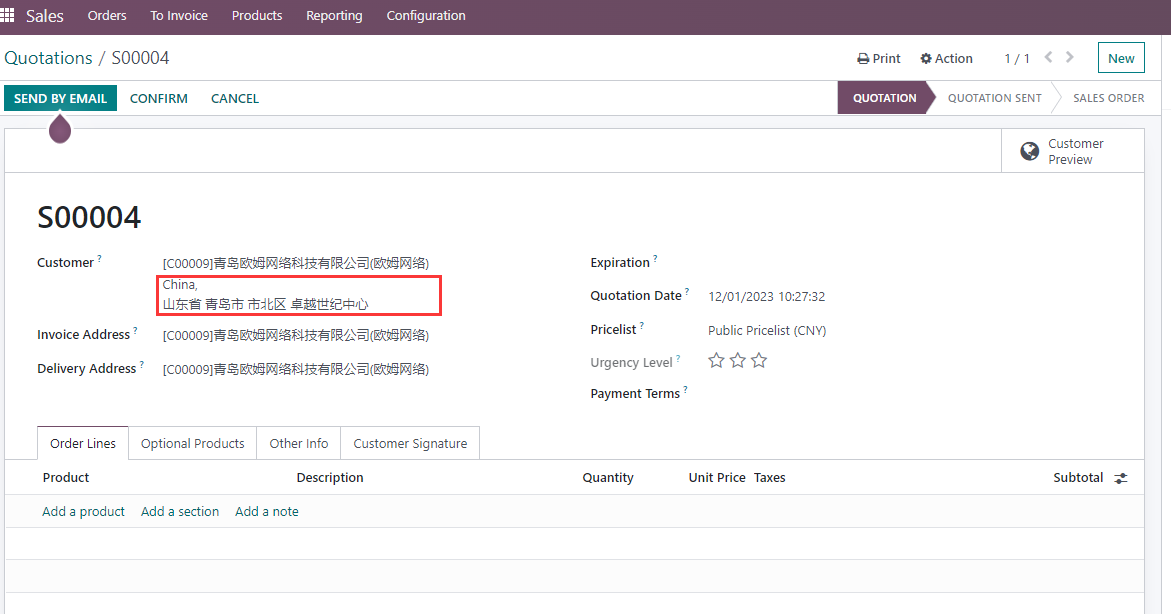
If salespeople or warehouse users need the full address directly on the order, an implementation enhancement can display the complete address on the form and reduce repeated clicks into the contact record.
Delivery Commitment And Lead Time
A sales order records not only what the customer buys, but also when the company promises to deliver.
| Concept | Meaning |
|---|---|
| Sales lead time | Time needed from order to delivery readiness |
| Commitment date | The date promised by sales to the customer |
| Expected date | The date calculated by Odoo according to lead time and route strategy |
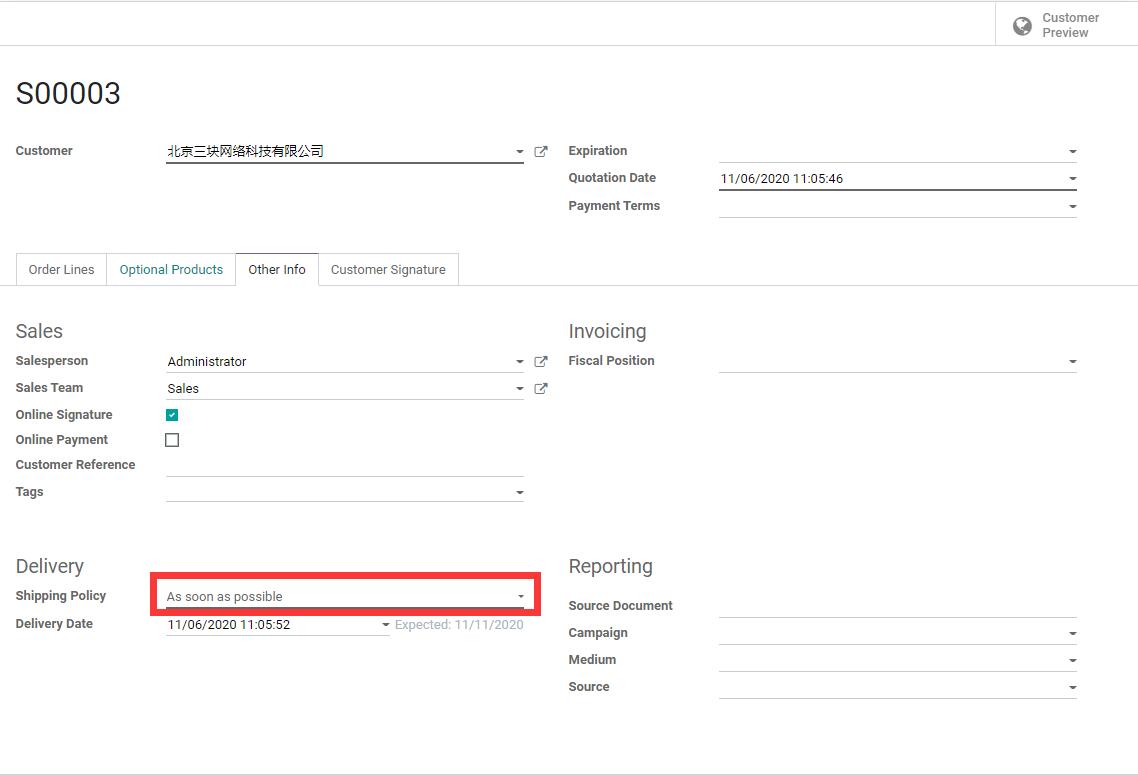
| Delivery policy | Deliver as soon as possible, or only when all products are ready |
If the company uses inventory, purchase, or manufacturing, delivery dates should not be filled casually. Sales commitments affect warehouse planning, procurement, and customer satisfaction.
The sales order can define a delivery policy, for example to deliver each product as soon as it is available, or to wait until all products are ready.
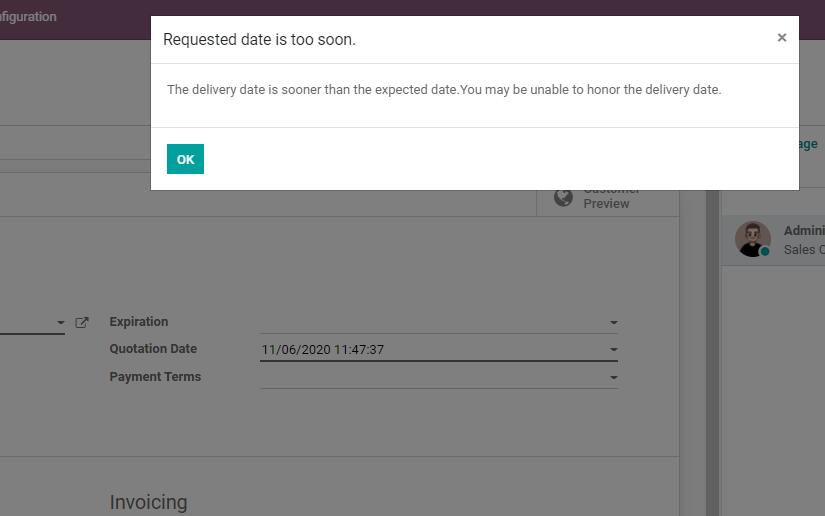
If the promised date is earlier than the system-calculated available date, Odoo warns that the delivery may be delayed.
Lock Sales Orders
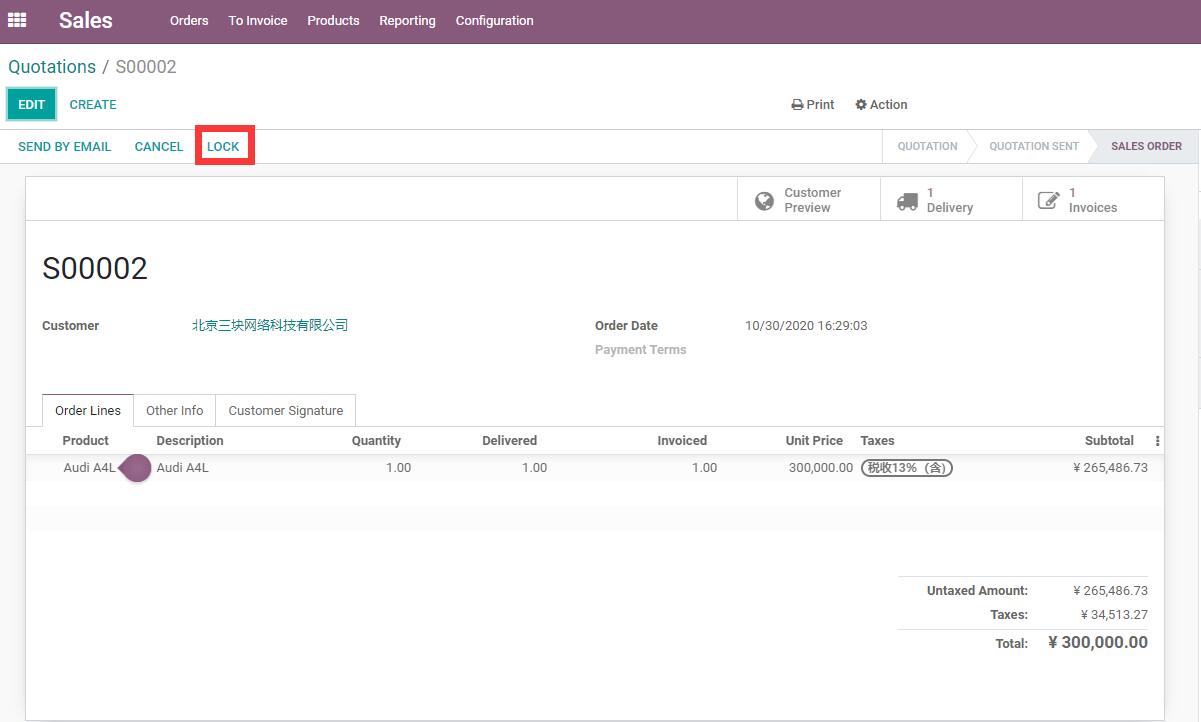
After a sales order is confirmed, it may already be linked to deliveries, invoices, purchase orders, or manufacturing orders. To prevent confirmed orders from being changed accidentally, Odoo supports order locking.
Locking helps to:
- Prevent unintentional changes to confirmed orders.
- Keep sales and finance data more stable.
- Archive completed orders.
- Allow edits only after an authorized user unlocks the order.
Locking is not required for every company on day one. However, as order volume grows, stricter change control is recommended.
A locked order shows an Unlock button and clearly indicates that the order should no longer be edited casually.
Sales Margin And Cost
Salespeople and managers often need to see gross margin. Odoo can enable sales margins and show cost and margin on the sales order.
Pay attention to these points:
- Cost comes from product cost or inventory valuation logic.
- If product cost is inaccurate, margin is also inaccurate.
- Different costing methods affect the margin basis.
- Whether salespeople can see costs should be controlled by permissions.
Margin is not just a simple field. It connects products, inventory, accounting, and sales performance.
After the margin feature is enabled, sales order lines can show cost and margin information so sales managers can check whether an order has enough profit room.
Print And Send Sales Documents
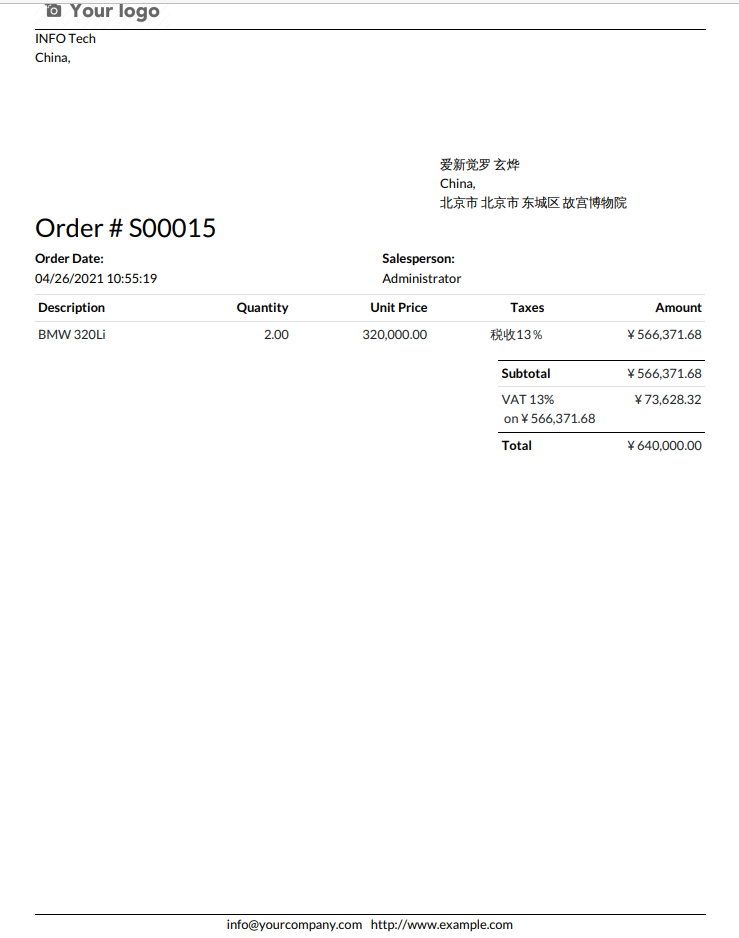
Odoo can print quotations and sales orders, and it can also email them to customers. The PDF layout is affected by document layout and report templates.
Common output methods include:
- Print PDF.
- Send by email.
- View through customer portal.
- Sign online.
- Pay online.
- Download or archive as attachment.
If a customer has high requirements for report format, start with native document layout and light QWeb report customization. Do not introduce complex report plugins too early. The reporting chapter has already explained this principle.
The Print menu on a sales order can generate a quotation or sales order PDF directly.
The printed PDF uses the company document layout, including logo, company information, header, footer, and order lines.
Recommended Implementation Sequence
Sales implementation is best handled in phases.
| Phase | Focus |
|---|---|
| Phase 1 | Customers, products, taxes, prices, quotations, and sales orders |
| Phase 2 | Delivery, invoices, payments, cancellation, and returns |
| Phase 3 | Quotation templates, pricelists, discounts, and multi-currency |
| Phase 4 | Online signature, online payment, and customer portal |
| Phase 5 | CRM, purchase, inventory, manufacturing, project, and rental integration |
| Phase 6 | Industry extensions such as secondary units, excise tax, and special reports |
For beginner customers, it is more important to run a clean standard process from quotation to order, delivery, invoicing, and payment than to chase every advanced feature on day one. For consultants, the core of the Sales app is to design commercial commitment, inventory fulfillment, and financial invoicing on one connected line.
This chapter established the overall sales management framework. The next chapter moves into sales products and variants, and explains how product data affects quotations, pricing, inventory, invoicing, and downstream fulfillment.