Chapter 4 IP Whitelist
This feature is available for contracted Qingdao Ohm Network Technology customers.
Some companies want to restrict user login by IP address to reduce unnecessary security risks. For example, finance users may only be allowed to log in from the office network, or administrators may only access the system from a fixed VPN.
Our base module includes an IP whitelist feature. This chapter explains how to enable whitelist-based login control in Odoo.
Enable IP Whitelist
Go to Settings > Ohm > Login Settings and enable the IP whitelist feature.
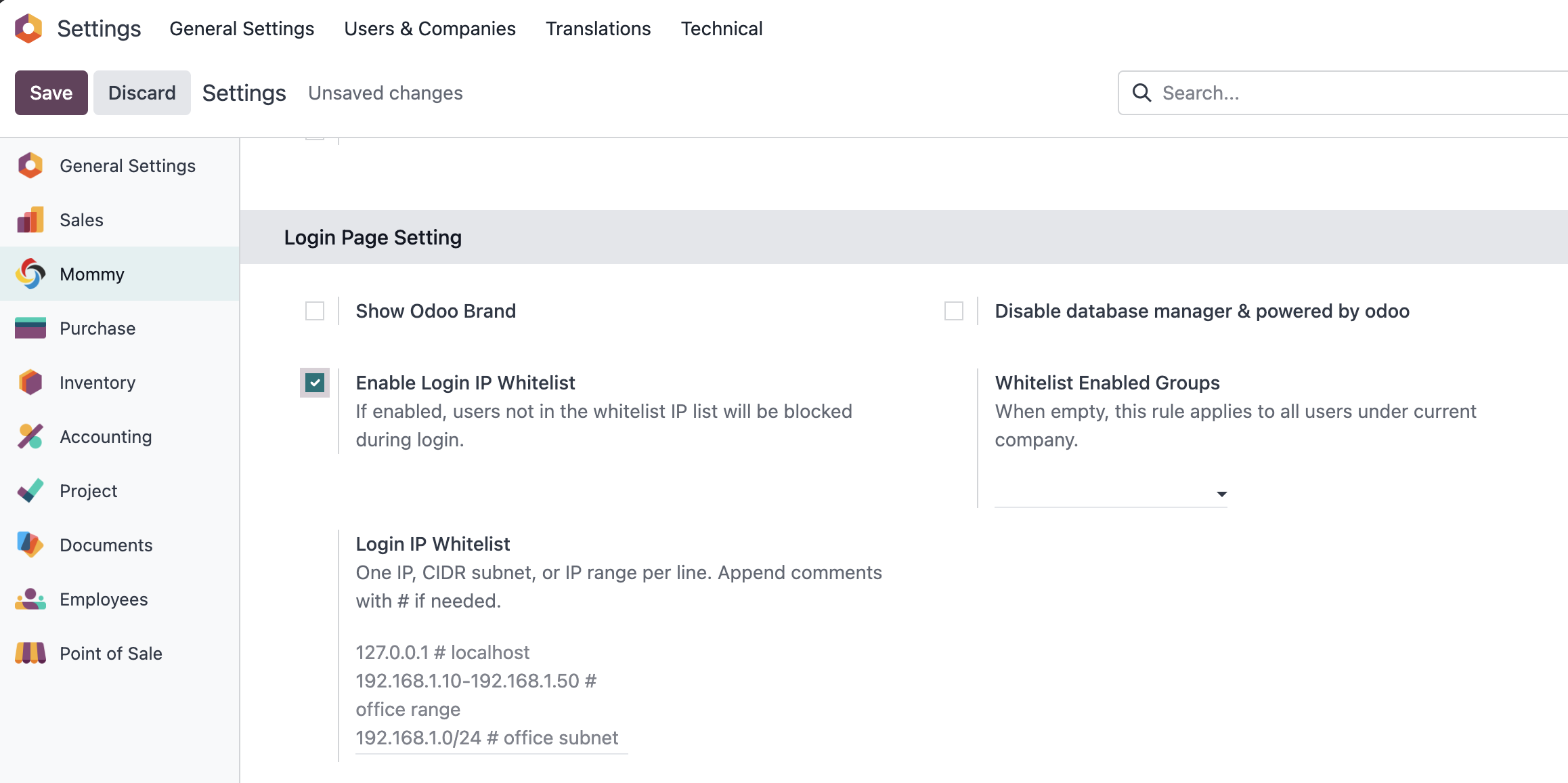
After enabling the feature, enter whitelist IP addresses in the settings box, one per line. IP ranges and subnet masks are also supported.
Use this setting carefully. Before enabling a strict whitelist in production, make sure at least one administrator has a valid IP path to log in, otherwise the system may accidentally lock out legitimate users.
Restrict By User Group
By default, once the whitelist restriction is enabled, it applies to all users. In some situations, you may only want to restrict specific user groups.
Select the user groups to be restricted on the right side of the setting.
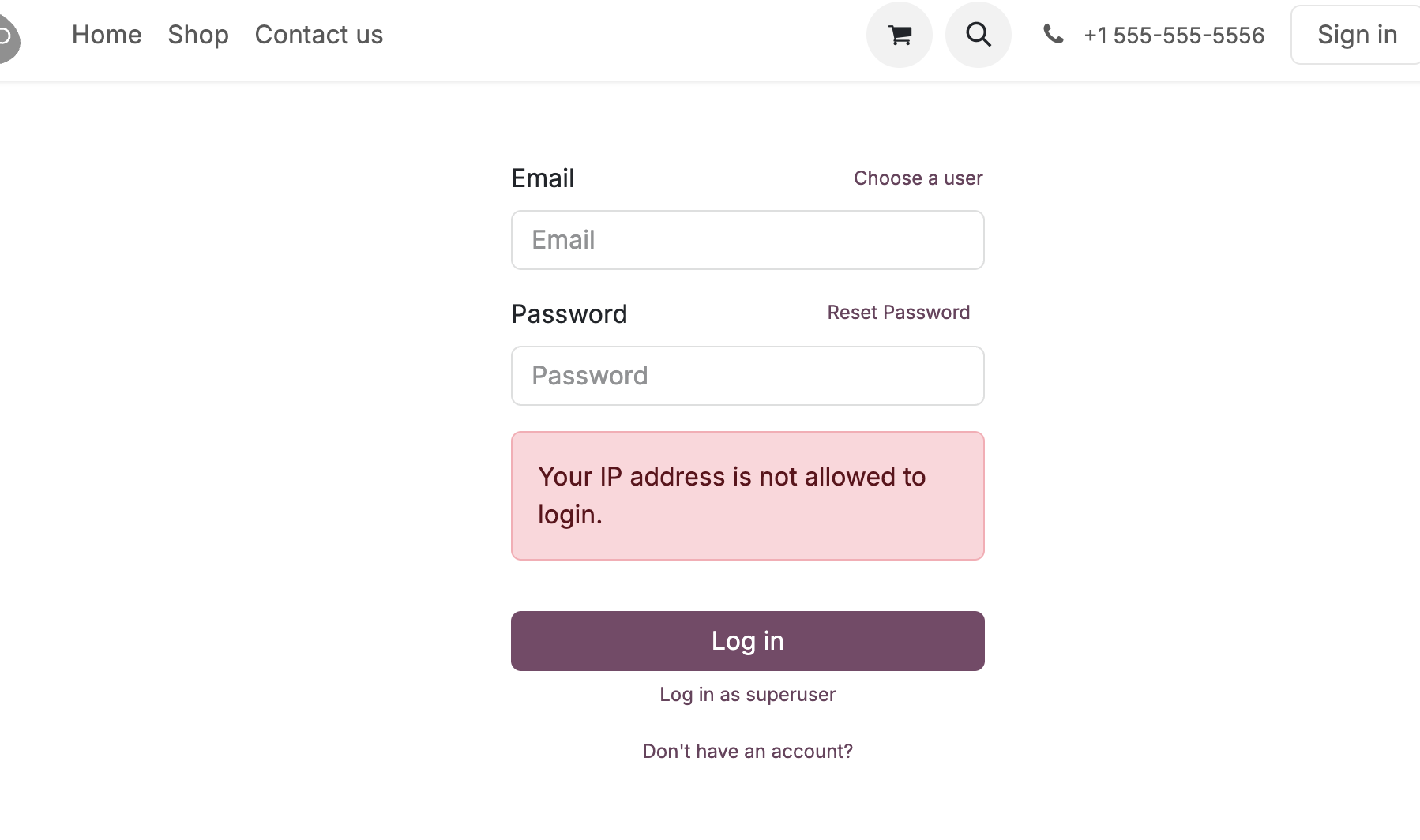
This allows a company to apply stricter rules to sensitive roles such as finance, administrators, or warehouse supervisors, while keeping ordinary portal or public website behavior unaffected.
Login Log Review
The module also records login attempts. Go to Settings > Technical > Database to review user login logs.
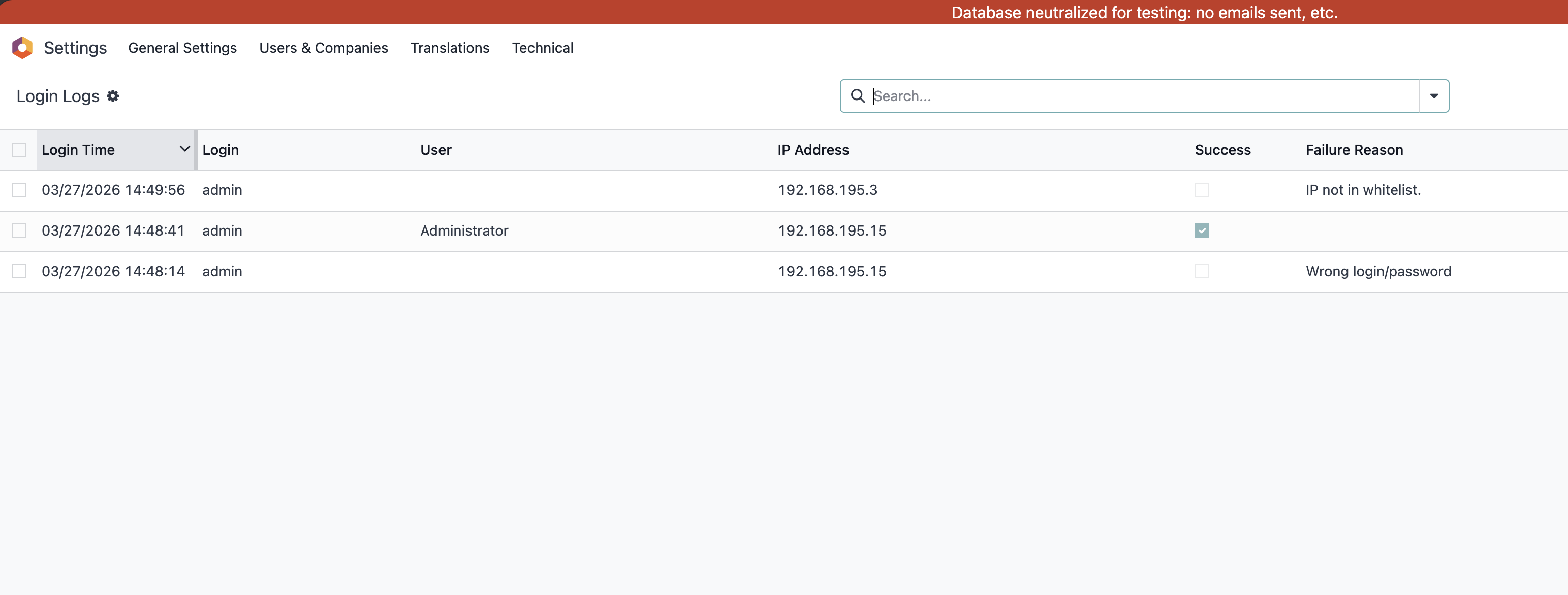
Login logs help administrators investigate abnormal access attempts, verify whether whitelist rules are working, and provide evidence when security issues need to be reviewed.
This chapter introduced IP whitelist login control and login log review. The next chapter covers technical settings related to language, date, and time formats.