Chapter 4 Payment Methods
Payment methods define how a POS order is paid. A store may accept cash, bank cards, online payments, QR code payments, or integrated payment terminals. Correct payment method configuration affects cashier operation, accounting journals, reconciliation, and end-of-day control.
This chapter introduces how to configure POS payment methods.
Add A Payment Method
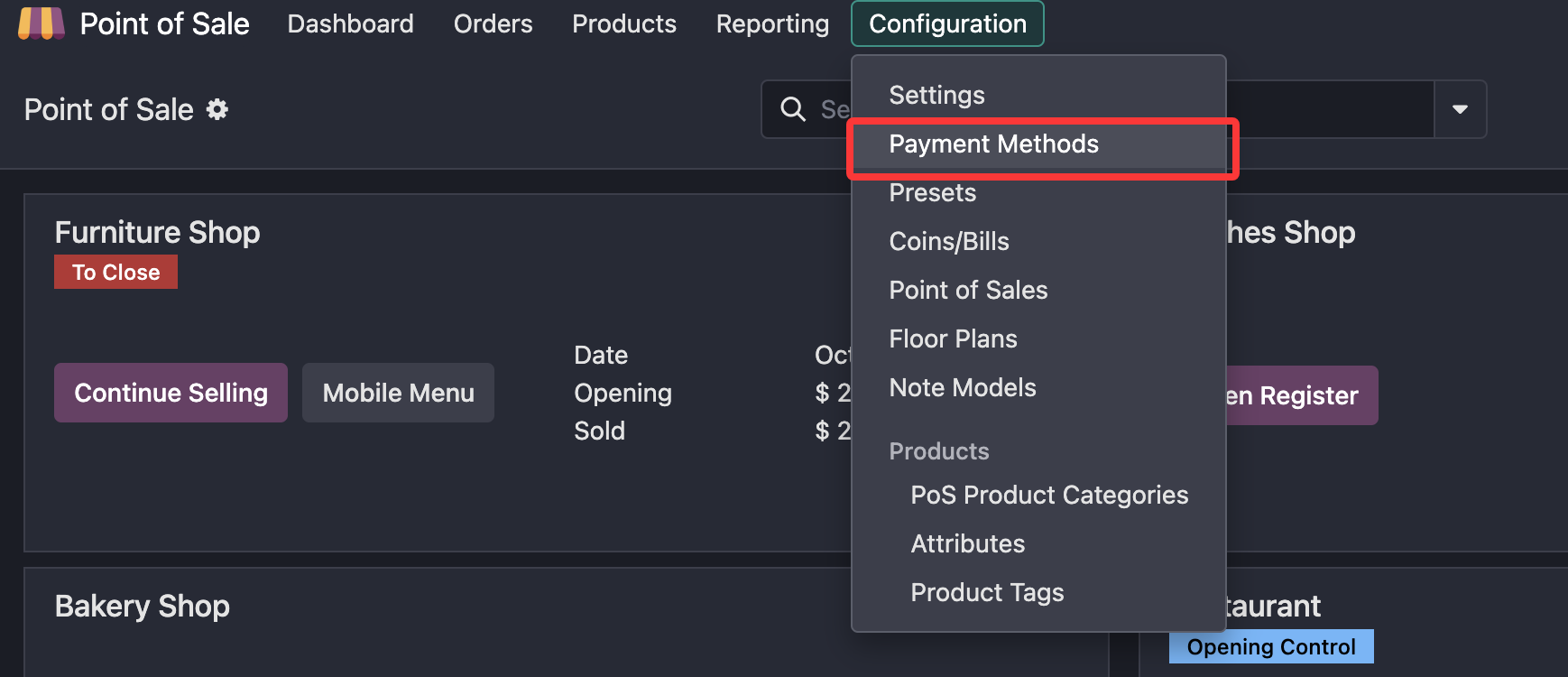
Go to Point of Sale > Configuration > Payment Methods to add payment methods.
Here is an example of a cash payment method.
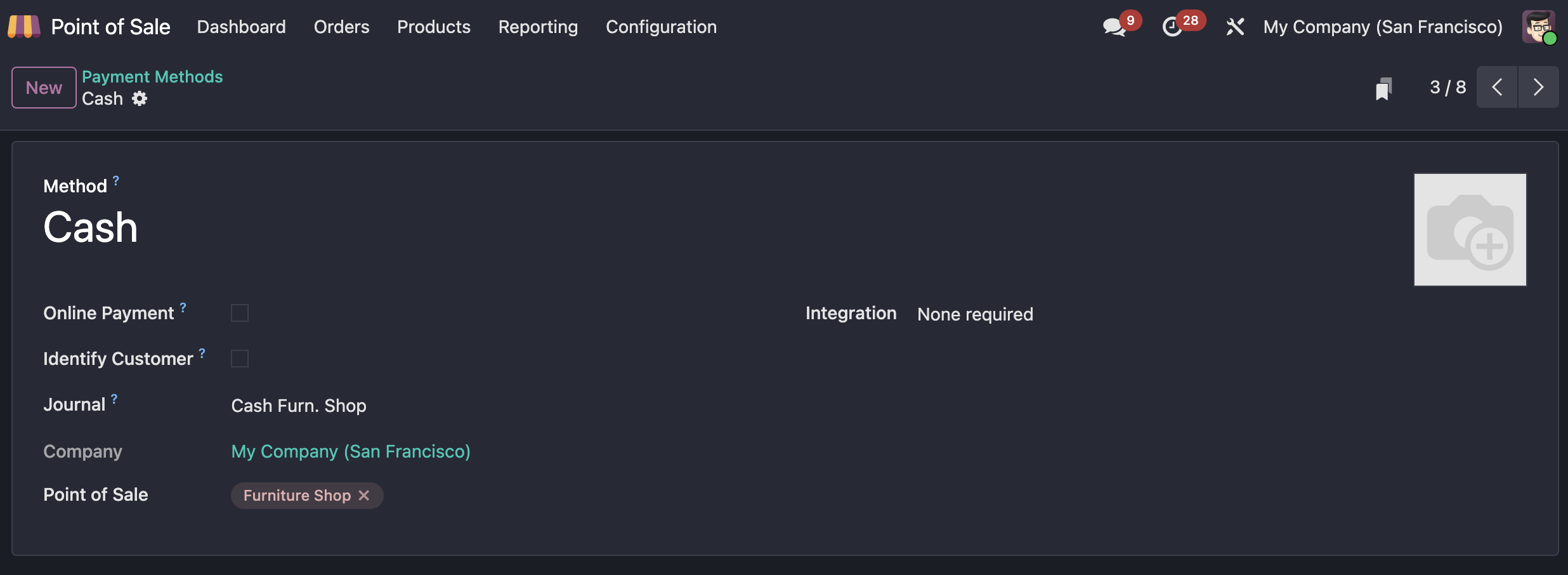
Key fields include:
| Field | Meaning |
|---|---|
| Online Payment | Payment is completed through an integrated online payment provider, usually on a web page. |
| Identify Customer | Forces the order to be linked to a customer. |
| Journal | The accounting journal used by the POS payment method. |
| Point of Sale | The POS stores where this payment method is available. |
| Payment Terminal | Choose an integrated terminal or no terminal. |
A cash payment method should use its own cash journal. Different cash payment methods should not share the same cash journal. Bank journals, however, can be shared by multiple payment methods.
POS Payment
After payment methods are configured, cashiers can select the available payment method in the POS frontend and complete the checkout.
The payment method list shown to the cashier depends on the POS configuration and the payment methods assigned to that POS store.
QR Code Payments
In addition to common cash and bank payments, Odoo also supports QR code payment flows in some localizations.
The QR codes mentioned here are bank-app QR codes supported by specific localization rules. They are different from domestic Chinese WeChat Pay, Alipay, or UnionPay integrations.
Configuration
QR code payment behavior differs by country and fiscal localization. Refer to the official documentation for the relevant country-specific configuration.
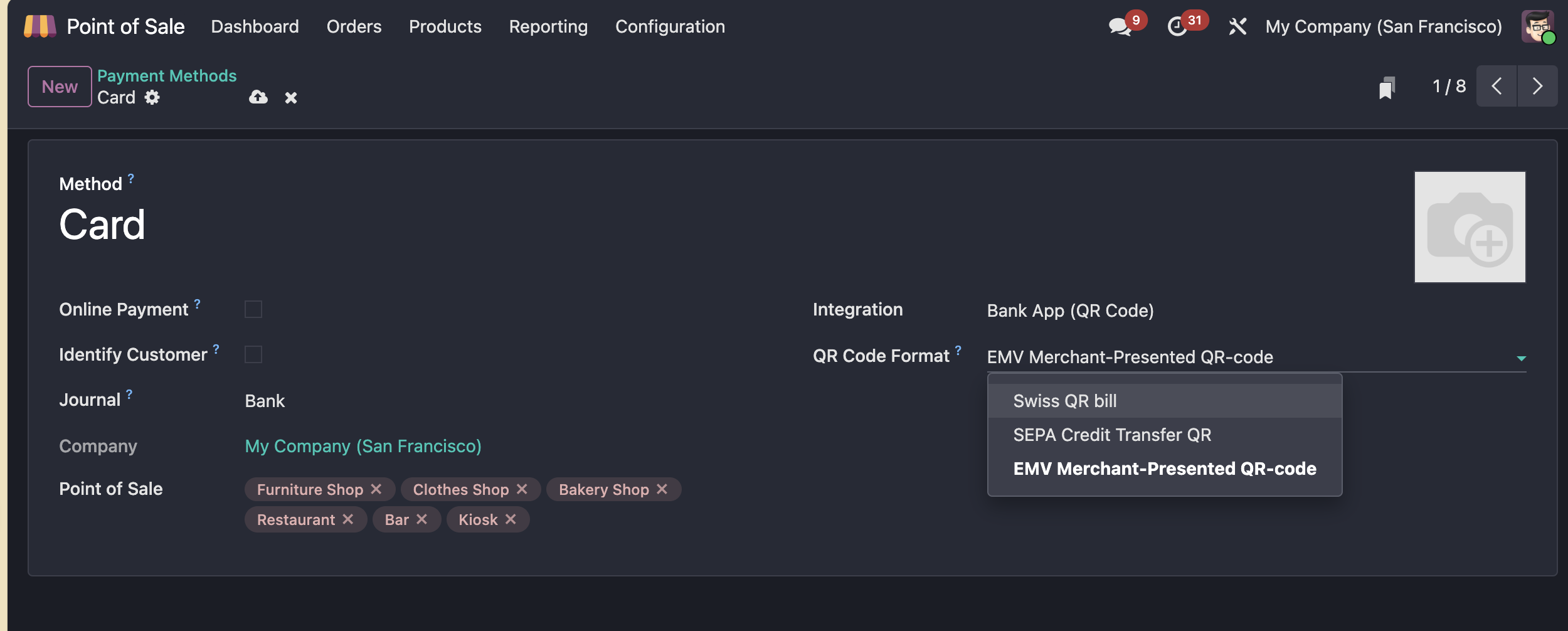
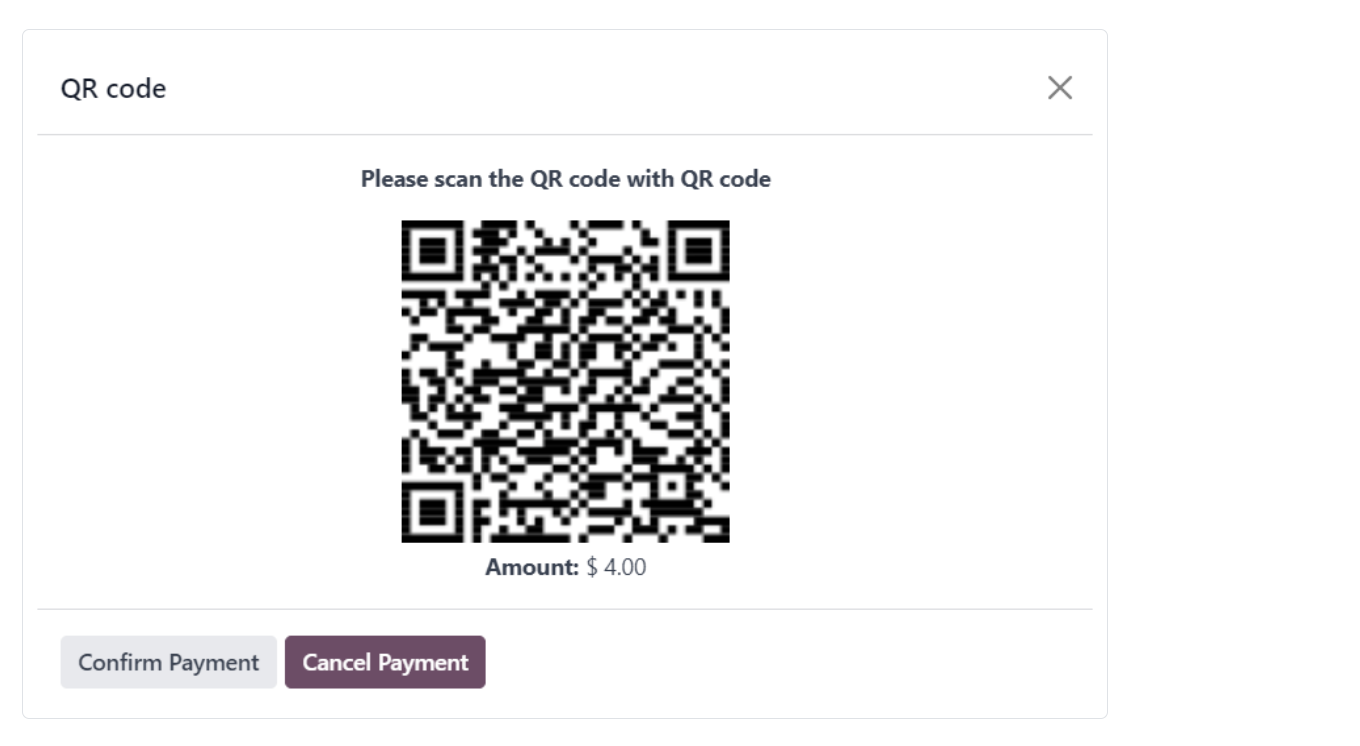
After QR code payment is configured, the POS frontend can display a QR code on the customer screen during checkout. The customer scans the code and completes payment.
This chapter introduced POS payment method setup and QR code payment behavior. The next chapter explains POS pricelists, which control product prices in different sales situations.