Chapter 1 Inter-Company Purchasing
Odoo supports business flows between multiple companies in the same database. This chapter introduces the typical inter-company purchasing scenario: one company creates a sales order, purchase order, invoice, or vendor bill, and Odoo automatically creates the corresponding document in the related company.
This workflow is useful when a group has internal suppliers, internal customers, shared warehouses, or a purchasing center. Instead of asking users to manually enter the same transaction twice, Odoo can create the linked document automatically according to the selected inter-company rule.
Enable Inter-Company Rules
To use inter-company flows, first enable the multi-company setting. Go to Settings > General Settings > Companies, then enable the inter-company transactions option.
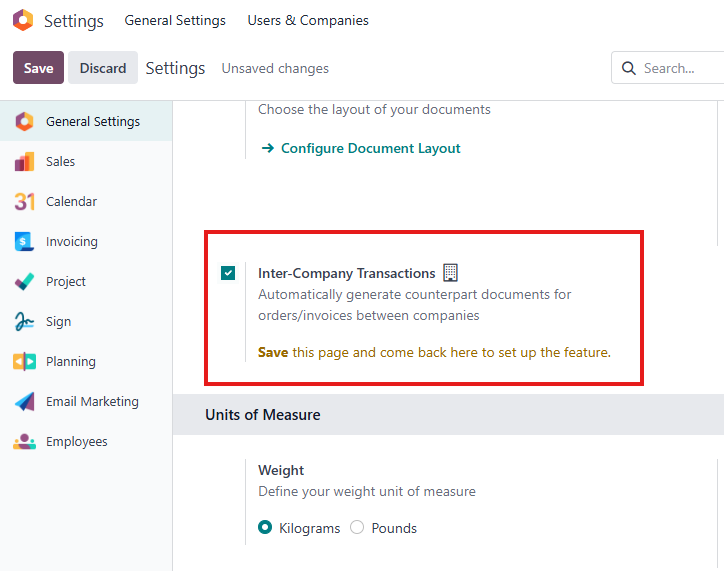
After selecting the option, click Save.
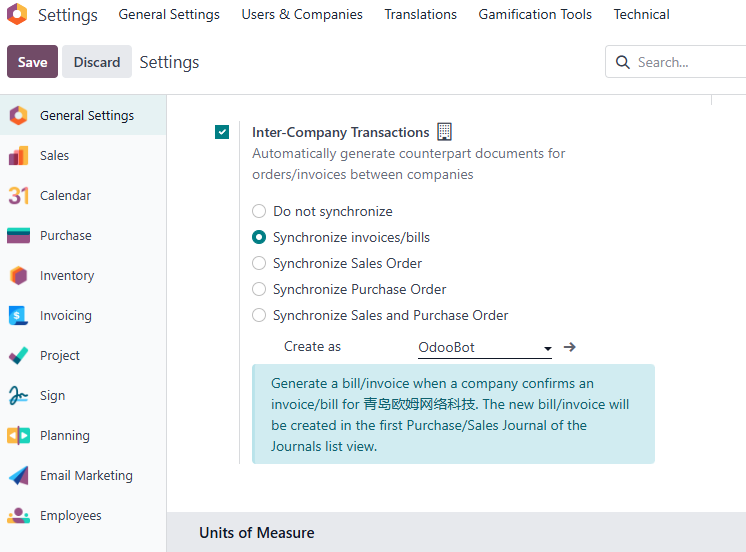
You can also configure inter-company behavior from the company settings page.
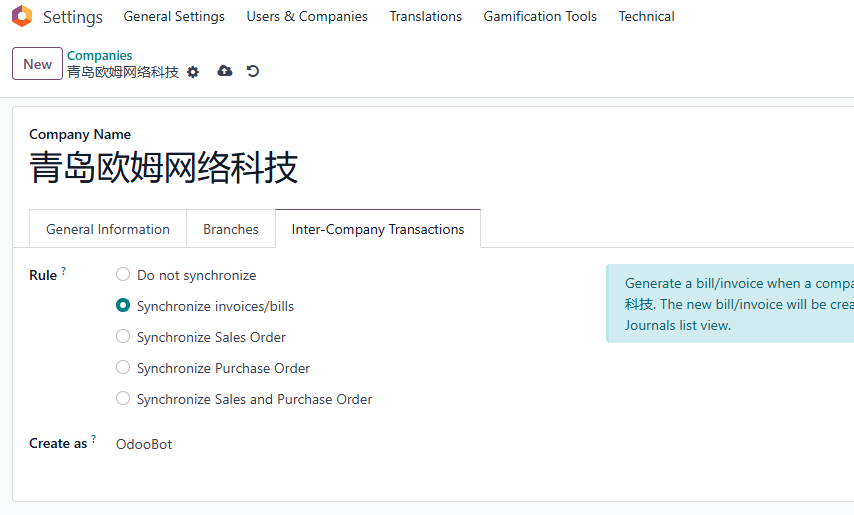
Developer mode may be required to see all technical configuration options.
Odoo supports several inter-company rule types:
| Rule | Business Meaning |
|---|---|
| Synchronize invoices and bills | A customer invoice in one company can create a matching vendor bill in another company, and vice versa. |
| Synchronize sales orders | A sales order to an internal company can create a purchase order draft in that company. |
| Synchronize purchase orders | A purchase order from one company can create a sales order in the supplier company. |
| Synchronize sales and purchase orders | Both sales-to-purchase and purchase-to-sales synchronization rules are enabled. |
The correct choice depends on where your users naturally start the transaction. If the purchasing company starts from a purchase order, use purchase order synchronization. If the selling company starts from a sales order, use sales order synchronization.
Synchronize Invoices And Bills
Synchronizing invoices and bills means that when Company A creates a customer invoice or vendor bill involving Company B, Odoo can automatically create the opposite accounting document in the related company.
For example, assume Qingdao Ohm Network Technology enables an invoice and bill synchronization rule. When Qingdao Heisenberg Information Technology creates a customer invoice to Qingdao Ohm Network Technology, Odoo automatically creates a vendor bill under Qingdao Ohm Network Technology, with Qingdao Heisenberg Information Technology as the supplier.
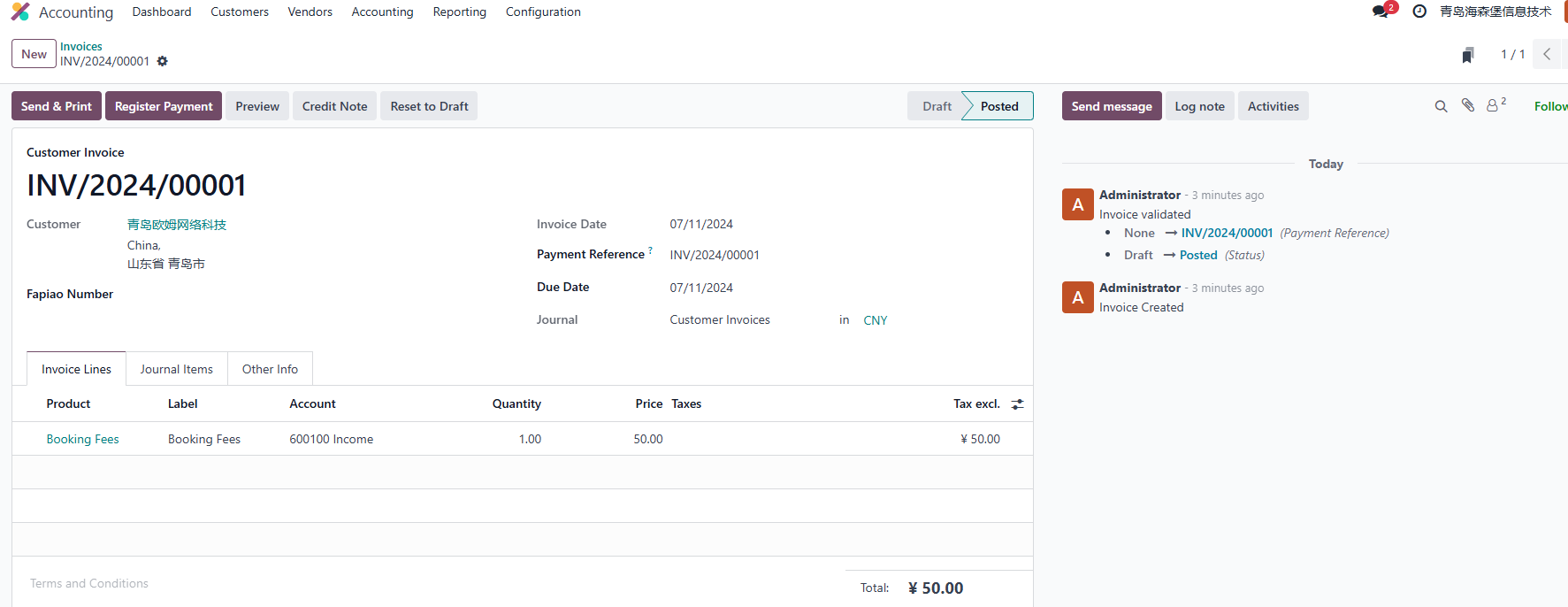
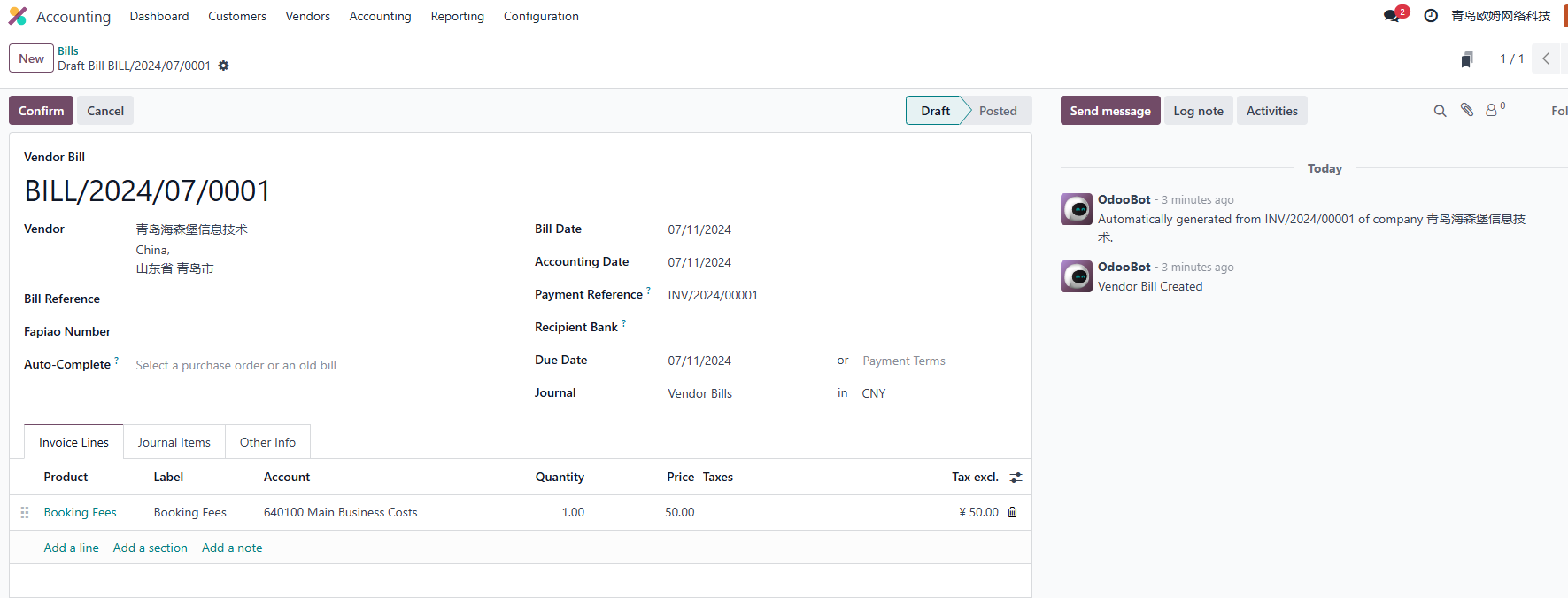
This is especially useful for internal service fees, management fees, or cross-company sales where both sides need accounting documents but users should not maintain two records manually.
Before using this flow in production, confirm that the chart of accounts, taxes, fiscal positions, journals, and partner records are correctly configured in both companies.
Synchronize Sales Orders
Synchronizing sales orders means that when one company creates a sales order to Company A, Odoo automatically creates a purchase order draft in Company A.
If you want Odoo to confirm the generated purchase order automatically, enable the auto-validation option under the inter-company rule.
Using Heisenberg as an example, when Heisenberg creates a sales order to Ohm Network, the system creates a purchase quotation under Heisenberg's purchasing menu.
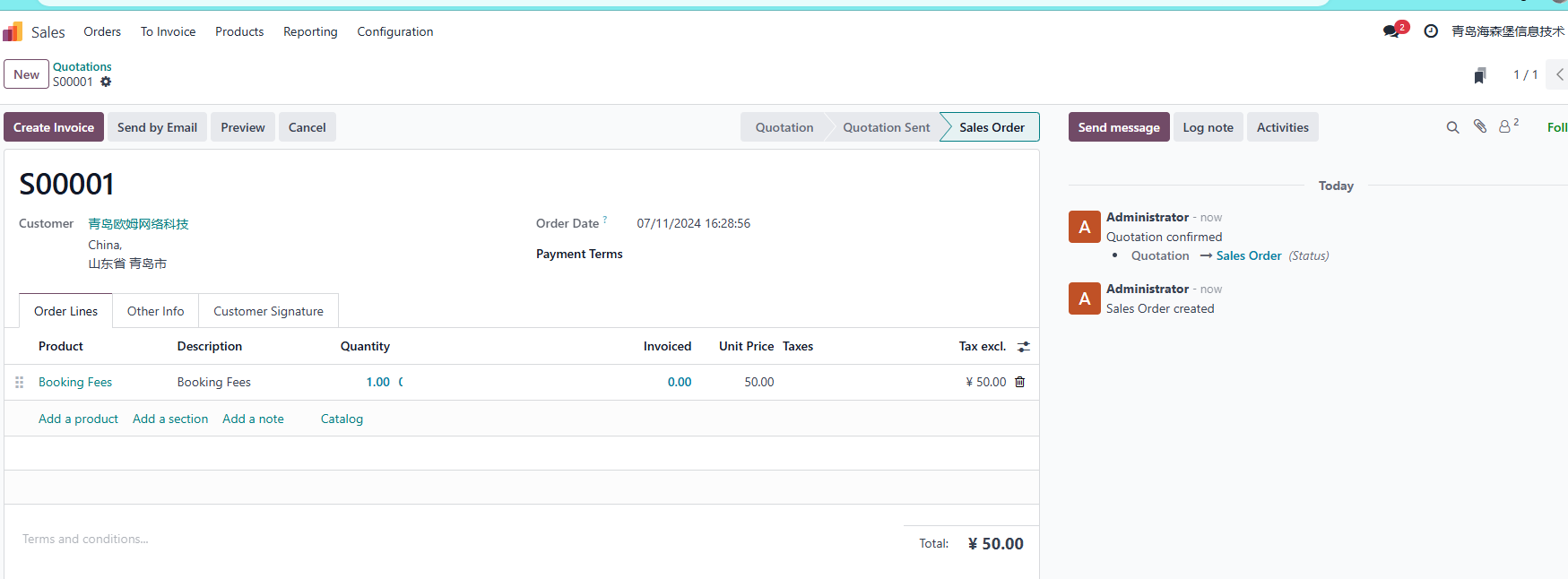
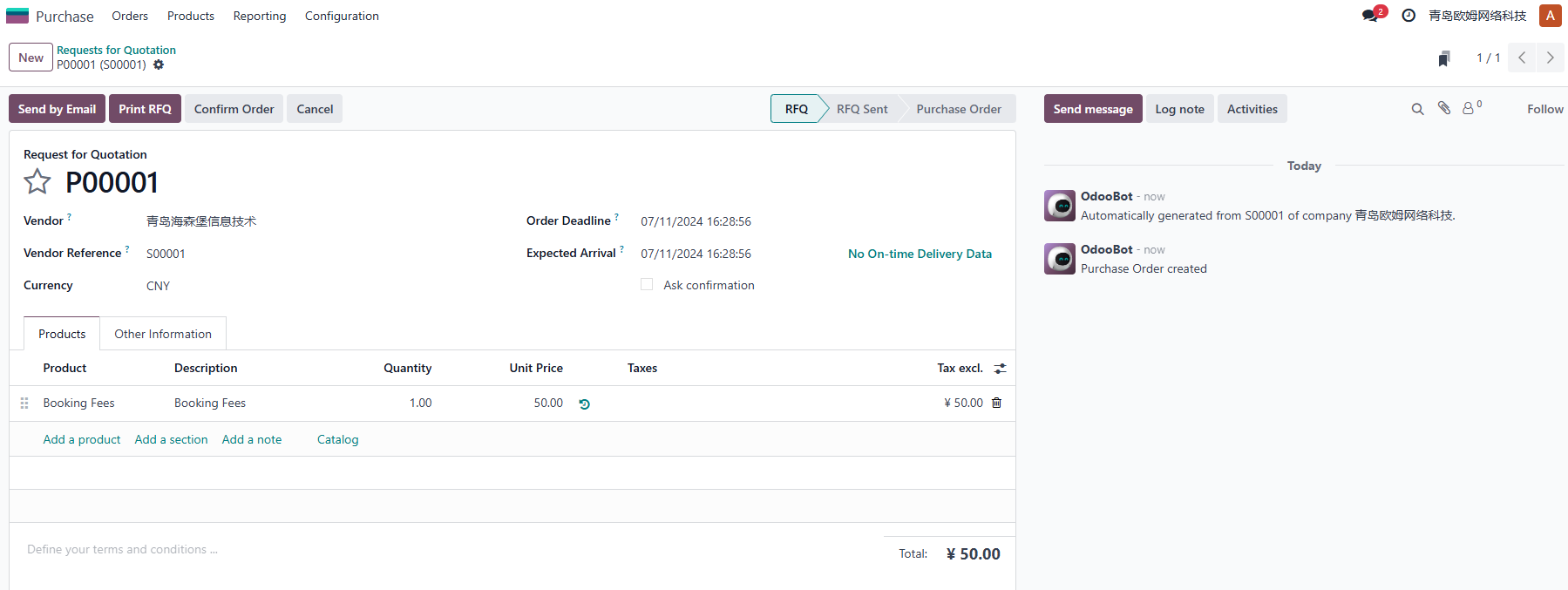
This flow works well when the selling company is the operational starting point. The sales team confirms the internal sale, and the buying company receives a purchase document that can continue into receipt, bill control, and stock movement.
Synchronize Purchase Orders
Synchronizing purchase orders means that when one company creates a purchase order to Company A, Odoo automatically creates a sales order under Company A.
For example, if Heisenberg creates a purchase order to Ohm Network, Odoo creates a sales order in Ohm Network with Heisenberg as the customer.
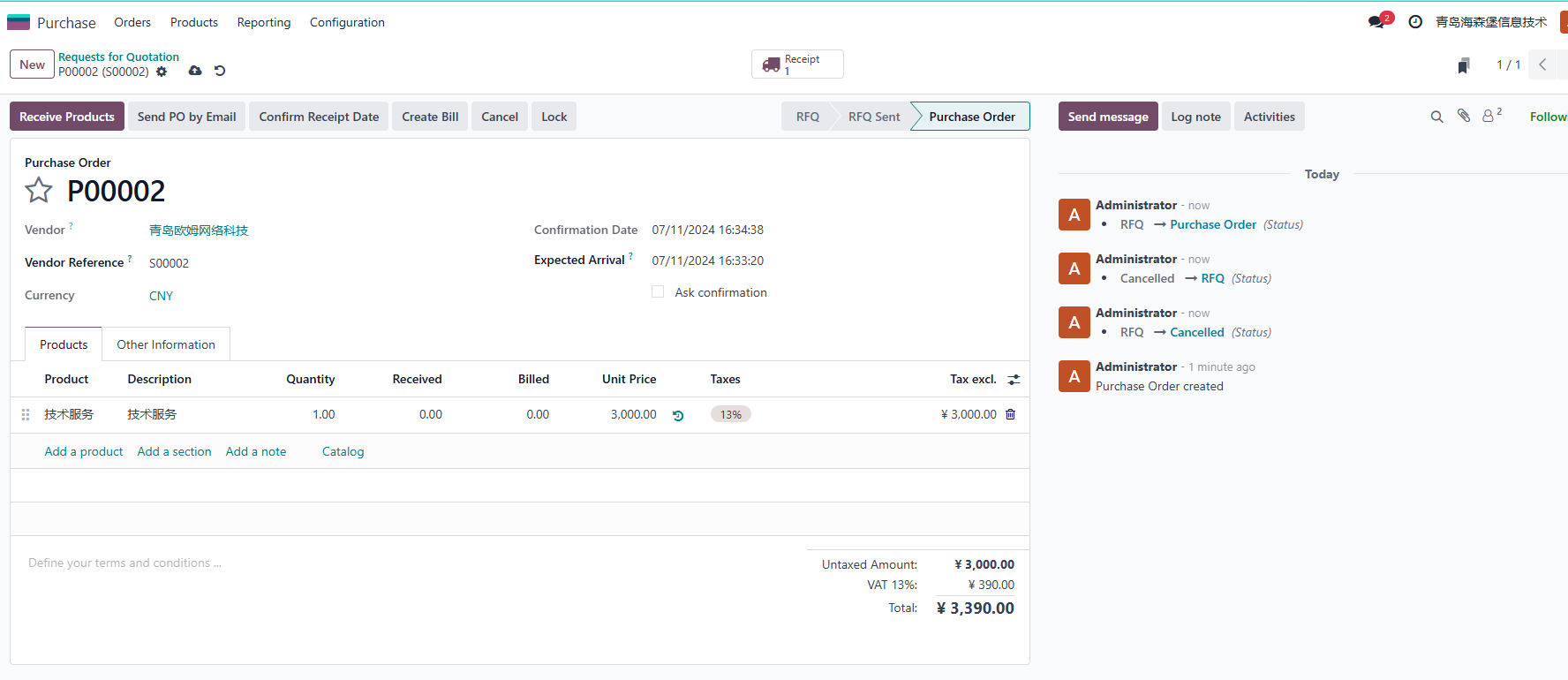
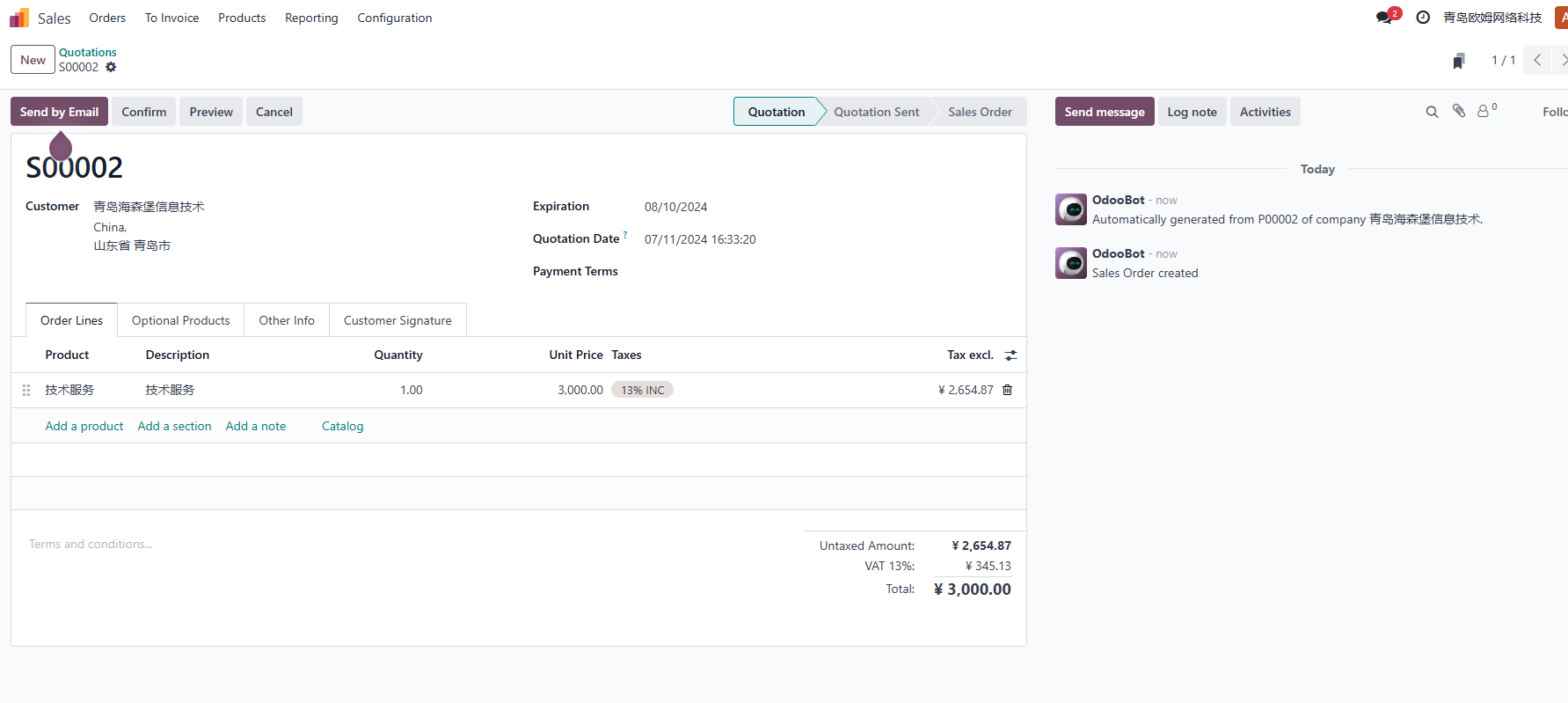
This flow is often easier for companies where procurement is the starting point. Buyers place an internal purchase order, and the supplier company can process the generated sales order like a normal customer order.
Synchronize Sales And Purchase Orders
This option combines the previous two order synchronization rules. It allows Odoo to synchronize both sales-order-driven and purchase-order-driven flows.
Use this carefully. In a real implementation, you should decide which company owns the starting document for each business process. If users create documents on both sides without clear rules, duplicate orders and confusing confirmations can appear quickly.
Synchronize Lot And Serial Numbers Between Sales And Purchase
By default, Odoo does not synchronize lot or serial numbers between companies in all practical inter-company scenarios. This means that if Company A is the supplier of Company B and delivers Product P with Serial Number S, that serial number may not automatically appear on Company B's purchase receipt.
In that case, Company B still needs to enter the lot or serial number manually, just as it would when buying from an external supplier. This is acceptable for simple products, but it becomes tedious for high-value goods, regulated products, warranty-managed products, or serialized equipment.
To solve this practical gap, our General Solutions include an inter-company rule extension. Go to Settings > Ohm > Sales Features and enable Inter-Company Rule Extension. After the module is installed, the lot and serial numbers used on the sales delivery order can be synchronized to the purchase receipt.
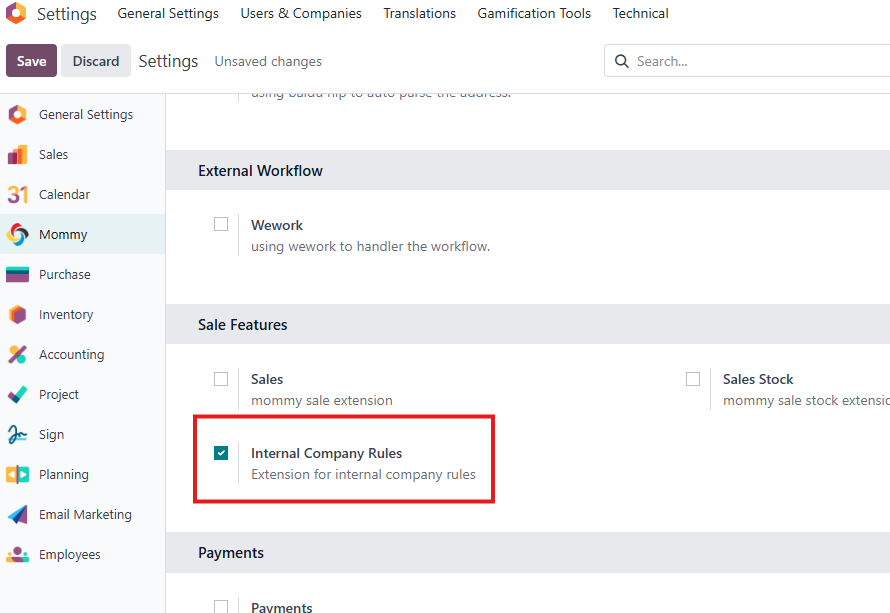
With this extension, the receiving user can verify the physical lots or serial numbers against the purchase receipt directly, instead of entering each one again. This keeps the native Odoo process as the foundation while making the inter-company warehouse operation smoother for real business use.
In this chapter, we reviewed the standard inter-company rules for invoices, bills, sales orders, and purchase orders. The next part moves from internal company collaboration to website and portal scenarios, where customers, vendors, and public users interact with Odoo from the outside.