Tencent Cloud COS
We have already implemented integrations with AWS S3, Alibaba Cloud OSS, and Google Cloud Storage. When connecting with the WeChat ecosystem, Tencent Cloud COS becomes a natural option because WeChat Mini Program, Official Account, and WeCom all belong to Tencent's ecosystem.
Tencent Cloud COS is Tencent Cloud's object storage service. This chapter introduces the COS integration solution for storing and accessing Odoo attachments in the cloud.
1. Tencent Cloud COS Configuration
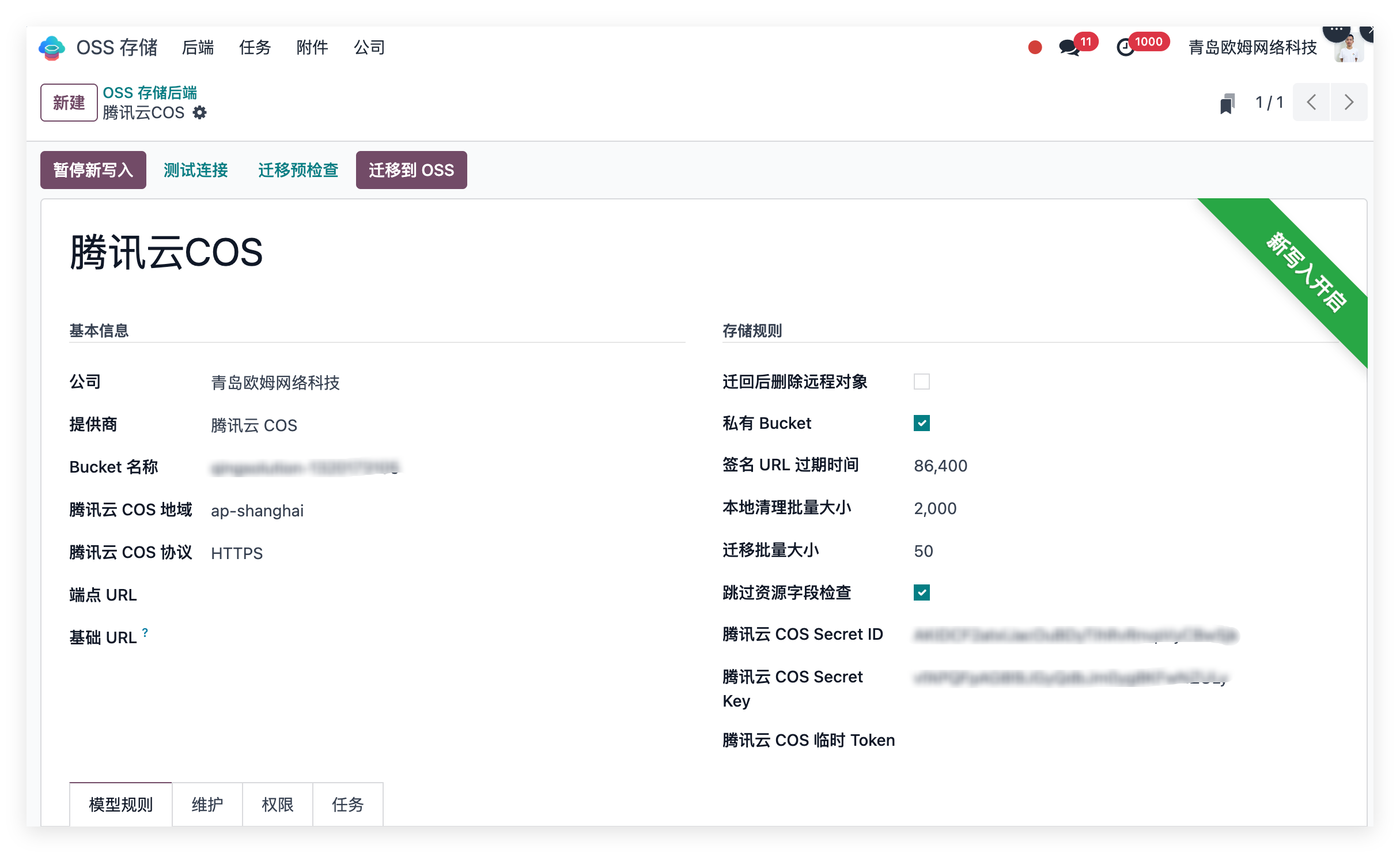
During implementation, administrators create a COS storage backend in Odoo and configure Tencent Cloud information, such as:
| Configuration |
|---|
| Bucket name |
| Region |
| Secret ID / Secret Key |
| Public or private access mode |
| Signed URL validity period |
| Optional custom domain or CDN address |
| Business models to migrate to COS |
After configuration, Odoo knows which attachments should be stored in COS and which should remain local.
The value is that file storage, access mode, and validity become manageable system configuration instead of scattered server scripts or manual experience.
2. Automatic Attachment Upload To COS
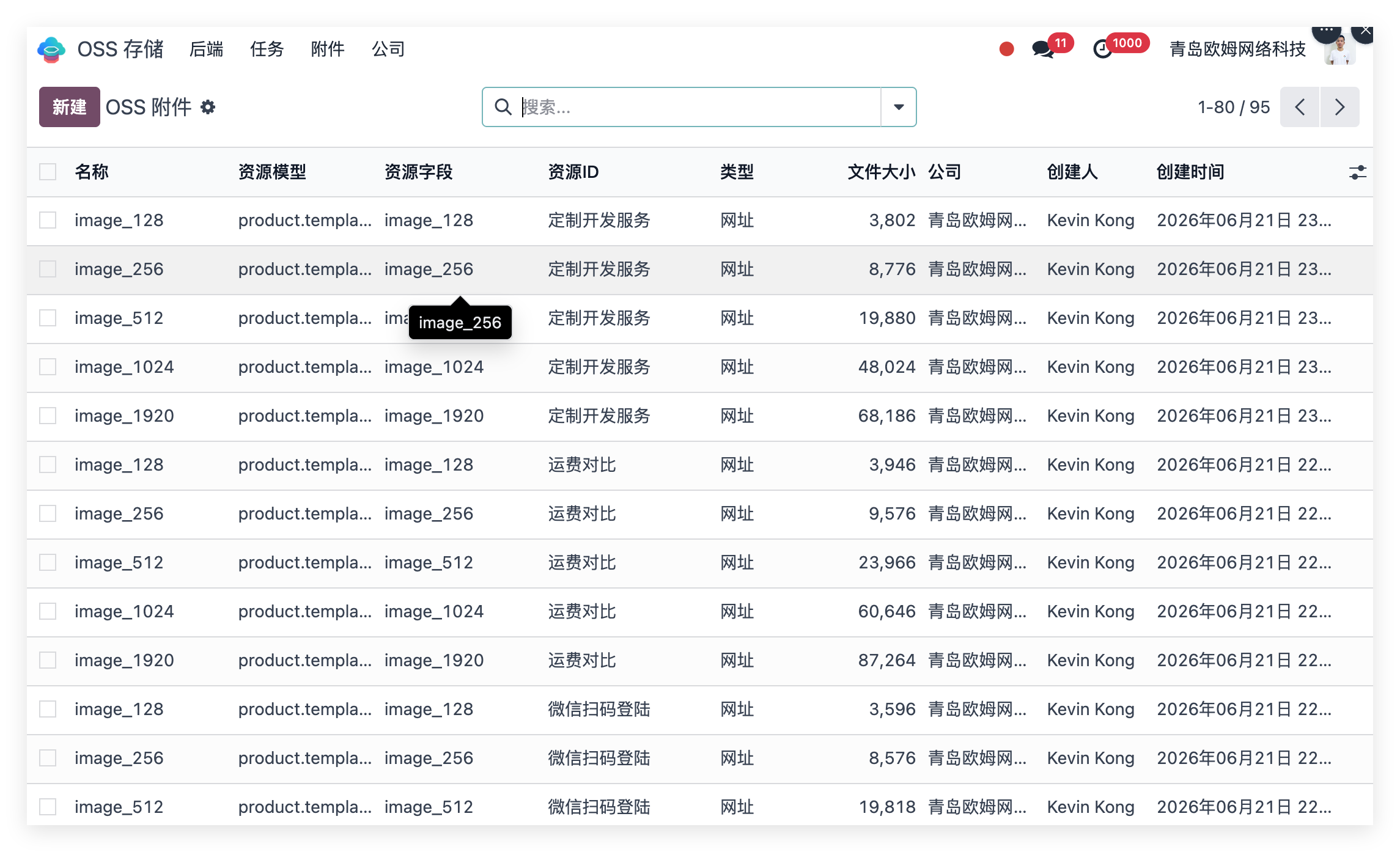
When users upload attachments that match the configured rules, Odoo automatically uploads the file to Tencent Cloud COS.
Examples include:
| File Type |
|---|
| Product main images |
| Product detail images |
| Product manuals |
| Quotation PDFs |
| After-sales documents |
| Business attachments needed by Mini Programs |
After upload, Odoo stores the COS object path and switches the attachment to remote storage. Users continue to view and use attachments as before.
3. Stable File Access For Mini Program And WeChat
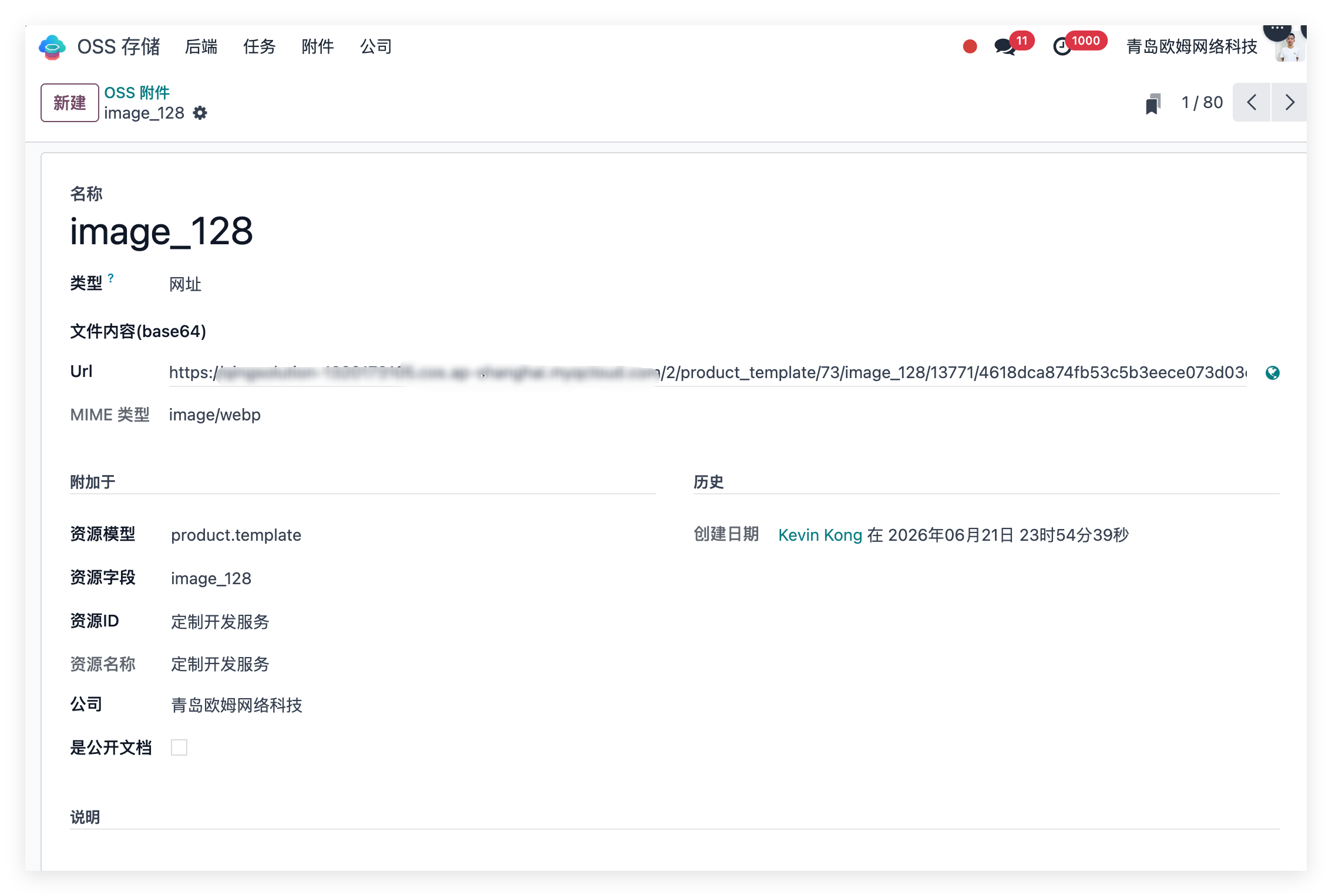
In Mini Program scenarios, product images, order attachments, and document downloads need stable HTTPS URLs.
The COS module can generate file URLs according to configuration:
| Resource Type | Access Mode |
|---|---|
| Public resources such as product images | Public URL or CDN domain. |
| Sensitive files such as contracts or customer documents | Signed URL with expiration. |
| Official Account, WeCom, or H5 pages | Reuse the same COS access capability. |
This avoids forcing Mini Programs to read large files directly from the Odoo server. Odoo manages business data, COS manages files, and the Mini Program handles display.
4. Batch Migration Of Historical Attachments
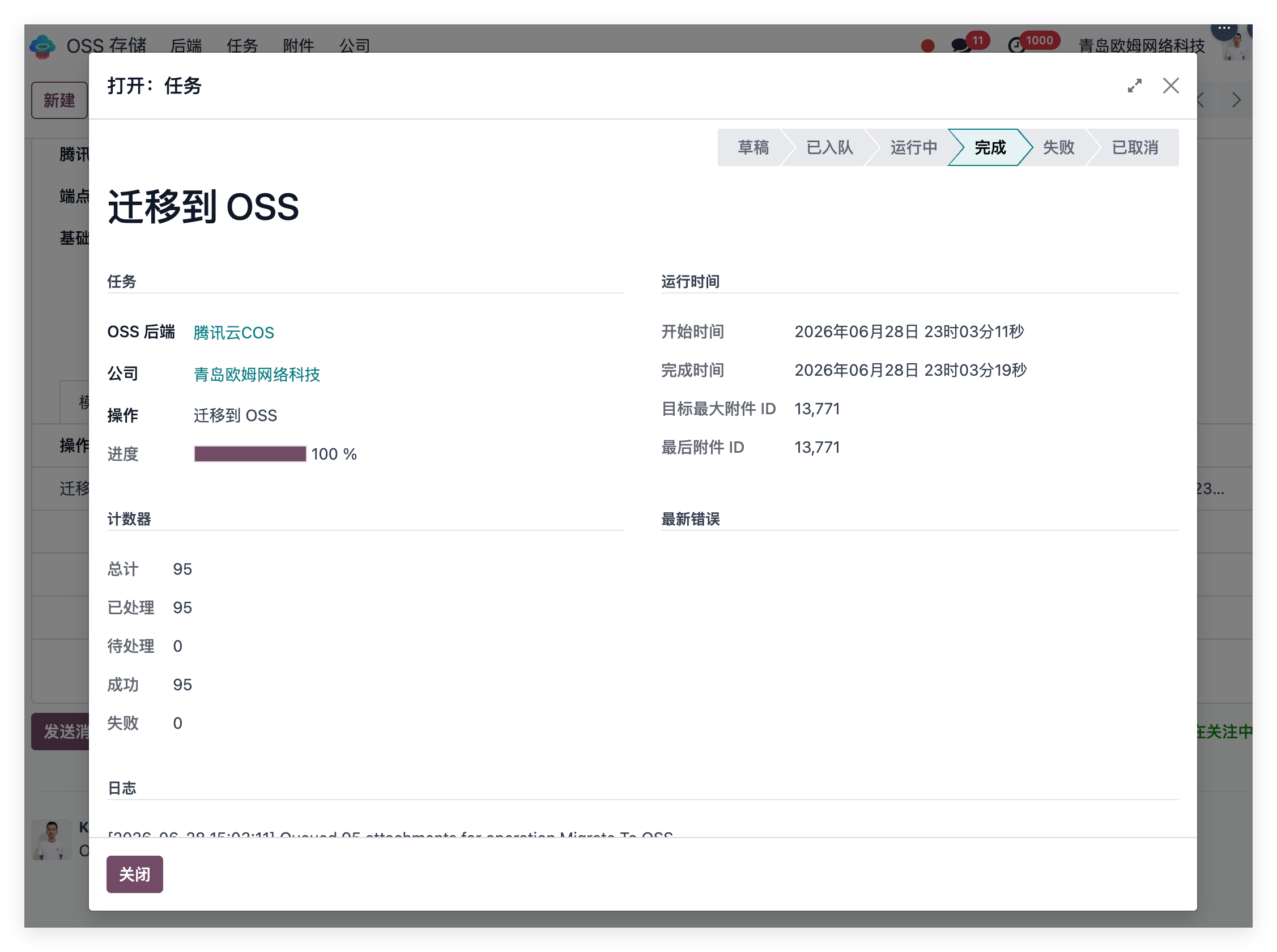
For Odoo systems already running for some time, many attachments may already exist in local filestore. The solution supports batch migration of historical attachments to Tencent Cloud COS.
Migration can be controlled by business model. For example, migrate product images first, then expand to other attachment types.
Typical migration flow:
| Step |
|---|
| Pre-check candidate attachment count and size. |
| Execute batch migration. |
| Check COS upload result. |
| Verify attachment reading and Mini Program access. |
| Clean local filestore references after confirmation. |
This is not just “move everything once”. It is a safer enterprise migration flow, especially for production systems.
5. Rollback And Local Cleanup
Object storage solutions must support rollback. If some attachments need to return to local Odoo storage, the files can be downloaded from COS and written back to Odoo filestore.
After confirming COS files can be read correctly and Mini Program access works normally, local cleanup can be executed. During cleanup, the system checks whether local files are still referenced by other attachments to avoid deleting shared files by mistake.
Saving disk space matters, but data safety comes first.