SF Express
Applicable versions: Odoo 15.0, 16.0, 17.0, and 18.0. Features may differ by version; contact support for details.
SF Express is one of the most frequently used courier providers in China. For China-based Odoo implementations, SF Express integration is a common requirement for sales delivery, waybill generation, tracking, and electronic shipping labels.
This chapter explains how to use the SF Express module to connect Odoo with SF domestic delivery services.
Prerequisites
Install the following Python libraries:
autils == 0.3.12
sf-sdk >= 2.0.0.8
Fengqiao Platform Integration
To use the SF module, first register an account on Fengqiao, the SF Express API platform. Then obtain the customer code, checkword, and monthly settlement number.
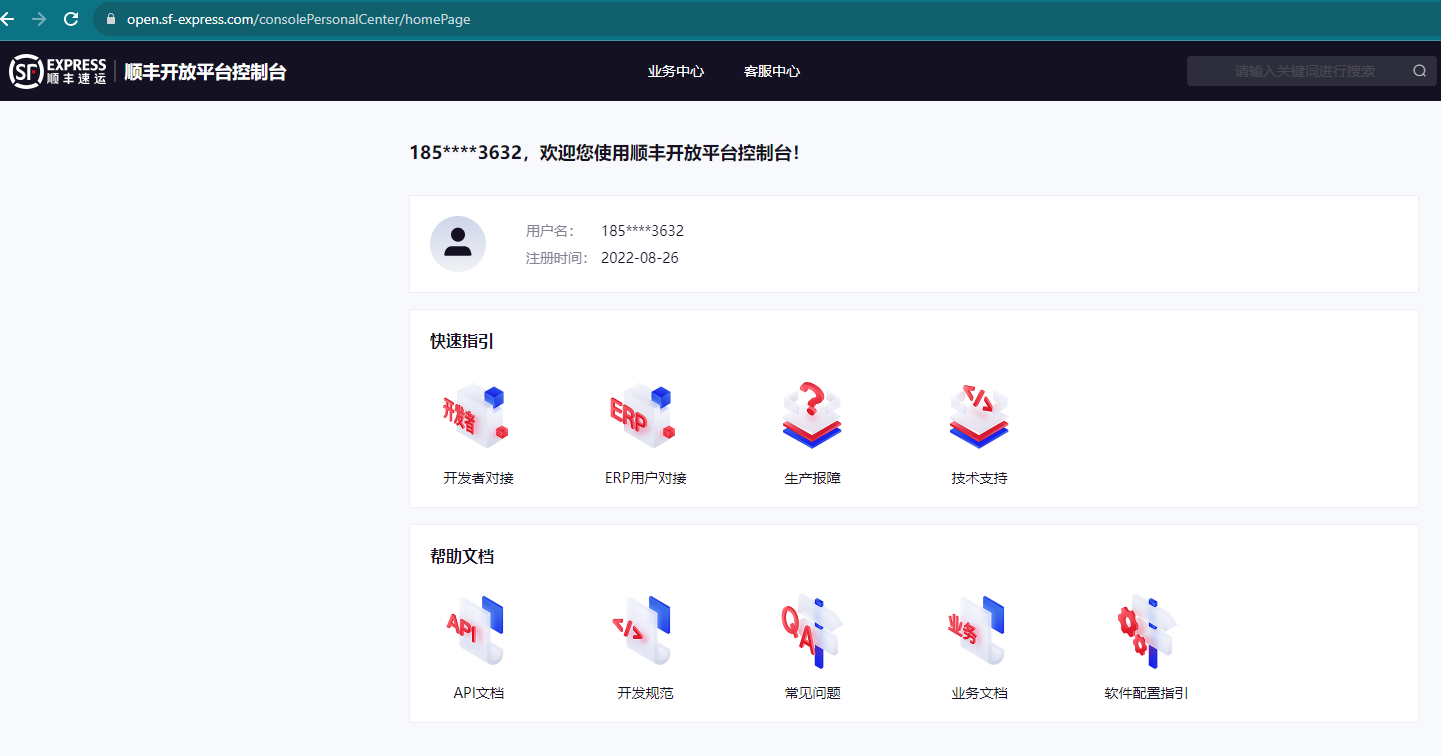
Open Fengqiao, click developer integration, and create an application.
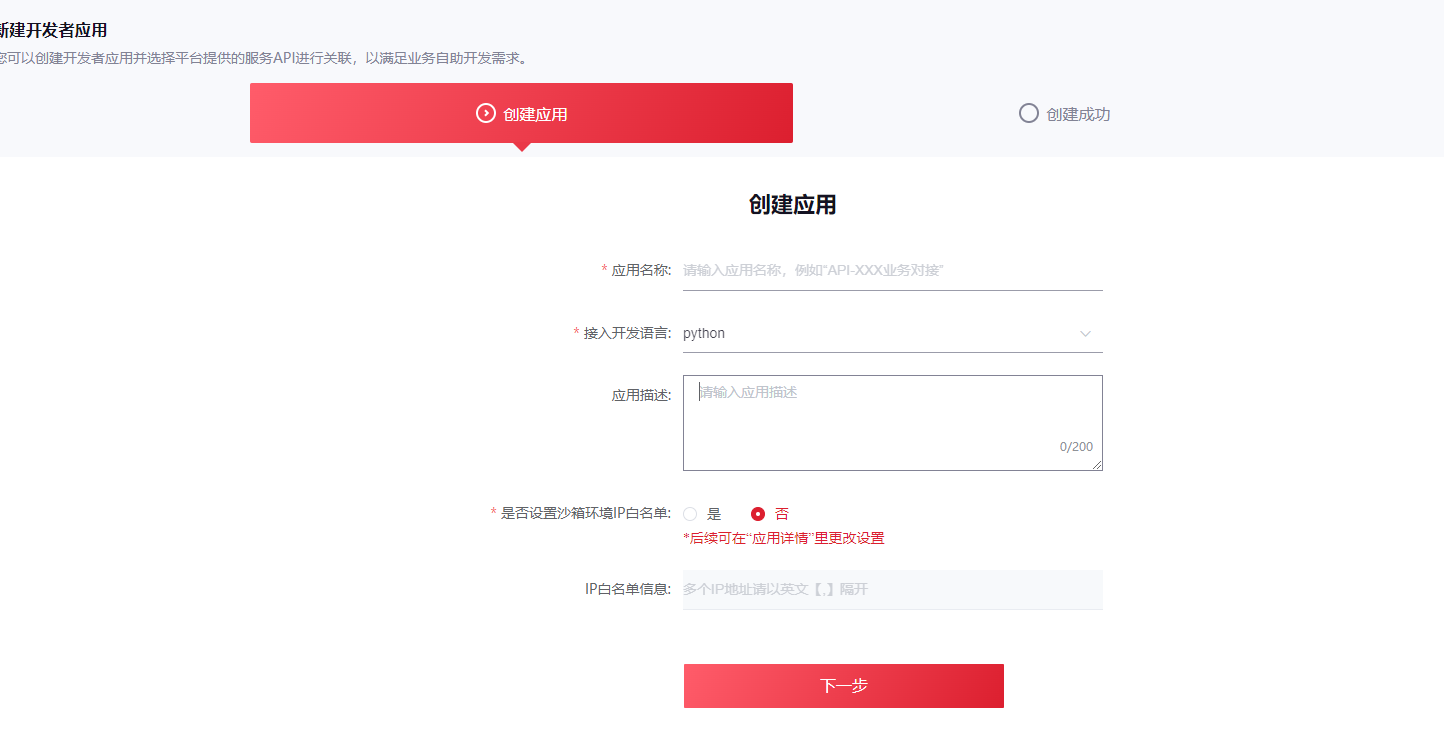
Enter the application name, developer language, and description. Keep the sandbox whitelist option as default and complete creation.
After the application is created, click View API and associate the APIs required by the module.
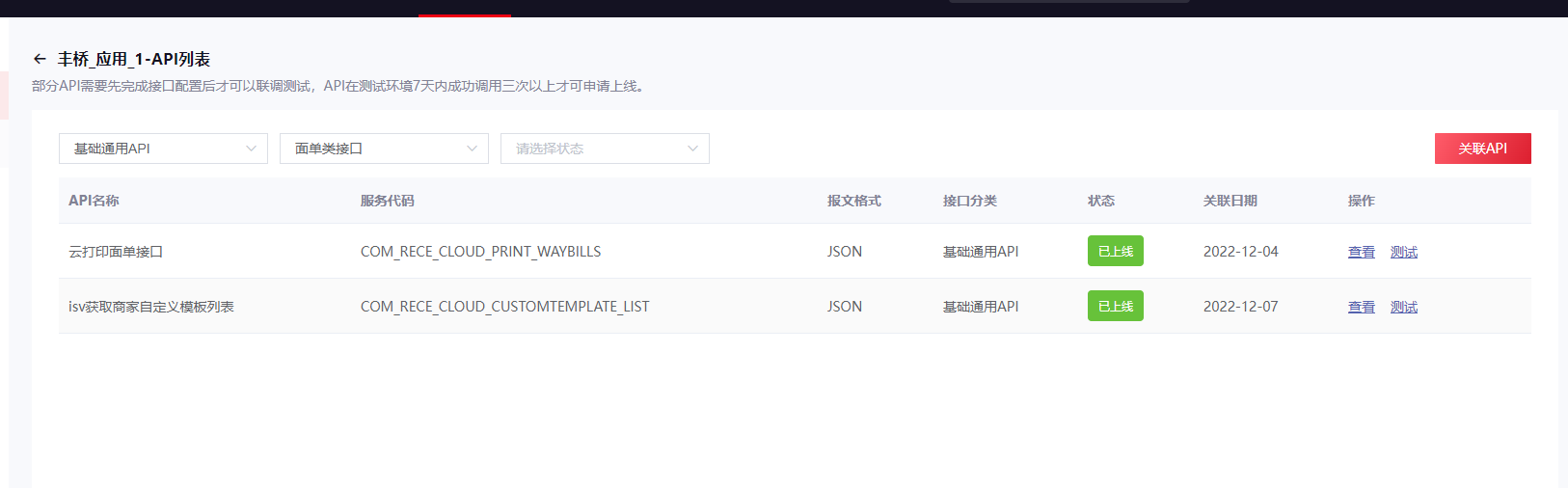
The SF module requires the following APIs:
- Cloud printing waybill API
- ISV custom template list API
- Order creation API
- Order result query API
- Order cancellation API
- Order filtering API
- Route query API
Return to the application details page and obtain the customer code, monthly settlement card number, and checkword.
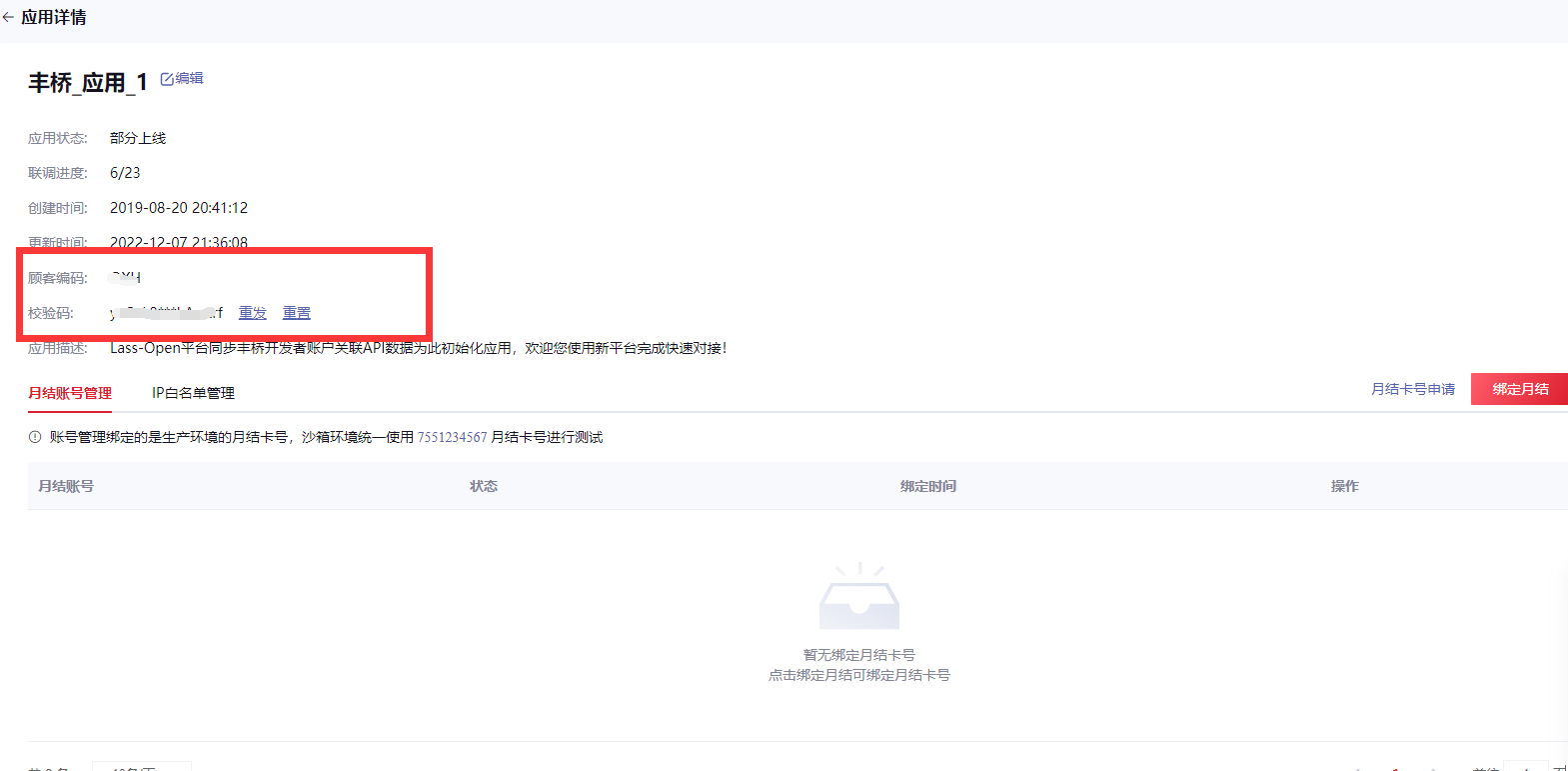
After these steps, the basic SF-side setup is complete.
Module Configuration
Go to Settings > General Settings > Sales > Delivery Settings and enable SF Express.
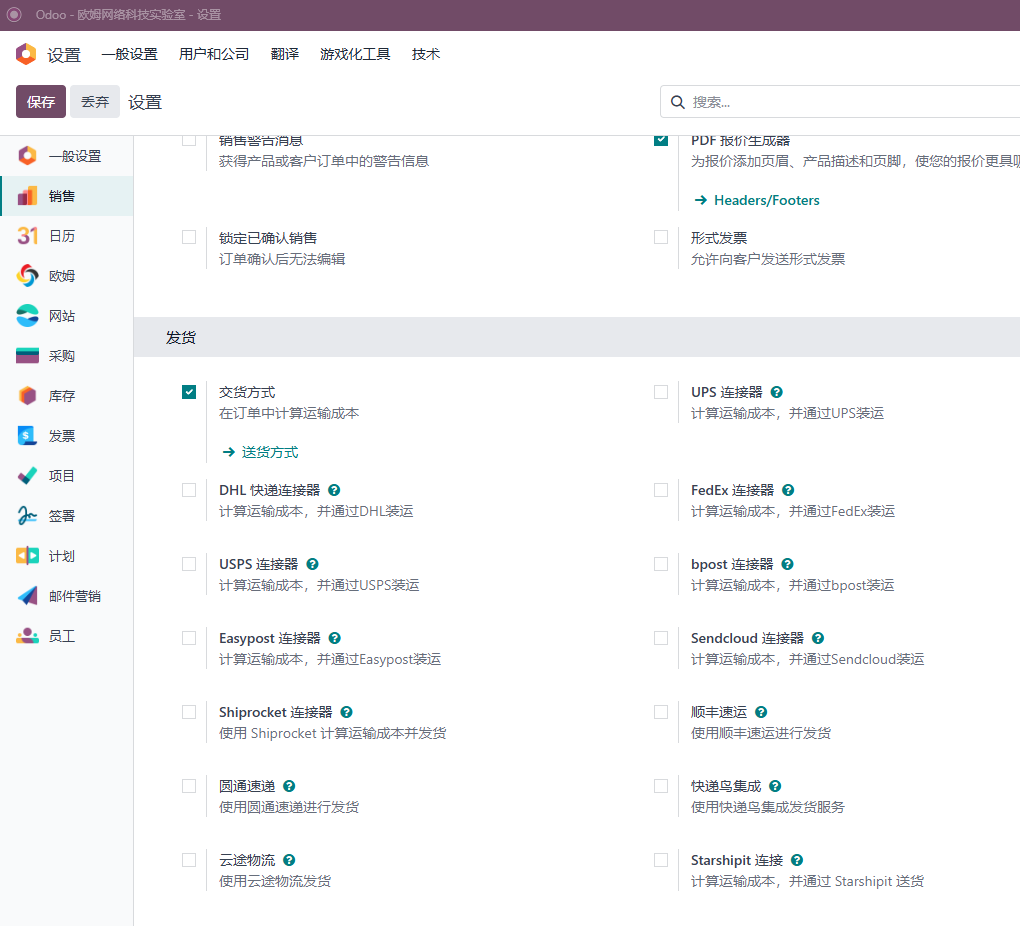
Save the settings to install the module.
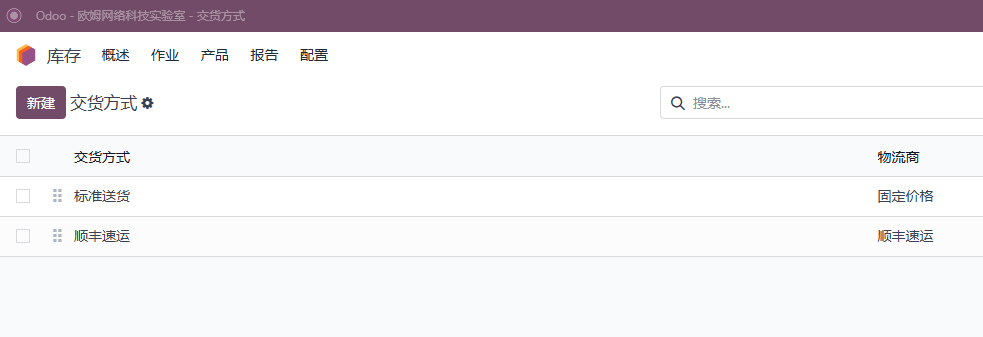
Go to Inventory > Configuration > Delivery Methods and open SF Express.
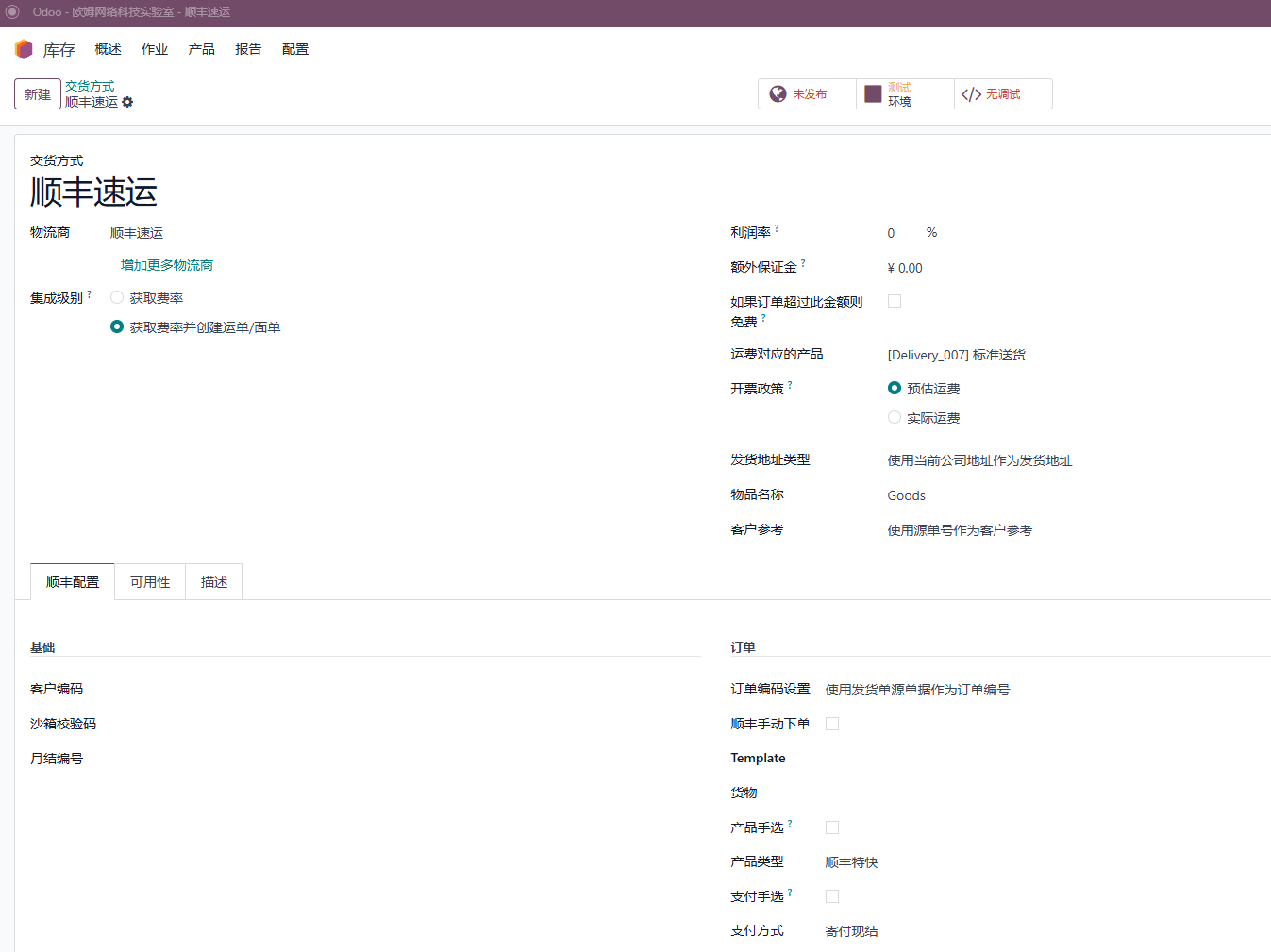
Enter the monthly settlement card number, customer code, and checkword in the basic settings.
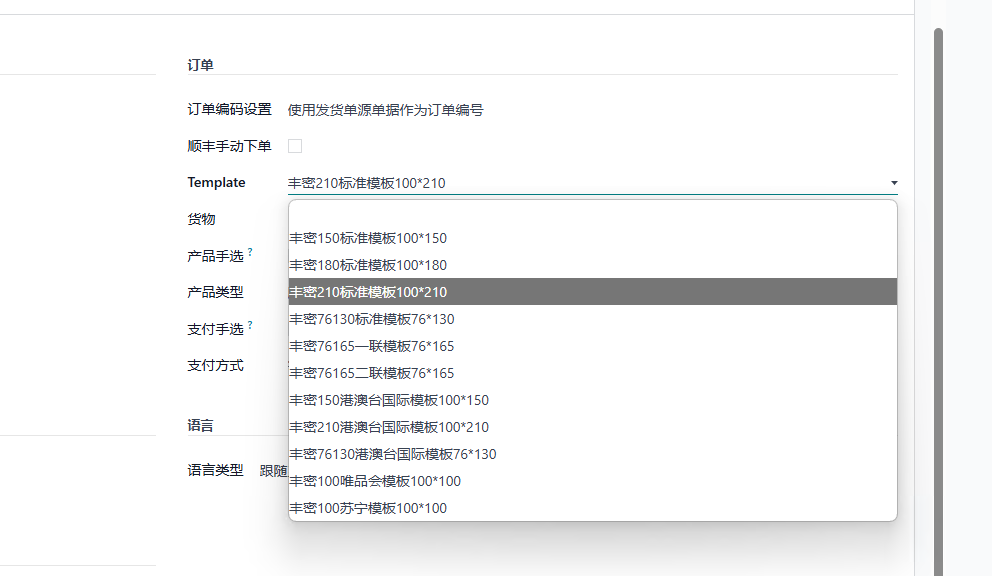
Select the electronic waybill template code you want to use.
The basic SF module configuration is now complete.
User Guide
Fengqiao requires three successful API tests before production access can be enabled. Start with the sandbox checkword and switch to the production checkword after testing.
Add SF Express To A Sales Order
Create a sales order, for example selling a laptop, then add a delivery method and select SF Express.
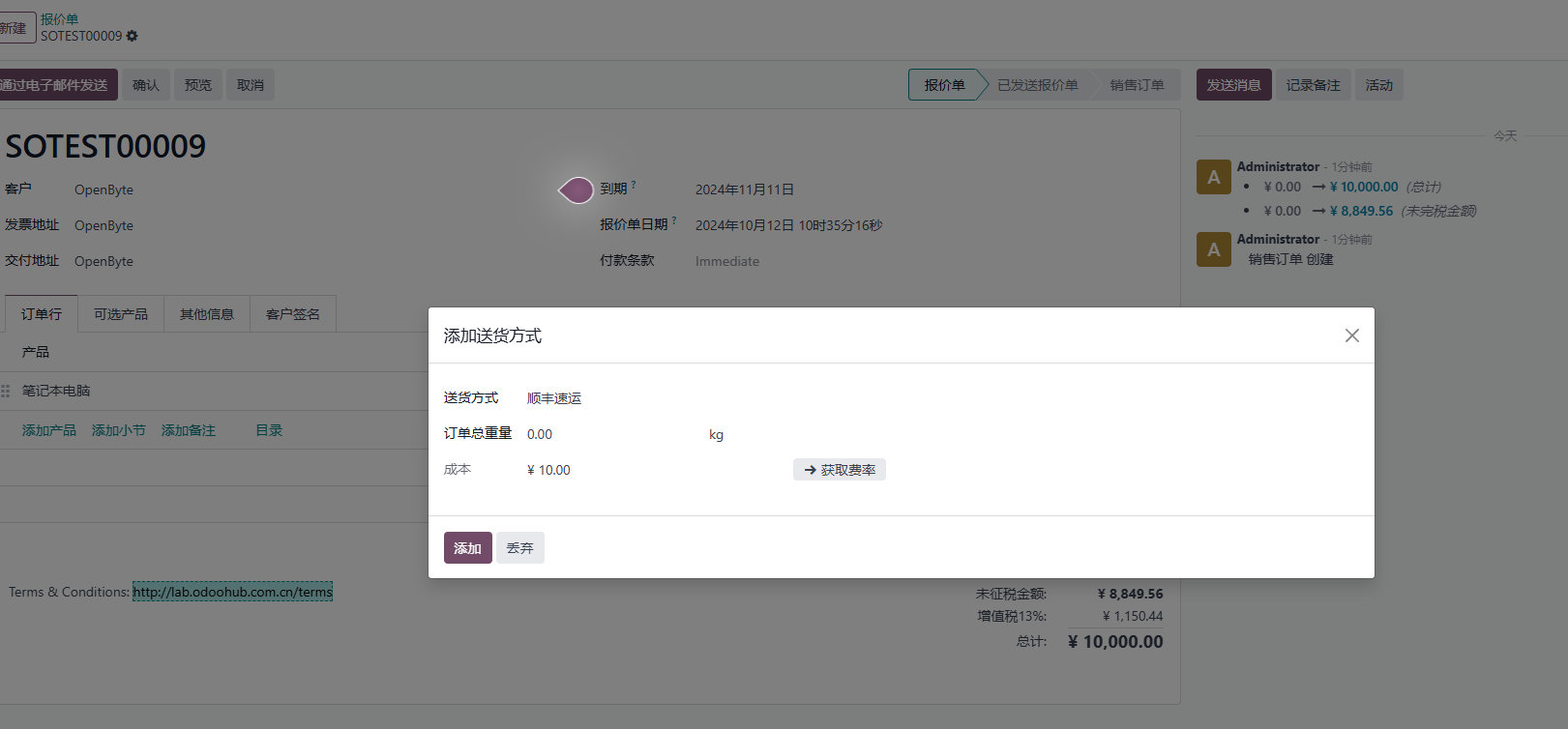
Confirm the sales order and generate a delivery order.
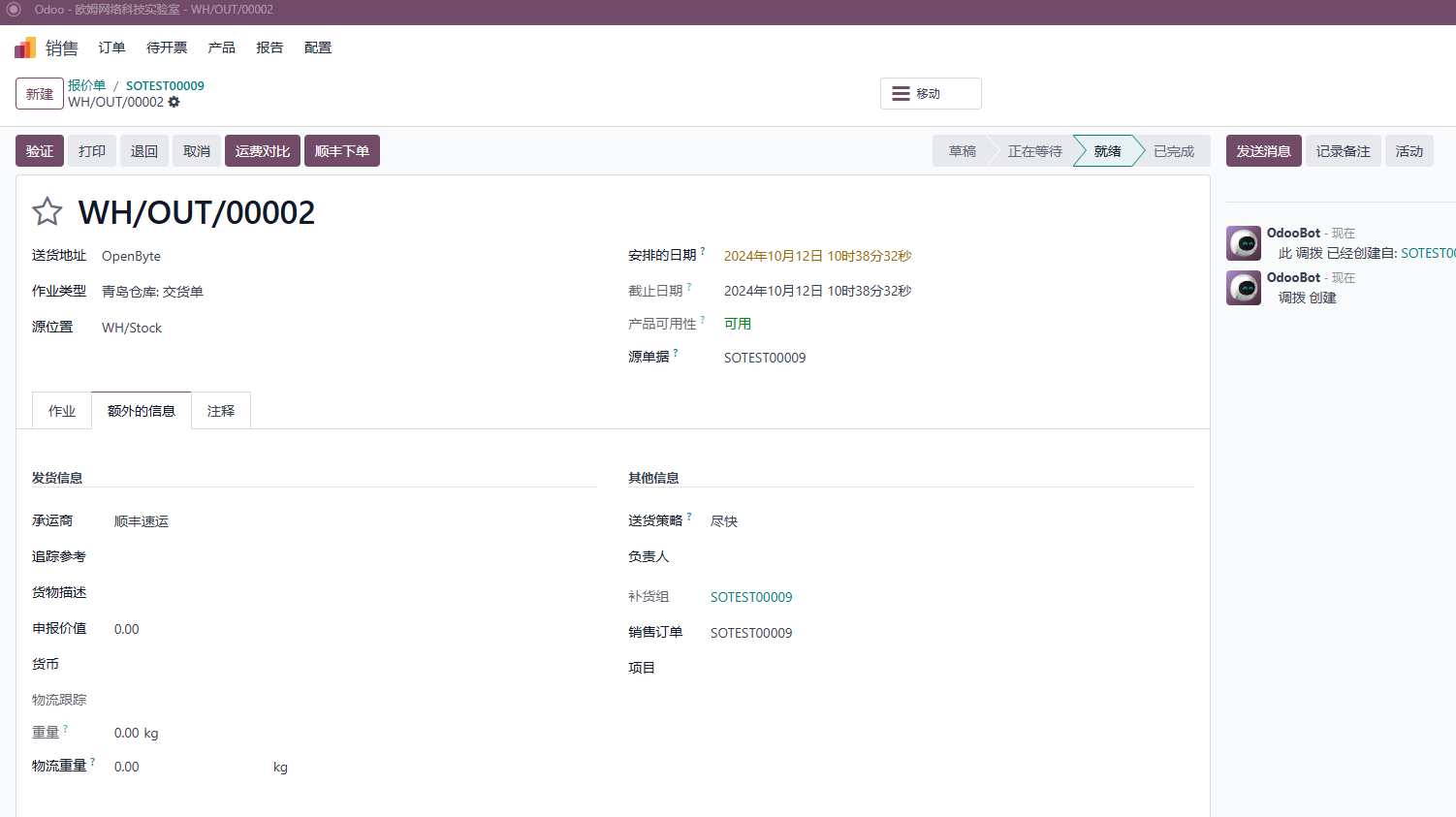
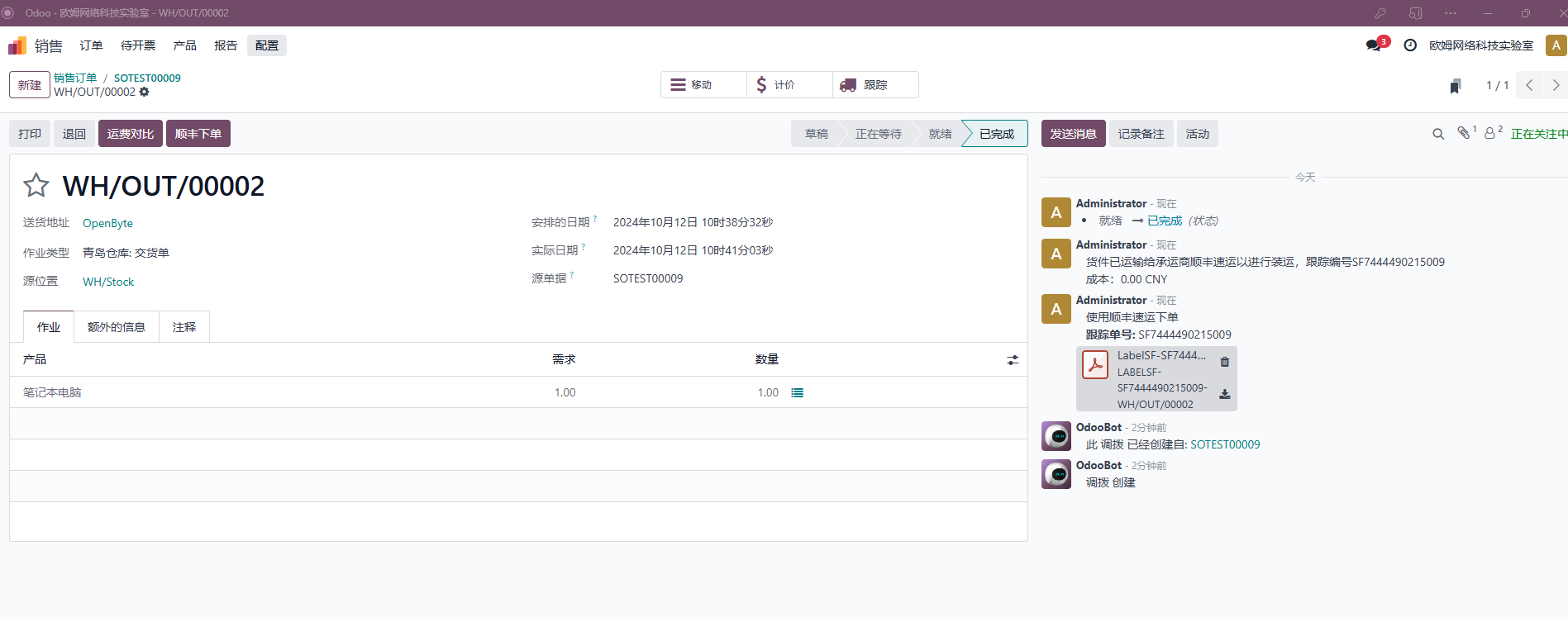
The delivery order selects SF by default. Choose the SF product and goods description, then validate the delivery. The electronic waybill is generated in the chatter.
Cancel Shipment
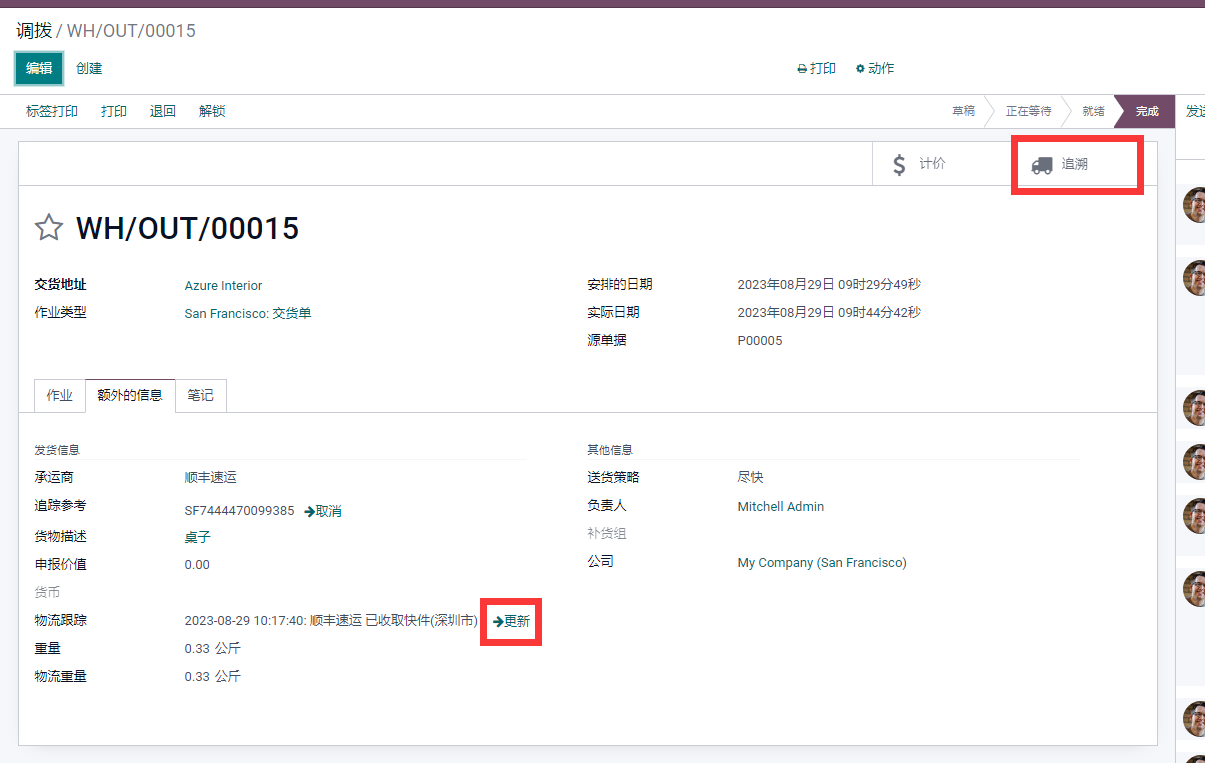
Click the cancel button next to logistics tracking to cancel the SF order.
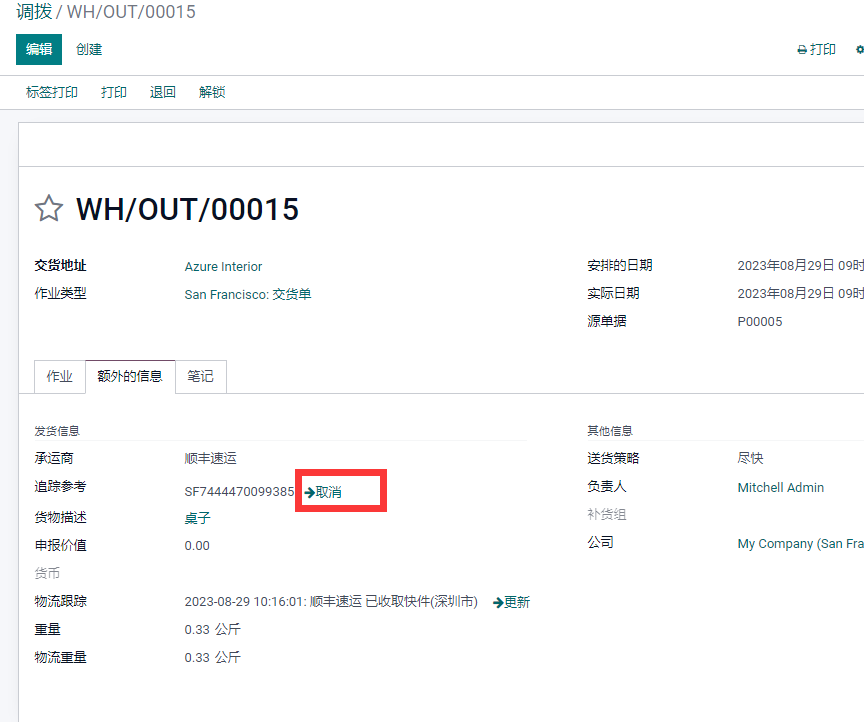
Tracking
Each time the delivery order is opened, the module updates the latest route information automatically. Users can also click the update button manually or click the tracking button to open the SF website.
Custom SF Source Order Number
The module supports three source order number strategies:
| Strategy | Description |
|---|---|
| Use delivery order number | Use SO/OUT/XXX or the delivery order number directly as the SF source order number. |
| Use origin document number | Use source documents such as PO0001 or SO0001 as the SF source order number. |
| Use random suffix | Use delivery order number plus a four-character random suffix, such as WH/OUT/00015-r9jc. |
Custom Sender Address Type
The module supports three sender address strategies:
| Strategy | Use Case |
|---|---|
| Current company address | Suitable for companies with one centralized shipping address. |
| Warehouse address | Suitable when company address and shipping warehouse are different, or when multiple warehouses are used. |
| Fixed address | Use a specific fixed address as sender address. |
Custom address formatting is also supported, similar to sales order address formatting.
Cross-Border Support
For cross-border shipments, SF requires declared goods value. The module supports declared value fields.

If the sender or recipient address is outside mainland China, this field is required.
Language Support
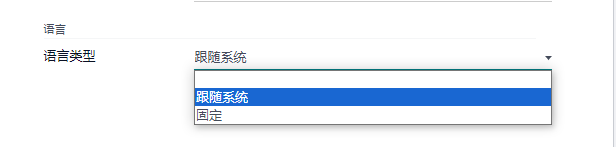
The module supports multilingual settings. The language can follow the system or use a fixed language.
Batch Label Printing
To make order creation and waybill printing easier, the module provides batch electronic label printing.
Version requirements:
15.7.7+,16.8.0+,17.0.1.0+,18.0.1.0+.
FAQ
Estimated shipping price does not show on website checkout
Check whether sender and destination addresses are valid. Backend logs usually provide diagnostic details.
Technical Support
SF Open Platform requires at least three successful tests before production access. If you need help, follow OdooHub and contact support with proof of purchase.